creavoid – Where Innovation Meets the Future

Category: Online Business & Marketing

Unlock the potential of your Online Business & Marketing with expert insights on graphic design, web development, and print-on-demand solutions. This section covers everything from productivity tools and SEO strategies to social media marketing and paid search advertising (SEA). Explore effective payment systems like moss, PayPal, and Wise, and stay ahead in the world of online trading. Whether you’re looking to improve your skills through online courses or optimize your digital presence, this is your go-to resource for building and growing a successful online business.

  • The Ultimate Guide to Automated Customer Support in 2025

    The Ultimate Guide to Automated Customer Support in 2025

    You’ve probably heard the term “automatedsd customer support,” and maybe it conjures up images of clunky, unhelpful robots. Let’s clear the air on what it really is.

    Think of it less as a replacement for your team and more as an incredibly efficient digital assistant. It’s all about freeing up your best people from the repetitive, low-level tasks so they can focus on solving the complex problems that actually require a human touch.

    What Automated Customer Support Really Means

    a man standing next to a computer screen

    At its heart, automated customer support is a strategic partnership between technology and your human agents. It’s not about building a wall between you and your customers. Quite the opposite—it’s about intelligently delegating tasks to the right resource at the right time.

    Here’s a better way to think about it: imagine your support team is a group of world-class chefs. Right now, they might be spending half their day just chopping vegetables and washing dishes. It’s necessary work, but it doesn’t require their unique talent.

    Automation is like installing a professional-grade food processor and an industrial dishwasher in their kitchen. Suddenly, your chefs are free to do what they do best: create amazing, complex dishes that customers will rave about. This is exactly what automation does for your support team.

    Core Functions Prime for Automation

    So, what kind of “vegetable chopping” can you hand off to automation? The system shines when dealing with high-volume, low-complexity tasks that follow predictable patterns. This lets your skilled agents handle the nuanced “why” and “how” questions that build real customer loyalty.

    Some of the most common functions handed over to automation include:

    • Answering Frequent Questions: Instantly resolving common inquiries like “Where is my order?” or “What are your business hours?” using chatbots or interactive voice response (IVR).
    • Intelligent Ticket Routing: Automatically analyzing an incoming ticket to figure out what it’s about and who should handle it, sending it to the right agent or department without any manual sorting.
    • Self-Service Portals: Giving customers the power to find their own answers through comprehensive knowledge bases, FAQs, and community forums.
    • Proactive Status Updates: Sending automated emails or SMS messages about order confirmations, shipping notifications, or potential service disruptions before the customer even has to ask.

    By taking over these routine tasks, automated systems can slash service operational costs by up to 40%. This not only frees up budget but, more importantly, frees up your team to create genuinely positive customer experiences.

    A Partnership, Not a Replacement

    It’s easy to think the goal of automation is to eliminate human interaction, but that’s a common misconception. A well-designed automation strategy actually makes your human agents more valuable, not less.

    When customers know they can get instant help for simple issues 24/7, their frustration drops. Then, when they do need to speak with a person for a complex or emotional issue, they come into that conversation in a much better frame of mind.

    Better yet, the agent they speak with will be armed with all the context and history gathered by the automated system. This collaborative approach delivers efficiency without sacrificing the empathy and critical thinking that only a human can provide. It’s the foundation of a truly superior customer experience.

    The Core Technologies Driving Automation

    To really understand automated customer support, you have to pop the hood and look at the technologies that make it all tick. These aren’t just buzzwords; they’re the actual engines that power instant answers, smart routing, and personalized conversations. Think of this tech stack like a well-oiled pit crew—each member has a specific job, but they all work together to get the car back on the track in record time.

    The team captain is Artificial Intelligence (AI), which is the broad practice of creating smart systems that can do things normally requiring human brainpower. In our pit crew analogy, AI is the crew chief, calling the shots and making sure the entire operation runs smoothly. It’s what makes an automated system dynamic and responsive, rather than just a simple, static script.

    Working under the chief’s direction are the specialists: Machine Learning and Natural Language Processing. These are the sub-fields of AI that handle the really specific, hands-on tasks.

    Meet the Key Players on the Tech Team

    So, how do all these pieces come together to create an automated support experience that actually feels helpful? Let’s break down who does what.

    • Artificial Intelligence (AI): This is the big-picture technology. AI allows machines to learn from experience, reason through problems, and make decisions. It’s the overarching system that enables all the other automated actions to happen intelligently.
    • Machine Learning (ML): Think of ML as the crew member who gets smarter with every pit stop. It’s a type of AI where systems learn from data without needing to be reprogrammed. This is how a chatbot can improve its answers over time based on the thousands of customer interactions it handles.
    • Natural Language Processing (NLP): This is the team’s communication expert. NLP is the magic that allows technology to understand, interpret, and generate human language—both written and spoken. It’s what helps a bot understand the intent behind “Where’s my stuff?” instead of just seeing keywords.

    These technologies are rarely lone wolves; their real power comes from teamwork. For example, an AI-powered chatbot uses NLP to figure out what a customer is asking and ML to learn from that conversation, making its future responses even better. That’s the secret sauce that turns basic automation into something genuinely useful.

    We’re seeing a major push in how companies are using generative AI and automation, especially heading into 2025. The trend is crystal clear: businesses are deploying AI to offer 24/7 support, slash response times, and handle all the routine questions that used to tie up agents. This frees up the human team to tackle the really complex, high-touch issues, which is becoming a huge competitive advantage.

    From Technical Concepts to Real-World Tools

    So, what do you get when you mix all this tech together? The most common result is the chatbot, a program you’ve almost certainly interacted with, designed to simulate a conversation with a person.

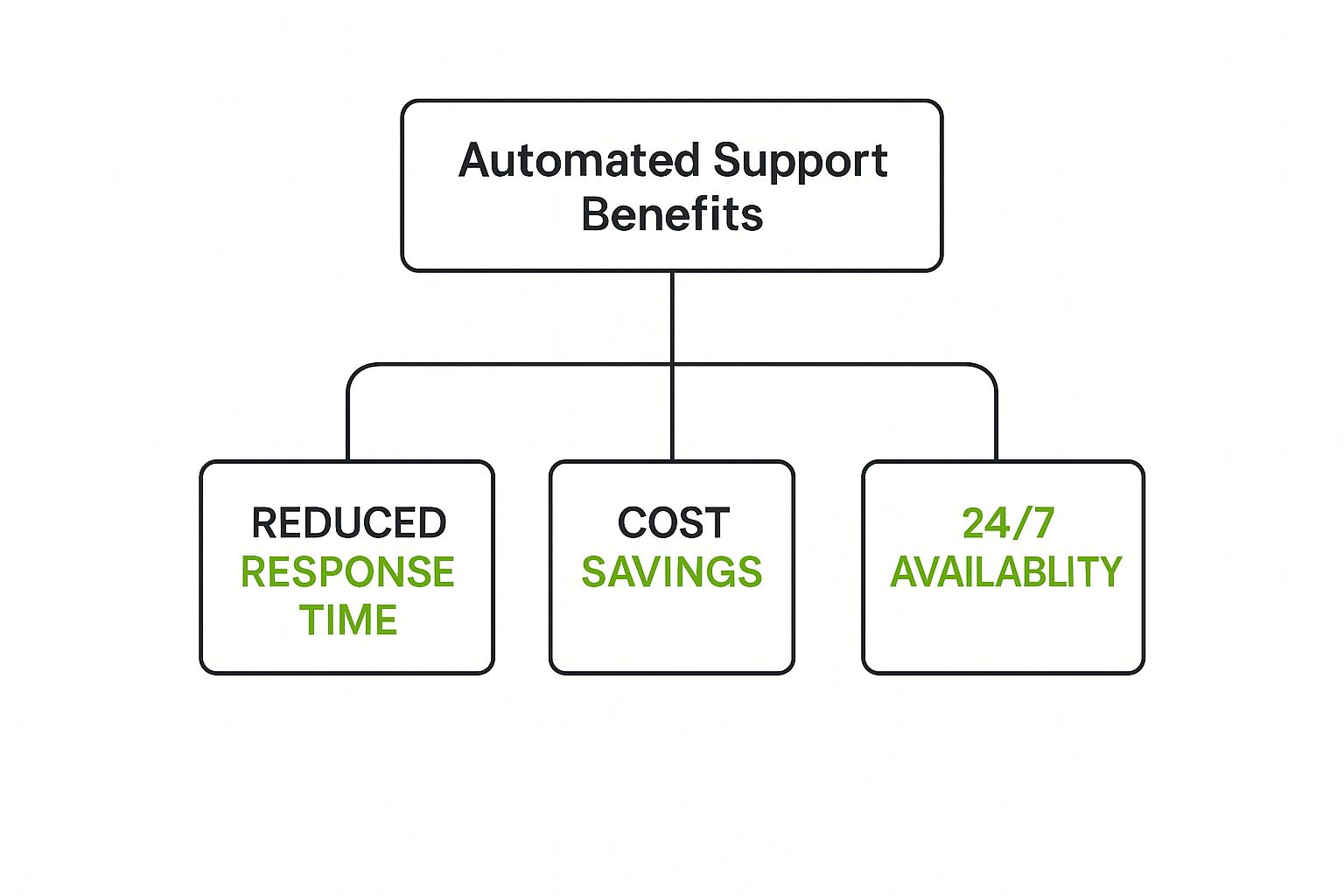
    This image shows a pretty standard chatbot interface. The goal is always to make it feel simple and conversational.
    Image

    When the design is clean and the flow is logical, customers are much more willing to engage with an automated system to get the quick help they need.

    Key Automation Technologies Compared

    It’s important to remember that not all automation is built the same. The right tool for the job depends entirely on what you’re trying to accomplish. A simple, rule-based bot might be perfect for your FAQ page, but it will fall flat if a customer has a multi-part problem. For that, you need a more sophisticated AI assistant.

    Understanding the differences is the first step in building a support strategy that works. If you’re curious about how these ideas extend beyond support, our guide on productivity automation tools is a great next step.

    To help clear things up, here’s a quick rundown of the main technologies, what they do best, and where you’d typically see them in action.

    TechnologyPrimary FunctionBest ForExample Application
    Rule-Based ChatbotsFollow pre-defined conversational flows based on “if-then” logic.Answering simple, repetitive questions with predictable answers.A bot on a shipping company’s website that only provides order status based on a tracking number.
    AI-Powered ChatbotsUse NLP and ML to understand user intent and learn from conversations.Handling a wider range of queries and personalizing interactions.An e-commerce bot that can answer “Where’s my order?” and also recommend products based on chat history.
    Interactive Voice Response (IVR)Uses NLP to understand spoken commands and route callers.Efficiently directing phone calls and handling simple voice-based requests.A banking phone system that lets you say “check my balance” instead of pressing a number.
    AI Knowledge BaseUses AI to search and surface the most relevant help articles for customers or agents.Empowering self-service and speeding up agent-assisted support.A search bar in a help center that understands a complex query and provides the exact right paragraph from an article.

    At the end of the day, picking the right technology comes down to matching the complexity of the tool to the complexity of the customer’s problem. Get that right, and you’re well on your way to building an automation strategy that both your customers and your support team will love.

    Key Business Benefits of Support Automation
    Image
    While the technology behind automated support is cool, let’s be real—the true magic is what it does for your business. We can geek out about the tech all day, but what really matters are the tangible results. These aren’t just small tweaks; they’re fundamental shifts in how you operate, grow, and compete.

    Think about an e-commerce brand bracing for the Black Friday storm. In past years, their small support team was completely swamped. This meant long waits, angry customers, and abandoned carts. This year, they launch an AI chatbot. Instantly, it handles thousands of “Where is my order?” and “What’s your return policy?” tickets, keeping shoppers happy and sales flowing. This isn’t a hypothetical—it’s how automation directly protects your bottom line.

    Drive Down Operational Costs

    One of the first things you’ll notice is the impact on your operational budget. Every single routine question an AI chatbot or self-service portal answers is a ticket a human agent doesn’t have to touch. That adds up, fast.

    In fact, some businesses have slashed their operational service costs by as much as 40% by strategically using automation. This isn’t about replacing your team; it’s about empowering them to handle a much higher volume of inquiries without needing to constantly hire more people. The money you save can then be funneled back into growing other parts of the business.

    Empower Your Human Agents

    There’s a common misconception that automation will make human agents obsolete. The reality is the complete opposite. By taking over the dull, repetitive tasks, automation frees up your team to tackle the high-value work—the complex problems that require empathy, creativity, and critical thinking.

    This has a huge effect on agent productivity and morale. Instead of feeling like broken records answering the same five questions all day, agents evolve into true problem-solvers. Their roles become more engaging and fulfilling, which dramatically cuts down on agent burnout and turnover—a notoriously expensive issue for any support department.

    Automation transforms an agent’s role from a simple “answerer” of questions to a “solver” of complex problems. This elevation doesn’t just improve efficiency; it creates a more rewarding career path, helping you keep your best people.

    Scale Support Operations Seamlessly

    Your company’s growth should never be bottlenecked by your support team’s capacity. Automated customer support gives you the flexibility to scale up or down on a dime, without the logistical nightmare of hiring and training new staff.

    Just think about these advantages:

    • Handle Volume Spikes: Effortlessly manage sudden floods of support tickets during product launches, holiday sales, or seasonal rushes.
    • Expand into New Markets: Offer genuine 24/7 support across different time zones without needing to build a physical office in every location.
    • Maintain Service Quality: Guarantee that every single customer gets a fast, consistent response, whether you have 100 customers or 100,000.

    This ability to scale without friction is a cornerstone of any modern growth strategy. Weaving these automated systems into your operations is a key part of building a successful digital transformation roadmap, ensuring your support can keep up with your ambition.

    Enhance Customer Satisfaction and Loyalty

    At the end of the day, it always comes back to the customer. Modern consumers expect service that is fast, convenient, and effective. Automation nails all three. Giving customers instant answers through chatbots or a knowledge base gets rid of frustrating wait times.

    This is more than a “nice-to-have.” When 73% of customers expect to solve issues on any channel without having to repeat themselves, a connected, automated system becomes a basic expectation. This instant, always-on support leads directly to better customer satisfaction (CSAT) scores. Happier customers are far more likely to stick around, buy again, and tell their friends about you, creating a powerful engine for growth.

    How to Implement Your Automation Strategy

    Jumping into an automated customer support system can feel like a huge project, but it doesn’t have to be. If you break it down into smart, bite-sized steps, you can build a powerful system that helps your customers and gives your team a boost. Don’t think of it as flipping a giant switch—think of it as methodically laying the tracks for a brand-new high-speed train.

    Your starting point isn’t with cool tech, but with simple data. The best place to begin is by digging into your existing support tickets. This is where your customers are literally telling you, in their own words, what they need help with most often.

    Start by Identifying the Low-Hanging Fruit

    Before you even glance at a chatbot platform or sketch out a workflow, you need to spot the tasks that are begging to be automated. These are usually the high-volume, low-effort questions that eat up your agents’ day without needing their real problem-solving smarts.

    Take a look at your support ticket data from the last few months. What patterns pop up again and again? Are you constantly dealing with tickets about:

    • Order status updates (“Where’s my stuff?”)
    • Return policy questions
    • Password resets
    • Business hours or locations
    • Basic questions about product features

    These repeat offenders are your low-hanging fruit. They’re the perfect first targets for automation because the answers are straightforward and don’t require any emotional heavy lifting. Automating just one or two of these can instantly free up a surprising amount of your team’s time.

    Select the Right Tools for the Job

    Once you know what you want to automate, it’s time to figure out the how. The market is packed with tools, from simple rule-based bots to incredibly smart AI platforms. The right one for you comes down to your specific needs, budget, and what tech you’re already using.

    Think about these points when you’re weighing your options:

    • Business Size: A small startup might just need a simple chatbot for its website. A large enterprise, on the other hand, will likely need a solution that works across every channel and plugs right into its CRM.
    • Technical Complexity: Are you looking for a no-code builder that anyone can use, or do you have developers ready to build something more custom and powerful?
    • Integration Capabilities: This is a big one. Make sure the tool can connect smoothly with your helpdesk, CRM, and e-commerce platform. A connected experience is key.

    The shift to automation is happening, and it’s happening fast. Experts predict that by 2025, AI will handle a massive 95% of all customer interactions. This isn’t because AI is replacing humans, but because it’s so good at managing simple questions. This frees up human agents to focus on the more complex, tricky situations where they’re needed most.

    Build and Deploy Your Automated System

    With your tools picked out, it’s time to build. This is where your strategy starts to come to life. A good rollout is more than just turning on a bot; it takes careful design and a solid game plan.

    1. Design Conversational Flows: For chatbots, you need to map out the conversation. Start with a friendly hello, figure out what the user wants, and then guide them to an answer or a clear path to a human agent. Keep it simple and intuitive.
    2. Build a Robust Knowledge Base: Your automation is only as smart as the information it has access to. A detailed, well-organized knowledge base is the brain of your entire operation.
    3. Train Your Human Agents: Get your team ready for their new, more advanced roles. Teach them how to work with the automation, how to handle escalations seamlessly, and how to use their newfound time to create amazing customer experiences. If you’re wondering where to begin, our guide on how to build AI agents for beginners is a great starting point.

    Measure Success and Continuously Refine

    Launching your system isn’t the finish line—it’s just the start of a continuous cycle of improvement. To know if your strategy is actually working, you have to track the right numbers, or Key Performance Indicators (KPIs).

    Here are the essential metrics you should be watching:

    KPIWhat It MeasuresWhy It’s Important
    Ticket Deflection RateThe percentage of customer questions solved without needing a human.This is the clearest measure of your automation’s effectiveness and return on investment.
    First-Contact Resolution (FCR)The rate at which issues are solved in the very first interaction (bot or human).A high FCR means you have an efficient process and happy customers.
    Customer Satisfaction (CSAT)Feedback from customers on their support experience, usually from a quick survey.This tells you if your automation is making people happy or frustrating them.

    Check these metrics regularly to see what’s working and what isn’t. Use customer feedback to tweak your chatbot scripts, update your knowledge base, and make your workflows even better. This ongoing feedback loop is what ensures your automated support system grows with your business and keeps delivering real value.

    Common Automation Mistakes to Avoid

    Image

    Rolling out an automated customer support system can be a huge win, but it’s a path littered with potential missteps. If you’re not careful, you can end up frustrating customers and watching your big project go completely off the rails. The smartest way to get it right? Learn from the mistakes others have already made.

    One of the most common blunders is trying to automate everything. It’s tempting, I get it. But automation really shines with simple, repetitive tasks. Trying to make a bot handle complex, emotional issues is just asking for trouble and is guaranteed to leave your customers seeing red.

    Another classic mistake is making it nearly impossible for a customer to escape the bot and reach a person. Trapping someone in an endless “bot loop” is one of the fastest ways to lose their business for good. The goal is to be helpful and efficient, not to build an impenetrable digital fortress.

    Hiding the Human Escalation Path

    Picture this: a customer has a billing error that’s causing them real stress. They try your chatbot, but it’s only built for basic FAQs. After a few failed attempts to explain their problem, they start desperately searching for a “Talk to an Agent” button… but it’s nowhere to be found. Their frustration quickly boils over into anger. Just like that, a fixable problem has cost you a customer.

    This is exactly what happens with a poor escalation strategy. Your automated tools absolutely must have a clear, easy-to-find off-ramp to a human agent.

    • Solution: Make sure a one-click button like “Speak with an Agent” or “Get Human Help” is always visible in your chat interface.
    • Best Practice: Program your bot to proactively offer a handoff to a person after it fails to understand a customer’s request twice in a row.

    Launching Without a Solid Foundation

    Here’s a simple truth: your automated tools are only as smart as the information you give them. Launching a chatbot or an AI helper without a detailed, well-organized knowledge base is like hiring a librarian for a library with empty shelves. It’s pointless.

    Without a rich source of answers to draw from, your bot will constantly fail. This leads to miserable customer experiences and makes the entire system feel like a waste of time and money.

    A poorly planned automation strategy doesn’t just fail to help—it actively damages the customer relationship. The stakes are incredibly high. Poor service delivery costs U.S. companies an estimated $75 billion a year, often because technology was thrown at a problem without the right human-centric planning. You can dig into the financial impact in this detailed research on customer service effectiveness.

    Forgetting to Train Your Team

    The final, and often overlooked, mistake is failing to prepare your human agents for the change. Automation completely shifts their role. They’re no longer just answering basic questions; they’re becoming specialists who manage complex escalations and build real customer relationships.

    If you just “flip the switch” on automation without training your team on how to work alongside it, you’re creating chaos. Agents need to understand the new workflows, know how to seamlessly take over a conversation from a bot, and feel empowered in their new, more strategic position.

    Steer clear of these common pitfalls, and you’ll be on your way to building an automated support system that genuinely helps customers, empowers your team, and actually delivers a real return on your investment.

    The Future of Automated Customer Support

    If you think automated customer support has already reached its peak, you’re in for a surprise. The entire field is gearing up for a massive shift, moving away from simply reacting to customer problems and into a genuinely predictive, personalized, and seamless world of assistance. The next evolution isn’t just about answering questions faster; it’s about anticipating needs before a customer even realizes they have one.

    Think about this: you get a notification that your package is delayed, and it comes with an automatic refund for the shipping fee. You didn’t even have to check the tracking status. That’s the power of proactive support. AI systems are getting smart enough to analyze data, spot patterns that signal a potential hiccup, and step in to fix it ahead of time. It completely flips the traditional support model on its head.

    Instead of being a cost center that waits for complaints, support becomes a proactive engine for building loyalty.

    Deeper Personalization and Blurring Channels

    As AI continues to learn and evolve, its ability to craft truly individual experiences will explode. The next frontier is hyper-personalization, where automated systems tap into a customer’s entire journey—from their purchase history to their browsing habits—to customize every single interaction. This means conversations will feel less like you’re talking to a machine reading a script and more like you’re chatting with someone who actually gets you.

    The future of automated customer support is a collaborative ecosystem where the line between human and AI blurs, creating an intelligent, predictive, and highly effective experience.

    We’re also going to see the walls between communication channels completely dissolve. It’s already starting to happen. A customer might begin a conversation with a chatbot, then seamlessly transition to a voice or even a video call with a human agent, all within the same window. The context and history of the conversation travel with them, creating one fluid, continuous experience. The future isn’t just about automation; it’s about making technology feel more human and intuitive than ever before.

    Got Questions About Automation? We’ve Got Answers.

    As you start thinking about bringing automated customer support into your business, it’s only natural to have some questions. What’s this really going to cost? Will it replace my team? Where in the world do I even begin? Let’s tackle these common concerns head-on so you can move forward with confidence.

    What’s the Real Cost to Get Started?

    This is usually the first question on every business owner’s mind, and the honest answer is: it depends. The price tag for automation can swing wildly based on how big your business is and what you need it to do.

    • For Small Businesses: Getting started can be surprisingly affordable. A simple, rule-based chatbot for your website might only run a few hundred dollars a month with a subscription service.
    • For Mid-Sized Companies: When you need more muscle—like integrating with your CRM or using smarter AI—you’re looking at a range from the low thousands to several thousand dollars monthly.
    • For Large Enterprises: A fully custom AI solution that works across every channel and plugs into multiple systems is a serious investment. These projects often run into the tens of thousands of dollars or more.

    Will Automation Replace Our Human Support Agents?

    This is a big—and important—concern. But a well-designed automation strategy is all about collaboration, not replacement. Automation is brilliant at handling the high-volume, repetitive stuff that bogs your team down.

    This frees up your human agents to focus on what they do best: solving complex, high-stakes problems that need a real dose of empathy and critical thinking.

    Think of automation as a power-up for your team. By taking over the routine questions, it turns agents from simple question-answerers into expert problem-solvers. Their roles become more valuable, and honestly, a lot more engaging.

    I’m a Small Business. What’s the Best First Step?

    For any small business, my advice is always the same: start simple. Please don’t try to automate everything at once—that’s a recipe for disaster.

    A great first move is to put a basic chatbot on your website to handle your top 3-5 most frequently asked questions. This is a low-risk, high-reward way to dip your toes in the water and see an immediate return.

    How Do We Actually Measure the ROI of This Stuff?

    Knowing if your strategy is working is everything. To measure the return on your investment (ROI), you need to focus on a few key metrics that tell a clear story.

    Track your ticket deflection rate—that’s the percentage of issues your automation solves without needing a human. At the same time, keep a close eye on your Customer Satisfaction (CSAT) scores to make sure people are still happy. If your deflection rate is climbing while your CSAT scores hold steady or even improve, you’ve found the sweet spot. That’s a clear win.


    Ready to see how intelligent automation can slash your operational costs and help you scale support? The team at creavoid specializes in building and implementing AI solutions that help businesses like yours grow. Learn how we can transform your customer service today.


  • Create Your Digital Transformation Roadmap in 2025

    Create Your Digital Transformation Roadmap in 2025

    Think of a “digital transformation roadmap” less as a stuffy corporate document and more as your strategic playbook for survival and growth. It’s the bridge that connects where your business is today to where it needs to be tomorrow. This plan is absolutely essential for making sure your tech investments actually push the business forward, instead of just becoming another line item on a budget.

    Why Your Business Needs This Roadmap Now

    Image

    Let’s cut through the buzzwords. A digital transformation roadmap isn’t an IT department’s wish list or a catalog of trendy software to buy. I’ve seen too many companies make that mistake.

    Without a clear plan, “transformation” efforts become a mess of fragmented, expensive projects that go nowhere. You end up with powerful tools nobody uses or automated processes that solve the wrong problems. A solid roadmap prevents this chaos by tying every single action back to a specific, measurable business goal.

    The Urgency is Real

    The pressure to evolve isn’t some distant threat—it’s right here, right now. Nimble competitors, free from clunky legacy systems, can swoop in and steal customers with better digital experiences. At the same time, your customers’ expectations have completely changed. They demand seamless, personal, and instant service, a standard set by digital-first companies.

    In this environment, standing still is the biggest risk you can take.

    The data backs this up. By 2025, a staggering 94% of organizations are expected to have digital initiatives underway. It’s not a niche activity anymore; 32% of managers see it as a basic requirement for survival. If you’re curious about the numbers, Veritis.com offers more insights into digital transformation trends.

    Here’s a common pitfall I see all the time: treating digital transformation as a one-and-done project. It’s not. It’s a continuous evolution, and your roadmap should be a living document that adapts to new challenges and opportunities.

    It’s About More Than Just Technology

    A successful roadmap isn’t just about bolting on new tech. It’s about making strategic improvements in key areas that deliver real, tangible value. Before we dive into the “how,” let’s get a clear picture of what we’re building.

    The table below summarizes the core components we’ll be breaking down. Think of it as a high-level overview of the journey ahead.

    PillarKey FocusBusiness Outcome
    Operational EfficiencyAutomating repetitive tasks and streamlining workflows.Reduced errors, lower costs, and a more productive team.
    Customer EngagementCreating smoother, more personalized customer journeys.Increased loyalty, higher satisfaction, and better retention.
    Core SystemsUpdating foundational technology to support growth.Greater agility, improved security, and future-ready operations.

    Ultimately, a good roadmap focuses on these pillars to deliver concrete results. It’s about building a stronger, more competitive business from the inside out, ensuring every dollar you spend on technology turns into measurable success.

    Before you even think about buying new software or hiring a single developer, the most important work of your digital transformation has to happen. This isn’t about servers or code; it’s about getting the right people in a room and figuring out your “why.” This is the strategic foundation, and skipping it is the fastest way to waste a lot of time and money.

    A successful transformation is built on a crystal-clear, shared understanding of your goals. You need to get your key leaders together—from the C-suite to the managers on the front lines—and ask some tough questions. What specific business problems are we actually trying to fix? What does a “win” look like in three years?

    Without this alignment, you’ll end up with a mess. Different departments will pull in opposite directions, creating a patchwork of disconnected tools instead of a unified, powerful strategy.

    Get Your A-Team in Place

    First things first: you need to assemble a cross-functional transformation team. This can’t be some sleepy steering committee that meets once a quarter. This group needs real authority to make decisions and drive change.

    Your team should be a mix of people who can speak for every part of the business:

    • Executive Leadership: You need a champion to provide the vision, secure the budget, and keep the momentum going.
    • IT and Technology: These are the folks who will assess technical feasibility and what your infrastructure can handle.
    • Operations: They bring a dose of reality, grounding the strategy in the day-to-day work that actually gets done.
    • Marketing and Sales: They represent the voice of your customer and keep everyone focused on revenue goals.
    • Human Resources: Don’t forget the people! HR is critical for managing the change, including training and communication.

    Having this mix of perspectives ensures your roadmap isn’t built in an echo chamber. It becomes a plan the entire organization can get behind because they had a hand in creating it. The potential here is massive; the global digital transformation market is expected to explode from USD 1.42 trillion in 2025 to USD 13.26 trillion by 2035. You can discover more insights from the 2025-2035 market forecast report to see why this foundational work matters.

    Define What Success Actually Looks Like

    With your team assembled, it’s time to define success with sharp, meaningful KPIs. So many companies fall into the trap of focusing only on cutting costs. While that’s a piece of the puzzle, real transformation creates value across the entire business.

    I’ve seen this happen countless times: companies chase technology for technology’s sake. The goal isn’t to be “more digital.” The goal is to solve a business problem. Your KPIs must reflect the problems you’re trying to solve.

    Ditch the generic, fluffy goals and get specific with metrics that truly move the needle.

    KPI CategoryWeak KPI ExampleStrong KPI Example
    Customer ImpactIncrease website trafficBoost customer lifetime value (CLV) by 15%
    Operational ImpactImplement new softwareReduce order fulfillment time by 25%
    Employee ImpactConduct training sessionsImprove employee productivity scores by 20%

    See the difference? These stronger KPIs force you to connect every tech investment to a real business outcome. A higher CLV isn’t just a number; it’s the direct result of a better customer experience, which should be at the heart of any digital transformation.

    Let’s Talk Real-World: A Retail Scenario

    Let’s bring this down to earth. I once worked with a mid-sized retailer whose online and in-store experiences were completely disconnected. It was a mess. In their foundational meetings, one major pain point surfaced: the returns process was a nightmare for customers. You couldn’t easily return an online purchase in-store, and vice versa. This led to frustrated customers and, you guessed it, lost sales.

    The team didn’t just jump to buying a new point-of-sale system. Instead, they set a clear, foundational goal that became their North Star: “Create a unified, hassle-free returns process across all channels within 12 months.”

    This simple but powerful objective immediately clarified their priorities:

    1. Integrate Inventory Systems: They had to get a single view of their stock, whether it was in a warehouse or a back storeroom.
    2. Rethink In-Store Processes: Staff needed new tools and training to handle online returns without a headache.
    3. Update the E-commerce Platform: The website had to clearly communicate the new, super-flexible return options.

    By starting with a specific, customer-focused problem, they built a strategy that made sense. Every decision that followed—from the tech they chose to the training they rolled out—was measured against that one core goal. That’s the power of building your roadmap on a rock-solid strategic foundation.

    Mapping Your Journey From Now to Next

    Okay, you’ve got your strategic foundation. Now for the fun part: turning that big-picture vision into a plan you can actually execute. This is where we build your digital transformation roadmap, moving from those high-level goals to concrete, scheduled projects.

    Think of this roadmap as a living document. It’s meant to guide your decisions, not be a rigid blueprint that shatters the first time something unexpected happens.

    The first move is a brutally honest gap analysis. You need a clear-eyed look at where you are today versus where you want to be. Where are the biggest disconnects? This isn’t about pointing fingers or finding fault; it’s about pinpointing the most fertile ground for meaningful change.

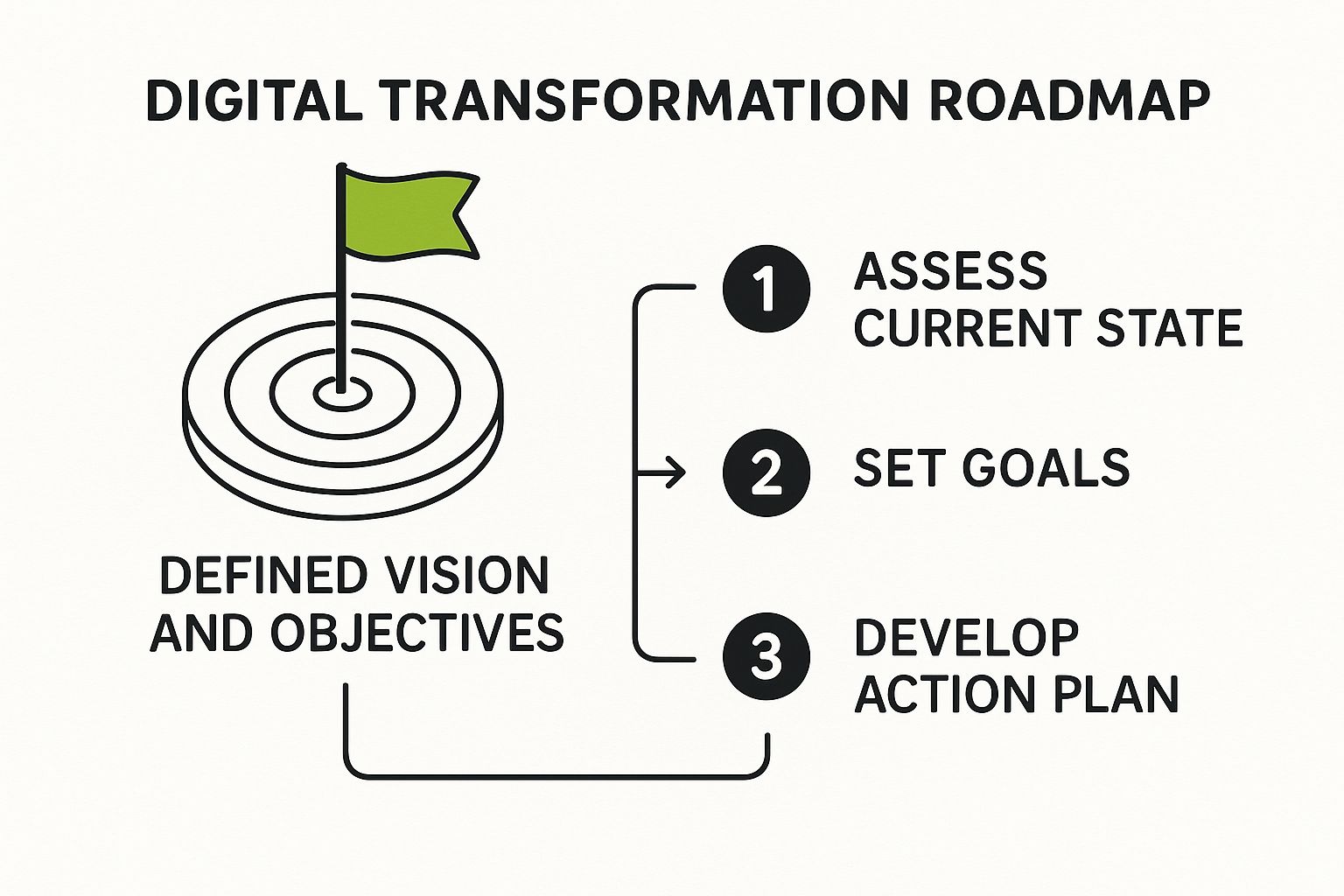
    Image

    This visual really gets to the heart of it. Your roadmap is the deliberate path you construct to bridge the gap between your current reality and your future ambitions.

    Break It Down Into Phases

    One of the biggest mistakes I see companies make is trying to do everything at once. It’s a “boil the ocean” approach that almost always ends in blown budgets, a burnt-out team, and ultimately, failure.

    A much smarter way is to break the journey into manageable, sequential phases. Each phase should deliver tangible value on its own and build momentum for whatever comes next.

    For example, a growing e-commerce business might phase its transformation like this:

    • Phase 1 – Foundational Customer Data: First, get a grip on your customer data. This means digitizing core service channels and implementing a CRM. The goal is a single, unified view of every customer interaction.
    • Phase 2 – Operational Excellence: With customer data flowing, you can now focus on efficiency. Automate inventory management and order fulfillment to cut down on manual errors and speed up shipping.
    • Phase 3 – Personalization at Scale: Finally, use the rich data from Phase 1 and the new efficiencies from Phase 2 to launch personalized marketing campaigns and on-site product recommendations.

    See how each step logically builds on the last? This creates a rock-solid foundation for more advanced capabilities later on. If you’re looking for the right systems for these phases, our guide on essential e-commerce tools and platforms is a great place to start your research.

    Prioritize With an Impact vs. Effort Matrix

    So you’ve got a list of potential projects. How do you decide what to tackle first? My go-to tool for this is simple but incredibly powerful: the impact versus effort matrix. It helps you get past gut feelings and make truly strategic prioritization decisions.

    Just plot each initiative on a four-quadrant grid:

    1. High Impact, Low Effort (Quick Wins): Do these first. They deliver major value without draining your resources and create that all-important early momentum.
    2. High Impact, High Effort (Major Projects): These are your big, strategic game-changers. They require serious planning and investment but are absolutely critical for long-term success.
    3. Low Impact, Low Effort (Fill-ins): Tackle these only when you have spare capacity. Don’t let them distract you from the more important stuff.
    4. Low Impact, High Effort (Thankless Tasks): Avoid these like the plague. They burn time and money for almost no return.

    This simple exercise forces your team to have tough, necessary conversations about the true value and real cost of each project. It ensures you’re putting your energy where it will make the biggest difference.

    Remember, the whole point of a digital transformation roadmap is to drive business outcomes. By prioritizing high-impact initiatives, you ensure your early efforts show a clear ROI. This is absolutely crucial for keeping your executives bought in and your team motivated.

    With your projects prioritized and sorted into phases, you can finally build a realistic timeline. Assign clear ownership for every single initiative and define specific, measurable milestones.

    A milestone isn’t “Improve customer service.” It’s “Launch the new support chatbot on the website by the end of Q2.” These concrete checkpoints make progress impossible to ignore and keep everyone accountable, turning your strategic map into a practical guide for your journey from now to next.

    Choosing the Right Technology and Partners

    So, you’ve got your priorities mapped out. Now for the exciting part: picking the tools and allies that will actually bring your digital transformation roadmap to life.

    This stage isn’t about chasing the shiniest new toy. It’s about making smart, strategic decisions that directly support the business goals you’ve already laid out. Think of it this way: the right technology stack empowers your strategy; the wrong one will end up dictating it.

    It’s easy to get fixated on the sticker price of a new platform, but I’ve seen that mistake sink more than a few projects. The real number you need to focus on is the Total Cost of Ownership (TCO). This goes way beyond the initial purchase to include implementation fees, employee training, ongoing maintenance, and the costs of integrating it with everything else.

    Evaluating Your Technology Options

    As you start assessing software or platforms, run every single option through a simple but crucial filter.

    First, is it scalable? You need something that can grow with your business without forcing you to rip everything out and start over in two years. Second, can it play nicely with your existing systems? A slick new tool that creates data silos is a step backward, not a step forward.

    Imagine a mid-sized retailer looking to upgrade their e-commerce game. A cheap, standalone platform might look like a bargain at first. But if it can’t talk to their inventory management or CRM, the manual data entry required will quickly demolish any initial cost savings. Worse, it creates a nightmare experience for both staff and customers.

    The most expensive piece of technology is always the one your team refuses to use. Prioritize user experience and ease of adoption above all else. If a tool is clunky or confusing, no amount of fancy features will make up for the fact that nobody wants to log in.

    The Great Debate: Build vs. Buy

    One of the biggest forks in the road you’ll face is whether to build a custom solution from scratch or buy something off the shelf. There’s no universal “right” answer here. The best choice is completely dependent on your specific needs, your team’s resources, and your long-term vision.

    Laying out the options side-by-side can really clarify which path makes sense for a particular initiative.

    Comparing Technology Sourcing Strategies

    Choosing how to source your technology is a major decision point. This table breaks down the three main paths—building custom, buying off-the-shelf, or a hybrid approach—to help you see which one aligns best with your project’s goals, budget, and timeline.

    StrategyBest ForProsCons
    Buy (Off-the-Shelf)Standard business functions like HR, accounting, or CRM where you don’t need to reinvent the wheel.Faster implementation, lower upfront cost, comes with built-in support and regular updates.Limited customization, you might pay for features you don’t need, risk of vendor lock-in.
    Build (Custom)Unique business processes that give you a core competitive advantage and can’t be replicated by a standard tool.Perfectly tailored to your exact needs, gives you total control over features and future development.High initial cost, much longer development timeline, you’re responsible for all ongoing maintenance.
    Hybrid (Mix & Match)Leveraging the best of both worlds—using a standard platform for its core strengths while building custom pieces for unique needs.Cost-effective, speeds up deployment, allows for targeted innovation where it matters most.Requires careful planning to ensure seamless integration, can create some management complexity.

    A hybrid approach is often the sweet spot. For instance, you might buy a market-leading CRM platform but then build a custom integration to connect it to your proprietary manufacturing software. If you’re leaning toward building, it’s worth exploring the nuances of working with external teams. You can get some great insights from this guide on the pros and cons of outsourcing software development to help shape your strategy.

    Ultimately, this isn’t just about code; it’s about finding the most effective way to solve a business problem.

    Selecting Strategic Partners, Not Just Vendors

    The final piece of this puzzle is picking the right people to work with. There’s a huge difference between a vendor and a partner. A vendor sells you a product. A true strategic partner, on the other hand, acts like an extension of your own team, bringing deep industry expertise and a genuine investment in your success.

    When you’re vetting potential partners, you need to look past the slick sales pitch.

    • Ask for case studies, but get specific. You want to see work they’ve done in your industry. Do they actually understand your unique challenges?
    • Talk to their current clients. Don’t just take their word for it. Ask for references and find out if they are responsive, helpful, and proactive problem-solvers.
    • Drill down on their support model. What happens after the project goes live? What does their ongoing support and training look like?

    A great partner doesn’t just hand you the keys and walk away; they stick around to help you learn how to drive. They offer guidance, share best practices, and work alongside you to make sure the technology actually delivers on its promise. This collaborative relationship is often the single biggest factor in whether a new system fuels real growth or just ends up gathering digital dust.

    Putting Your Roadmap Into Action and Sparking Change

    A beautifully designed digital transformation roadmap is completely worthless if it just sits on a server gathering digital dust. The plan is only the starting point. What truly separates successful transformations from expensive failures is creating real, tangible momentum. This is where your strategy document turns into progress your team can see, feel, and actually get behind.

    Image

    The sheer scale of a multi-year transformation can feel paralyzing. So, instead of trying to boil the ocean, think like a software developer and adopt an agile mindset. Break down your massive projects into smaller, manageable “sprints”—these are short, focused work cycles, usually lasting one to four weeks.

    This approach lets you deliver value incrementally. At the end of each sprint, you have a tangible improvement, whether it’s a new feature on your website or a freshly automated report. It’s a game-changer because you can gather immediate feedback, adapt your plan based on what’s actually happening, and avoid costly detours without derailing the entire project.

    The Human Side of Transformation

    Honestly, the technology is the easy part. The real challenge—and where a staggering 70% of transformations fail—is the people. You aren’t just installing new software; you’re fundamentally changing how people do their jobs. If you don’t master change management, you’re setting yourself up for failure. It’s non-negotiable.

    Success really boils down to getting your team to move from “the way we’ve always done it” to embracing new possibilities. This takes a deliberate, empathetic, and persistent communication strategy.

    • Communicate the ‘Why’ Relentlessly: Don’t just announce what is changing. You have to constantly explain why it’s changing and, most importantly, what’s in it for them. Frame it around making their work less frustrating and more impactful.
    • Find Your ‘Change Champions’: In every company, there are influential and respected employees. Identify them and bring them into the fold as advocates. A recommendation from a trusted peer is often far more powerful than any top-down directive.
    • Establish Feedback Loops: Create safe, open channels for employees to voice concerns, ask questions, and share ideas. This simple step makes them feel like active participants rather than just being told what to do.

    Training That Actually Sticks

    Running a single, one-off training session on a new tool and calling it a day is a classic recipe for low adoption. I’ve seen it happen time and again. Effective training needs to be an ongoing process designed to build confidence, not just check a box on a project plan.

    Forget the generic slideshows. Focus on hands-on, role-specific workshops. Show your sales team exactly how the new CRM will help them track leads more effectively. Let the operations team get their hands dirty with the new productivity automation tools that will eliminate their most tedious tasks.

    The real goal of training isn’t just to teach features; it’s to build conviction. When an employee genuinely believes a new tool will make their job better, adoption becomes a pull, not a push.

    Governance and Celebrating Progress

    To keep your digital transformation on track, you need a simple governance framework. This isn’t about creating soul-crushing bureaucracy; it’s about maintaining visibility and accountability. Regular, brief check-in meetings are perfect for monitoring progress against your KPIs, spotting risks before they blow up, and ensuring the project stays on budget.

    This framework is also your secret weapon for celebrating small wins. Did a team successfully automate a weekly report, saving five hours of manual drudgery? Acknowledge it publicly. Did the new customer service chatbot handle its first 100 queries without a hitch? Celebrate it!

    These small victories build a powerful story of progress. They prove to the entire organization that the change is real, positive, and worth all the effort. This is the momentum that turns a one-time project into an enduring culture of continuous improvement—a critical driver in today’s business world.

    The scale of this global push is immense. In 2024, spending on digital transformation is projected to reach $2.5 trillion, with a forecast to hit a massive $3.9 trillion by 2027. The United States is a major force here, accounting for 35.8% of this spending. These numbers really underscore why getting the execution right is so critical.

    Answering Your Key Roadmap Questions

    Even the most buttoned-up digital transformation roadmap is going to stir up questions. That’s a good thing. When you’re tackling something this big, you and your team are bound to hit some gray areas and a few hurdles.

    Let’s cut through the noise and get straight to the practical answers you need. My goal here isn’t to talk theory; it’s to give you the real-world clarity to keep things moving forward with confidence.

    How Long Should Our Digital Transformation Roadmap Be?

    I’ve seen plans that stretch out for five years and some that are hyper-focused on just one. In my experience, a three-year horizon is the strategic sweet spot. It’s long enough to aim for and achieve real, substantial change, but short enough that it doesn’t become totally irrelevant in a market that shifts on a dime.

    The real trick is in how you structure it. The first 12 months need to be mapped out in incredible detail—think specific projects, clear deadlines, and assigned owners. For years two and three, you can afford to be a bit broader, focusing on directional goals rather than granular tasks.

    It’s a lot like planning a cross-country road trip. You know your final destination (the three-year vision), and you have a precise, turn-by-turn plan for today’s drive (year one). But you’re also ready to take a scenic detour if you hear about a better route along the way (adapting in years two and three).

    What Are the Most Common Mistakes We Should Avoid?

    Honestly, the biggest tripwires are almost always about people and processes, not the tech. I’ve seen more promising initiatives stall for these same few reasons than I can count.

    • Ignoring the Culture: You can’t just drop a new piece of software on a team and expect magic. A new tool is useless if the old mindset and clunky processes stick around.
    • No Executive Sponsorship: If you don’t have a visible, vocal champion in the C-suite, your initiative will eventually get starved of resources and authority. It’s a slow, painful death.
    • Poor Communication: Failing to constantly, and I mean constantly, explain the “why” behind the changes. When people don’t understand the purpose, fear and resistance are the natural result.
    • Measuring the Wrong Things: Chasing quick cost savings is tempting, but it’s shortsighted. The real wins are in long-term gains like better customer loyalty and higher employee morale.

    Your digital transformation roadmap has to tackle these human factors head-on from day one. They aren’t secondary—they’re the whole ballgame.

    How Do We Measure the True ROI of This Transformation?

    Thinking about Return on Investment (ROI) as just a cost-versus-savings formula is a massive mistake. To get the full story of the value you’re creating, you need a balanced scorecard.

    Yes, you have to track the financial side of things. But to really justify the long-term investment and prove the deep impact, you need to be measuring success across these key areas:

    Metric CategoryKey Performance Indicators (KPIs) to Track
    Operational MetricsFaster project cycle times, reduced error rates, increased process automation.
    Customer MetricsHigher Net Promoter Score (NPS), improved customer retention rates, increased customer lifetime value (CLV).
    Employee MetricsBetter employee engagement scores, lower staff turnover, increased productivity per employee.

    This holistic view connects the dots between your transformation work and a healthier, more profitable business from every angle.

    How Can We Get Our Team to Embrace These Changes?

    Here’s a hard truth: you don’t command buy-in, you have to earn it. People resist change when they feel like it’s being done to them instead of with them.

    It starts with being absolutely relentless in your communication. Don’t just talk about what’s changing; focus on why it matters. Frame it in terms of how it will make their jobs less frustrating and more valuable.

    Then, get them involved. Create “change champions” in different departments who can be your advocates on the ground and give you honest feedback. Provide fantastic, hands-on training that builds confidence, not insecurity.

    And maybe most important of all? Celebrate the early wins. Publicly recognize the people who are leaning in and making it happen. That positive energy is contagious and builds the momentum you need to see it through.


    Ready to turn your roadmap from a document into a reality? At creavoid, we specialize in building the technology and automation that bring your vision to life. Learn how our AI-driven digital transformation services can accelerate your growth.

  • Outsourcing Software Development in 2025: Key Strategies for Success

    Outsourcing Software Development in 2025: Key Strategies for Success

    The Evolving Landscape of Software Development Outsourcing

    The Evolving Landscape of Software Development Outsourcing

    Software development outsourcing has undergone a significant transformation. It’s evolved from a primarily cost-focused strategy to a vital tool for business growth and innovation. Several key factors have fueled this change, including the growing complexity of software projects, the demand for specialized tech skills, and the increasingly global nature of the tech talent pool. Businesses are adapting to the ever-changing demands of technology, and outsourcing is a key part of that adaptation.

    From Cost-Cutting to Strategic Partnerships

    In the early days, outsourcing was often seen as a way to cut expenses by taking advantage of lower labor costs overseas. Today, it’s less about simply saving money and more about accessing a worldwide network of talent and achieving specific business objectives.

    For instance, a company might outsource the development of a mobile app to a team specializing in mobile development, allowing their internal team to concentrate on other core projects. This strategic use of outsourcing allows businesses to tap into niche skills and accelerate their development timelines. The growth of the outsourcing market itself emphasizes this shift.

    The global market for outsourced services reached $620.381 billion in 2020. This underscores the strategic importance of outsourcing in today’s business world. Companies are using it to improve efficiency, control costs, and access specialized skills. Projections show a 5.54% CAGR in the coming years, demonstrating the growing reliance on this model. You can find more detailed statistics at Invedus. As software needs increase across industries, businesses are turning to outsourcing to stay competitive and adapt to rapid technological changes.

    The Maturation of the Global Talent Ecosystem

    The global talent pool for software development has matured considerably. This maturation is characterized by increased specialization, better communication infrastructure, and the rise of Agile development methodologies. Businesses can now find highly skilled developers worldwide who can integrate seamlessly with their in-house teams. The adoption of cloud-based collaboration tools like Slack and Microsoft Teams has made communication and project management in outsourced projects even easier.

    Key Drivers of Modern Outsourcing

    Several key factors are driving the current trend of outsourcing software development:

    • Access to Specialized Skills: Finding and hiring in-house experts in areas like AI, machine learning, and blockchain can be challenging and costly. Outsourcing offers a way to access this expertise without the expense of full-time employees.


    • Faster Time to Market: Outsourcing allows businesses to quickly build development teams and accelerate project timelines, giving them a competitive advantage.


    • Increased Flexibility and Scalability: Outsourcing provides the flexibility to scale development resources up or down depending on project needs and market conditions.


    • Focus on Core Competencies: By outsourcing non-core development tasks, businesses can free up internal resources to focus on their core strengths and strategic initiatives.

    To illustrate how software development outsourcing has evolved, let’s take a look at the following table:

    The table below, “Evolution of Software Development Outsourcing”, showcases the transition of software development outsourcing over time, moving from a simple cost-reduction tactic to a strategic partnership model.

    EraPrimary MotivationRelationship TypeCommon ServicesExpected Outcomes
    1990s – 2000sCost ReductionVendorBasic programming, testingLower expenses
    2000s – 2010sAccess to skills, Time to MarketClient-VendorApplication development, web developmentImproved efficiency, faster project delivery
    2010s – PresentStrategic PartnershipPartnerSpecialized development (AI, Cloud, Mobile), Product developmentInnovation, business growth, competitive advantage

    This table highlights the key shifts in outsourcing motivations, relationship dynamics, and the types of services commonly outsourced. The evolution demonstrates a clear progression towards strategic collaboration and a focus on achieving core business goals.

    This evolving landscape presents significant opportunities for businesses of all sizes. By taking a strategic approach to software development outsourcing, companies can not only reduce costs but also gain access to a global talent pool, accelerate innovation, and achieve their business objectives more efficiently.

    Unlocking the Real Benefits Beyond Cost Savings

    While cost reduction is a major motivator, the perks of outsourcing software development go far beyond simply trimming expenses. Smart businesses are using outsourcing to access specialized expertise, often lacking in their local talent pool. This access can be a true difference-maker, empowering companies to take on complex projects they might otherwise find difficult to staff internally.

    Accessing Specialized Expertise and Talent

    One of the most compelling reasons to outsource is the opportunity to connect with a global network of specialists. Imagine a company wanting to integrate AI into its operations. They might struggle to find local data scientists with the right experience. Outsourcing offers a solution, linking them with qualified AI professionals worldwide. This targeted approach ensures projects are managed by individuals with the most relevant skills, resulting in higher quality outcomes. Plus, outsourcing helps overcome recruitment challenges, especially in competitive tech sectors.

    Accelerating Time-to-Market and Enhancing Flexibility

    Speed and adaptability are essential in today’s dynamic business world. Outsourcing lets companies quickly build development teams and launch products faster. This speed can be a significant competitive edge, helping businesses capitalize on emerging opportunities and capture market share. Furthermore, outsourcing provides operational flexibility, allowing companies to scale teams up or down as needed. This adaptability is especially valuable in fluctuating markets, enabling businesses to remain agile and responsive to changes in demand.

    Quantifying the Benefits for Executive Buy-In

    Savvy CTOs know that building a solid business case requires more than just comparing hourly rates. They quantify the benefits of outsourcing by looking at factors like faster time-to-market, access to specialized skills, and increased operational agility. For example, some companies have cut their time-to-market by a remarkable 40-60% with strategic outsourcing. The global IT outsourcing market is expected to reach $682.3 billion this year, with IT services representing 72% of all global outsourcing contract values. This trend reflects a fundamental shift in how companies approach business operations, particularly in software development.

    With ongoing software engineer shortages, businesses are increasingly turning to outsourced talent, especially from regions like the Philippines, India, and Eastern Europe. These areas offer skilled engineers at a lower cost than local hiring, allowing companies to save up to 40% by tapping into a global talent pool. Learn more at Kinetic Staff. By presenting a complete view of the potential return on investment, CTOs can make persuasive arguments that resonate with executive decision-makers and secure approval for outsourcing initiatives. This approach goes beyond simple cost analysis, emphasizing the strategic advantages outsourcing provides.

    Selecting the Right Outsourcing Model That Actually Works

    Outsourcing software development isn’t a one-size-fits-all approach. Different models cater to varying needs and priorities. Choosing wisely is crucial for project success, depending on factors like scope, budget, and required communication. Let’s explore the common models and determine the best fit for your business.

    Understanding the Core Models

    Several outsourcing models exist, each with unique characteristics. Understanding these nuances is key to making an informed decision.

    • Offshore Outsourcing: Partnering with a team in a distant country often offers significant cost advantages. However, communication and time zone differences can present hurdles.


    • Nearshore Outsourcing: Working with a team in a neighboring country or similar time zone simplifies communication. Potentially more expensive than offshoring, it balances cost and accessibility.


    • Onshore Outsourcing: Collaborating with a team within your own country simplifies communication and project management. This often comes at a higher cost.


    • Project-Based Outsourcing: Outsourcing an entire project to an external team who manages it from beginning to end. Ideal for well-defined projects with clear deliverables.


    • Dedicated Teams: Building a dedicated external team that works solely on your projects, acting as an extension of your in-house team. This offers greater control and flexibility.


    • Staff Augmentation: Supplementing your existing team with specialized external experts to address skill gaps. Useful for short-term needs or specific project phases.

    To help visualize the differences between these models, let’s examine a comparison table:

    Introduction to Table: The following table compares different outsourcing models to help businesses choose the right approach. It highlights key factors like cost-efficiency, communication ease, and more.

    Outsourcing ModelCost EfficiencyCommunication EaseTime Zone OverlapCultural AlignmentBest For
    Offshore OutsourcingHighCan be challengingLimitedPotential differencesBudget-sensitive projects
    Nearshore OutsourcingModerateEasier than offshoreModerateMore likely alignmentBalancing cost and communication
    Onshore OutsourcingLowerEasiestHighStrong alignmentSeamless collaboration
    Project-Based OutsourcingModerateVaries by vendorVaries by vendorVaries by vendorWell-defined projects
    Dedicated TeamsModerateTypically strongCan be tailoredCan be tailoredLong-term projects & flexibility
    Staff AugmentationModerate to HighTypically strongCan be tailoredCan be tailoredFilling specific skill gaps

    Conclusion of Table: As the table demonstrates, each model has its pros and cons. Consider your priorities and project requirements when making your decision.

    Choosing the Best Fit

    The optimal outsourcing model depends on your specific needs and goals. Consider these factors:

    • Project Complexity and Scope: Complex projects benefit from dedicated teams or staff augmentation. Simpler projects might suit project-based outsourcing.


    • Budget Constraints: Offshore outsourcing offers the lowest cost, while onshore is the highest. Nearshore represents a middle ground.


    • Communication Requirements: For crucial real-time communication, onshore or nearshore models are often preferable.


    • Control and Management Preferences: Dedicated teams offer more control than project-based outsourcing.


    • Cultural Alignment and Language: Cultural similarities can improve collaboration and understanding.


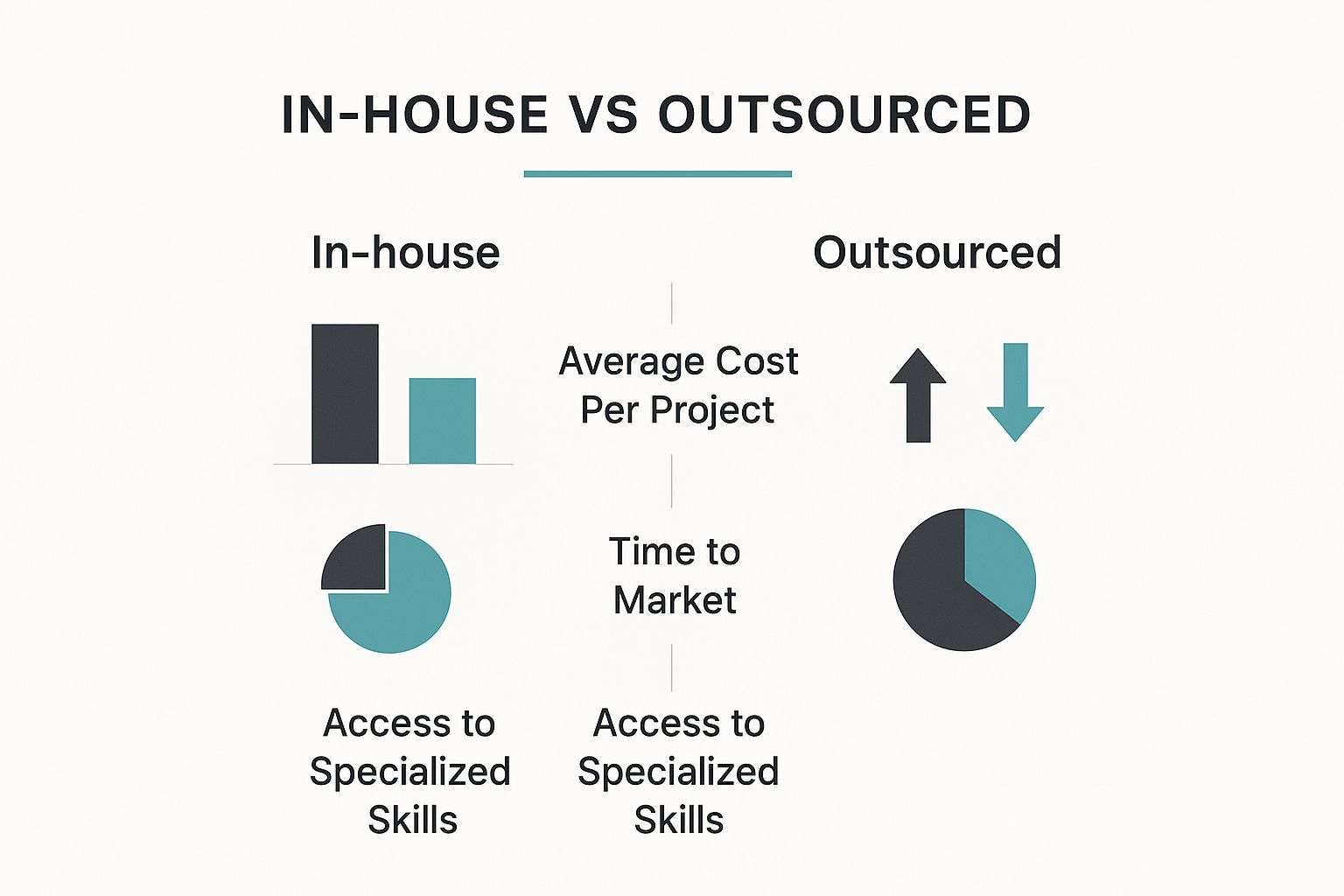
    Infographic about outsourcing software development

    This infographic illustrates the differences between in-house and outsourced software development regarding average cost, time to market, and access to specialized skills. Outsourced development generally offers cost savings and faster access to specialized skills, leading to a quicker time to market.

    Decision Frameworks for Success

    Successful companies use decision frameworks to guide their outsourcing model selection. These frameworks consider:

    • Cost-benefit analysis: Weighing the costs of different models against potential benefits.


    • Risk assessment: Identifying potential risks, like communication issues or quality concerns.


    • Communication plan: Defining how communication will be managed across different locations.


    • Service Level Agreements (SLAs): Establishing clear expectations for service quality and delivery timelines.

    By carefully evaluating these factors and using a structured decision framework, businesses can confidently select the outsourcing model that best aligns with their unique needs, setting them up for success. This strategic approach maximizes the benefits of outsourcing to achieve business objectives.

    Global Talent Hotspots: Where Smart Companies Are Looking

    Global Talent Hotspots

    Finding the right people for your projects is crucial, especially when you need creative talent. For insightful guidance on this, creative staffing solutions offers valuable resources. Many companies recognize that top software development talent isn’t always found locally. This understanding has fueled a significant rise in outsourcing, with businesses actively seeking talent in global hotspots. But where are these hotspots located, and what makes them so attractive?

    Beyond Traditional Outsourcing Destinations

    While India remains a significant player in outsourcing, companies are increasingly exploring emerging tech hubs. These new hubs offer a variety of benefits, from specialized tech skills to more favorable costs. Diversifying talent sources helps mitigate risk and provides access to a larger pool of skilled professionals. This allows businesses to strategically select the location that best fits their project needs.

    Eastern Europe: A Rising Tech Powerhouse

    Eastern Europe has become a major force in software development. Countries like Ukraine and Poland have robust technical education systems, producing highly skilled developers. These developers are proficient in a wide range of programming languages and technologies. Ukraine has particularly become a hub for AI development. Poland, with its strong IT infrastructure and burgeoning startup scene, attracts businesses seeking expertise in web and mobile development. The proximity to Western Europe and strong English language skills in these regions further facilitate smooth communication and collaboration.

    Latin America: Bridging the Gap

    Latin America offers nearshore advantages for North American businesses. Argentina, for instance, boasts a thriving mobile development community. Brazil’s expanding tech sector provides expertise in areas like cloud computing and cybersecurity. Countries such as Colombia and Mexico are also becoming increasingly popular for outsourcing software development due to their attractive cost structures and minimal time zone differences with the U.S. This allows for efficient real-time communication and streamlined project management.

    Southeast Asia: A Growing Force

    Southeast Asia is another region gaining traction in software development outsourcing. Vietnam, in particular, is known for providing high-quality software development at competitive prices. The region’s growing number of tech universities and increasing English proficiency are making it a compelling alternative to more established outsourcing locations. This trend also extends to nearby countries like the Philippines. The expansion of available talent pools greatly benefits businesses looking to diversify their outsourcing strategies. North America remains a highly lucrative market for software outsourcing, with its value projected to reach $227.40 billion by 2027. This growth is fueled by factors such as rising labor costs, talent shortages, and the increasing complexity of software projects. Many U.S. companies are outsourcing to nearshore and offshore teams in regions like Latin America, Europe, and Asia to address the skills gap. The increasing demand for cloud solutions, AI-powered applications, and cybersecurity expertise further encourages businesses to partner with outsourcing firms that can deliver effective and affordable solutions. Learn more about North American Software Outsourcing Statistics.

    Evaluating Potential Locations

    When choosing an outsourcing location, consider these key factors:

    • Technical Expertise: Does the region have a proven track record in the technologies your project requires?


    • Cost of Labor: Does the location offer a cost advantage compared to your local market?


    • Communication and Collaboration: How easy is it to communicate with teams in that location? Are there language barriers or significant time zone differences?


    • Business Culture: Does the region’s business culture align with your company’s values and work style?

    By carefully evaluating these factors, businesses can select the optimal location for their software development outsourcing needs. This strategic approach enables companies to access top-tier talent and maximize the return on their outsourcing investment.

    Avoiding the Painful Pitfalls of Outsourcing

    Outsourcing software development offers a wealth of benefits, but it’s not a magic bullet. It comes with its own set of potential challenges that, if left unchecked, can lead to frustration and even project failure. This section explores some common pitfalls and, importantly, offers strategies to navigate them successfully.

    Communication Breakdowns: Bridging the Distance

    One of the most frequent hurdles in outsourcing software development is miscommunication. This can arise from language barriers, cultural differences, or simply a lack of well-defined communication processes. Imagine, for instance, a simple misinterpretation of a key project requirement. This seemingly small issue can snowball into significant delays and expensive rework.

    To prevent this, establish crystal-clear communication channels and expectations right from the start. Regular video conferences, comprehensive project documentation, and using collaborative project management tools like Asana can dramatically improve communication flow and keep everyone aligned.

    Quality Control: Maintaining High Standards

    Another significant concern is maintaining consistent quality. Variations in coding standards and testing practices can result in software bugs and performance problems. How can you avoid this? Implement rigorous quality assurance processes.

    This means defining specific quality metrics, conducting regular code reviews, and implementing thorough testing procedures at every stage of development. Think of it as building quality into the product from the ground up.

    Security Risks: Protecting Your Assets

    Outsourcing inherently involves sharing confidential information with external teams. This naturally raises concerns about protecting your intellectual property and securing sensitive data. A well-drafted contract, with explicit clauses on intellectual property rights and confidentiality, is absolutely essential.

    In addition, ensure your outsourcing partner follows stringent security protocols and adheres to all relevant data privacy regulations, like GDPR. Protecting your assets should be a top priority.

    Contractual Disputes: Clarity from the Start

    Ambiguous contracts can easily lead to disputes later on. Clearly define the project scope, deliverables, payment terms, and intellectual property ownership within the contract. This clarity helps prevent misunderstandings and ensures everyone is on the same page regarding expectations. Choosing the right vendor is also crucial; carefully evaluate your options, including whether to Outsource SEO Services.

    Managing Expectations: Realistic Goals and Timelines

    Unrealistic expectations about project timelines and deliverables can create unnecessary stress and disappointment. Work collaboratively with your outsourcing partner to establish realistic goals and timelines. Account for potential delays and incorporate buffer time to handle unforeseen issues. A pragmatic approach is key.

    Building a Governance Framework: Maintaining Oversight

    Staying informed about the project’s progress without micromanaging is a delicate balance. Establish a clear governance framework that outlines roles, responsibilities, and reporting procedures. Regular progress reports, using key performance indicators (KPIs), and maintaining open communication channels allow for effective oversight without hindering the outsourcing team’s autonomy.

    Contingency Planning: Preparing for the Unexpected

    Even with the most meticulous planning, unexpected issues can arise. Develop a contingency plan to address potential problems such as unforeseen delays, team member turnover, or changes in project requirements. This proactive approach minimizes disruptions and keeps the project moving forward.

    By addressing these potential pitfalls proactively, businesses can dramatically improve the chances of a successful outsourcing experience. This approach not only mitigates risks but also cultivates a stronger, more productive working relationship with the outsourcing partner. The result? Better outcomes and a more positive experience for everyone involved. Effective communication, clearly defined contracts, robust quality control, and consistent oversight are essential ingredients for achieving your software development goals through outsourcing.

    Building Genuine Partnerships (Not Just Vendor Relationships)

    Building Genuine Partnerships

    The success of outsourced software development often depends on the relationship you build with your outsourcing partner. Simply viewing them as a vendor often leads to subpar results. A true partnership, however, can unlock exceptional outcomes.

    This involves a shift in perspective, moving from transactional interactions toward a collaborative and mutually beneficial relationship. It’s about seeing your outsourcing partner as an extension of your team, not just a service provider.

    Onboarding and Knowledge Transfer: Setting the Stage for Success

    Effective onboarding and knowledge transfer are essential. This involves clearly communicating project goals, sharing necessary documentation, and providing access to relevant systems. Think of it as integrating a new member into your internal team.

    The smoother the integration, the faster they can contribute meaningfully. This lays the groundwork for open communication and effective collaboration throughout the project’s life cycle. A well-onboarded team is a productive team.

    Cultural Integration: Bridging the Gaps

    When collaborating with teams across geographical and cultural boundaries, understanding and respecting those differences is key. Acknowledging different communication styles, work ethics, and holidays fosters respect and understanding.

    This cultural sensitivity builds trust and strengthens the partnership. For instance, adjusting communication schedules to accommodate different time zones shows consideration and facilitates smoother interactions. This might involve scheduling meetings at times convenient for both parties, requiring some flexibility.

    Communication Protocols and Collaboration Tools: Staying Connected

    Clear communication protocols are the backbone of successful outsourcing. Establishing preferred communication channels, setting clear expectations for response times, and utilizing collaborative tools streamlines interactions.

    Tools like Slack, Microsoft Teams, or dedicated project management platforms keep everyone connected and informed, regardless of location. These platforms create a central hub for communication, document sharing, and progress tracking, promoting transparency and accountability.

    Regular video conferences enable face-to-face interaction, essential for building rapport and tackling complex issues. This personal touch can significantly improve communication and collaboration.

    Management Techniques for Distributed Teams: Fostering Ownership

    Managing a distributed team requires a different approach than managing an in-house team. Emphasize clear goals, provide consistent feedback, and encourage autonomy. Empowering outsourced teams to take ownership of their work builds a sense of responsibility and pride.

    This involves clearly defining roles and responsibilities, providing the necessary resources, and trusting the team to manage their workload. Regular check-ins and progress reviews help keep the project on track and allow for adjustments as needed.

    Inspiring Excellence: Going Beyond Requirements

    Forward-thinking companies encourage their outsourced teams to contribute ideas and go the extra mile. This means fostering a collaborative environment where ideas are welcomed and valued. Recognizing and rewarding outstanding performance cultivates a culture of excellence.

    This can be as simple as acknowledging a team member’s creative solution or celebrating milestones. When outsourced teams feel valued, they become more invested in the project’s success and contribute beyond the minimum requirements. A common pitfall is improper vendor selection; carefully consider whether to Outsource SEO Services. Building genuine partnerships can transform outsourcing arrangements into engines for innovation and growth, delivering exceptional results.

    Future-Proofing Your Outsourcing Software Development Strategy

    The outsourcing world is always evolving. To keep up, your software development outsourcing approach needs to be just as adaptable. This section dives into the latest trends and how innovative companies are maximizing the value of their external development partners.

    Embracing Emerging Trends

    Several key trends are shaping the future of outsourcing software development:

    • AI-Augmented Programming: AI tools like GitHub Copilot are becoming increasingly common for developers, improving both productivity and the quality of code. This translates to outsourced teams potentially delivering better work, faster.


    • Blockchain-Based Contracting: Blockchain technology is gaining traction for secure and transparent contract management. This has the potential to minimize disputes and simplify payment processing.


    • Microservice Specialization: Outsourcing specific microservices gives companies access to specialized expertise and facilitates building more adaptable and scalable applications. For instance, a company could outsource the creation of a payment processing microservice to a team with deep experience in financial technology.

    These trends are just a snapshot of the changing software development outsourcing landscape. Keeping current on these advancements is key for businesses that want to remain competitive.

    Innovative Strategies for Competitive Advantage

    Forward-thinking companies are exploring new ways to enhance their outsourcing strategies:

    • Outcome-Based Pricing: Moving away from hourly rates and toward measurable outcomes better aligns incentives and promotes improved performance. This model prioritizes specific results over simply paying for time.


    • Hybrid Team Structures: Combining internal and outsourced teams lets companies capitalize on the strengths of both, leading to a more flexible and budget-friendly workforce. This approach gives businesses greater control over core project elements while still utilizing external expertise for specialized tasks.


    • Advanced Collaboration Platforms: Investing in cutting-edge collaboration tools like Slack or Microsoft Teams improves communication, project management, and knowledge sharing across geographically dispersed teams, ultimately improving efficiency and productivity.

    By using these strategies, companies can break free from traditional outsourcing models and forge more dynamic, efficient, and results-oriented partnerships.

    From Obsolete Practices to Future Capabilities

    Some traditional outsourcing practices are becoming less effective. For example, depending solely on fixed-price contracts for involved projects can stifle innovation and lead to disagreements. Similarly, prioritizing only cost reduction can limit access to top talent.

    To thrive in the future of outsourcing, companies need to develop these capabilities:

    • Agile Project Management: Adopting agile methodologies enables greater flexibility and responsiveness to evolving project requirements. This adaptability is crucial in today’s dynamic development environment.


    • Strong Communication and Collaboration Skills: Clear communication and collaboration are essential for effectively managing distributed teams and achieving shared goals.


    • Data-Driven Decision Making: Using data analytics to track performance and pinpoint areas for improvement helps refine outsourcing strategies and maximize return on investment.

    By moving past outdated practices and fostering these key capabilities, businesses can position themselves to take advantage of emerging opportunities in the outsourcing arena and maintain a competitive edge.

    Ready to elevate your software development? creavoid offers specialized AI solutions, custom software development, and performance-driven online marketing to help your business succeed. Visit creavoid today to find out more.

  • Top 8 Best E-commerce Platforms to Start Your Business in 2025

    Top 8 Best E-commerce Platforms to Start Your Business in 2025

    Key Highlights

    • Find out the best ecommerce platforms that are expected to lead in 2025.
    • Choose the right platform for your business, whether you are just starting out or running a big company.
    • Look at important features, pricing options, and key points to think about when you decide.
    • Get advice on moving to a new ecommerce platform easily and read inspiring success stories.

    Introduction

    There are over 26 million e-commerce sites around the world. Choosing the right platform is very important for your success. This number is huge, isn’t it? With so many choices, it’s normal to feel confused. But don’t stress—you are in the right spot. I will explain the best e-commerce platforms. This way, you can find the best fit for your online business.

    What Are E-Commerce Platforms & Why Do They Matter?

    An e-commerce platform is software that helps you create, launch, and run your online store. It acts as the digital base for your business. Here, you can display products, manage payments, and take care of things like inventory and shipping. Picking the right platform is important. It affects how well your store performs, the customer experience, and, in the end, your sales.

    Think about this: 87% of shoppers start looking for products online. If your website is slow or hard to use, you might lose customers. However, if you choose the right platform, you can make a smooth shopping experience. This will help keep visitors coming back. Now, let’s look at the platforms that are always the best.

    Best E-Commerce Platforms of 2025

    There are several differences in ecommerce features. But don’t worry, you can compare them easily.

    Shopify

    Shopify

    I have seen many entrepreneurs succeed with Shopify. They often move quickly from having an idea to making real sales. Shopify is one of the easiest and most flexible e-commerce platforms available today. It has a wide range of features and a large app store. This makes it a great option for businesses of any size.

    Features:

    • A store builder that allows you to easily drag and drop items
    • Payment processing is simple with Shopify Payments
    • A large marketplace for various apps
    • Strong tools for managing your inventory
    • The ability to sell on multiple channels

    Pros:

    • A very easy-to-use interface
    • Customer support available all the time
    • A wide range of themes to choose from
    • Good security features
    • Regular updates to the platform

    Cons:

    • You will have transaction fees if you do not use Shopify Payments.
    • Advanced features cost more and need higher-priced plans.
    • Customization is limited unless you know how to code.

    WooCommerce

    WooCommerce

    You know that great feeling when you find something that fits just right? I felt that way when I first tried WooCommerce. It has so many options for customizing. I love playing around with websites, and WooCommerce is like a huge Lego set. You can create almost anything as long as you learn how the parts work together.

    WooCommerce is a popular choice for WordPress users who want to add e-commerce features to their websites. This open-source platform gives you great flexibility. You can control how your online store works and looks.

    Features:

    • Total integration with WordPress
    • Endless customization possibilities
    • A wide range of plugins available
    • A solution that you host yourself
    • Many different payment options

    Pros:

    • You can install and use it for free.
    • You have full control over your store.
    • There is a large community that supports you.
    • The structure is good for SEO.
    • You can have unlimited products and variations.

    Cons:

    • You need WordPress hosting.
    • You must have some technical knowledge to set it up.
    • You are responsible for maintaining security.
    • It can get expensive if you use premium extensions.

    A good choice for: WordPress fans who like flexibility and are okay with dealing with some technical details.

    BigCommerce

    BigCommerce

    BigCommerce is known as a strong platform. It can easily manage complicated online store tasks. It has top features and can grow with businesses. This makes it a great choice for companies that want to build their online presence.

    Features:

    • Built-in SEO Tools
    • Support for many currencies
    • Advanced product filtering
    • Recovery for abandoned carts
    • Features for B2B

    Pros:

    • No fees for transactions
    • Great site speed
    • Advanced features built in
    • Strong capabilities across multiple channels
    • Strong API

    Cons:

    • A more difficult learning process
    • Yearly sales limits for each plan
    • A higher initial price
    • Fewer free themes

    Great for businesses that are growing. These businesses need advanced features and people who are willing to spend time learning the platform.

    Wix eCommerce

    Wix

    I love seeing the excitement in people’s eyes when I show them Wix eCommerce. They quickly understand that they can build what they imagine without needing to write any code. Wix eCommerce is easy to use and offers strong features. This makes it a favorite for small business owners and entrepreneurs. The platform has simple design tools and helpful built-in features. This allows new users to create great-looking online stores fast.

    Features:

    • A great choice of templates
    • An easy drag-and-drop editor
    • Marketing tools included
    • A program for customer loyalty
    • Automated sales tax handling

    Pros:

    • A real editor where what you see is what you get
    • No need for coding
    • Comes with email marketing included
    • Options to customize products
    • Editor that works on mobile

    Cons:

    • There are few ways to migrate.
    • You cannot change templates after you publish.
    • Some advanced features are not included.
    • It is not as scalable as other choices.

    Ideal for: Those new to design and creative people who value flexibility in design and find it easy to use.

    Squarespace Commerce

    Squarespace

    Here’s a platform that always makes me happy when I help someone use it – the designs are beautiful! Squarespace Commerce is great for creating eye-catching online stores without much work. The platform focuses on style and beauty, which makes it especially attractive to creative professionals and brands that care about how things look.

    Features:

    • Templates that have won awards
    • Image editing tools included
    • Email campaigns that are built-in
    • Connect with social media
    • System for Point of Sale

    Pros:

    • Great design options
    • All-in-one pricing
    • Powerful blogging tools
    • Mobile-friendly checkout
    • Professional email provided

    Cons:

    • A few payment options available
    • Fewer outside tool connections
    • Simple inventory management
    • Some features require more expensive plans

    Ideal for: Businesses that focus on design, value good looks, and want a complete solution.

    Magento (Adobe Commerce)

    Magento

    Magento is a top-level e-commerce platform. It gives you a lot of options to customize and expand your store. It is like the heavyweight champion of e-commerce. At first, it may feel a bit overwhelming, but the capabilities it has are truly amazing.

    Features:

    • Better B2B functions
    • Ability to scale globally
    • Management of complex catalogs
    • Merchandising powered by AI
    • Strong security features

    Pros:

    • Very customizable
    • Manages big inventories
    • Great features for multiple stores
    • Detailed reporting
    • Enterprise-level security

    Cons:

    • A lot of money needed
    • Skills in technology required
    • Complicated to put in place
    • Needs many resources for hosting

    Ideal for: Large enterprises that have complex needs and the resources to support a more advanced platform.

    Square Online

    Square

    Square Online connects physical stores and online shopping easily. The way it works with Square’s point-of-sale system makes it a great choice for regular stores that want to start selling online.

    Features:

    • There is a free plan available.
    • It has an integrated POS system.
    • You can sync inventory in real-time.
    • There are built-in options for delivery.
    • It also integrates with Instagram.

    Pros:

    • Simple to use
    • Smooth offline and online connection
    • Affordable transaction fees
    • Fast setup process
    • Free SSL certificate

    Cons:

    • Not much customization
    • Simple design choices
    • Only square payments
    • Few international options
    • Brick-and-mortar businesses

    Big Cartel

    Big Cartel

    This platform is like an art gallery that became an online store. It is simple, stylish, and focuses on your work. Big Cartel is for independent artists and makers. It offers a basic and easy way to sell online. Its simple features and friendly prices make it a great option for creative people who want to start their business.

    Features:

    • A free plan for basic needs
    • Support for custom domains
    • Stats that update in real-time
    • Tracking of inventory
    • Ability to create discount codes

    Pros:

    • Prices that artists will like
    • Easy to use
    • No fees for transactions
    • Order management included
    • A clear, simple design

    Cons:

    • Fewer features than other products
    • Simple customization options
    • A cap on products, even in paid plans
    • Basic tools for reporting

    Key Features to Consider When Choosing the Best Ecommerce Platform

    Picking the best e-commerce platform is like picking a business partner. It should grow with you, handle challenges, and simplify your life. Here’s what to focus on:

    Scalability

    Your platform should evolve as you do. Find pricing options that fit your needs. Make sure it has a strong app ecosystem. It should manage increases in traffic or inventory well.

    A flexible solution means you won’t have to deal with major changes later. Instead, you can enjoy steady and confident growth.

    Security

    No compromises are allowed. SSL certificates, PCI compliance, and two-factor authentication are a must. Protecting customer data is very important to build trust and avoid legal issues.

    User Experience (UX)

    Shoppers like things to be easy. Focus on making designs friendly for mobile users, offer one-click checkouts, and ensure navigation is simple. It’s also a plus to have guest checkout options. The fewer challenges there are, the more people will buy.

    SEO & Marketing Tools

    Your ecommerce platform should have strong SEO tools and good marketing features. This helps you attract attention and increase traffic. Find platforms that let you enhance product pages for search engines. They should also allow you to manage meta descriptions and create quality content to improve your ranking. Some important SEO and marketing tools to consider are:

    • SEO-friendly URL structure: This keeps your URLs clean. It helps them show up better online.

    • Blog integration: This lets you make helpful content. It keeps your target audience interested.

    • Social media integration: This makes it easy to share products and updates on social media.

    • Email marketing tools: These are good for building email lists. They help you run focused marketing campaigns.

    • Discount and coupon codes: This helps you offer promotions. It attracts and encourages customers.

    Integration Capabilities

    Choose a platform that has many apps or open APIs. This allows you to connect your ecommerce work with the tools you already use. When data moves easily between your ecommerce platform and these tools, it saves you time and effort. It also helps you gain insights that lead to better choices.

    Differences between the Cost Implications of Ecommerce Platforms

    When you put money into a good ecommerce platform, it can help you do well online. It’s key to check the prices of different choices to make sure they match your budget and business needs. Besides the setup costs at the start, think about the ongoing costs like monthly subscription fees and transaction fees. Also, look at any extra costs for additional features or upgrades.

    Knowing the pricing details and any extra fees helps you pick an ecommerce platform with great features. This choice keeps your costs down. In this way, you will get the best value from your investment.

    Learn About the Pricing Models

    Ecommerce platforms often use different pricing models. Each model has its own advantages and considerations for businesses. Knowing about the common pricing structures can help you make better choices when looking at different options.

    Let’s break down a few prevailing pricing models:

    Pricing Model

    Description

    Considerations

    Transaction Fees

    This model involves charging a percentage or fixed fee per transaction processed through the platform.

    Ideal for businesses with lower sales volumes, as costs scale with transactions. However, higher sales volumes might lead to increased expenses.

    Subscription Fees

    Platforms employing this model charge recurring monthly or annual fees for access to features and services.

    Offers predictability in expenses, making it suitable for businesses with consistent sales. However, costs remain fixed regardless of sales fluctuations, potentially impacting profitability.

    Tiered Pricing

    This model provides different pricing tiers with varying features and resources. As businesses grow, they can upgrade to higher tiers for enhanced capabilities.

    Offers flexibility as businesses can choose tiers aligned with their needs and budget. However, transitioning between tiers might involve adjustments in features and costs.

    Freemium

    These platforms offer a basic free plan with limited features, while premium features or enhanced functionality require paid subscriptions.

    A cost-effective starting point for small businesses or testing the platform before committing to paid plans. However, limited features in free plans might necessitate upgrading as the business grows.

    Custom Pricing

    Some platforms offer tailored pricing based on specific business needs, size, and requirements.

    Provides flexibility and personalized pricing tailored to unique needs. However, negotiating custom pricing might require time and effort, and transparency in cost breakdowns is essential.

    Hidden Costs to Watch Out For

    When you check out ecommerce platforms, be aware of hidden costs. These extra fees are often overlooked at first. However, they can grow and hurt your profits in the long run.

    Make sure to ask about the transaction fees from the payment gateways linked with the platform. These fees can differ from one to another. Also, check for any costs tied to add-ons, integrations, premium themes, or third-party apps that you may need for the features you want. Some platforms might also have limits on bandwidth or storage. If you exceed these limits, it could lead to additional costs.

    If you spend time to learn about the total cost of different ecommerce platforms, you can choose what works best for your budget and your business needs.

    Common Mistakes & Best Practices

    Mistakes to Avoid:

    • Paying too much for features that you do not use.

    • Forgetting about scalability—what works well now may hold you back in the future.

    • Not focusing on mobile optimization (60% of online shopping happens on mobile devices).

    Best Practices:

    • Put user experience first: A tidy design, simple navigation, and quick loading times are important.

    • Use platform tools: Think about email marketing, social media, and inventory tools.

    • Emphasize mobile: A responsive design is a must.

    Final Thoughts

    The best platform for you does not need to have all the features. It just needs to have the features that fit your business well. Start today. Don’t worry about being small at first. You can grow and add more later.

    Read our blog on How to start your Onlıne Busıness

    Frequently Asked Questions

    Which e-commerce platform is best?

    Choosing the right e-commerce platform depends on what your business needs. Some well-known e-commerce platforms you might think about include Shopify, WooCommerce, BigCommerce, Magento, and Wix. Each platform offers different strengths and features. It’s key to look at factors like ease of use, customization options, scalability, pricing, and how well they work with other tools or services. Take time to research each platform. This will help you find the one that fits your e-commerce goals best.

    How much does it cost to build an ecommerce website?

    The cost to build an ecommerce website can change based on several points. These include how complex the site is, the features you want, design choices, and if you use a website builder or hire a web developer. Usually, a simple ecommerce website costs between a few hundred dollars and several thousand dollars. If you want a more complex or custom-built ecommerce site, prices can start at several thousand dollars and go up to tens of thousands or more. It is a good idea to list your needs and budget before starting. This will help you understand the costs better.

  • Omnihuman 1: Image to Video – The Future of AI Video

    Omnihuman 1: Image to Video – The Future of AI Video

    Imagine taking a single photo and turning it into a realistic video where the person moves, speaks, and gestures naturally. It sounds like something straight out of a sci-fi movie, but AI technology has made it possible. ByteDance’s OmniHuman 1 is one of the latest tools pushing the boundaries of AI-generated video content, making professional-level animation accessible to everyone—from hobbyists to business owners.

    What Is OmniHuman 1?

    Omnihuman 1 is ByteDance’s (parent company of TikTok) latest innovation in AI video generation. It takes one static image and transforms it into a lifelike video by animating full-body movements—not just facial expressions. Here’s what makes it truly exciting:

    • Full-Body Animation: Unlike typical deepfake tools that only move faces, OmniHuman 1 can bring an entire subject to life, capturing natural gestures, head tilts, and even hand movements.

    • Multimodal Inputs: It works with weak signals like a single image, supplemented by audio or text cues. Think of it as your personal digital animator that turns a photo into a mini-movie.

    • Data-Driven Realism: Powered by over 18,000 hours of human video data, the system learns the nuances of natural motion, ensuring that every animation feels authentic and engaging.

    What Makes OmniHuman 1 Stand Out?

    Most AI animation tools focus on facial features, but OmniHuman 1 takes it a step further by animating the entire body. That means not just lip-syncing but also realistic hand gestures, head tilts, and body language that match speech and emotion. This creates a more natural and believable effect, useful for everything from digital avatars to historical reenactments.

    ByteDance, the company behind TikTok, trained OmniHuman 1 using vast datasets of human movement. With over 18,000 hours of video analyzed, the AI has learned to mimic real-life gestures and expressions with impressive accuracy.

    It works by using multimodal learning, which means it can take a static image, audio, or text and turn it into a fluid animation. The result? A video that feels more human and less robotic.

    How Does OmniHuman 1 Work?

    ai powered video generation with omnihuman

    OmniHuman 1 is powered by a diffusion-based transformer model that predicts motion and facial dynamics with minimal input. The AI first maps key facial and skeletal points from an image, then compares them with movement patterns in its dataset to generate realistic animation.

    If an audio clip is provided, the AI analyzes the speech and synchronizes mouth movements accordingly. Unlike older AI models that produced stiff, unnatural animations, this approach ensures smoother motion and more expressive results.

    Key Features

    OmniHuman 1 comes with several standout features that set it apart from traditional deepfake or animation tools:

    • Single-Image to Video Conversion: One of its most impressive capabilities is generating a full-body video from just a single image paired with an audio track. This means that by providing a photo and sound, the model can produce a video where the subject not only talks but also exhibits natural gestures and body movements.

    • Multiple Motion Inputs: The system accepts various motion signals. Whether you use audio-driven animation to capture the nuances of speech or video-driven inputs to replicate specific gestures, OmniHuman 1 adapts seamlessly. In some cases, you can even combine modalities—using audio for lip-sync and a reference clip for upper-body motion—to achieve more detailed results.

    • Adaptability to Different Formats: OmniHuman 1 is designed to work with different aspect ratios and body proportions. Whether you need a portrait video for social media or a widescreen clip for cinematic projects, the model adjusts to ensure a consistent, realistic output.

    • Style Adaptations: Beyond photorealism, the model offers flexibility in output styles. Users can generate outputs ranging from hyper-realistic animations to more stylized or cartoon-like renditions. This creative freedom is particularly useful for content creators working in fields such as gaming, virtual influencers, or experimental filmmaking.

    Performance Metrics

    To assess the quality and naturalness of its output, ByteDance has benchmarked OmniHuman 1 against other leading AI animation models. Here are some key performance metrics:

    • Lip-Sync Accuracy: OmniHuman 1 achieves a score of 5.255, compared to 6.627 for CyberHost and 4.814 for Loopy. While it isn’t the top scorer in this category, its performance remains competitive.

    • Fréchet Video Distance (FVD): With a score of 15.906, OmniHuman 1 demonstrates high overall video quality. Lower FVD values indicate better video realism; here, it outperforms Loopy (16.134) and far exceeds DiffTED (58.871).

    • Gesture Expressiveness (HKV): This metric is particularly notable for OmniHuman 1, which scores 47.561—significantly higher than CyberHost’s 24.733 and DiffGest’s 23.409. This indicates that the model produces fluid and natural body movements.

    • Hand Keypoint Confidence (HKC): Scoring 0.898, OmniHuman 1 slightly outperforms CyberHost (0.884) and is well ahead of DiffTED (0.769), ensuring precise and reliable hand animations.

    omnihuman 1 ai video generation

    Highlights

    • Facial accuracy – 94% alignment with real human expressions.

    • Motion smoothness – Rated at 92% natural movement compared to real-life video footage.

    • Audio-lip sync precision – 98% accuracy in matching speech with mouth movements.

    • Processing speed – Generates a 30-second animation in under 10 seconds.

    Who Can Benefit from OmniHuman 1?

    This AI tool has a wide range of applications across different industries.

    Content Creators

    YouTubers, influencers, and marketers can use OmniHuman 1 to create engaging content without expensive production setups. It can be used to create branded content, explainer videos, or even personalized marketing messages, all while keeping costs low and production times short.

    Education and History

    Teachers and historians can use it to bring historical figures to life. Imagine students watching an AI-generated Abraham Lincoln delivering a speech or seeing a digital recreation of ancient philosophers discussing their ideas. This technology makes learning more interactive and engaging.

    Business and Marketing

    Companies can use AI-generated video for product demonstrations, virtual salespeople, or even customer service avatars. Instead of hiring actors or setting up costly shoots, businesses can generate professional-looking videos that still feel personal and engaging.

    Accessibility and Personalization

    For people with disabilities, AI-generated videos can make digital communication more expressive and engaging. It can provide a new way for individuals relying on text-to-speech to share video messages with natural-looking facial expressions and gestures.

    Check out HOW TO USE AI AGENTS FOR MARKETING

    The Ethics and Risks of AI-Generated Videos

    As exciting as AI-generated video technology is, it also brings ethical concerns.

    Transparency in AI-Generated Content

    AI videos should be clearly labeled to prevent confusion or misinformation. If viewers know they are watching AI-generated content, it builds trust and avoids deception.

    Avoiding Misuse

    The ability to create realistic human videos raises concerns about deepfakes, fake news, and identity theft. Regulations and ethical guidelines must be in place to prevent misuse while still allowing innovation.

    Creating AI-generated videos of real people without their consent is a major privacy issue. Ensuring that proper guidelines and permissions are followed is essential to prevent identity misuse.

    What’s Next for AI-Powered Video?

    The future of AI-generated video is happening now, and it’s moving faster than ever. Imagine real-time AI avatars that can interact seamlessly in virtual meetings, AI-driven video dubbing that makes content instantly multilingual, and interactive AI personalities that feel like real people. These aren’t distant dreams—they’re just around the corner.

    With every advancement, AI-generated videos are getting closer to being indistinguishable from real footage. This is a game-changer for entertainment, education, and digital communication. The way we create and consume content is evolving, and those who embrace these changes will be at the forefront of this revolution.

    Final Thoughts

    We’re witnessing a massive shift in content creation, and OmniHuman 1 is leading the charge. Whether you’re an artist pushing creative boundaries, a business looking for cutting-edge marketing tools, or an educator reimagining learning experiences, AI-powered video is unlocking possibilities we’ve never seen before.

    This is just the beginning. The future of digital media is being rewritten, and AI is holding the pen. Are you ready to be part of it?

  • How to Use FreshStore to Build Your Successful Affiliate Store

    How to Use FreshStore to Build Your Successful Affiliate Store

    Key Highlights

    1. Make profitable Amazon affiliate stores easily.
    2. Use the power of AI to create content and build your store.
    3. Get automatic updates for product information to save time.
    4. Bring in more visitors and boost sales with SEO-optimized stores.
    5. Have simple store management and helpful support.
    6. Check out a platform that keeps improving based on what users say! Let’s get started!

    What is FreshStore?

    freshstore

    Do you want to run a successful Amazon affiliate store without any stress? FreshStore could be the solution you need! It has store builder software that takes care of tough tasks for you. This includes creating SEO-friendly product listings and automatically updating prices. Sounds great, right?

    FreshStore is made to help you build, manage, and grow profitable Amazon stores easily. This smart platform supports both beginners and skilled marketers. It offers a simple interface, AI tools, and many features to make your affiliate marketing journey easier.

    Why use FreshStore?

    You’re interested in affiliate marketing. That’s a great choice! So, where does FreshStore come in? FreshStore makes it easy by taking away the hard work and time needed to start a successful affiliate marketing business. You won’t need to deal with tricky website builders or waste hours finding products!

    It has an easy platform. This means anyone, no matter their technical skills, can create nice, fully working Amazon stores. It also has SEO features that help your store show up in search results, which brings in more visitors.

    The best thing? FreshStore can automate boring tasks, like updating products. This gives you time to focus on growing your business and enjoying the profits!

    What Makes FreshStore Stand Out?

    FreshStore stands out in a crowded market of store builders. It has a user-friendly design and strong features. It’s like having a team of experts helping you from day one to make your store successful.

    It also has a helpful community of users and good customer support. You will always get help if you need it. This great mix makes the software the top choice for anyone who wants to build a successful Amazon affiliate business.

    Navigating Through FreshStore’s Interface

    One of FreshStore’s best features is its easy-to-use interface. It is made to help you out. The dashboard looks good, is tidy, and lets you reach all the important features quickly. Whether you are very tech-savvy or new to this, you can find your way around without trouble.

    It has many nicely designed templates to help you start. These templates let you have full design control over how your store looks. You can change colors, fonts, layouts, and more with just a few clicks!

    Are you concerned about keeping your store current? You don’t need to worry! FreshStore takes care of all the hard updates for you. Product information, pricing, and availability will be synced automatically with Amazon. This means your store will always show the latest and most accurate information.

    What Can FreshStore Do for You?

    The platform helps you create a successful Amazon affiliate store that matches your goals. It is your go-to place for things like finding good niches and easily managing your product listings.

    Are you ready to make your affiliate marketing dreams come true? Let’s look at some of the great features of FreshStore:

    1. Tailors Your Amazon Store

    Finding your niche is important for a successful online business. FreshStore has great search tools that help you find profitable niches and select the best Amazon products for your store.

    Do you want to create a store focused on sustainable living, pet items, or tech gadgets? FreshStore’s store builder allows you to easily build a store that shows your unique interests and targets a specific audience.

    When you focus on a niche and become skilled in that area, you will attract interested customers who are more likely to buy and stay loyal. This approach, along with the easy-to-use platform, can greatly boost your chances of success!

    2. Streamlines Your Offerings

    Keeping your product information updated is very important for gaining trust from your customers. However, updating every product on your website by hand can become a tiring task. That’s where FreshStore’s automation can help!

    FreshStore works smoothly with Amazon’s API. It makes sure that all product information, such as descriptions, prices, and stock, is automatically updated as it changes. This means you can stop doing updates by hand and be confident that your customers will always find the most accurate information.

    Here are some benefits of this feature:

    1. Saves you time and effort: No more copying and pasting product details by hand.
    2. Reduces the risk of errors: FreshStore keeps your store’s info accurate and consistent.
    3. Improves the customer experience: Current product information builds trust and encourages people to buy.
    4. Boosts your search engine rankings: Fresh content helps your site rank better with search engine algorithms.

    3. Automated AI Content Creation

    Content is very important in online marketing. However, creating interesting and high-quality content can take a lot of time and work. Wouldn’t it be great to have an AI helper for this? With FreshStore, you can!

    FreshStore uses the power of AI to create unique product descriptions, category descriptions, and even blog posts that are good for SEO. This amazing automation feature can save you many hours and bring more visitors to your store.

    With FreshStore’s AI tools for content creation, you can easily grow your content strategy. This keeps your store fresh and interesting, allowing you to drive more conversions. You can also focus on other important parts of your business.

    4. Conversion Focused Design

    Attracting people to your store is only the beginning. The main goal is to turn those visitors into paying customers. FreshStore helps you achieve this with its special design.

    FreshStore’s templates focus on increasing conversion rates. They include clear calls to action, smart product recommendations, and engaging designs that help visitors move easily through the buying process.

    FreshStore combines good visuals with SEO best practices. This makes sure your Amazon stores not only look nice but also rank high in search results. As a result, you can bring in more targeted traffic and improve your conversion rates.

    5. Easy Store Management

    Managing an online store can be simple. FreshStore handles the technical parts so you can concentrate on giving users a good experience and expanding your business.

    With FreshStore’s easy-to-use dashboard, you can track how your store is doing, check sales, understand customer behavior, and use this data to make smarter choices for your business.

    If you ever face problems or have questions, FreshStore’s support team is always ready to help you. They are friendly and know what they are doing, making it easy to work in affiliate marketing.

    Check out best FRESHSTORE offers

    The Pros of FreshStore

    Customer satisfied with FreshStore

    FreshStore has many features that help you build, manage, and grow your Amazon affiliate store easily. Its real value comes from the real benefits it brings.

    With FreshStore, you can work more efficiently and make more money. It helps you reach your affiliate marketing goals quicker and with less effort. This makes FreshStore a great tool for anyone who wants to succeed in the tough world of e-commerce.

    Easy and Fast Store Setup

    Building your first store can seem hard, especially if you are new to online business. FreshStore makes it easy and removes the guesswork. It’s a simple process, even for beginners.

    You will love its easy-to-use interface and step-by-step help. Soon, your store will be ready to go. You can pick from many nice templates, change how your store looks, and start adding products with a few clicks. It’s that simple!

    FreshStore also has a great collection of video tutorials and guides. These will help you through every step, so you will always know what to do next.

    Multiple Income Streams

    One great thing about affiliate marketing is how it can help you make money in different ways from one platform. FreshStore helps you earn more by letting you mix up your income sources easily.

    You can show many amazon products that fit specific niches and see your earnings grow over time. Plus, you can try out different product types and see which ones work best for your viewers.

    Other than just creating an Amazon affiliate store, FreshStore can also be utilized to build Etsy, Walmart, Ebay, and AliExpress affiliate stores. This means that you can expand your online presence and revenue potential by incorporating products from a variety of different affiliate programs.

    FreshStore also lets you make more money by adding options like email marketing forms, promotional banners, and Google Adsense. This gives you the freedom to adjust your earning plans to what you need.

    Everything You Need in One Dashboard

    FreshStore’s centralized dashboard is the main place for everything in your Amazon affiliate business. This easy-to-use platform gives you all the tools you need to control your online shop.

    You can create new stores, add products, check your earnings, and look at what your customers are doing, all from the FreshStore dashboard. It has everything you need to run and grow your business well. This simple way of doing things helps you save time and effort. It lets you focus on what matters most: building a successful and lasting online business.

    Conclusion

    FreshStore is a great platform for making and running a successful Amazon store. It has an easy-to-use interface, special store options, tools for creating content, and a design focused on conversions. FreshStore is a top choice for anyone looking to start an online business. The good things about FreshStore are its simple setup, chances for earning more income, and favorable reviews. While there are some downsides, having everything in one place on the dashboard makes it very convenient. Whether you are new or have experience selling, FreshStore provides the support and tools you need to do well in e-commerce. Start building your Amazon business today with FreshStore!

    Frequently Asked Questions

    Is FreshStore free?

    FreshStore is not free, but it does have a free trial. This is good for beginners who want to check out what it can do. This platform is cost-effective. It gives a great return on investment. So, it is a smart pick for serious affiliate marketers.

    How to use fresh store?

    Learn how to use FreshStore to create and manage your successful Amazon store. Follow these steps to find the right products and customize your store. Get to know how to use FreshStore’s features to make your shop better and succeed.

  • Beginner’s Guide to Best Online Marketing Strategies

    Beginner’s Guide to Best Online Marketing Strategies

    Key Highlights

    1. Find out core and advanced online marketing strategies to boost brand visibility.
    2. Learn how personalization, automation, and email campaigns can enhance your digital marketing strategy.
    3. Explore SEO strategies, Google Ads, and paid advertising campaigns to increase your online presence.
    4. Gain insights into content marketing, social media, and influencer marketing to expand your reach.
    5. Understand the significance of Google Analytics and data analysis for refining your marketing efforts and measuring the success of your strategy.

    Introduction

    make this image better iciiva4q20sdj6o2ngxd 2

    As we get closer to 2025, having a strong online presence is not just an option anymore; it’s a must! For businesses to do well in this lively environment, they must use smart online marketing strategies. A good digital marketing plan helps your marketing team reach more people, connect with potential customers, and grow your business. It is important for both small startups and large companies to use digital marketing to stay competitive.

    Today, consumers are smart with technology. They are informed and want a smooth experience on all digital platforms. To keep up with these changes, businesses must focus on customer experience and connect with their target audience where they are. Sharing valuable content, interacting on social media, and being active on many digital channels are crucial now more than ever.

    When you understand what consumers need and focus on a good user experience, you can create stronger connections and build brand loyalty over time.

    Core Marketing Strategies

    an office environment with three people working around the table

    Before we start with advanced tactics, let’s build a strong base with the best online marketing strategies. These strategies will help you create a strong online presence and prepare you for success in the digital world.

    By focusing on these core strategies, you can adjust your marketing efforts to connect with your target audience and encourage real engagement.

    Personalization in Marketing

    Personalization is more than just using their first names. It means knowing your buyer persona, which includes their age, interests, problems, and online habits. By using data analytics and automation tools, you can adapt your messages, content, and offers. This helps to create a better and more engaging experience for each customer.

    There are many ways to use personalization well, like sending personalized emails and changing website content. Just remember, a bit of personalization can really help you build better relationships with customers and boost sales.

    Automation and AI Integration

    Imagine making your marketing easier and better without doing much work. This is what automation and AI can do for you! With marketing automation tools, you can set up tasks that happen on their own. This includes sending emails, posting on social media, and nurturing leads.

    AI takes this even further. It looks at your data and gives you smart tips to enhance your campaigns in real time. For example, AI chatbots can help answer questions, give support, and suggest solutions any time of day.

    Using automation and AI in your marketing plan saves you time and effort. It also helps you create more personalized experiences for your target audience.

    Omnichannel Marketing Approach

    So you know how back in the day, businesses would just stick to one or two ways to reach their audience? Well, in 2025 and beyond, it’s all about having an omnichannel marketing strategy. Basically, this means you gotta spread your marketing efforts across all digital platforms to ensure a seamless experience for your customers.

    Omnichannel marketing is all about tying together your marketing efforts across various digital platforms like your website, social media, email campaigns, and even face-to-face meetings. This approach keeps your brand message consistent and ensures that your audience feels like they’re getting a personalized experience, no matter how they interact with your business.

    Advanced Marketing Tactics

    Analyzing marketing data on computer

    Now that we have the basics in place, let’s look at some advanced marketing techniques. These methods improve on the main strategies. They help you connect with your target audience in more engaging ways. By adding these advanced techniques to your marketing plan, you can stand out and make a stronger impact online.

    Email Marketing

    Don’t overlook how strong email marketing can be! Creating an email list is still one of the best ways to help leads, boost sales, and stay connected with your target audience.

    When you share valuable content, special offers, and personalized messages, you can create good relationships with your subscribers and keep them interested. Here are some key email marketing tips:

    1. Segment Your Email List: Split your subscribers into groups based on their interests and behaviors. This way, you can send them more targeted and relevant content.
    2. Craft Engaging Content: Give value to your subscribers by sharing useful blog posts, fun promotions, and attention-grabbing visuals.
    3. Optimize for Conversions: Make sure to include clear actions in your emails. This will help guide your readers to take steps like buying something or visiting your website.

    Paid Advertising (SEA)

    Paid advertising, especially Search Engine Advertising (SEA), is a strong part of online marketing strategies. Using platforms like Google Ads, businesses can choose specific keywords to show their ads in search results. This helps them get seen by potential customers who are looking for related products or services. To use SEA well, it is important to know your target audience and pick the right keywords to make the most money from your investment. SEA can also support other marketing efforts. It is key for improving brand visibility and bringing relevant traffic to your website.

    SEO & Content Marketing

    Are you ready to bring more organic traffic to your website? You need a good SEO and content marketing strategy! Search Engine Optimization (SEO) helps improve your website and content to rank better in search engine results pages (SERPs).

    You can make your website an expert source in your field by making useful, relevant, and consistent content like blog posts, articles, and videos. When your content ranks well, it draws in potential customers who are looking for information about your products or services.

    Having a strong SEO strategy and regularly creating top-quality content is key for lasting online presence and steady growth. And now, with the help of AI, you’re closer to get ranked quickly. Check out how Harpa.AI can be your ultimate AI assistant!

    You can also use RankMath to support your content. For more information, make sure to read our detailed article on RankMath SEO Plug-in!

    Social Media Strategies

    Social media marketing changes often. It is important to use social media channels to connect with your target audience. This can help your brand reach more people.

    The first step is to find the right social media platforms where your target audience is active. Create engaging social media posts and share content that looks good. Interact with your followers often.

    You might also want to work with influencers in your industry. This can help you reach their audience and build trust for your brand.

    Interactive and Gamified Content

    In a world full of content, getting and keeping your audience’s attention needs creativity and fresh ideas. Adding interactive and gamified content to your digital marketing plan can really boost user engagement and make your brand stand out.

    Interactive content gets users to take part actively, turning them from passive viewers into engaged fans. Things like quizzes, polls, and interactive infographics give helpful information while also entertaining your audience.

    Gamification goes further by adding game-like features like challenges, rewards, and leaderboards to your marketing campaigns. When you make interactions fun and rewarding, you can build loyalty and encourage people to come back to your website or social media channels.

    Check out HOW YOU CAN START YOUR OWN ONLINE BUSINESS TODAY

    Step-by-Step Guide to Implementing Online Marketing Strategies

    a chart on the computer screen showing increase with online marketing strategies

    Here are some steps to help you carry out best online marketing strategies and set your brand up for success. If you follow a clear plan, you can build a strong digital marketing strategy that fits with your business goals.

    Step 1: Build a Strong Online Presence

    To build a strong online presence, begin by making an attractive website that shows who you are as a brand. Use social media to connect with people and bring them to your site. Keep posting helpful content on both social media and your blog. This will make your brand easier to find. Use SEO strategies to help your website rank better in search engines. When you improve user experience and offer relevant content, you can draw in and keep visitors. This will set a good base for successful online marketing efforts.

    Step 2: Engaging Content Creation and Curation

    Content is very important online. To attract and engage your target audience, you must create high-quality content that meets their interests and needs.

    Make a content plan that includes blog posts, articles, videos, infographics, and other formats your audience likes. Focus on their pain points, answer common questions, and share valuable content.

    It is also important to be consistent. Set a regular schedule for publishing content to keep your audience interested and show that you want to provide value.

    Step 3: Optimization for Search Engines (SEO)

    To improve how people find you online, focus on SEO. This will help your website rank better. Start by researching keywords that match what users are searching for. Optimize your meta tags and write good meta descriptions. Create quality content that includes the right keywords. This will build your site’s authority and trust. Use internal links to make navigation easier for users. Also, make sure your site works well on mobile devices for a smooth browsing experience. Keep up with SEO updates to stay on top of search engine rankings.

    Step 4: Leverage Social Media for Brand Visibility

    Social media is now a strong tool for promoting your brand. It helps you connect with your target audience and can even boost sales.

    Start by creating social media accounts that show off your brand. Share interesting content, talk with your followers, hold fun polls and contests, and join in talks related to your industry.

    Use social media ads to reach more people and focus on groups with specific interests. When you use social media well, it can raise your brand awareness, link you with your target audience, and help your marketing campaigns be more successful.

    Step 5: Email Marketing Tactics for Direct Engagement

    Segmented email marketing is a key way to connect directly with your audience. You should create personal messages that fit your subscribers. This helps them engage more with your brand. Use automation tools to plan your emails effectively. This way, you can send messages that are timely and relevant. Make sure to use interesting subject lines and strong content to get more people to open and click your emails. You can check email data like open rates and conversion rates. This helps you improve your email marketing for better results. Always listen to feedback and keep updating your email strategies for better engagement.

    Step 6: Analyzing Data for Improved Strategies

    Use analytics tools like Google Analytics to see how well your top online marketing strategies are doing. Looking at data helps you find out what works and what needs changes. By checking metrics like conversion rates, engagement, and where your website traffic comes from, you can improve your methods for better outcomes. Insights from the data help you make smart choices and adjust your strategies to connect better with your target audience. Always review and use data to keep improving your marketing efforts.

    Always Measure Success in Online Marketing

    KPIs displayed on computer screen

    It is not enough just to use strategies, you also need to check how well they work. This helps you know if you are moving in the right direction. Looking at the success of your digital marketing campaigns is important to reach your business goals and grow over time.

    Key Performance Indicators (KPIs) to Watch

    Monitoring key performance indicators (KPIs) is very important for seeing how well your online marketing is doing. Some key KPIs to look at include website traffic, conversion rates, click-through rates, and engagement metrics. By checking these numbers often, you can learn a lot about how well your strategies work. This helps you make smarter choices to improve your campaigns. Remember, KPIs are vital for checking how your digital marketing is performing and making sure you meet your business goals. Be proactive in watching and changing your strategies based on these key metrics.

    Utilize Analytics for Strategy Refinement

    The great thing about digital marketing is how easy it is to measure. You have a lot of data right at your fingertips! You can use tools like Google Analytics to understand user behavior, see how well your campaigns are doing, and collect important data to shape your strategy.

    Analyzing data helps you spot trends, patterns, and new chances. This way, you can improve your campaigns and use your resources better. For example, if you see a social media campaign getting a lot of engagement, you might want to try something similar to keep that success going.

    Analytics gives you the power to make decisions based on facts. It helps you refine your strategies year after year and keeps your marketing efforts aligned with your business goals.

    Conclusion

    It is very important to understand online marketing strategies for your business to succeed. You should focus on personalization, automation, and using many channels to connect with and keep customers. Using advanced methods, like email marketing, social media, and SEO, can help your brand be seen more often. By having a strong online presence and looking at data to improve, businesses can find real success. It is essential to stay updated with new trends to stay ahead in digital marketing in 2025. Use these strategies to make customer experiences better and help your online growth. Let’s work together on this exciting journey towards being great in digital marketing!

    Frequently Asked Questions

    What is the best strategy for online marketing?

    The best marketing strategies change based on your target audience and goals. They often use a mix of methods. These methods include SEO, content marketing, social media marketing, and paid ads. This mix helps build brand awareness, brings traffic to your website, and rises the conversion rate of your digital marketing campaign.

    What are the 4 P’s of online marketing?

    The 4 P’s of marketing are product, price, place, and promotion. They are important for online marketing too. You need to think about these key parts when planning your online marketing strategy. This helps you reach your target audience and meet your business goals.

    How Do I Keep Up with Changes in Online Marketing Trends?

    The world of digital marketing is always changing. This makes it important to keep learning. Stay up-to-date with the latest marketing trends. You can do this by reading industry blogs, joining webinars, and being active in online marketing groups. It helps to have a mindset focused on continuous learning and testing new ideas. This way, you can adjust your strategies and stay ahead of the game.

  • How to Start an Online Business with Minimal Investment

    How to Start an Online Business with Minimal Investment

    Key Highlights

    1. Starting an online business is easier now, even if you do not have much money, you can easily learn how to start an online business with minimal investment.
    2. Check out simple business models that need little investment, like dropshipping, affiliate marketing, and selling digital products.
    3. Focus on low-cost ways to market. Think about social media marketing, content marketing, and email marketing.
    4. Avoid mistakes like skipping market research or not having a clear brand identity.
    5. Remember that careful planning, a strong business plan, and putting customers first are key to your success.

    Introduction

    Have you ever wanted to be your own boss and choose your own hours? Starting a successful online business allows you to work from any place and enjoy what you do. The great news is you don’t need a lot of money to get started! With some creativity, planning, and hard work, you can create your own business and build a successful online store. Let’s see how to do it!

    5 Reasons You Should Start an Online Business

    Entrepreneurs discussing online business

    The reasons to begin an online business are clear. So, why pick this path? First, the chance to earn passive income is really appealing. Just think about making money while you sleep! Online businesses also give you a lot of flexibility and room to grow that you might not find elsewhere. Here are 5 great reasons to get started:

    1. Flexibility

    Running an online business allows you to work from any location. You can set your own hours, which helps you balance work and life well. You can also take advantage of different time zones to assist customers worldwide and work at times that suit you. This flexibility makes it easier for you to adapt to changes in the market or new trends.

    2. Low Start-up Costs

    Starting an online business is not like starting a regular business. It requires less money to get going. This makes it a more affordable choice for new entrepreneurs. You can find many free or low-cost tools and resources online. They can help you launch your business without spending too much. This way, you can test different ideas and plans without risking a lot of money.

    3. Global Reach

    With an online business, you can reach people everywhere in the world, at any time. This helps your customer base grow beyond just your local area. You can use social media and digital marketing to target specific places or groups. This way, you can connect with more people and have a greater impact. A global audience also opens up opportunities to partner with companies in other countries.

    4. Scalability

    Online businesses can grow fast and expand easily. You can reach more customers without spending too much money or needing a lot of resources. As your business grows, you can use automation and hire others to help make things easier and grow better. This ability to scale up also lets you change your business model or look into new markets when opportunities appear.

    5. Diverse Revenue Streams

    Through an online business, there are many ways to make money. You can try e-commerce sales, sell digital products, or get into affiliate marketing. Having different income sources will help you not rely on just one. By exploring several ways to earn money and improving them, you can find out which ones give you the best returns. This approach will help you focus on making more money. Plus, with several ways to earn, you can better manage hard economic times or changes in what people want.

    Running your own online business helps you connect directly with your target audience. You can understand their wants and needs to build strong relationships. This creates a loyal customer base. The internet removes distance barriers. This way, your small business can reach many potential customers from all over the world.

    First Steps to Starting an Online Business

    Starting your online business needs a good foundation. Just like any big task, you must plan carefully. Before you build your website or begin social media marketing, take time to make sure your business idea is strong. It’s also important to know your target market well.

    Let’s see how to start an online business in detail;

    Conduct Market Research

    Launching a successful online business means knowing your target market. Market research is key to this. When you research well, you will find out important information about your target market’s age, needs, likes, and how they behave online.

    Begin by identifying your target audience. Learn who they are and what matters to them. What problems do they face? After you know your ideal customer, check out your competitors. Look at what they provide, their prices, and how they market themselves.

    Looking at your competitors can help you find new opportunities in the market. You can then use these for your business idea. Tools like Google Trends can show you how popular certain keywords are. This way, you can see how often people search for words related to your product or service.

    Choose a Business Idea

    When you know your target market well, you can come up with online business ideas. The best online business for you should match your skills and interests. It should also meet what people need.

    Many new small business owners achieve success by starting an ecommerce store. You can sell physical items or digital products in the market you choose. Another option is to use dropshipping. In this method, you work with a supplier who sends orders directly to your customers. This means you don’t have to handle any inventory.

    Other popular choices are affiliate marketing, providing freelance services like writing or graphic design, and creating and selling online courses. When choosing your best online business idea, consider what you like and what you are good at!

    Write a Business Plan

    A good business plan is like a map that helps you reach success with your new business. It shows your goals and strategies. It also tells you about your target market and business model. You should include financial forecasts too. Don’t worry about writing it down perfectly.

    1. First, write the mission, vision, and values of your business.
    2. Next, describe the products or services you provide. Then, figure out your target market.
    3. After that, explain your marketing and sales plan.
    4. How will you reach and connect with potential customers?

    Lastly, show your financial plans. This should include your startup costs. Also, include possible income sources and regular expenses. A good business plan will help you make decisions. It will attract investors and put you on the right track.

    Set Up Your Online Presence

    Your online presence is very important for getting customers and building your brand on the internet. First, pick a catchy business name that shows who you are. Then, look for a domain name that goes with it.

    Then, pick a good platform for your website. Shopify is a great option and would be the first one we recommend. It’s easy to use and has affordable plans, which is perfect for beginners. You should also look at the social media platforms your target audience uses. This will help you keep a consistent brand feel on all your channels.

    Build Your Brand Identity

    A strong brand identity is very important. It helps you stand out in a busy online market. Your brand identity includes your brand name, logo, colors, fonts, and tone of voice. All these parts work together to create a clear and memorable image for your target audience.

    Using the same graphic design on your website, marketing items, and social media can help people notice your brand. Think about your brand’s personality and values. How do you want others to see you?

    A strong brand identity helps you build trust and loyalty with your target market. It gets people to return to you. It also makes them feel positive about your brand.

    Establish a Website

    Your own website is like your online store. It is the key place for your business. Customers can learn about you, check out your products or services, and make purchases here. A good platform, such as a Shopify store, can help make this easier.

    Make your website look good and easy to navigate. It should also perform well on mobile phones. You can boost its visibility for search engines (SEO) by adding key words to your text, meta descriptions, and image alt tags. This will help your online store show up better in search results. It also helps potential customers find you more easily.

    A good website that is easy to use and looks nice provides a great experience for users. It helps grow your brand and can raise your sales. This is a wise investment that can really help you succeed online.

    Create YOUR BUSINESS WEBSITE WITH ONLY ONE-CLICK

    Promotion Strategies on a Budget

    Team developing promotional strategies

    Promote your online business well, even if you have a small budget. Start with the basics! Use social media platforms to reach your target audience in a friendly way. Share useful content, show what goes on behind the scenes, and chat with your followers. This will help you create a loyal community.

    Content marketing is a great way to attract potential customers and show that your brand is a leader. You can write blog posts, create articles, or make videos that provide helpful information. These should focus on solving problems and bringing more visitors to your website.

    Low-Cost Marketing Methods

    Driving traffic and getting leads doesn’t have to be expensive! There are many cost-effective ways to reach your target audience. Here are some simple ideas to get you started:

    1. Email Marketing: Build an email list. Keep good connections with your audience by sending helpful content, special offers, and updates to their inbox.
    2. Social Media Marketing: Engage with your followers. Join important conversations and promote on social media platforms where your target audience spends time.
    3. Content Marketing: Share what you know to attract more visitors. Create useful blog posts, articles, videos, and infographics that your audience will find interesting and valuable.

    By creating helpful and shareable content regularly, you can be seen as a reliable source in your field. This will increase organic traffic and develop loyalty for your brand.

    Networking and Partnerships

    1. Don’t forget how important networking is. You should network both online and face-to-face. Attend events in your industry and join online groups. This helps you meet other business people, find mentors, or even connect with future partners. Good relationships through professional networking can create new chances and teamwork.
    2. Influencer marketing is a great way to reach more people and find new audiences. Working with influencers who share your brand values helps you connect with their followers. This increases your brand awareness and builds trust.
    3. Also, partnering with other businesses that match yours can bring double benefits. By using each other’s strengths and audiences, both sides can grow and succeed!

    Mistakes to avoid when starting an online business

    Reflecting on online business mistakes

    Starting an online business is exciting. But there are some common mistakes to watch out for. A big mistake many new business owners make is not doing enough market research. It’s important to understand your target audience, competition, and what the market needs. This knowledge helps you make better choices. It also lets you improve your marketing strategies.

    Another mistake is overlooking your customer base. It’s important to build strong relationships with your customers for success over time. Providing great customer service and a positive brand experience is very important. Also, keep a close eye on your personal finances. Make sure you have a good plan for handling cash flow and putting profits back into your business.

    Business Models with Minimal Investment

    online business models

    Starting an online business does not need a lot of money. You can discover several good business models that let you begin with a small investment. These models are flexible, help keep costs low, and can grow fast. Let’s check them out;

    Dropshipping

    Dropshipping is a great choice for anyone who wants to start an ecommerce business without a lot of money. In this dropshipping business, you work with a supplier. This supplier takes care of storing the products and shipping the orders. You don’t have to worry about inventory or shipping details.

    Your main job is to create your online store. You should promote your products and provide great customer service. When someone buys something on your website, the order goes to your dropshipping supplier. They will send the product straight to the customer.

    The best thing about dropshipping is its simplicity and low cost. You do not need to spend money upfront to buy or store products. This makes it a great business model for anyone who wants to start their own business.

    Print On Demand

    If you like graphic design or want to create unique designs, print-on-demand could be a good business model for you. With print-on-demand, you can make custom items like t-shirts, mugs, phone cases, and wall art. You will not need to worry about storing products or managing production.

    You team up with a print-on-demand supplier. They print your designs on products after customers place orders. They also take care of shipping, which is a big help for you. This lets you try out different designs and products without spending too much money.

    Just make your items. Upload them to the print-on-demand site you want. After that, start selling! It is a fantastic way to earn money from your creative ideas and business plans.

    Affiliate Marketing

    Affiliate marketing is a great way to earn money online without much work. As an affiliate marketer, you share products or services from other companies with your audience. If someone buys through your special link, you earn a commission.

    The secret to successful affiliate marketing is choosing products or services that your audience needs. When you offer things that truly help them, you build their trust. This trust can result in more sales.

    Getting started in affiliate marketing is easy. You don’t need a lot of money. This is a great choice for beginners. With hard work and smart ways to promote, you can grow a strong audience. Over time, you can make a good income.

    Selling Digital Products

    The great thing about digital products is that they are easy to grow and cheap to keep. Once you make them, you can sell them again and again. You don’t have to spend more on producing or delivering them each time. This makes them a smart choice for anyone who wants a flexible and potentially profitable business model.

    Digital Product IdeaDescription
    Online CourseShare your skills by creating and selling an online course.
    Ebooks and WorkbooksProvide useful information and resources in a downloadable format.
    Templates & ChecklistsOffer easy-to-use solutions with customizable templates.
    Stock Photos & GraphicsSupply high-quality visuals for businesses and creators.

    If you write, design, teach, or consult, there is a digital product for you. You can choose from many things like online courses, ebooks, templates, and stock photos. The options go on and on.

    Conclusion

    Starting an online business on a tight budget is definitely achievable with the right strategy in place. By conducting thorough market research, selecting a viable business idea, and establishing a solid online presence, you can kickstart your entrepreneurial journey. Remember, while success may not happen overnight, these steps serve as the foundation for any online business in today’s rapidly evolving tech landscape.

    Frequently Asked Questions

    How do I start an online business for beginners?

    For people who want to start a small online business, the first step is to check if your business idea is strong. You should understand who your target market is and create a clear business model. After that, look at the legal steps to register your new business. Finally, make building your online presence a priority!

    How much money do I need to start an online business?

    Starting an online store can cost different amounts. It all depends on the business model and niche you choose. With smart budget planning and a strong business plan, you can begin with less money. A little creativity will also be helpful.

    What’s the best online business to start as a beginner?

    The best online business for beginners depends on your skills and what people want. A dropshipping business, freelance writing, or selling digital products are all good choices. These options are popular because they are simple to start and have a strong chance of success in the online market.

    Do I need an LLC to start an online business?

    Choosing the best legal structure for your business, like an LLC, depends on your needs and the level of risk you want to manage. LLCs can be good because they keep your personal assets safe from debts. While having an LLC is not required, it can be a good idea. It’s wise to consult a legal expert to find out what is best for your situation.

  • Creative Fabrica Reviews: The Honest Truth You Need to Know

    Creative Fabrica Reviews: The Honest Truth You Need to Know

    Key Highlights

    1. Creative Fabrica is an online store for digital designs. It has a big collection of design tools.
    2. You can get unlimited access to fonts, graphics, crafts, and more if you pay for a subscription.
    3. Many users appreciate the amazing customer service and the high-quality resources.
    4. But, there can be some issues with downloading items and renewing subscriptions.
    5. Overall, Creative Fabrica offers great value for creators who want a range of design elements.

    Introduction

    In the large world of online markets, Creative Fabrica stands out. It serves designers, crafters, and hobbyists well. However, there are many Creative Fabrica reviews on the internet. This can make it hard to tell what is true and what is not. This honest review will take a close look at the tool. It will check its features, benefits, and downsides. It will also compare it to other options. This will help you find the right information to make a good choice.

    What is Creative Fabrica?

    Creative workspace with design tools

    Creative Fabrica is a digital marketplace that offers a wide range of design assets such as fonts, graphics, cut files, and embroidery designs. It serves as a one-stop shop for creatives looking for unique and high-quality design elements for their projects. With this useful tool, users have access to a very large library of design assets for a monthly fee, allowing them to bring their ideas to life.

    A Deep Dive into What Creative Fabrica Offers

    Whether you are a talented graphic designer or just starting out, Creative Fabrica has what you need. They offer a big library of assets, like fonts, graphics, illustrations, and more. It is a perfect place for all your design needs.

    This platform has a lot more to provide! It gives you cut files that are great for all your crafting projects. You can find detailed designs for paper crafts. It also has strong patterns for cutting vinyl. The options are endless.

    Here’s the great news: most items on the platform come with a commercial license! This means you can freely use their designs in your business. You can create wonderful products, eye-catching marketing materials, and unique items to sell.

    The Unique Selling Proposition of Creative Fabrica

    Creative Fabrica offers a great subscription plan. This plan allows you to access all their resources without limits for one monthly fee. You don’t need to pay for each item on its own anymore. This means you can download as much as you want and discover various design ideas without worrying about paying extra.

    Having unlimited access lets you explore many creative projects. You can try out different design styles without thinking about costs. If you are working on several projects at once or need various design tools, it allows you to be as creative as you want.

    Their customer service is very good. They really care about their users. They put in a lot of effort to help you whenever you need it. If you have a question about a specific product or need help with anything else, their team is always ready to assist you.

    Core Features of Creative Fabrica

    Creative platform with design tools.

    Creative Fabrica offers many special assets. It also gives easy tools that help you mix your work. You’ll find helpful learning resources here too. This site is not just a store. Its aim is to help creators of all levels. Let’s see what makes this platform stand out from the rest.

    Exclusive Assets for Every Creative Need

    If you enjoy crafting, take a look at Craft Club. This part of Creative Fabrica has a great collection of cut files, embroidery designs, and patterns. Craft Club is a subscription service. It is for people who want special design resources for their personal or business projects. With it, you can access a chosen collection of fonts, graphics, and digital resources from independent designers. These options are special and hard to find anywhere else.

    The assets are designed to help people in various creative fields. This includes crafting, designing, and making digital content. Subscribers can download items with commercial licenses. This allows them to use these resources in their work legally and professionally.

    Seamless Integration Tools for Enhanced Creativity

    Creative Fabrica gets that having things easy is important for your creative work. They have many digital tools and integrations to make your design tasks simpler. Their platform works well with popular design software. This helps creatives use their assets more efficiently. They also offer a great AI integration to speed up your work and make it more convenient.

    These integrations help users access and use fonts, graphics, and other resources in tools like Adobe Photoshop, Illustrator, and Canva. Creative Fabrica makes the design process easier. Users can focus on being creative instead of worrying about technical problems. This user-friendly approach is beneficial for everyone. It is good for both beginners and experts. It helps complete projects more quickly and easily, no matter what medium you are using.

    Educational Resources to Elevate Your Skills

    This tool is here to help creators of all levels learn and grow. It offers blogs, tutorials, and webinars filled with useful information. You can read about many topics like design tips, software guides, and how to earn money from your skills. When you choose an access plan, you will get design assets and important knowledge that can boost your creative career.

    With your account, you can use special support channels. This helps you talk to their team and connect with other creators. You can ask questions, fix technical issues, or get feedback on a specific product.

    Check out best creative fabrica offers

    The Advantages of Using Creative Fabrica

    Creative Fabrica has many benefits for anyone looking for great design tools and a welcoming creative community. Here are the key advantages that make this platform special.

    Unlimited Access to Premium Resources

    One great thing about Creative Fabrica is its subscription model. With an unlimited access subscription, you don’t have to pay for each item like on other sites. You can choose between an annual subscription or a Creative Fabrica monthly subscription. This gives you lots of choices. You won’t worry about limits on downloads or extra costs while you explore your creative ideas. This chance to try out different fonts, graphics, and design options is really helpful. It is especially good for those still figuring out their style.

    The unlimited access model is useful for everyone. It helps small business owners who do not have much money. It also supports skilled designers who are handling several projects. You can get the resources you need anytime. The best part is that you can do this without spending a lot.

    Community Support and Networking Opportunities

    Creative Fabrica offers more than just a large library and flexible subscriptions. It also builds a community for creators to connect and learn together. The platform has several ways for networking and getting involved. You can find social media groups, forums, and design challenges. This encourages users to interact, helping to create a sense of belonging and shared passion for creativity. This community matters a lot. It provides inspiration, feedback, and support as you take on your next project.

    Customer reviews and ratings are very important for maintaining quality and trust on the Creative Fabrica platform. Users can share their experiences. This offers helpful information for future buyers and the Creative Fabrica team. Paying attention to community feedback helps the platform grow and improve. This way, it can meet the changing needs of its users.

    The Flip Side: Disadvantages of Creative Fabrica

    Creative Fabrica has many benefits, but it also has a few downsides. Like any digital marketplace, it has its limits. Knowing these limits is important so you can keep your expectations realistic.

    Before you start looking through many design resources, let’s take a moment to think about some drawbacks that could affect your decision.

    The Limitations and Drawbacks

    Many new users feel worried about problems when they try to download from Creative Fabrica. Most of the time, the site works well and is easy to use. Still, some users say they have slow downloads or trouble getting specific files.

    If you’re asking, “Are creative fabrica downloads safe?” you can be assured they are. The platform cares about your safety and works hard to protect its users. They check all downloads for viruses and malware. They also use safe payment methods to protect your financial details. Still, it’s wise to be cautious when downloading files from any site. Using a trusted antivirus program on your device is a smart practice as well.

    Creative Fabrica looks after its library. But the quality of the items there can change. This depends on the designers who create them.

    Comparative Analysis with Free Resources

    It is normal to think about whether joining Creative Fabrica is a good idea. Many free resources are out there online. Still, Creative Fabrica has some important differences.

    Here are the main points:

    1. Quality and Uniqueness: Creative Fabrica has a large collection of high-quality and unique graphics and designs that are not available anywhere else.
    2. Business Licenses: Most items come with a commercial license. This allows you to use them for your business without legal concerns.
    3. Saves You Time: You do not need to spend hours browsing several sites. With a free trial, you can quickly check out the huge library of Creative Fabrica.

    Using free resources is good for personal projects. However, subscribing to Creative Fabrica gives you more value. It is simple to use and offers peace of mind, especially for professional work.

    Standing Out in a Crowd: Creative Fabrica vs. Similar Platforms

    Creative Fabrica is a site that helps designers and crafters. It has several features that make it stand out from other options.

    Let’s look at Creative Fabrica and see how it is different from other popular platforms. This will show what makes each one special.

    FeatureCreative FabricaCreative MarketDesign BundlesCanvaDesign Cuts
    PricingAffordableVariedBudget-friendlyFreeExpensive
    LibraryExtensiveLargeLimitedVastLimited
    Ease of UseUser-friendlyUser-friendlyUser-friendlyEasyComplex
    AdvantagesHigh-quality designs, Regular discounts, Unlimited downloadsWide selection of products, Established platformAffordable bundles, Exclusive dealsEasy to use, Free option availableUnique designs, Quality products
    DisadvantagesLimited free optionsHigher pricesLimited selection, Limited free optionsLimited customization optionsExpensive prices
    Comparison of Design Platforms

    Pricing plays a big role in picking a digital marketplace. Many platforms have free plans. But Creative Fabrica is special because it offers great pricing. It also has a huge library and additional benefits.

    An annual subscription gives you the best value for your money. Creative Fabrica has different pricing plans to fit various needs and budgets. They also offer a flexible monthly subscription option. You can often find sales and discounts that help more people access their great resources. Make sure to check their website for the latest pricing and special offers.

    In the end, the right platform for you will depend on your needs. It also depends on your budget and your favorite designs. It’s smart to compare pricing, features, and value before deciding.

    The Verdict: Creative Fabrica Reviews Through an Unbiased Lens

    Creative workspace with computer screen

    After looking at what Creative Fabrica offers, let’s share some final thoughts. Is Creative Fabrica the best digital marketplace for every creative person?

    Let’s check out the positive and negative points. This will help you figure out if this tool is a good fit for you.

    Pros and Cons

    Creative Fabrica is great because it offers an unlimited access subscription. This allows you to use many design resources for a single monthly fee. It’s perfect for crafters who want amazing cut files and embroidery designs.

    The platform provides a commercial license for many of its assets. This lets you use their designs for personal and business projects without any concerns. This is very helpful for businesses and creators who want to earn money from their work.

    There are a few problems to keep in mind. Some users reported issues with downloads and changes in quality. These problems do not occur often, but they are important to think about before you get a subscription.

    Final Recommendations for Potential Users

    If you are unsure about Creative Fabrica, you can give their free trial a shot. This allows you to look through their library for free. You can try out their tools and download some free items. This way, you can check the quality and learn how the platform works.

    If you have any issues or questions during your trial, feel free to contact their amazing customer service team. They respond quickly and are always ready to help.

    Also, think about the products you need. Consider how you want your designs to appear. If you use fonts, graphics, or craft designs a lot, then Creative Fabrica is a great choice.

    Frequently Asked Questions

    How Does Creative Fabrica Ensure the Quality of Its Resources?

    Creative Fabrica has a way to check quality, which involves several steps. A team goes through graphic designs and other materials that users send in. They make sure that everything meets the set standards. Customer reviews are very important for keeping quality high. Users who have a Creative Fabrica account can share their opinions. This feedback is crucial because it helps improve future products and commercial license agreements.

    Can Creative Fabrica be Used for Commercial Projects?

    Creative Fabrica is a great spot for finding items for your commercial projects. Their digital marketplace offers many templates and design elements. If you have a Creative Fabrica account with a commercial license, you can use these items in your projects without any restrictions.

    What Makes Creative Fabrica Different from Other Platforms?

    Creative Fabrica is special because it offers unlimited access to a large library. They also have amazing customer service. Plus, there is a special area called the Craft Club. The wide range of digital tools helps make your creative work easier. All these things make Creative Fabrica stand out from other companies.

    Tips for Getting the Most Out of Creative Fabrica Subscription

    Get the most out of your Creative Fabrica subscription. Check out the large library and different design styles available. Don’t hesitate to try new things for your next project. Use the access plan to find new artists and styles. If you need help with a specific product, their customer service team is ready to help you.

    What is the difference between Canva and Creative Fabrica?

    Canva and Creative Fabrica are two players in the digital marketplace, but they are quite different. Canva mainly offers easy design tools. In contrast, Creative Fabrica provides a wide range of assets. Their pricing is also different. Each site has unique subscription options and targets different groups of people.

  • One Of The Best AI Browser Assistant in 2025: HARPA.AI

    One Of The Best AI Browser Assistant in 2025: HARPA.AI

    HARPA.AI - AI Browser Extension

    Key Highlights

    1. HARPA.AI makes online tasks easier. It can summarize web pages and YouTube videos. It also helps you manage your emails and automates your tasks.
    2. It uses the latest AI technology, like ChatGPT Plus, Anthropic Claude, and Google Gemini, right in your browser.
    3. You can enjoy better productivity with AI tools that help you search. It offers web automation and web search for different jobs.
    4. HARPA.AI cares about user privacy. It keeps your data safe and makes sure AI is used responsibly.
    5. Check out the free tier or get premium features available in different plans.

    Introduction

    In today’s fast-paced online world, we want to make the most of the internet. Meet HARPA.AI, an AI helper that can improve your browsing experience. HARPA.AI is a useful tool for your browser. It works well with it and provides many helpful AI features.

    What is HARPA.AI?

    HARPA.AI - Chrome Extension Features

    HARPA.AI is a handy browser extension that uses AI to help you. It acts like a helper right in your browser. With HARPA.AI, you can read hard articles more easily, make boring tasks automatic, and write emails in Gmail. You can even get details from YouTube videos. The best part is you can do all this without needing to switch to a different page.

    HARPA.AI is more than a simple chatbot. It really understands web page content well. It uses powerful language models and the information on the page to provide helpful support, including on Discord. With its mix of AI features and browser tools, HARPA.AI is a great tool for boosting online productivity.

    HARPA.AI | Automation Agent with OpenAI ChatGPT, Anthropic Claude & Google Gemini

    OpenAI’s ChatGPT, Anthropic Claude, and Google Gemini work well with HARPA.AI to improve automation. HARPA.AI acts like an AI assistant that changes how you finish your tasks. It helps you create content for web pages, YouTube videos, and blog entries. With HARPA.AI, making content is easier. It is a useful tool for managing your work. It uses generative AI to make hard tasks simpler and improve the experience for users. Try HARPA.AI and see how it can help you manage tasks with ease and efficiency.

    Use Cases

    The uses of HARPA.AI are endless. It can assist you with several needs and make many tasks easier. Here’s how HARPA.AI can enhance your online experience:

    1. Easy Content Creation: HARPA.AI helps you write blog posts and marketing text quickly and accurately.
    2. Quick Research: With HARPA.AI, you can find key information fast from long web pages and research papers.
    3. Email and Communication: HARPA.AI helps you create professional emails, reply automatically, and keep your inbox tidy.

    Unveiling HARPA AI: A New Era of Chrome Browser Assistance

    Automate your tasks with HARPA.AI Chrome Extension

    HARPA.AI provides a new way to assist people who search the internet. It uses AI technology to link users to the information they need. This tool is designed for students, researchers, marketers, and business professionals. HARPA.AI helps users search the web easily and boosts their productivity.

    The Genesis of HARPA AI: Bridging the Digital Divide

    Finding information is simple with HARPA.AI. This tool helps close the gap in the digital world. It is a dependable helper in our fast-paced, information-filled lives. With HARPA.AI, it is easy to explore the online space with confidence.

    HARPA.AI offers simple tools that anyone can use. It has a friendly design that helps people with all tech skills feel comfortable while using it. HARPA AI wants to provide strong tools to everyone, no matter how much they know about technology.

    How HARPA is Revolutionizing Online Navigation and Tasks

    Using HARPA.AI changes how we use the internet. It makes it easier to find things and helps with boring tasks. With HARPA.AI, you can read long articles quickly and get key details from web pages. A few clicks let you create reports easily.

    HARPA.AI changes the way you automate tasks. It can check web pages for updates, follow prices, and fill out forms for you. This helps you save time and energy. You can focus on what matters more. HARPA.AI is easy to add to your work routine. It is a useful tool in our busy digital world.

    Diving Deep into HARPA.AI’s Feature Set

    HARPA AI offers more than just its key features. It gives you several tools to improve your experience. You can enjoy simple web browsing and smart search choices. It also has automation tools and options to personalize what you see. With HARPA.AI, there is something unique for each person.

    Streamlined Web Browsing and Data Management

    Imagine a world where you can check web pages easily. You can understand the main ideas quickly. You can also find helpful facts without any problems. HARPA AI offers tools to help you do this on any webpage.

    With just a few clicks, you can make long articles shorter. You can also find important points in research papers and PDF files. Moreover, you can change tricky web page content into simple bullet points. HARPA AI is unique because it understands the meaning of web pages in context. Regular browsing tools cannot do this.

    Advanced AI-Powered Search Capabilities

    Use HARPA AI with popular search engines like Google Search. It helps you search faster and more accurately. HARPA AI does more than just find keywords. It understands what you mean and the context of your search. This lets it provide results that really matter.

    FeatureDescription
    AI-Powered Query UnderstandingHARPA.AI understands what you are searching for. It improves your queries to be more accurate.
    Contextual Search ResultsGet results that match closely with the content of the web page you are looking at.
    Hallucination-Free ResponsesHARPA AI focuses on giving correct information. It also provides references and checks sources to fight against misinformation.

    The Bright Side: Advantages of Integrating HARPA AI

    Zero your inbox with the AI Assistant HARPA.AI

    The benefits of using HARPA AI in your daily online life are many. Users feel they get a big boost in how much they can get done. They have a smoother and better time when they browse the internet. Also, they can reach new levels of efficiency.

    Enhanced Productivity and Efficiency for Users

    HARPA AI makes your work easier. It works like your AI helper and can do tasks on its own. This helps you save time. You can use that time to focus on what is most important.

    You can use the HARPA AI app to reply to emails easily. It can handle your social media, like LinkedIn, X (formerly Twitter), Instagram etc. It can also create content and collect data without difficulty. HARPA AI helps you work faster. This means you can achieve more in a shorter time. It’s a useful chat assistant. Just think about how much time you could save in your busy day with this smart AI assistant.

    Cutting-Edge AI Technology at Your Fingertips

    Get the latest news in natural language processing, machine learning, and deep learning with HARPA AI. These technologies improve your online experience. They work together to make your browsing easier and more fun.

    HARPA AI stands out because it focuses on the user. You don’t have to be an expert to use this smart AI tool. Its easy design makes HARPA AI simple to use for anyone. You can enjoy everything it offers, no matter your tech skills.

    Sector-Specific Customization

    Customization of HARPA AI goes beyond just general uses. It is designed to fit the unique needs of different industries. By using its generative AI skills, HARPA.AI can be made to suit various sectors’ requirements. This industry-focused way of working helps businesses make their operations better with tailored solutions. Whether it’s changing the AI to meet SEO needs for websites or connecting with tools specific to certain fields, HARPA AI provides a flexible setup for smooth use and better results.

    Considering the Flip Side: Disadvantages of HARPA AI

    The benefits of HARPA AI are many. But we should examine this new technology closely. Some users may be concerned about data privacy. They might also feel unsure about how to learn and use HARPA AI in their daily activities.

    When people use AI, they may feel anxious about their data privacy. HARPA AI knows this and cares about your privacy. The HARPA AI team works hard to keep your information safe. They use AI properly and make sure your data is secure.

    Your privacy is important to HARPA AI. They process your data right on your device. This makes it harder for anyone who shouldn’t access it. The developers provide clear information about how they manage your data. You can easily understand their actions regarding your data.

    Compatibility and Learning Curve Considerations

    Using HARPA.AI is similar to other smart software. You might need to spend some time learning how to use it. Still, the creators worked hard to make it easy for you.

    The Google Chrome and Microsoft Edge browsers work great with HARPA.AI. This makes it simple for users to move back and forth between the two. The design of the interface is clean and neat. It still looks good, even after a long time of use.

    Pricing Plans

    HARPA.AI provides several pricing plans to meet the needs of different users. If you are an individual wanting basic features, or a business needing advanced tools, HARPA.AI has options for you. Their pricing is fair, and the billing system is clear. This makes it simple for users to select a plan that works for their budget.

    HARPA AI aims to give users good value for their money. It offers regular updates and very good customer support. This helps users get the most from their investment. When you compare HARPA.AI to other AI tools, it stands out because it is affordable. It does not compromise on quality.

    S1-PlanS2-PlanX-Plan (for Life)
    12 $ per month19 $ per month240 $ for Life (Lifetime Deal)

    Website: harpa.ai

    Download: Google Chrome Extension Web Store

    User Reviews and Feedback

    HARPA.AI has received a lot of positive reviews from users. They value its great support and how well it works with web browsers. A key feature is its speed in navigating web pages and using AI for different tasks. Many people also like the simple interface and helpful support from HARPA AI, which improves their online experience. Overall, users feel cheerful about HARPA AI for its smart ideas and useful tools in web browsing.

    Conclusion

    Subscribe to HARPA.AI now to enhance your internet browsing! It has smart features that help you surf the web easily. You can use AI search and tools that improve your productivity. HARPA AI is a helpful assistant for your browser. It helps you explore the web while keeping your privacy safe. Enjoy new technology with HARPA AI today. Sign up now for a better online experience!
    Frequently Asked Questions

    Is HARPA.AI free?

    HARPA.AI has a free version. This lets you use its main features easily. If you need more advanced tools and unlimited access, check out their affordable premium plans on their homepage.

    How does HARPA.AI ensure user privacy and data security?

    User privacy is very important to HARPA.AI. They use strong encryption and security measures to keep data safe. HARPA.AI strictly follows rules to protect user information.

    Can HARPA.AI be customized for specific industries or businesses?

    Yes, HARPA.AI can be tailored for various industries and businesses. It uses tools from ChatGPT, Anthropic Claude, and Google Gemini. By adjusting the assistant to meet specific needs, it can work better in several areas.

    Is it compatible with all web browsers?

    HARPA AI is now an extension for Google Chrome. It works well in the Chrome browser. You can also try it on Microsoft Edge, but it’s not fully supported yet. The team is looking for ways to make it work on other popular browsers too.