creavoid – Where Innovation Meets the Future

Author: Greg Parnett

  • A Marketer’s Guide to Using AdCreative.ai

    A Marketer’s Guide to Using AdCreative.ai

    The tool adcreative.ai helps you make better ad visuals with artificial intelligence. This guide shows you how to use it to create high-performing ads for your marketing. The platform saves you time and money.

    Getting to Know AdCreative.ai

    AdCreative.ai solves a common problem for marketers: creating many ad visuals. The platform automates the design process. You provide your brand information, and its AI generates hundreds of ad variations for testing.

    This automation helps with A/B testing. You can compare many ad versions to see what works. This avoids long design meetings and manual work.

    What Sets It Apart

    AdCreative.ai started in 2021 in Paris, France. It was one of the first companies to use AI for making ads. The platform creates social media posts and headlines to increase conversions. You can find more information about the AdCreative.ai company on their website.

    Their homepage clearly states its main benefit. It generates ad creatives focused on conversions.

    Image

    The simple design and free trial make it easy for new users to start. You can begin without feeling confused.

    Key Features You'll Be Using

    Let's review the main features you will use.

    • Brand Setup: You start here. Upload your logo, choose brand colors, and select fonts. The AI uses this to keep all creatives consistent with your brand.
    • Creative Generator: This is the primary tool. You enter your ad copy, select a background, and the AI produces many different designs.
    • Integration Options: You can connect your ad accounts, like Facebook Ads and Google Ads. This saves time by sending creatives directly to your campaigns.
    • Analytics and Scoring: The platform analyzes each creative. It gives each one a performance score. This helps you find the best designs quickly.

    The platform can generate hundreds of ad variations in minutes. This changes your workflow from manual design to strategic decision-making based on data.

    This guide will explain how to set up these features. We will cover creating an account and using the dashboard. My goal is to make you comfortable with the tool.

    Building Your First High-Impact Ad Creative

    You are ready to use adcreative.ai to make ads. The platform helps you go from an idea to a finished ad creative quickly. You do not need design skills to create professional ads that perform well.

    First, you must tell the AI about your brand. You only do this setup once. Upload your company logo and enter your brand's main colors. This step ensures every ad looks like it came from your team.

    Define Your Project and Target Audience

    After setting up your brand, you can start a new project. You first choose the ad format. Select a square post for Instagram or a wide banner for a website. This tells the AI which size and layout to use.

    Next, you define your audience and your message. You give the AI details about your product or service. You also describe the problem it solves. The platform uses this information to suggest headlines and ad copy.

    The AI suggests copy options for you. It takes your input and generates text designed to get attention and clicks. This saves time and helps with writer's block.

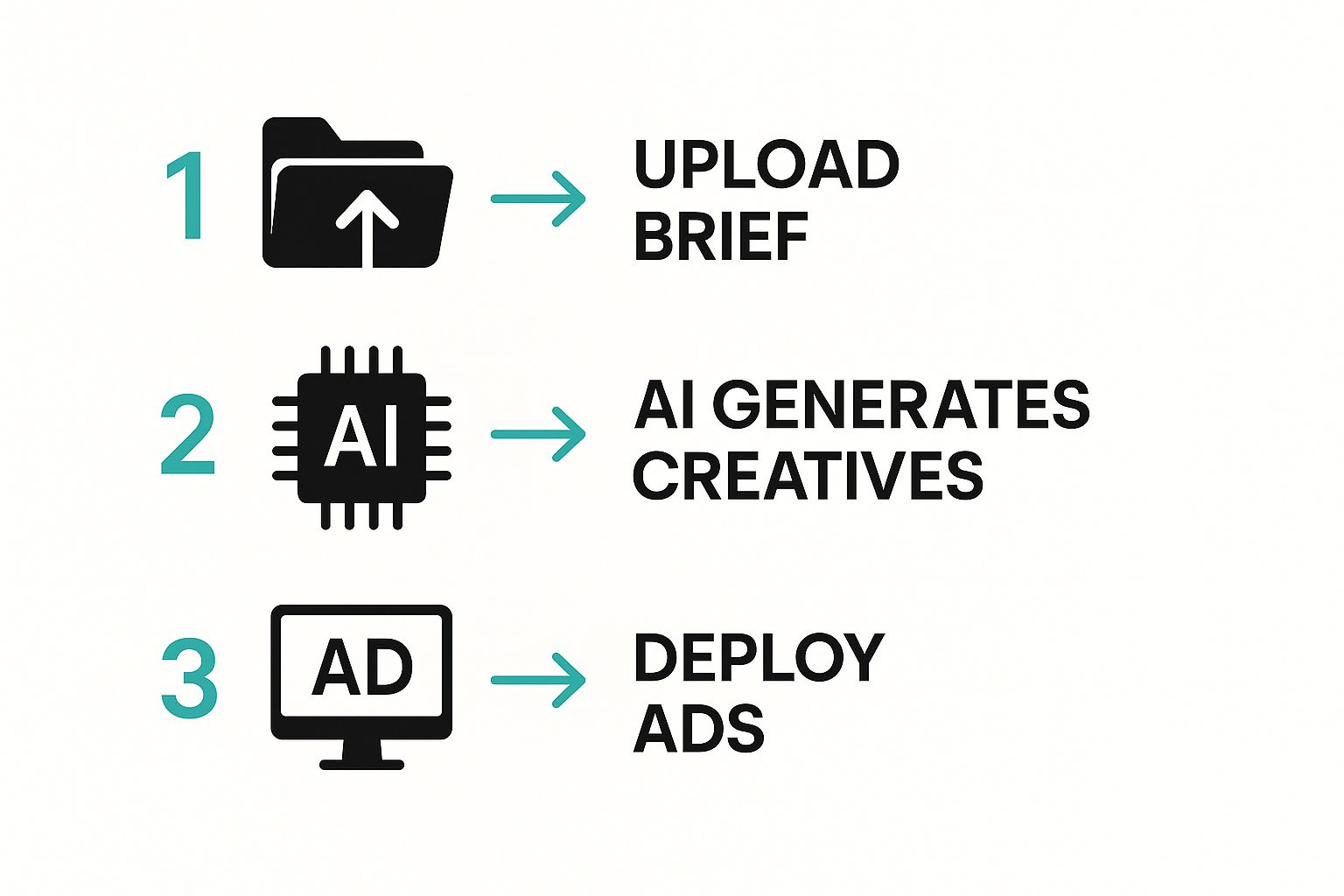
    The platform's workflow is very simple.

    Image

    This image shows how you can move from basic details to a set of professional ad creatives.

    Select Visuals and Generate Creatives

    Once your text is ready, you need visuals. You have two choices. You can upload your own product images. You can also use the platform's built-in stock photo library.

    In August 2022, the company partnered with Getty Images (iStock). This partnership gives users access to high-quality stock photos. The AI can use these images to create custom ads instantly. You can read more about this powerful partnership online.

    With your copy and images selected, you click the "Generate" button. The AI produces dozens of ad variations in seconds. You can then review the options and choose the best ones for your campaign.

    Finalizing and Exporting Your Ad

    The last step is to review the generated creatives. The platform gives a performance score for each design. This score predicts how well an ad might perform. It helps you choose which ads to test first.

    You can make small changes to a creative you like. It is easy to edit the text or change an image.

    When you are happy with a design, you can download it. You can also send it directly to your connected ad accounts like Facebook or Google Ads.

    Pushing Your Creatives to Ad Platforms

    Image

    You have used AdCreative.ai to generate some great ads. The next step is to get them live on your ad networks. The platform makes this process smooth.

    AdCreative.ai has direct integrations with major platforms like Facebook Ads and Google Ads. This connection saves a lot of time. It removes the need to download and re-upload ad files.

    Connecting Your Ad Accounts

    You must connect your ad accounts first. This is a simple, one-time setup. You can find the integration options in your account settings.

    The process is easy. You will log into your Google or Meta account and give permission. After that, your ad accounts will appear as destinations inside AdCreative.ai.

    This integration makes your workflow much faster. Your new creatives can appear in your Google Ads library or Facebook campaign draft in seconds. It removes a slow manual step from your daily tasks.

    This direct link is one reason AI advertising tools are so useful. You can explore various e-commerce tools and platforms to find similar ways to improve efficiency.

    How to Push a Creative

    With your accounts linked, sending an ad to a platform is simple. Go to your library of generated creatives and select one. You will see an option to "push" it to a connected account.

    You just choose your destination, like your main Facebook Ads account, and confirm. The creative goes directly to that platform's media library. It is then ready to be added to a campaign.

    • Select Your Best Creative: Pick the ad with the highest performance score.
    • Choose the Destination: Select the correct platform and account.
    • Confirm the Push: Click the button to send the creative to the platform.

    This method keeps your assets organized and available where you need them.

    Best Practices for Managing Pushed Creatives

    To keep your ad accounts organized, use a clear naming system. When a creative arrives from AdCreative.ai, rename it. A name like "AI-Gen_SummerSale_V1_Square" is very helpful.

    This habit makes it easier to find creatives later. It also helps you track the performance of your AI-generated ads. Your goal is a smooth loop between ad creation and performance analysis.

    How to Analyze and Optimize Ad Performance

    Creating ads with a tool like AdCreative.ai is only one part of the job. The real value comes from analyzing performance data to see what works. This helps you make decisions based on numbers, not guesses.

    The platform connects to your live ad accounts. It pulls real data from your campaigns. The system tracks metrics like click-through rates and conversions for each creative. It then assigns a performance score to each ad.

    Interpreting Your Ad Scores

    After your campaigns run for a while, you will see performance scores in your dashboard. These numbers show how your ads are doing on platforms like Facebook and Google Ads.

    A high score means an ad is performing well. A low score shows that a creative is not connecting with your audience. You should use these scores to decide which ads to scale and which to stop.

    These scores create a direct feedback loop. You use real data to guide your next set of creatives instead of just guessing which ad looks best.

    This data-driven method is becoming standard in marketing. AdCreative.ai was recently acquired by Appier, which shows the demand for AI marketing tools. The platform combines AI models and unique data to automate ad creation. You can read more about this strategic acquisition for more details.

    Applying Insights to Your Next Creatives

    The next step is to apply what you learn to future ads. Look for patterns in your best-performing creatives.

    • Does a specific color scheme perform well?
    • Do certain image types get more clicks?
    • Does one call-to-action work better than others?

    For example, you might find that ads with people in them get better results than product-only ads. This is a valuable insight. You can then ask AdCreative.ai to generate more ads that feature people.

    This research-based approach can be used in other areas of your work. You can check our guide on the best AI tools for research for more ideas.

    By analyzing performance and using insights, you can improve your campaign results over time.

    What's the Bottom Line?

    The performance analytics inside AdCreative.ai make it a key part of your marketing strategy. The platform's ability to score creatives gives you clear feedback.

    You can figure out what works and apply those lessons to your next ads. This process helps you stop spending money on ads that do not work. It improves your return on investment over time.

    Advanced Strategies for Scaling Ad Production

    Using Adcreative.ai for a single ad is useful. The platform's real value appears when you need to produce many ads. The advanced features help you manage this scale without overworking your team.

    This section explains how to use these tools to create ad variations in bulk. We will also cover A/B testing strategies to improve campaign performance.

    Generate Ad Creatives in Bulk

    The bulk creative generation feature is ideal for large campaigns. You can produce hundreds of unique variations with one click. This is useful for testing multiple concepts across different audiences.

    An e-commerce brand can generate variations for every product in a collection. This approach saves many hours of manual design work.

    Systematically A/B Test Your Ads

    Good A/B testing is a structured process to find what works. With the volume of creatives from Adcreative.ai, you can test specific variables accurately.

    You should start by testing only one element at a time. This could be the headline, the main image, or the call-to-action (CTA).

    • Test Headlines: Create ads with the same visual but five different headlines.
    • Test Images: Use the same headline and CTA but test ten different background images.
    • Test Calls-to-Action: Keep the image and headline the same, but try different CTAs like "Shop Now" versus "Learn More."

    This process provides clear data on what works. It turns testing from a guess into a reliable method. AI is changing marketing in many ways. You can discover which AI tools are the most innovative in 2024 to learn more.

    Small changes can lead to big results. A simple button color change from blue to green once increased click-through rates by 15%. This kind of specific testing is possible with bulk creative generation.

    Organize Large-Scale Workflows

    Managing hundreds of ad creatives requires a system. Use clear names for every project inside the platform to stay organized.

    An agency might name a project "ClientName – CampaignType – Q3 2024." This simple step makes finding assets easier later. I also suggest using a spreadsheet to track which creatives are live and their key performance metrics.

    This guide showed how AdCreative.ai can change your ad creation process. It combines AI speed with data from your campaigns. This helps you make smarter decisions.

    The best way to learn is to start experimenting. Test different headlines, images, and audience settings. This is how you find what works best for your brand. Using a platform like AdCreative.ai saves you time. It allows you to focus on high-level strategy instead of repetitive tasks. This approach helps you build a system that constantly improves your performance and drives business growth.

    Got Questions About AdCreative.ai? Let's Talk.

    If you are considering AdCreative.ai, you might have some questions. It is smart to understand the details before you start. Here are answers to some common questions.

    How Much Does AdCreative.ai Cost?

    AdCreative.ai uses a credit system for its pricing. You purchase a number of credits each month. You use these credits to generate ad creatives.

    Most plans offer a trial period. A trial is the best way to test the platform. After the trial, you can choose a monthly subscription that fits your needs.

    What Platforms Can I Use The Ads On?

    You can use the ads almost everywhere. The creatives you generate are yours to download and use on all major ad platforms. This includes Facebook, Instagram, Google, and LinkedIn.

    The platform also has direct integrations with Google Ads and Meta Ads. This feature lets you send your new ads directly to your campaigns.

    Does AdCreative.ai Write The Ad Copy Too?

    Yes, the platform also writes ad copy. The AI generates headlines and body text.

    You provide your product description, and it creates several text options. This is helpful for A/B testing different messages. You can use the text as is or edit it to match your brand's voice.


    At creavoid, we specialize in using powerful tools like this to build data-driven marketing strategies that drive real growth. Visit us at https://creavoid.com to see how we can help you scale.

  • Finding the Top 3 AI App Builder Tools for 2025

    Finding the Top 3 AI App Builder Tools for 2025

    This guide simplifies finding the top 3 AI app builder for your project. No-code platforms let you create powerful apps without programming skills. These tools help you build apps with smart features and launch your ideas quickly.

    This article compares the leading AI app builders. We will look at their features, prices, and best uses. This information will help you choose the right tool for your business goals and technical skill.

    1. Appy Pie

    Appy Pie is a top choice for an AI app builder because it is simple and easy to use. It helps small businesses and entrepreneurs create mobile and web apps without code. The platform uses AI to automatically design app layouts and colors based on your brand. This feature speeds up the initial setup.

    Key Features & User Experience

    Appy Pie has an intuitive drag-and-drop interface. This makes it perfect for beginners. The user experience is direct and guides you through each step. Workflow automation is another key feature. It lets you create automated tasks like sending notifications or updating a database.

    Pros:

    • User-Friendly: Ideal for non-technical users.
    • Affordable: Offers cost-effective plans starting around $16 per app/month.
    • Feature-Rich: Includes a wide range of templates and integrations.

    Cons:

    • Limited Customization: Advanced developers may find the design options restrictive.
    • Performance: Very complex apps can sometimes experience performance lags.

    Website: https://www.appypie.com

    2. Adalo

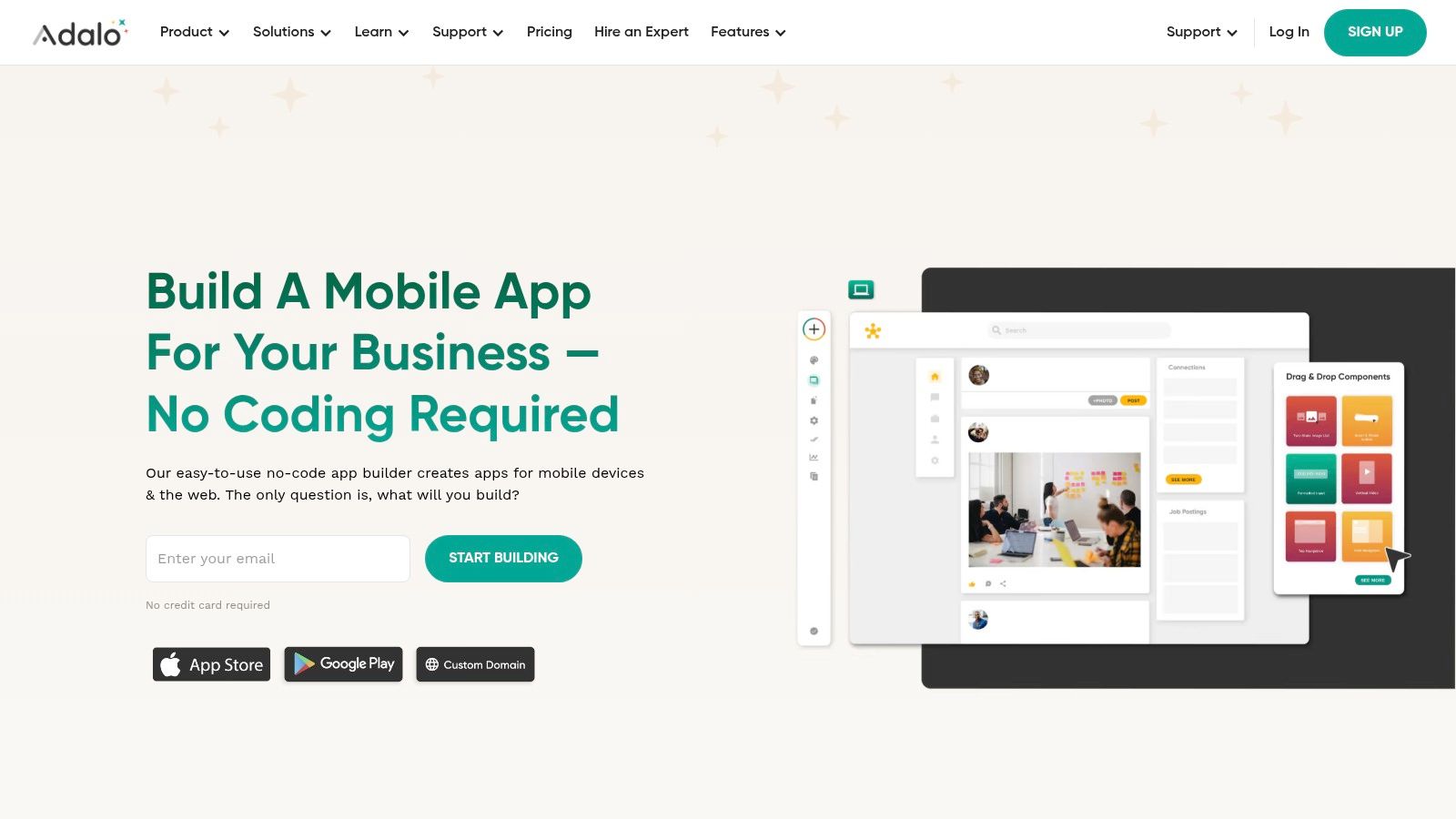
    Adalo is another great AI app builder. It focuses on creating visually appealing mobile apps. The platform helps entrepreneurs build and launch apps on the Apple App Store and Google Play Store. You can do this without writing any code. This makes it a powerful tool for quick prototyping.

    Adalo

    Key Features & User Experience

    Adalo is known for its smooth drag-and-drop interface. It gives users total design freedom over the app's layout. The user experience is highly visual and focuses on connecting screens and actions. Key features include a built-in database, user authentication, and API integrations.

    Pros:

    • Intuitive Interface: Perfect for non-technical creators with a design-first approach.
    • Rapid Deployment: Enables fast prototyping and launching of mobile apps.
    • Active Community: Offers robust support through forums and tutorials.

    Cons:

    • Limited Backend: Complex backend logic may require external services.
    • Performance Scaling: Highly complex apps can encounter performance limitations.

    Website: https://www.adalo.com

    3. Softr

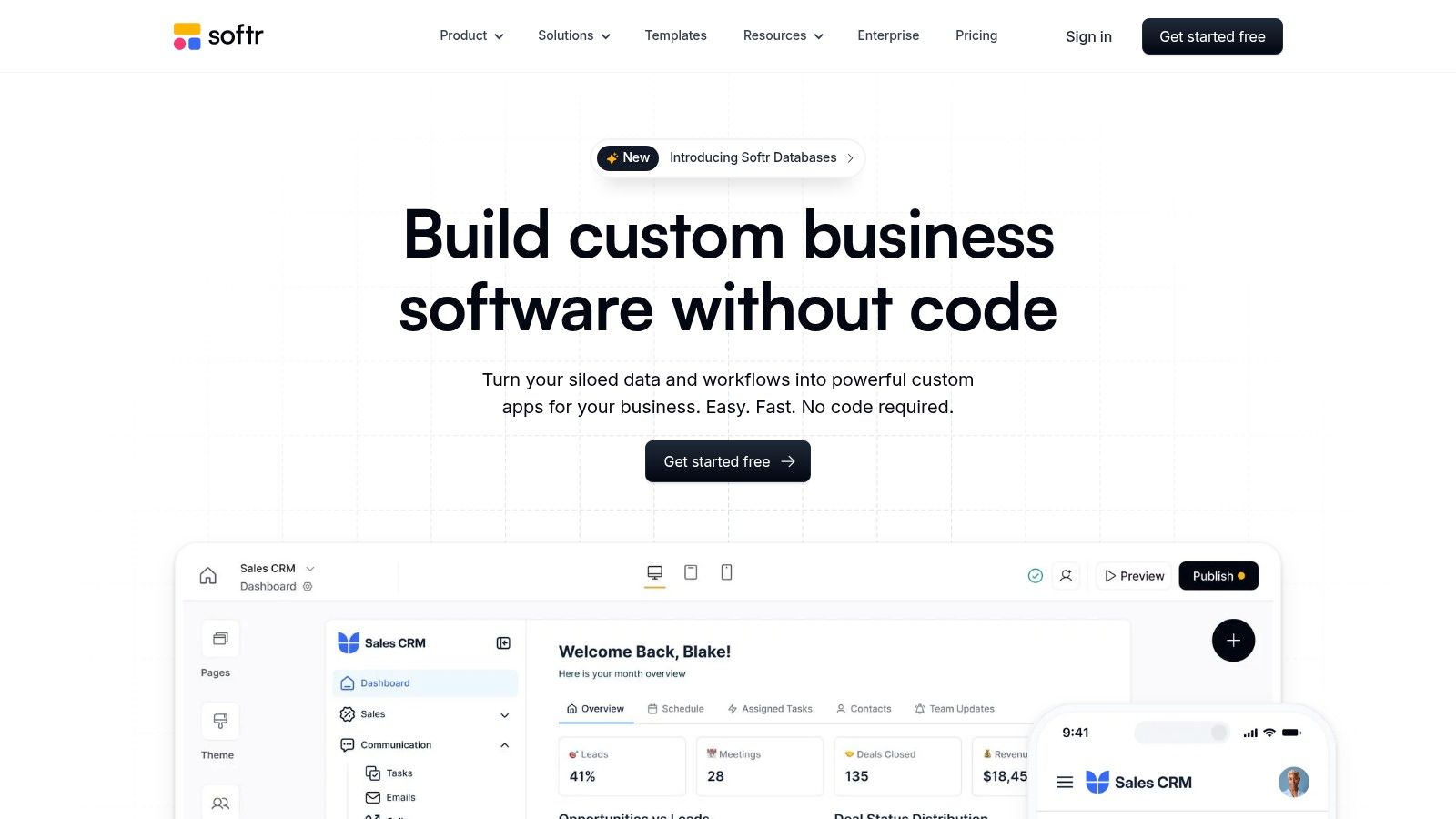
    Softr completes our list of the top 3 AI app builder platforms. It is an excellent choice for turning data into web applications. The platform allows you to transform Airtable or Google Sheets into client portals or internal tools. Softr uses AI-assisted blocks to generate a user-friendly front-end from your data.

    Softr

    Key Features & User Experience

    Softr’s user experience is simple and intuitive. It uses pre-built, customizable blocks that you arrange to build your interface. This process makes development very fast. Key features include seamless integration with Airtable and Google Sheets. It also has user authentication and built-in SEO tools.

    Pros:

    • Quick Setup: Go from a spreadsheet to a live app in minutes.
    • No Coding Required: Entirely visual and block-based, ideal for non-developers.
    • Data-Centric: Perfect for building client portals, internal tools, or directories.

    Cons:

    • Design Limitations: Less flexible than traditional coding or more advanced builders.
    • Data Dependency: The app’s functionality is tied to Airtable/Google Sheets limitations.

    Website: https://www.softr.io

    4. Bubble

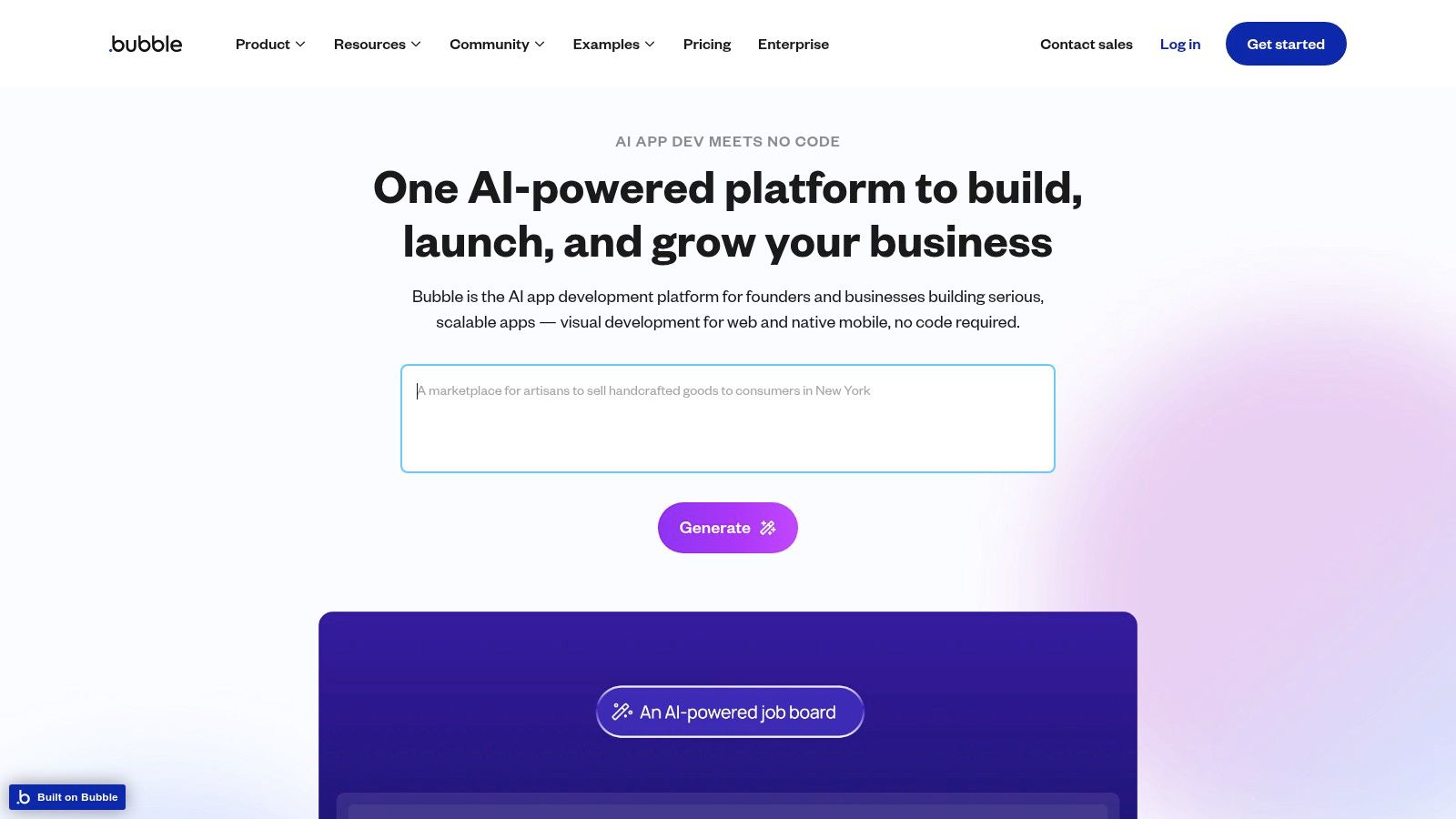
    Bubble is a powerful no-code platform for building complex web applications with AI. It gives users full control over design and logic. Bubble allows you to build with AI by integrating services like OpenAI or Google AI through APIs. It is a favorite for startups that need custom products.

    Bubble

    Key Features & User Experience

    Bubble has a visual drag-and-drop editor for precise control over page elements. Its real strength is its customizable backend workflows and database. The platform has a steeper learning curve but lets you build sophisticated applications. You can learn more about no-code platforms to see how it compares.

    Pros:

    • Highly Customizable: Offers near-limitless freedom in design and functionality.
    • Scalable: Suitable for complex SaaS platforms, marketplaces, and internal tools.
    • Strong Community: Extensive documentation, tutorials, and a very active user forum.

    Cons:

    • Steeper Learning Curve: Requires more time to master compared to simpler tools.
    • Performance Tuning: Optimizing complex apps can demand technical understanding.

    Website: https://bubble.io

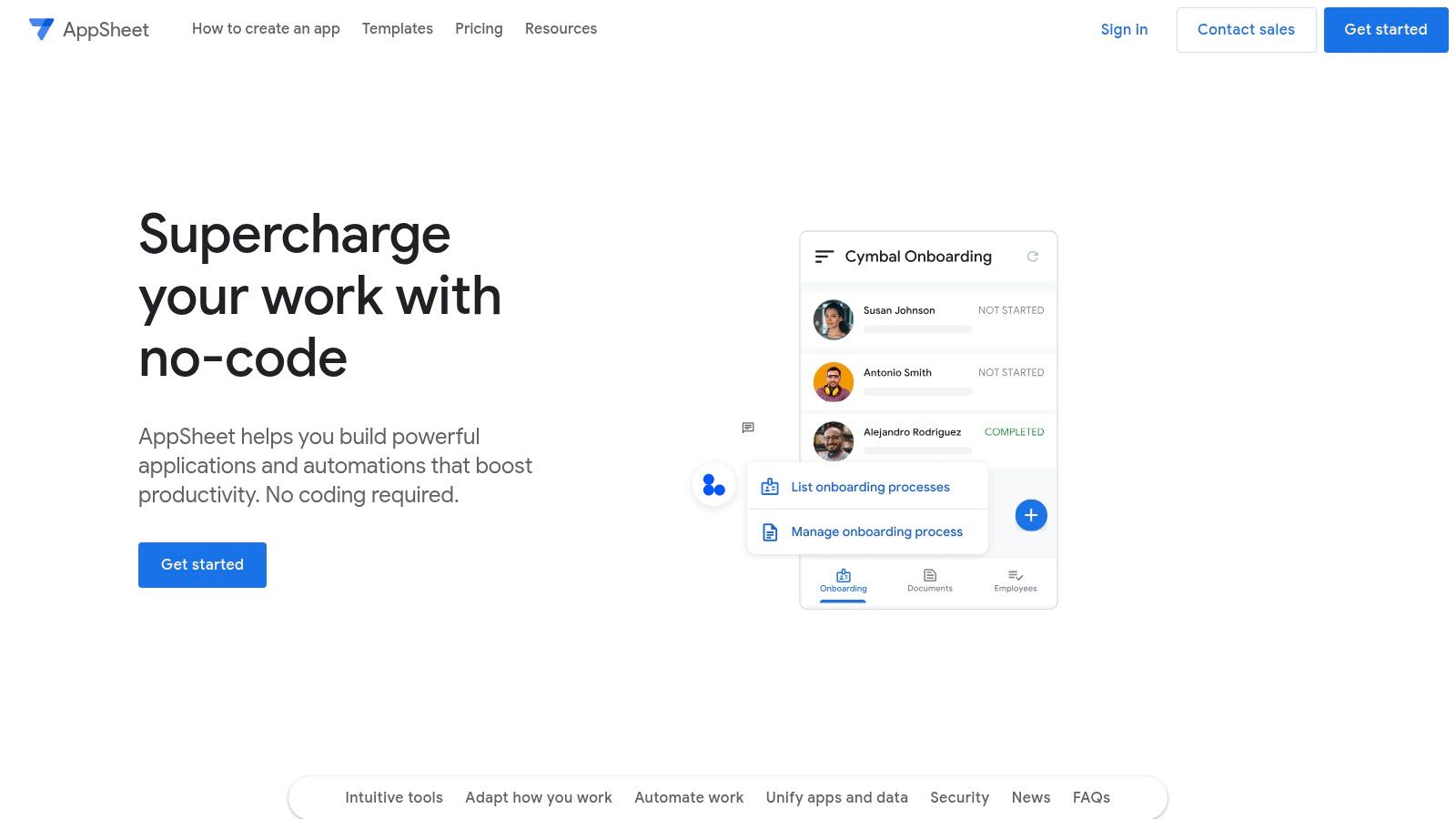
    5. AppSheet by Google

    AppSheet by Google is a strong choice for organizations in the Google ecosystem. It turns data from sources like Google Sheets and Excel into rich applications without code. AppSheet's AI and machine learning automate processes. This makes it great for building internal tools for inventory or field reports. Reading about digital transformation best practices can offer useful context.

    AppSheet by Google

    Key Features & User Experience

    AppSheet's user experience focuses on using existing data. The platform's AI can predict the type of app you want based on your data structure. Key features include workflow automation, offline functionality, and multi-platform deployment. It prioritizes function over design.

    Pros:

    • Seamless Integration: Works perfectly with Google Workspace and other data services.
    • Powerful Automation: Strong AI capabilities for creating intelligent, automated workflows.
    • Enterprise-Ready: Suitable for complex business and data-centric applications.

    Cons:

    • Limited Customization: Design and UI options are more functional than creative.
    • Pricing: Can become costly for larger teams or extensive enterprise use.

    Website: https://www.appsheet.com

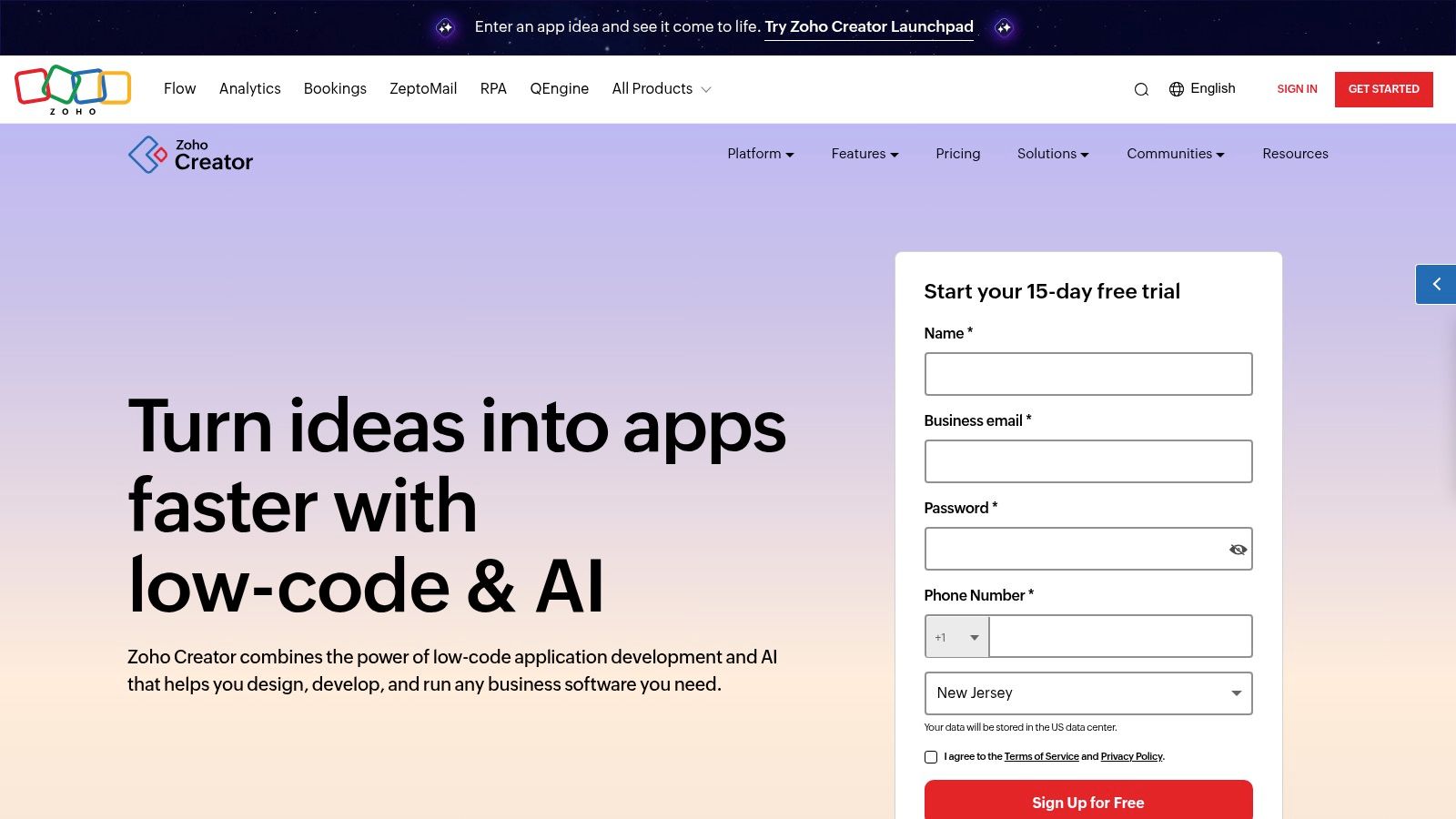
    6. Zoho Creator

    Zoho Creator is a low-code platform for building complex, data-driven applications. It handles detailed business logic, automation, and analytics. Zoho Creator connects with other Zoho tools like CRM and Books. This creates a unified system for your business operations.

    Zoho Creator

    Key Features & User Experience

    Zoho Creator has a drag-and-drop interface and scripting options. Its AI integration allows for features like predictive analytics. The platform supports multi-platform deployment. You can launch your app on web, iOS, and Android from one codebase.

    Pros:

    • Comprehensive Feature Set: Ideal for building powerful, scalable business applications.
    • Zoho Ecosystem: Excellent integration with other Zoho business products.
    • Strong Automation: Advanced workflow automation capabilities for complex processes.

    Cons:

    • Steeper Learning Curve: Can be more challenging for complete beginners.
    • Higher Cost: Pricing can increase significantly for advanced features and more users.

    Website: https://www.zoho.com/creator

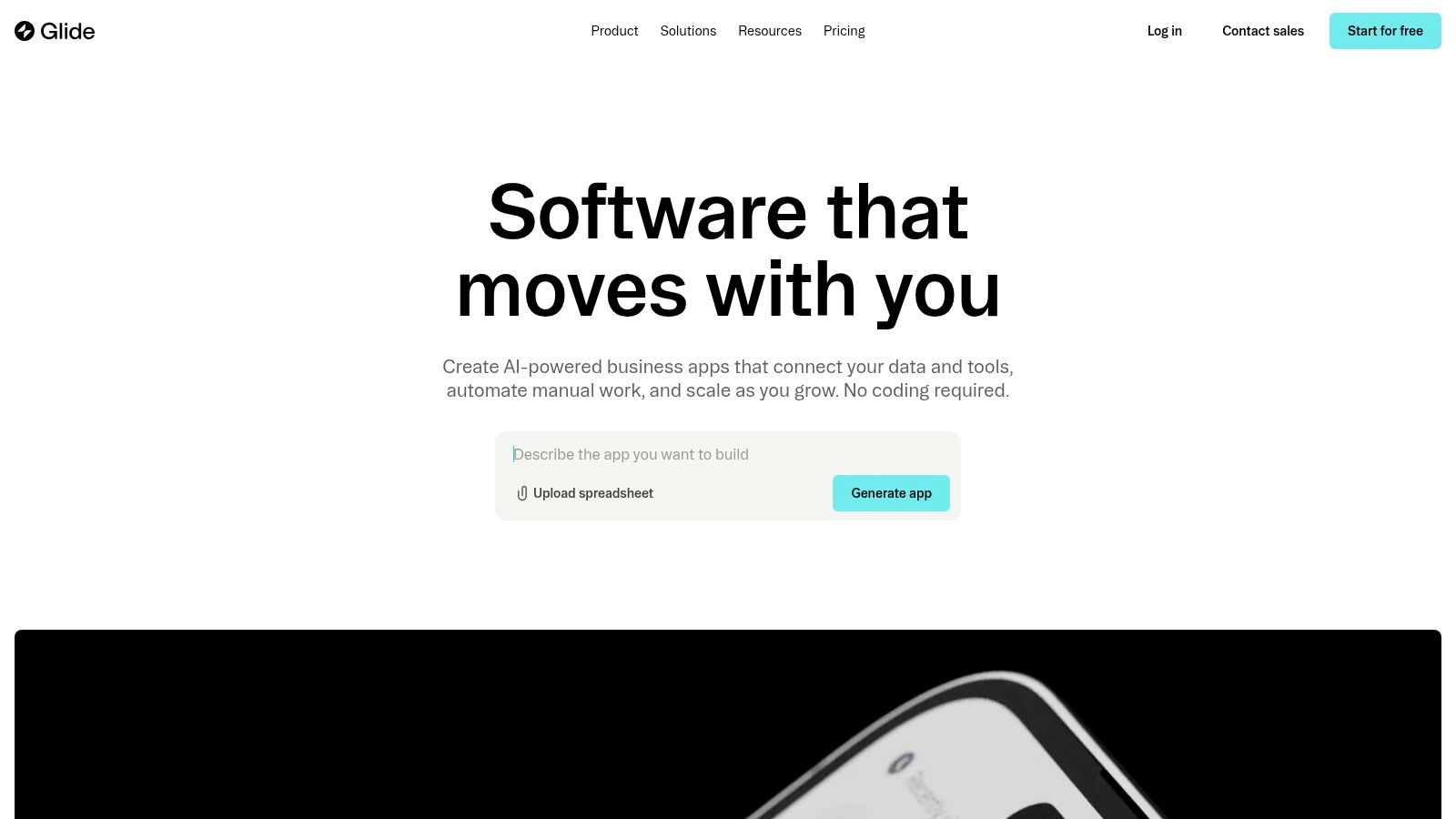
    7. Glide

    Glide turns Google Sheets into powerful mobile apps very quickly. It is designed for users who need functional apps from their data without coding. Glide synchronizes with Google Sheets in real-time. This means your app updates instantly when your data changes.

    Glide

    Key Features & User Experience

    Glide offers a very smooth user experience. You can build a working app in minutes. Its interface is clean and visual, with pre-built templates and layouts. The platform also offers offline functionality. This is a big benefit for teams in areas with poor connectivity.

    Pros:

    • Easy to Use: Perfect for non-developers and spreadsheet users.
    • Rapid App Development: Go from spreadsheet to app in minutes.
    • No Coding Required: Entirely visual build process.

    Cons:

    • Limited Customization: Design and functionality are somewhat constrained.
    • Dependent on Google Sheets: Its core strength is also its main limitation.

    Website: https://www.glideapps.com

    8. Thunkable

    Thunkable is a no-code platform for building native iOS and Android apps. It allows users to create more complex applications with its drag-and-drop interface. The platform supports API integrations and real-time testing. It is a great choice for beginners and educators.

    Thunkable

    Key Features & User Experience

    The user experience on Thunkable uses visual block-based programming. This simplifies adding logic to an app. Users can integrate various APIs to connect their app with external services. Small businesses can discover the potential of automation for small business with tools like this.

    Pros:

    • Native App Support: Builds true iOS and Android applications.
    • Complex Functionality: Supports API integrations and advanced logic.
    • Active Community: Strong community support and extensive resources.

    Cons:

    • Design Limitations: Customization options can be restrictive for designers.
    • Performance: Complex apps may sometimes face performance issues.

    Website: https://www.thunkable.com

    9. Builder.ai

    Builder.ai uses a mix of AI automation and human experts to deliver custom apps. This hybrid model makes it different from pure no-code platforms. The platform’s AI, Natasha, assembles pre-built features. Human developers then refine the app to meet specific needs.

    Key Features & User Experience

    Builder.ai uses a conversational interface to define your app idea. It then gives you a fixed price and timeline. The platform offers a library of customizable features. It also handles development, maintenance, and cloud hosting as a fully managed service.

    Pros:

    • Tailored Solutions: Creates custom apps that fit precise business needs.
    • Rapid Development: Significantly faster than traditional development cycles.
    • Suitable for Complex Apps: Can handle sophisticated functionalities and integrations.

    Cons:

    • Higher Cost: More expensive than standard no-code builders due to customization.
    • Less Direct Control: Users have less hands-on control over the development process.

    Website: https://www.builder.ai

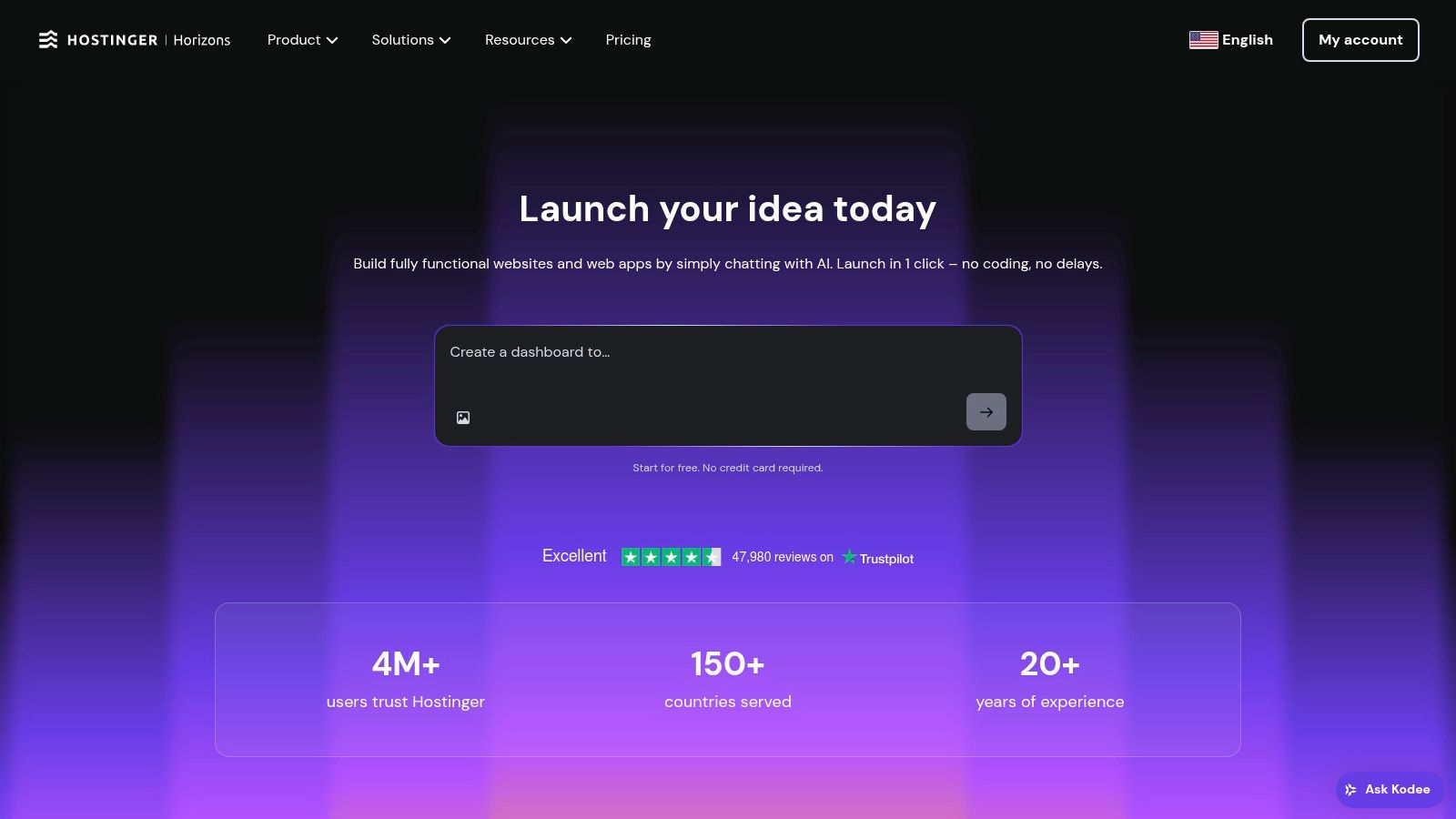
    10. Hostinger Horizons

    Hostinger Horizons is a platform for rapid web application development. It combines no-code AI tools with hosting and domain services. This creates an all-in-one environment. Users can build and launch their apps from a single dashboard.

    Hostinger Horizons

    Key Features & User Experience

    Hostinger Horizons has an AI-powered builder and a real-time editor. It supports voice and image inputs for creating content. The platform's built-in multilingual support helps you create global applications easily.

    Pros:

    • Rapid app development: Go from idea to a live app quickly.
    • Integrated hosting and domain services: Simplifies setup and management.
    • User-friendly interface: Easy for beginners to navigate and use.

    Cons:

    • Limited advanced customization: May not suit complex, highly specific project needs.
    • Some features still under development: The platform is still evolving.

    Website: https://www.hostinger.com/horizons

    11. Microsoft Power Apps

    Microsoft Power Apps is a strong low-code platform for business applications. It is ideal for organizations using the Microsoft ecosystem. Its AI Builder component lets users add AI capabilities like prediction models into their apps. This helps automate and improve business processes.

    Key Features & User Experience

    Power Apps is designed for professional use. It integrates with Microsoft 365, Dynamics 365, and Azure. This allows for powerful workflow automation and data connection. The user experience is more technical but provides great control for building enterprise-grade solutions.

    Pros:

    • Comprehensive Feature Set: Ideal for creating complex business applications.
    • Seamless Integration: Works perfectly with other Microsoft services.
    • Scalable: Suitable for small projects and large enterprise deployments.

    Cons:

    • Steeper Learning Curve: May be challenging for complete beginners.
    • Pricing: Can become costly for larger teams or advanced features.

    Website: https://powerapps.microsoft.com

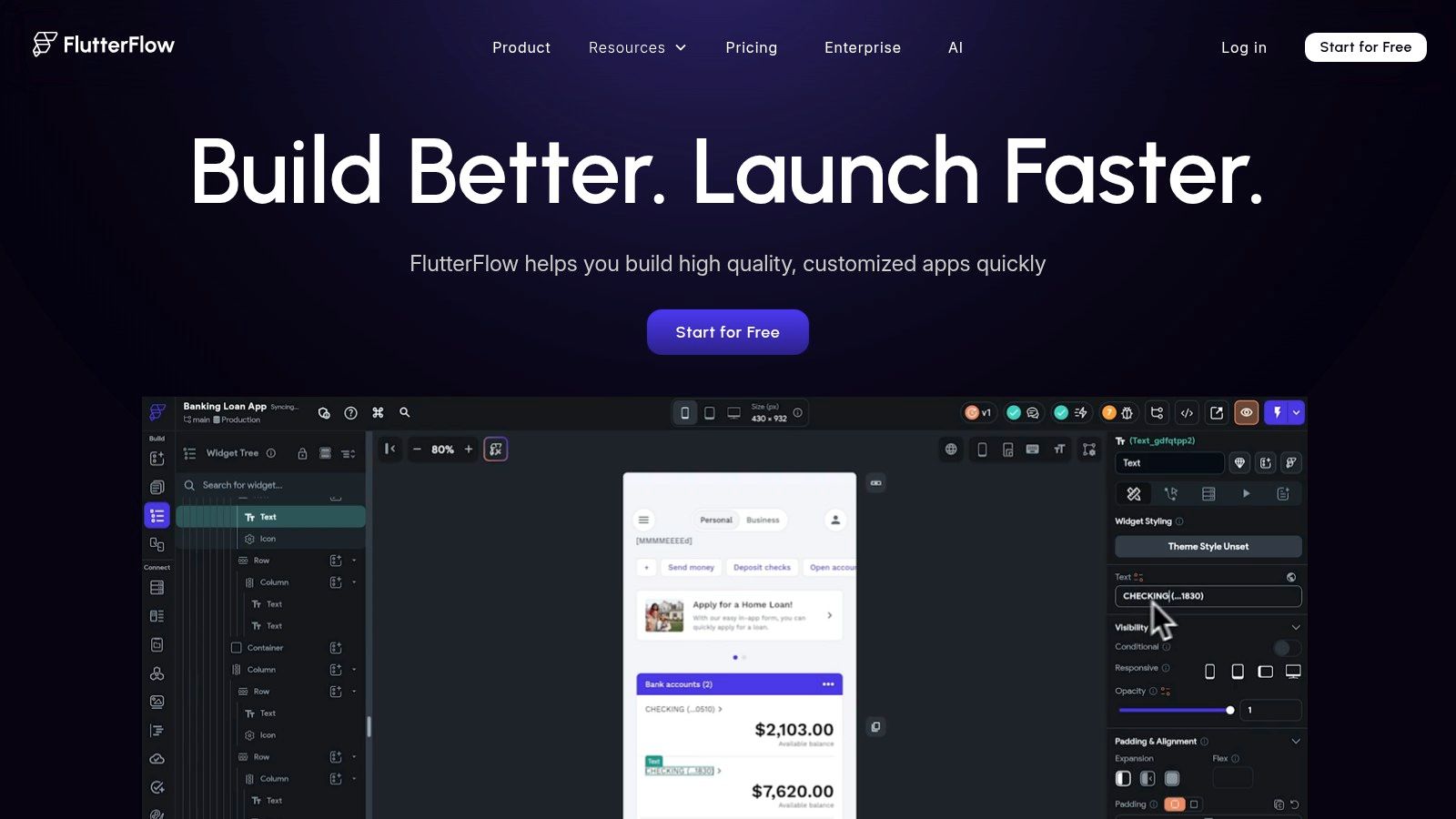
    12. FlutterFlow

    FlutterFlow uses Google's Flutter framework to build high-performance apps. It combines no-code simplicity with developer-level power. Its visual builder turns drag-and-drop actions into clean Dart code. This low-code environment speeds up development for everyone.

    FlutterFlow

    Key Features & User Experience

    FlutterFlow integrates seamlessly with Firebase for backend services. The user experience is highly visual and intuitive. It allows real-time testing directly within the builder. Users can build complex functions that are not possible with other no-code tools.

    Pros:

    • Powerful Functionality: Supports complex logic and native features.
    • Cross-Platform: Build and deploy to iOS, Android, and web from a single project.
    • Code Export: Provides access to the underlying clean code for full control.

    Cons:

    • Steeper Learning Curve: More complex than purely no-code alternatives.
    • Best with Firebase: Heavily optimized for Firebase, which may not suit all backend needs.

    Website: https://flutterflow.io

    Top 12 AI App Builders Feature Comparison

    PlatformCore FeaturesUser ExperienceTarget AudienceUnique Selling PointsPrice Points
    Appy PieDrag-and-drop builder, AI design, workflow automationBeginner-friendly, affordableSmall businesses, individualsAI-powered design, multilingual supportLow-cost plans
    AdaloDrag-and-drop, real-time updates, external DB integrationIntuitive, rapid prototypingIndividuals, small businessesResponsive design, active communityAffordable
    SoftrAirtable/Google Sheets integration, templates, authenticationQuick setup, no codingClient portals, internal toolsSEO tools, pre-built blocksModerate
    BubbleVisual editor, backend, API integrationHighly customizable, complex appsAdvanced users, startupsFull customization, scalabilityModerate to high
    AppSheet by GoogleGoogle Workspace integration, AI, workflow automationEnterprise-grade, powerful AIEnterprisesAI/ML features, multi-platformHigher pricing
    Zoho CreatorDrag-and-drop, AI integration, automationFeature-rich, complex appsBusinesses, Zoho usersZoho ecosystem integrationMid to high
    GlideGoogle Sheets integration, real-time syncEasy to use, fast developmentBeginners, simple appsOffline mode, templatesLow to moderate
    ThunkableDrag-and-drop, native iOS/Android supportUser-friendly, supports complexityEducators, individualsNative app building, community supportModerate
    Builder.aiAI-assisted development, scalable architectureTailored solutions, fast processBusinesses needing custom appsOngoing supportHigher cost
    Hostinger HorizonsAI-powered no-code, built-in hosting/domainUser-friendly, rapid developmentBeginners, small businessesVoice/image inputs, hosting includedAffordable to moderate
    Microsoft Power AppsMicrosoft 365/Azure integration, AI, workflow automationComprehensive, steep learning curveEnterprises, advanced usersSeamless Microsoft ecosystem integrationHigh
    FlutterFlowDrag-and-drop, Firebase integration, cross-platformUser-friendly, complex functionalityDevelopers, non-developersCross-platform supportModerate

    Final Thoughts

    Your choice from the top 3 AI app builder options depends on your needs. The right tool aligns with your project, skills, and goals. First, define your app's main function. Then, assess your technical comfort level. A simple platform is best for beginners, while advanced users may want more control. Finally, consider the price and how the platform can grow with your app. A good choice now will save you time and money later.


    Ready to move beyond templates and build a truly custom AI solution? If these builders don't quite fit your unique vision, creavoid can help. We specialize in developing bespoke AI applications and platforms, turning your complex ideas into powerful, market-ready realities. Visit creavoid to see how our expert development services can bring your project to life.

  • AI Chatbots for Ecommerce: A Complete Guide

    AI Chatbots for Ecommerce: A Complete Guide

    Using AI chatbots for ecommerce is a popular strategy for online stores. These tools help improve the customer experience and make operations more efficient. They are like automated assistants for your website that are always ready to chat with shoppers. They offer instant help and guide customers through the buying process.

    What Are AI Chatbots for Ecommerce?

    AI chatbots for ecommerce are smart software programs. They are built to have real conversations with customers on your online store. They are much better than old, rule-based bots that only followed a strict script. Today’s chatbots use artificial intelligence (AI) and natural language processing (NLP). This technology helps them understand what a customer is typing. This allows them to give helpful answers right away.

    An AI chatbot is like your best sales associate. It knows everything, is always friendly, and never needs a break. It can handle many tasks that are important for any online business.

    Key Functions of Ecommerce Chatbots

    An AI chatbot is more than just an FAQ machine. Its real power is how it drives sales and improves customer happiness. For example, a shopper might land on your site and not know what they want. A chatbot can ask a few smart questions about their needs or style. Then, it can recommend the right products. This creates a personal shopping experience and helps people feel confident to buy.

    The bot's job does not end at the sale. These bots can also handle common questions after a purchase. They can:

    • Give instant order status updates.
    • Walk customers through returns and exchanges.
    • Answer questions about shipping policies.

    AI chatbots handle these routine questions. This frees up your human support team to solve more complex issues. It creates a smarter and more efficient support system.

    These automated helpers are a key part of a good ecommerce strategy. They improve customer satisfaction by giving instant answers. They also smooth out the buying journey. This often leads to better conversion rates and more repeat customers.

    What Are The Real Benefits of AI Chatbots?

    Many ecommerce stores are adding AI chatbots for good reasons. Putting a chatbot on your site offers serious advantages. These benefits can directly impact your growth and keep your customers happy.

    Image

    The biggest benefit is 24/7 support. Your customers shop at all hours, and their questions do not follow a schedule. A chatbot is always on and ready to help. This means a customer never has to wait for an answer. This constant availability is very important for building satisfaction and loyalty.

    Most people prefer to find answers on their own before calling or emailing. A chatbot meets that need perfectly. It prevents frustration and stops potential buyers from leaving your site because they could not get a quick answer.

    Keeping Customers Happy

    A happy customer is a repeat customer. Chatbots give shoppers quick, accurate answers. This smooths out the bumps in the buying journey.

    A customer who gets an instant response about your shipping policy feels more confident to buy. Each positive interaction builds more trust and loyalty. You will have a customer base that feels supported, which makes them come back.

    A chatbot’s ability to offer consistent, quality support at any hour directly affects customer retention. Shoppers are more likely to choose your store over a competitor's when they know they can get help anytime.

    This shifts your support model from reactive to proactive. Chatbots resolve issues on the spot. This prevents a small question from becoming a big problem. The result is a better shopping experience from start to finish.

    Slashing Operational Costs

    AI chatbots are also a great way to lower operational costs. They can handle a large volume of common questions at once. A human team cannot do that. This frees up your support agents to handle more complex issues that need a human touch.

    Your team answers the same questions over and over every day. These questions include:

    • "Where is my order?"
    • "What's your return policy?"
    • "Do you ship to my country?"

    A single chatbot can answer thousands of these questions easily. This level of automation means you can grow your support without hiring more people. This leads to big savings in salaries and training.

    Driving More Sales and Revenue

    AI chatbots are powerful sales tools. They can guide customers through your sales funnel. They also offer smart product recommendations and can even save a lost sale.

    For instance, a chatbot can engage a shopper who seems unsure. It can ask a few questions to understand their needs. Based on the answers, it can suggest the perfect product, like a personal shopper. That guidance can give a customer the confidence to make a purchase.

    The numbers show the impact. Data shows that 89% of retail companies are using or testing AI in 2025. Retail chatbots have been shown to increase sales by up to 67%. AI-powered personalization can boost revenue by as much as 40%.

    Chatbots are also very effective at reducing cart abandonment. A chatbot can proactively offer a small discount or answer a final question if a shopper is about to leave your site with items in their cart. Often, that is all it takes to close the sale. A smooth user journey can dramatically improve website conversion rates and turn more visitors into customers.

    Practical Use Cases for Ecommerce Chatbots

    Image

    AI chatbots for ecommerce do more than just say "Hi, how can I help?" These tools are workhorses. They can handle specific, important tasks that shape the customer journey and your bottom line.

    A chatbot can be your most efficient employee. It can be a personal shopper, a logistics coordinator, and a lead generator all at once. It never needs a break.

    Personalize the Shopping Experience

    A chatbot can act as a virtual shopping assistant. It can look at a customer’s browsing history and past purchases. It uses this information to offer product recommendations that make sense.

    This turns a standard online store into a more engaging and helpful experience. The chatbot can ask targeted questions about style or preferences. It then guides the customer to the perfect product.

    Streamline Order Tracking and Management

    The most common question for any ecommerce team is, "Where is my order?" Answering this question repeatedly takes a lot of time. An AI chatbot can handle this task for your team.

    The bot connects to your logistics software. It provides instant, real-time shipping updates in the chat window. A customer just needs their order number, and the bot finds the tracking info immediately. This self-service feature reduces customer anxiety and builds trust.

    An AI-driven chatbot becomes the main spot for any post-purchase questions. This is convenient for customers and great for your support queue. It reduces the number of tickets about order status.

    This automation frees your human agents to handle more complex issues where their skills are truly needed.

    Simplify Returns and Exchanges

    Dealing with returns can be a headache for shoppers. A slow or confusing process can make them dislike your brand. AI chatbots can make this entire process smoother.

    A bot can start the return process and generate a shipping label. It can also answer any policy questions on the spot. It walks the customer through each step, making the experience clear and painless. This puts the customer in control and reduces frustration.

    The bot is also great for exchanges. A bot can check your inventory and help place the new order if someone needs a different size. This happens all in the same conversation. This turns a potentially negative interaction into a positive one.

    Generate High-Quality Leads

    Chatbots are also great lead generation tools. They can proactively talk to visitors on your site. They can turn anonymous traffic into qualified leads for your sales and marketing funnels.

    A visitor might be looking at a product or pricing page. A chatbot can pop up and start a conversation. It can ask smart questions to see how interested they are. It might ask about their budget or what features they need.

    The chatbot can offer a discount code or a helpful guide in exchange for an email address once a visitor shows interest. This captures a valuable lead for your future marketing. Choosing the right tools is important here. You will want to explore your options for the best ecommerce platform for your business.

    AI Chatbot Use Cases and Their Business Impact

    Use CasePrimary Business ImpactExample Interaction
    Personalized RecommendationsIncreased Average Order Value"I see you liked the blue running shoes. We have a new lightweight model in the same color. Want to see it?"
    24/7 Order TrackingReduced Support Tickets"Enter your order number, and I'll give you a real-time shipping update."
    Automated Returns & ExchangesImproved Customer Retention"To start a return, just confirm your order details. I'll email you a shipping label right away."
    Proactive Lead GenerationHigher Conversion Rates"Thinking about our pro plan? I can offer you a 15% discount if you sign up today. Can I get your email?"
    FAQ AnsweringLower Operational Costs"Our standard shipping to the US takes 3-5 business days. You can find our full policy here."

    Chatbots are not just a "nice-to-have" feature. They are powerful tools for driving real business results. They improve the customer experience at every step.

    Deliver Hyper-Personalized Experiences with Generative AI

    Generative AI is making ecommerce chatbots much better. It makes conversations feel incredibly natural and human. Data shows that 74.7% of consumers prefer brands that deliver personalized experiences. These advanced bots are great at this.

    They can analyze customer data in real time. This allows them to offer very relevant recommendations and support. Research shows this level of AI-driven personalization can boost customer retention by 10–15%. For many shoppers, features like live search and automated product suggestions are now top factors in their purchase decisions.

    How to Choose the Right AI Chatbot

    Choosing the right AI chatbot for your store is a big decision. This choice will directly shape your customer's experience and your store's success. There are many options, but it is important to know what to look for.

    The best chatbot should feel like a natural part of your store. It should not be a clunky, robotic add-on. You need to find a solution that matches your specific needs, budget, and goals.

    Assess Your Business Needs and Goals

    First, you need to look at your business. What are you trying to achieve with a chatbot? A clear understanding of your goals will make the selection process easier.

    Do you want to reduce support tickets for your team? Or is your main goal to increase sales with smart product recommendations? Maybe you are focused on stopping shoppers from abandoning their carts. Your top priority will help you focus on the features that matter.

    A clear goal prevents you from paying for fancy features you will never use. For example, a store that wants to cut support costs needs a bot that is great at FAQ automation. A store that wants more sales needs one that is good at product discovery and recommendations.

    Once you have your main goal, be realistic about your budget and your team's technical skills. Some platforms are simple and require no code. Others offer a lot of customization but need more technical skills to set up.

    Rule-Based vs. AI-Powered Chatbots

    You must decide between a simple rule-based chatbot and a smarter AI-powered one. Rule-based bots follow a strict, pre-programmed script. They are great for simple, predictable questions and are usually cheaper.

    AI-powered chatbots use technologies like natural language processing (NLP). They understand what customers are asking, even with unusual phrasing. They get smarter with each conversation and deliver a more natural, human-like experience. They cost more, but they can handle complex situations better.

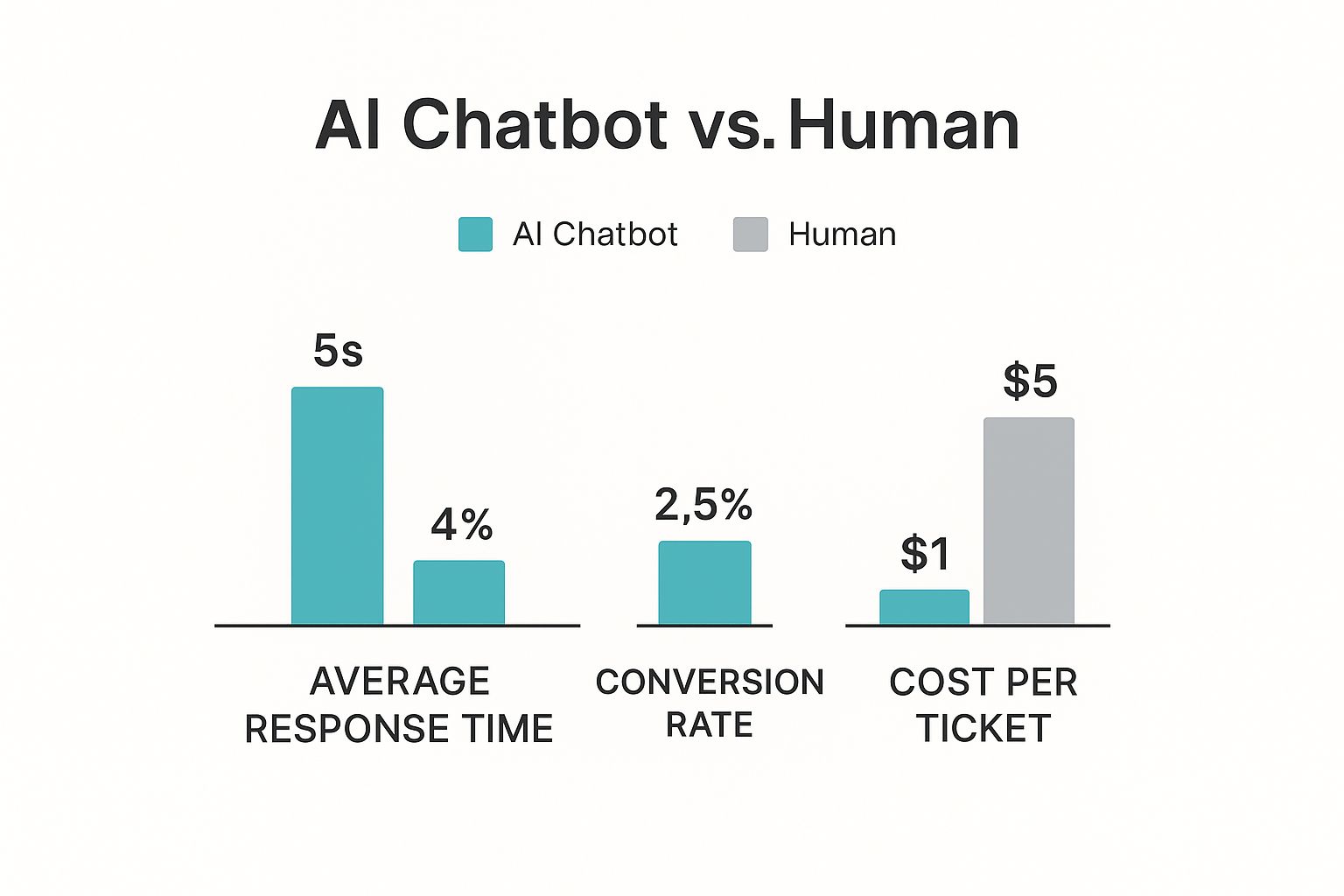
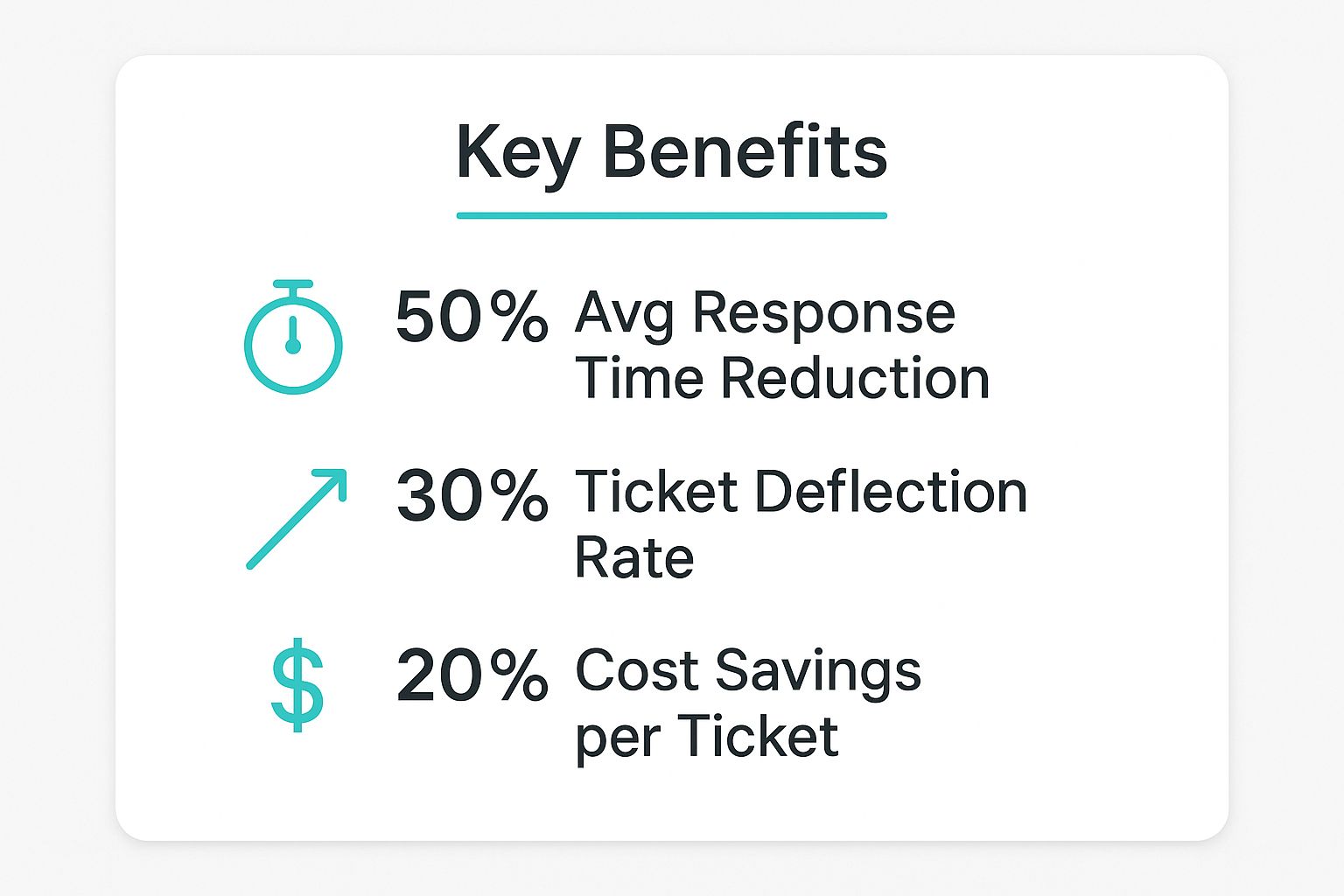
    This image shows how AI chatbots compare to human agents.

    Image

    The data is clear. AI chatbots can give faster responses, drive higher conversion rates, and solve issues for a lower cost than a human.

    The choice between these two types depends on your needs, customers, and budget. Here is a quick comparison.

    Comparing Chatbot Types: Rule-Based vs. AI-Powered

    FeatureRule-Based ChatbotAI-Powered Chatbot
    Conversation FlowFollows a fixed, decision-tree script.Dynamic, understands intent and context.
    Complexity HandledBest for simple, repetitive FAQs.Can manage complex, multi-part queries.
    Initial CostLowerHigher
    Setup & MaintenanceSimpler to set up, but needs manual script updates.More complex setup, but learns and improves automatically.
    Customer ExperienceCan be frustrating if the query is outside the script.More natural and satisfying for the user.
    Best ForBusinesses with predictable questions and limited budgets.Businesses focused on a great customer experience and lead generation.

    A rule-based bot might be enough if your customers ask the same 10-20 questions repeatedly. You should invest in an AI-powered solution if you want a tool that can truly talk, guide, and sell.

    Essential Features to Look For

    You should look for a few key features when you evaluate different chatbot providers. These features ensure your chatbot will be an asset, not a problem.

    First, integration capabilities are a must. Your chatbot has to work with your ecommerce platform, like Shopify or WooCommerce. It also needs to connect to your CRM, email marketing tools, and help desk software. This keeps your customer data flowing smoothly.

    Next, check the customization options. Your chatbot is part of your brand, so it needs to sound like you. You should be able to change its look, tone, and pre-written responses to match your brand's voice.

    Finally, think about scalability. Your business will grow, and your chatbot must be able to keep up. It needs to handle more conversations without slowing down. Ask potential vendors how their platform supports a growing business.

    Here are a few key questions to ask vendors:

    • Integrations: Can your platform connect with Shopify and our CRM?
    • Customization: How much control do we have over the chatbot’s scripts and appearance?
    • AI Model: Do you use your own AI, or is it built on a service like ChatGPT?
    • Analytics: What kind of reports and performance data can we see?
    • Support: What kind of support do you offer during setup and for ongoing help?
    • Pricing: How does your pricing work? Is it based on conversations, users, or a flat fee?

    Getting clear answers to these questions will help you make the right choice.

    Best Practices for Chatbot Implementation

    Making AI chatbots for ecommerce work well requires a smart approach. A thoughtful launch and ongoing changes separate a frustrating bot from a great one.

    Image

    A great chatbot should feel like a natural part of your brand. It should not be a clunky, added feature. You need to plan its purpose, personality, and conversation flows before it talks to a real customer. Even the smartest bot can fail without this preparation.

    Define Clear Goals and KPIs

    You should first ask: what do I want this chatbot to do? Clear goals provide a roadmap. This guides every design choice and tells you if you have succeeded later.

    Your main goal might be to cut support costs. In that case, you will want to automate answers to your most common questions. Or maybe you want to increase revenue. Then, your priority should be features like proactive product suggestions or saving abandoned carts.

    You need to define key performance indicators (KPIs) to track after setting your goals. These numbers prove your bot is working.

    • Containment Rate: What percentage of chats does the bot handle alone, without a human?
    • Conversion Rate: How many people who chat with the bot make a purchase?
    • Customer Satisfaction (CSAT) Score: Are users finding the bot helpful?
    • Resolution Time: How fast does the chatbot solve customer problems?

    Design an Intuitive Conversation Flow

    Your chatbot’s conversation flow should be a clear path. A bad flow is confusing and leads to dead ends. Your job is to make the journey smooth and logical.

    Start by looking at your help desk data. Find the most common questions and problems your customers have. Use this information to map out the main conversation paths your bot will need.

    A well-designed conversation flow knows what the user wants. For example, if a user asks about "shipping," the chatbot should offer options like "track my order," "view shipping policy," or "calculate shipping costs."

    Always provide clear buttons or quick-reply options. This is especially important at the start of a chat. It avoids the "so, what can you do?" problem and makes the bot feel helpful.

    Give Your Chatbot a Brand Personality

    Your chatbot is often a customer's first contact with your brand. A generic, robotic tone feels cold. Giving your bot a clear character makes the experience more memorable and engaging.

    Think about your audience. Are they young and casual, or do they expect more formal language? The bot’s name, avatar, and tone should all be consistent with your brand. This helps build trust and makes the bot feel like part of the team.

    Ensure a Seamless Human Handover

    No chatbot can handle everything. The handover to a human agent is one of the most important things to get right. A customer should never feel trapped with a bot that cannot help them.

    The transition needs to be seamless. The chatbot should gather key information like the customer's name and order number. It should then pass the entire chat history to the live agent. This simple step prevents the customer from repeating themselves, which is a big source of frustration. You can check out strategies for automated customer support to learn more.

    Monitor Performance and Iterate

    Launching your chatbot is just the start. The real work begins after launch. You have to monitor its performance and use that data to make it better. Look at the conversation logs. See where people get stuck, what questions the bot misses, or what new questions appear.

    Use this feedback to improve your conversation flows and expand the bot's knowledge. The most successful AI chatbots for ecommerce are always learning and evolving. Regular checks and updates will turn a good bot into a vital asset for your business.

    The Future of Conversational Commerce

    The world of AI chatbots for ecommerce is getting smarter. It is moving toward interactions that feel less robotic and more human. Technology is advancing quickly. It is changing how online stores connect with their customers. This is the foundation for a new kind of online shopping that is more personal and interactive.

    Conversational commerce is no longer just about answering simple questions. It is becoming part of the entire customer journey. The goal is to make shopping online feel as natural as talking with an expert in a real store.

    The Rise of Generative AI

    Generative AI is the technology behind this change. This is not your old, script-following bot. This technology allows chatbots to create new, original responses. This leads to conversations that feel dynamic and real.

    A chatbot can now understand not just the words a customer uses, but also the context. For instance, someone might type, "I need a dress for an outdoor wedding next month." A generative AI chatbot can understand the event and location. It can then suggest appropriate styles and fabrics. That is helpful advice, not just an answer.

    Smarter conversations create better customer experiences. Shoppers who feel understood are more likely to trust recommendations and make a purchase. This deepens the bond between them and the brand.

    Voice Commerce and Hands-Free Shopping

    The next big change is the combination of voice commands with ecommerce. We are already used to using voice assistants like Alexa and Siri. Soon we will expect to shop online just by speaking.

    Voice-powered chatbots will let customers search for products and place orders without a keyboard. For example, you could be in the kitchen and realize you need more olive oil. You could just say, "Hey [Brand Name], reorder my last olive oil purchase," and the order is complete.

    This kind of hands-free convenience makes the buying process much smoother. It also makes online shopping available to more people, like those with vision or mobility issues. Voice technology will likely become a standard feature for any serious online store.

    Hyper-personalization is the next step. Future AI chatbots will not just react to customer requests. They will proactively guess their needs and offer solutions before a customer even knows they have a problem.

    Predictive and Proactive Engagement

    The most advanced AI chatbots for ecommerce are becoming predictive. They use data to guess what a shopper might need next. This is where hyper-personalization is important.

    These bots can make very relevant suggestions by analyzing browsing history and past purchases. For example, a chatbot might alert a customer when a new model from their favorite shoe brand is available. This proactive engagement makes the customer feel seen and valued.

    This approach changes the chatbot from a simple tool into a trusted shopping companion. It builds loyalty by showing that your brand understands the customer as an individual. This deep, personalized service will define the next wave of successful online retail.

    As technology advances, chatbots will become even more integrated into online shopping. They will make commerce more conversational, efficient, and tailored to each person.

    Got Questions About AI Chatbots? We've Got Answers.

    Many questions come up when you think about adding an AI chatbot to your business. It is smart to understand the costs, what it takes to set one up, and how you will know if it is working. Here are answers to some common questions.

    What Is the Real Cost to Implement a Chatbot?

    The price for an AI chatbot can vary a lot. A simple, rule-based bot might have a small monthly fee. This is great for smaller stores. A complex AI chatbot that connects to your other systems will cost more. The price is often based on how many chats it handles each month.

    You should keep these costs in mind for your budget:

    • Subscription Fees: Most chatbot platforms have a monthly or yearly fee.
    • Setup Costs: Complex bots might have a one-time setup fee.
    • Maintenance: Your bot might need occasional updates to stay effective.

    How Much Technical Skill Is Needed?

    You do not need to be a coding expert to set up a chatbot. Many modern platforms have no-code, drag-and-drop builders. This means you or your marketing team can design conversations without writing any code.

    You might need some development help for more advanced needs. For example, connecting the chatbot directly to your inventory system may require a developer. However, most platforms are built for business users, not programmers.

    How Do You Measure Chatbot ROI?

    Measuring the return on investment (ROI) for your chatbot is very important. You need to know it is providing value. The best way is to track specific numbers that show its direct impact on your sales and costs.

    One of the clearest metrics for ROI is the chatbot's containment rate. This number tells you what percentage of customer questions the bot handled completely, without a human getting involved. Each of those conversations is a direct cost saving for your support team.

    The conclusion to a blog post about AI chatbots for ecommerce should be a short paragraph. It should summarize the main points without introducing new ideas. The tone should be simple and direct. It should encourage the reader to consider the benefits of using an AI chatbot for their business. The conclusion should be the final part of the article.

    AI chatbots offer many benefits for ecommerce businesses. They provide 24/7 customer support, lower operational costs, and increase sales. By personalizing the shopping experience and handling common questions, they improve customer satisfaction. Choosing the right bot and implementing it carefully can lead to significant growth. As technology improves, chatbots will become an even more essential tool for online stores.


    Ready to see how intelligent automation can transform your business? creavoid builds custom AI solutions that cut costs and drive growth. Discover what's possible.

  • What Is Blackbox AI and How Does It Work?

    What Is Blackbox AI and How Does It Work?

    Blackbox AI is a type of artificial intelligence that is powerful and often very accurate. We can see the data that goes in and the answer that comes out. The decision-making process in the middle, however, is hidden from view.

    Understanding What Blackbox AI Is

    Imagine you have a magic box. You put a complex question in one side, and a correct answer comes out the other. You do not know how it found the answer, but it did. This is how a Blackbox AI works. These systems use complex models like deep learning neural networks. These models have so many layers that even their creators cannot trace a decision’s exact path.

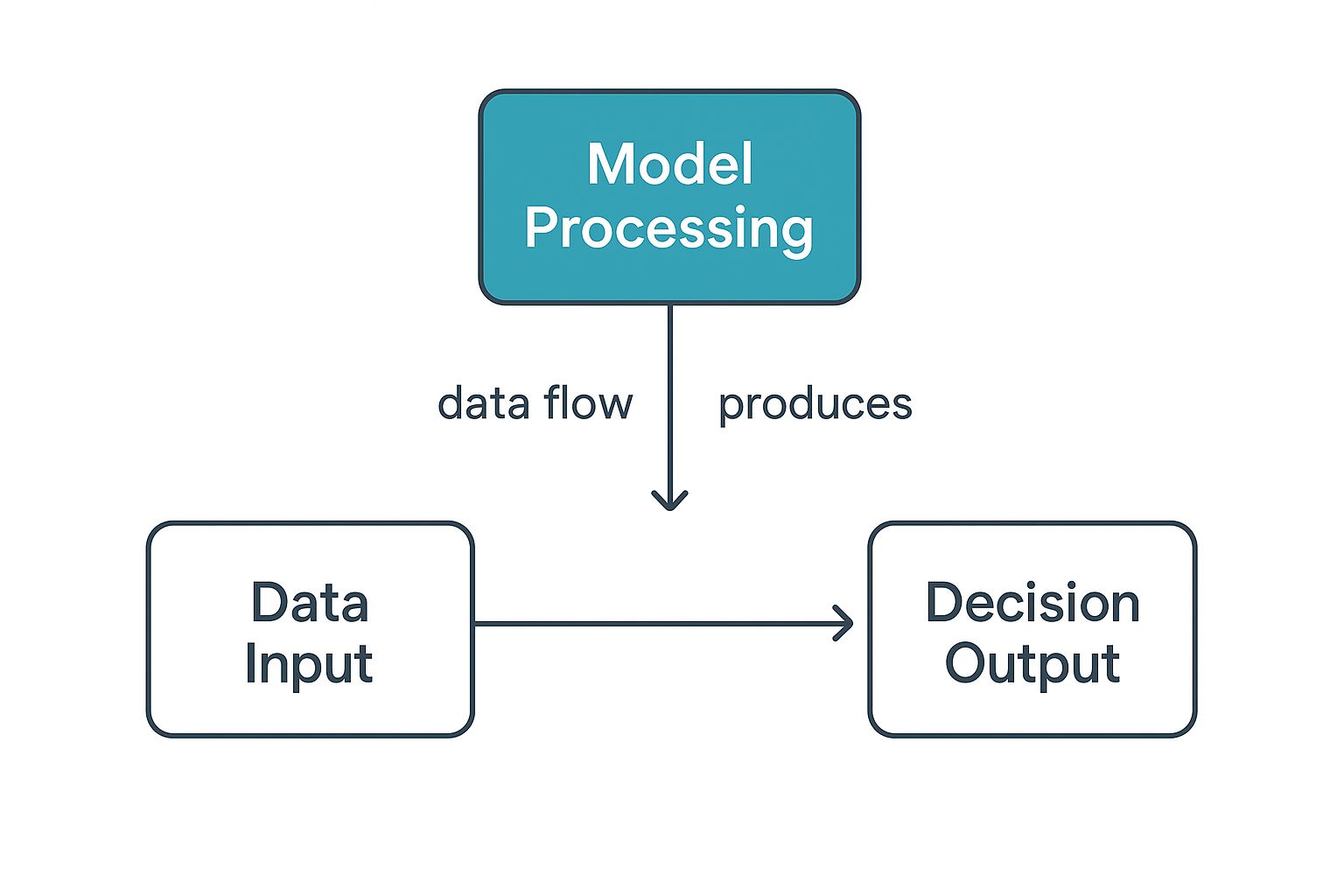
    This simple infographic explains the concept:

    Image

    We control the input data and get a clear output. The middle “processing” stage inside the model remains a mystery. This lack of visibility defines Blackbox AI. It creates both exciting opportunities and real challenges for businesses.

    Blackbox AI vs. Whitebox AI Comparison

    It helps to compare Blackbox models to their transparent counterparts, called “whitebox” AI. Blackbox systems focus on performance. Whitebox models are designed for clarity, so you can easily follow their logic.

    Here is a breakdown of the main differences:

    FeatureBlackbox AI (e.g., Deep Neural Networks)Whitebox AI (e.g., Decision Trees)
    TransparencyOpaque; internal workings are not understandable to humans.Transparent; the decision-making process is clear and easy to follow.
    ComplexityHigh; involves millions or even billions of parameters.Low to moderate; based on simple, explainable rules.
    PerformanceTypically very high accuracy, especially with complex data.Generally lower accuracy, especially on unstructured data like images.
    Use CasesImage recognition, natural language processing, autonomous driving.Credit scoring, fraud detection, medical diagnosis where explainability is crucial.
    InterpretabilityVery difficult; requires specialized techniques to approximate explanations.Very easy; you can literally trace the path from input to output.

    The choice between a Blackbox and a whitebox model involves a trade-off. You must decide if you need the best performance or if you need to understand the AI’s decision. Whitebox models are often the safer choice in high-stakes fields like finance. Blackbox AI is often the best option for tasks where predictive power is most important.

    How Blackbox Models Learn and Make Decisions

    Image

    This learning is often driven by deep learning, which uses structures called neural networks. You can think of these as a digital version of the human brain’s network of neurons. This design helps the AI find subtle patterns in data that a person might miss.

    It all begins with a phase called training. An image recognition model might see millions of labeled pictures. For each image, the AI makes a guess and checks its answer against the label.

    It adjusts its internal wiring every time it is wrong. These “wires,” or parameters, can number in the millions or billions. This cycle of guessing, checking, and adjusting helps the model create its own logic for future decisions.

    The Training Process Unpacked

    The “black box” is built during the training phase. The AI tunes its billions of parameters. It creates a web of calculations so dense that a human cannot follow a single input to its output.

    Here is an analogy: You can teach a toddler what a cat is by showing them many photos. The toddler can then identify a cat they have never seen before. If you ask them to explain how they knew, they would struggle. They just know. A Blackbox model works in a similar but much more complex way.

    A key takeaway is that Blackbox models develop their own problem-solving logic. They do not follow a pre-written script but apply patterns learned from training data.

    This self-developed logic makes them very powerful. They can handle new, unseen information because they have generalized patterns instead of just memorizing examples.

    From Learning to Decision-Making

    The model is ready to work after training. It processes new data through its network of learned parameters. This happens very quickly to provide a prediction, classification, or recommendation. For those curious about creating these systems, learning how to build AI agents for beginners can offer a good foundation.

    The model’s final decision is a highly educated guess. It is based on the statistical probabilities it found during training.

    Here is a simplified look at the flow:

    1. Input Data: The model receives new information, like text, an image, or financial data.
    2. Internal Processing: The data moves through the trained neural network’s layers, causing millions of small calculations.
    3. Output Generation: The model produces an outcome, such as translating text or flagging a transaction.

    This efficiency allows Blackbox AI to power real-time applications. These include moderating online content and guiding autonomous vehicles. Its ability to make fast, accurate judgments comes from its deep, data-driven learning.

    Real-World Examples of Blackbox AI in Action

    Image

    Blackbox AI is already a part of our daily lives. You likely interact with these systems many times a day. They are the invisible engines behind many modern services.

    Consider the recommendation engine on a streaming service. It uses your viewing history and what other people with similar tastes enjoy. The model processes this information and suggests a movie or show. That is a simple example of Blackbox AI.

    In Healthcare and Medical Diagnostics

    The healthcare industry uses Blackbox AI to analyze medical images with high precision. A model can review thousands of X-rays or MRIs to find early signs of disease. The scan is the input, and the output is an area for a radiologist to check.

    These systems can often find very subtle patterns that a human might miss. Their accuracy sometimes meets or exceeds that of human experts. This is a powerful, opaque process that delivers life-saving results.

    The growth in this area is significant. The overall AI market is expected to reach about $243.7 billion by 2025. This growth comes from adoption in key sectors like healthcare. You can see the complete market size statistics for more details.

    In Finance and E-Commerce

    In finance, Blackbox AI is used for fraud detection and high-frequency trading. An AI can monitor millions of transactions in real-time. The transaction data goes in, and an immediate “block this purchase” alert can stop fraud.

    These AI systems protect consumers and financial institutions from large losses. They analyze patterns too complex and fast for human teams. They operate at a speed and scale that is not possible with manual oversight.

    E-commerce uses Blackbox AI for dynamic pricing and inventory management.

    Here are a few ways it is used:

    • Personalized Shopping: Websites create a product feed for you based on what you have viewed and bought.
    • Customer Service Chatbots: AI bots answer common customer questions, which frees up human agents.
    • Supply Chain Optimization: These models predict product demand to help retailers avoid stock shortages.

    Each of these examples shows a similar process. We provide the input and get a valuable output. We trust the model’s hidden logic to connect them. The results are powerful, even if the “how” is a mystery.

    The Key Benefits of Blackbox AI Models

    So, why would anyone use a Blackbox model if we do not know how it works? The simple answer is performance.

    Blackbox AI is often the best tool when you need raw accuracy and power. These models are very good at finding complex patterns in data. These patterns are often invisible to human experts. This ability allows them to make predictions with a high degree of precision.

    An AI can beat a chess grandmaster by recognizing deep strategic patterns. A human player might not even think of these patterns. This superior performance comes from the model’s complex, hidden workings. It can achieve results that simpler, more transparent models cannot.

    Unmatched Speed and Efficiency

    Another major benefit is the speed of Blackbox AI. These systems can process huge datasets and make decisions in real-time. They operate at a scale and speed that humans cannot match. This makes them ideal for tasks where every millisecond is important.

    Online advertising is a classic example. A Blackbox model can analyze millions of user data points instantly. It decides which ad is most relevant to you at that moment. This fast decision-making makes the ad more effective.

    This efficiency leads to business success. Blackbox.ai, a platform for developers, became profitable with a small team. It reached $31.7 million in annual revenue with just 180 employees. This highlights the power of automation. You can read the full usage statistics on wearetenet.com to learn about its global adoption.

    Automation of Complex Tasks

    Blackbox AI also automates tasks that are very complex. You can hand these jobs to an AI. This frees up your team to focus on strategy, creativity, and problem-solving.

    This is happening in many industries today.

    • Customer Support: AI chatbots handle common questions, so human agents can solve harder problems.
    • Manufacturing: AI models monitor production lines to find small defects and improve quality control.
    • Content Creation: Some AI tools for business growth can create reports from large datasets, saving analysts time.

    Blackbox AI takes over these complex tasks. It allows organizations to run more smoothly and use their human talent better. It is a powerful tool for increasing productivity.

    The benefits of Blackbox AI are clear. The combination of accuracy, speed, and automation delivers real results. For many applications, these advantages are too strong to ignore.

    Understanding the Risks and Ethical Concerns

    The main problem with Blackbox AI is that you cannot see how it thinks. This lack of clarity makes it hard to trust a model’s output. It is also difficult to fix mistakes or understand why it works. This creates serious risks when we let these systems make important decisions.

    You can never be sure the model is fair if you cannot see how it works. An AI trained on flawed data can pick up and even increase human biases. This can lead to unfair outcomes in areas like hiring or loan applications. A model might discriminate against someone without anyone knowing why.

    The Problem of Hidden Biases

    Hidden biases are a serious danger of a Blackbox system. A model may seem to perform perfectly in a test environment. In the real world, it could make decisions based on wrong factors. An AI for screening job applicants might favor candidates from certain zip codes. This could happen because the training data had more successful hires from those areas, not because they were more qualified.

    This creates a cycle of unfairness that is hard to spot and fix. The consequences can be severe. They can lead to legal issues and damage a company’s reputation. We see similar issues with other advanced AI. Our guide on the AI image generator explores how these tools also need careful use to avoid biased results.

    Regulatory and Security Challenges

    The secretive nature of Blackbox models also creates problems with regulations. Many industries have rules that require decisions to be explainable. A Blackbox AI cannot do this. This forces companies to choose between a high-performing model and their legal duties.

    These systems can also be vulnerable. Attackers can sometimes change input data in small ways to trick a model. It is a major challenge to identify and defend against these attacks because the model’s logic is a mystery.

    A key problem is that when a Blackbox AI makes a mistake, it is almost impossible to find the root cause. You know the final answer was wrong, but you cannot trace the error back through the model’s complex calculations.

    The growth of Blackbox AI has led to a push for regulation. The European Union’s AI Act now requires explainability for high-risk systems. This is to fight the dangers of these opaque algorithms. U.S. regulators are also concerned about unchecked AI decision-making. You can find more details about these AI risks and breakthroughs in 2025 on ts2.tech.

    The Push for Explainable AI

    Image

    We rely more on Blackbox AI every day. This makes us realize it is unsettling to trust a decision we do not understand. This concern has led to a push for more transparent systems. This new field is called Explainable AI, or XAI.

    XAI aims to look inside these complex models to see what is happening. It is not just about curiosity. It is about building trust and accountability into our tools. Knowing why an AI makes a critical judgment is essential for using it safely.

    How XAI Makes Sense of Complex Models

    Explainable AI does not simplify powerful models. Instead, it provides techniques that act as interpreters. They translate the AI’s complex logic into something we can follow. Two popular methods are LIME (Local Interpretable Model-agnostic Explanations) and SHAP (SHapley Additive exPlanations).

    These tools are like a detective’s magnifying glass. An AI might deny a loan application. LIME or SHAP can show the clues the model used. It might highlight that a “low credit score” and a “high debt-to-income ratio” were the main reasons.

    These tools do not explain the entire model at once. They give you a simple reason for a single decision. This helps you get the “why” without needing a Ph.D. in machine learning.

    This is very important. It helps developers find bugs in their models and spot hidden biases. It also helps them give clear reasons for any AI-driven action. We are now moving from just accepting an AI’s answer to understanding its reasoning.

    The Global Push for Transparency and Regulation

    This is not just a tech trend; it is becoming law. Regulators around the world now see the risks of opaque AI. This is especially true in areas like finance, hiring, and healthcare. They are starting to write rules that require a basic level of transparency.

    The EU’s AI Act is a great example. It places strict rules on systems that make major decisions. If a bank uses an AI to reject a loan, the bank must be able to explain why. This regulatory pressure is forcing companies to be more open.

    This all points to a large industry shift. The conversation is no longer just about performance. Developers and organizations now look for ways to balance the power of Blackbox AI with the need for it to be explainable and trustworthy.

    Got Questions About Blackbox AI?

    We receive many questions about Blackbox AI and its real-world uses. Let’s answer some of the most common ones.

    The main difference is transparency. A whitebox AI, like a simple decision tree, gives you a clear path. You can follow the logic from start to finish. This makes it easy to understand and fix.

    Blackbox models are the opposite. Their inner workings are a mystery. Their results are often very accurate, but a human cannot follow the decision-making process.

    Can You Make a Blackbox AI More Transparent?

    Yes, you can. This is a major focus in the AI community. The field of Explainable AI (XAI) works to open up these complex systems. Tools like LIME and SHAP analyze a model’s outputs. They find which input factors were most important for a single decision.

    These methods do not show the whole process. They give you a good look at the “why” behind a specific result. This is important for building trust and finding hidden biases.

    These tools are like interpreters. They translate the AI’s complex math into something a human can understand. They do this without hurting the model’s performance. It is a way to get high accuracy and some understanding.

    Which Industries Should Be Most Cautious?

    Some fields must be very careful with Blackbox AI. When stakes are high and people’s lives are involved, explaining a decision is a requirement.

    A few industries need to be especially cautious:

    • Finance: For credit scores or loan applications, an unexplained “no” can lead to accusations of discrimination.
    • Healthcare: In diagnostics, every recommendation must be explainable. This is vital for patient safety and for doctors to trust the technology.
    • Hiring and HR: Using an opaque model to screen job candidates is a big risk. It is too easy to create a system that reinforces biases.

    In these sectors, not being able to explain a decision is a major liability, not just an inconvenience.


    Ready to harness the power of AI and automation for your business? creavoid builds intelligent systems and data-driven strategies to fuel your growth. Visit us at https://creavoid.com to see how we can help you scale.

  • 9 Digital Transformation Best Practices for 2025

    9 Digital Transformation Best Practices for 2025

    In a business climate where 'disrupt or be disrupted' is the new mantra, digital transformation is no longer a strategic option. It's a fundamental requirement for survival and growth. For Small and Medium-sized Enterprises (SMEs) and ambitious startups, navigating this complex landscape can feel daunting. The process is far more than simply adopting new technology; it demands a profound shift in culture, strategy, and operations, all aimed at delivering unprecedented value to customers. The primary challenge lies in moving beyond buzzwords to implement concrete, effective strategies that yield tangible results.

    This article cuts through the noise to provide a detailed roadmap. We will explore nine critical digital transformation best practices, offering actionable insights, process frameworks, and real-world examples. These are specifically tailored to help you build a resilient, future-ready organization. From securing C-suite leadership to fostering a data-driven culture and implementing a cloud-first infrastructure, each point is designed to be a practical building block for your evolution.

    You will learn how to:

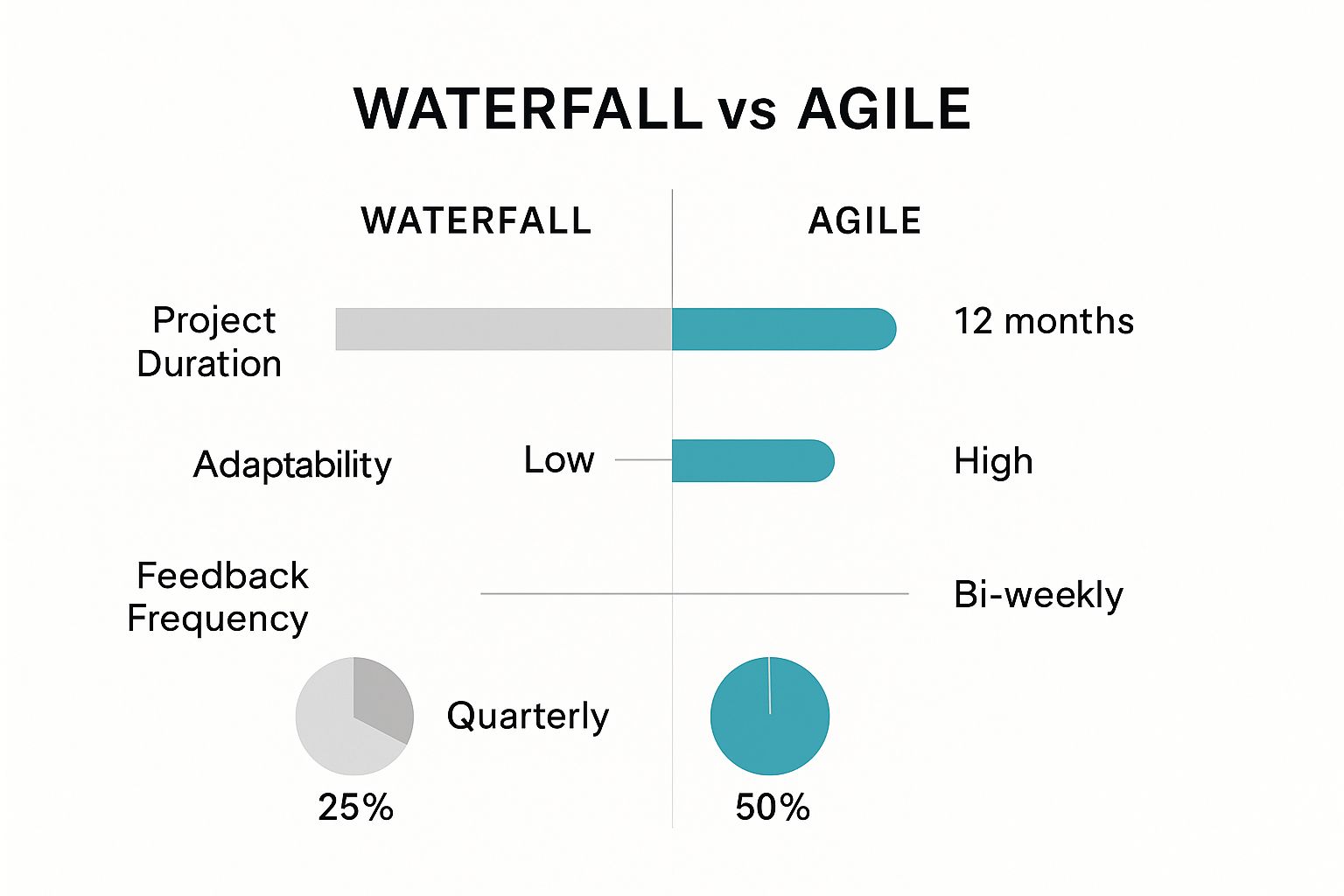
    • Adopt an agile, iterative approach to development.
    • Prioritize cybersecurity and manage digital risk effectively.
    • Empower your workforce through targeted upskilling and robust change management.
    • Design experiences with a relentless customer-centric focus.

    By understanding and applying these core principles, you can turn the immense pressure of market disruption into your greatest competitive advantage. This guide provides the clear, actionable steps needed to not just participate in the digital future, but to lead it. Let’s dive into the essential practices that will define your success.

    1. CEO and C-Suite Leadership Commitment

    One of the most critical digital transformation best practices isn't a piece of technology; it's the unwavering, visible commitment from the CEO and the entire C-suite. A successful transformation is not an IT project delegated to a single department. It is a fundamental, top-down overhaul of business strategy, culture, and operations. Without executive leadership actively championing the change, initiatives often stall due to internal resistance, resource scarcity, and a lack of clear direction.

    CEO and C-Suite Leadership Commitment

    This commitment goes beyond mere approval. It involves the CEO personally articulating the "why" behind the transformation, connecting it directly to the company's future survival and growth. Leaders must model the desired digital-first behaviors and mindset, demonstrating a willingness to challenge long-standing traditions and embrace new ways of working. This active sponsorship is the engine that powers the entire initiative forward.

    Real-World Example: Microsoft

    Under Satya Nadella, Microsoft shifted from a Windows-centric model to a "cloud-first, mobile-first" powerhouse. Nadella didn't just authorize the change; he spearheaded it. He restructured the company, championed a culture of empathy and learning, and made massive investments in Azure, transforming Microsoft into a leader in cloud computing. This is a prime example of how C-suite vision directly translates into market dominance.

    Actionable Implementation Tips

    • Communicate Relentlessly: Constantly reinforce the vision and benefits of the transformation in company-wide meetings, emails, and internal communications.
    • Allocate Real Resources: Back the vision with a dedicated budget and the best talent. JPMorgan Chase, for example, invests over $12 billion annually in technology, a commitment driven by CEO Jamie Dimon.
    • Establish a Transformation Office: Create a cross-functional committee led by a C-suite executive to govern the initiative, track progress, and remove roadblocks. This ensures accountability.
    • Invest in Leadership Literacy: Ensure the entire leadership team understands key digital concepts. This prevents a disconnect between the vision and the execution. Developing a comprehensive digital transformation roadmap is a key step where leadership's informed input is crucial. Learn more about crafting a digital transformation roadmap on creavoid.com.

    2. Customer-Centric Approach and Experience Design

    True digital transformation is not merely about internal process optimization; it is fundamentally about delivering superior value to the customer. Adopting a customer-centric approach means placing the end-user at the heart of every decision, from product design to operational workflow. This practice involves deeply understanding customer needs, pain points, and digital behaviors, and then re-engineering the business to create seamless, intuitive, and highly satisfying experiences across all touchpoints.

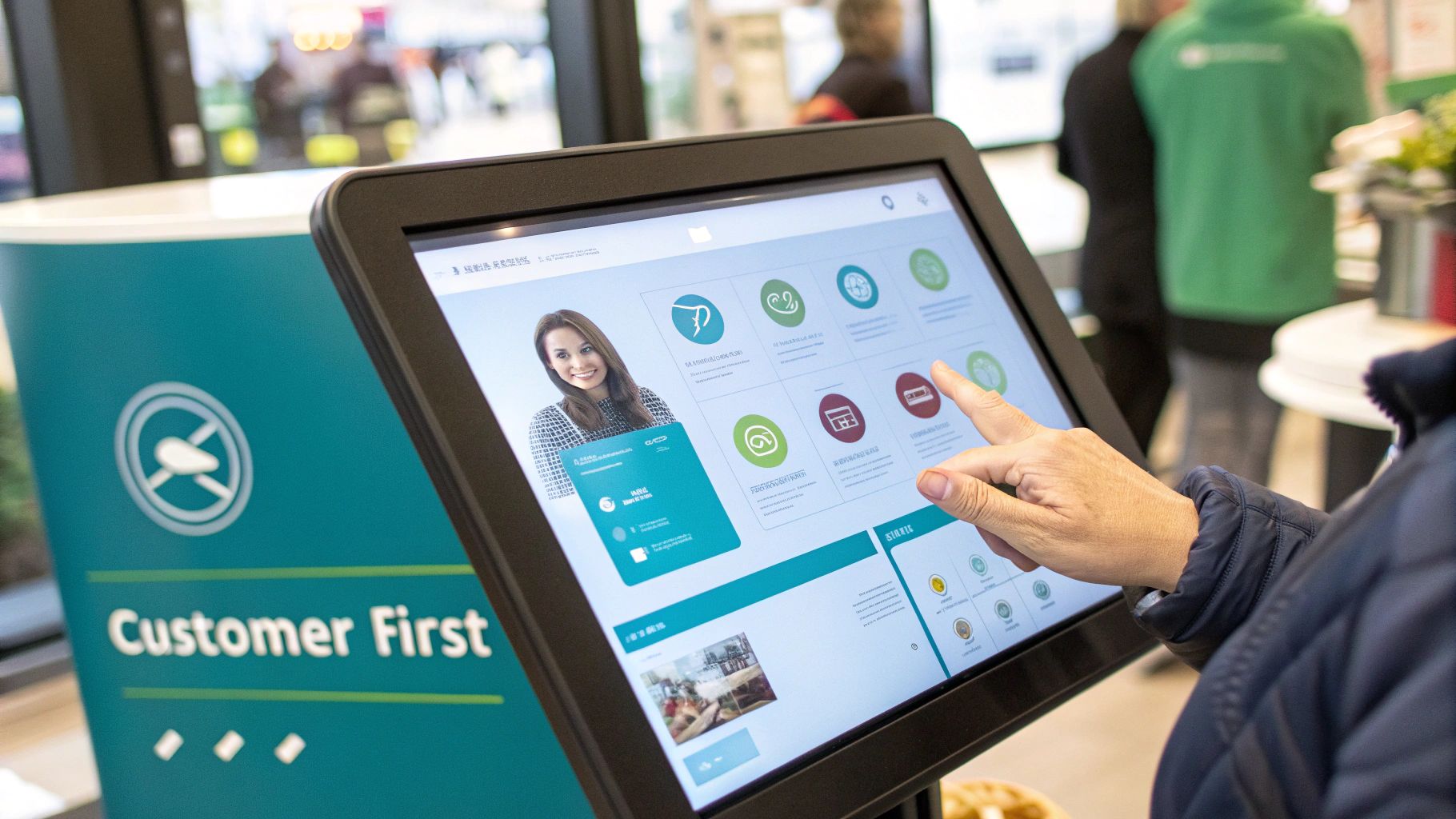
    Customer-Centric Approach and Experience Design

    This philosophy, championed by leaders like Jeff Bezos at Amazon, shifts the focus from "what can we sell?" to "what does our customer need?". By prioritizing the customer experience, companies can build loyalty, increase retention, and create powerful brand advocates. It requires using data-driven insights not just for marketing, but for a continuous cycle of improvement, ensuring the digital solutions you build are the ones your customers actually want and will use.

    Real-World Example: Sephora

    Sephora excels at using technology to enhance the customer journey. Its mobile app integrates a powerful loyalty program with features like the Virtual Artist, which uses augmented reality to let customers "try on" makeup. This digital tool doesn't just sell products; it solves a real customer problem: the uncertainty of buying cosmetics online. By blending the digital and in-store experience so effectively, Sephora has created a highly personalized and engaging ecosystem that keeps customers coming back.

    Actionable Implementation Tips

    • Map the Customer Journey: Conduct workshops to visually map out every interaction a customer has with your brand. This reveals pain points and opportunities for digital enhancement.
    • Implement Continuous Feedback Loops: Use tools like surveys, user testing sessions, and social media listening to constantly gather customer input and integrate it into your development cycle.
    • Use A/B Testing for Optimization: Don't guess what works best. Systematically test variations of your website, app features, and digital communications to make data-driven decisions that improve the user experience.
    • Invest in a Customer Data Platform (CDP): A CDP unifies customer data from all sources into a single, coherent profile. This 360-degree view is essential for delivering the personalized experiences modern consumers expect.

    3. Data-Driven Decision Making and Analytics

    Transitioning from intuition-based choices to data-driven decision making is a cornerstone of modern digital transformation best practices. This shift involves more than just collecting data; it's about building a robust infrastructure to process it, implementing advanced analytics tools, and fostering a culture where evidence and insights guide strategic direction. In a digital economy, companies that harness their data effectively can anticipate market shifts, understand customer behavior, and optimize operations with unprecedented precision.

    Data-Driven Decision Making and Analytics

    This approach embeds analytics, artificial intelligence (AI), and machine learning (ML) into the core of the business. Instead of relying on gut feelings or historical anecdotes, leaders use predictive models and real-time dashboards to make informed, strategic moves. This data-centric mindset empowers teams at every level to test hypotheses, measure outcomes, and continuously iterate, creating a powerful engine for innovation and competitive advantage.

    Real-World Example: Netflix

    Netflix is a masterclass in data-driven strategy. The streaming giant meticulously analyzes viewing data, including what users watch, when they pause, and what they search for, to make critical content decisions. This analytical rigor informed the creation of hit series like "House of Cards," which was greenlit based on data showing a crossover audience for director David Fincher, actor Kevin Spacey, and the original British version of the show. This practice minimizes risk and maximizes return on content investment.

    Actionable Implementation Tips

    • Start with Business Questions: Don't collect data for its own sake. Define clear business questions and key performance indicators (KPIs) you want to address, such as "What is our customer churn rate?" or "Which marketing channel has the highest ROI?"
    • Invest in Data Quality and Governance: Ensure your data is accurate, consistent, and secure. A successful analytics program is built on a foundation of trustworthy data, so establishing clear governance policies from the start is crucial.
    • Democratize Data with Tools and Training: Equip business users, not just data scientists, with user-friendly analytics and visualization tools like Tableau or Power BI. Provide training to help them interpret data and derive actionable insights for their specific roles.
    • Create Cross-Functional Data Teams: Assemble teams with a mix of data analysts, business domain experts, and IT professionals. This collaboration ensures that the insights generated are not only statistically sound but also relevant and applicable to real-world business challenges.

    4. Agile and Iterative Development Methodology

    A core tenet of modern digital transformation best practices involves abandoning rigid, slow-moving project management in favor of agility. Adopting an agile and iterative development methodology allows organizations to be more responsive, flexible, and customer-centric. Instead of long, linear "waterfall" cycles, agile breaks down large projects into small, manageable increments called sprints. This enables continuous improvement, rapid feedback loops, and the ability to pivot quickly based on market changes or user data.

    Agile and Iterative Development Methodology

    This approach is not just for software development; it's a business mindset. It fosters collaboration between self-organizing, cross-functional teams and prioritizes delivering tangible value to the customer at regular intervals. By building, measuring, and learning in rapid cycles, companies can reduce risk, accelerate time-to-market, and ensure the final product truly meets user needs, which is a cornerstone of a successful digital transformation.

    Real-World Example: Spotify

    Spotify is famous for its "squad" model, an at-scale implementation of agile principles. The company organizes its teams into small, autonomous units (squads) that own specific features from end to end. This structure promotes ownership, speeds up decision-making, and has allowed Spotify to continuously innovate and deploy new features, keeping it ahead in the competitive music streaming industry. This organizational design is a powerful demonstration of how agile philosophy can shape an entire company's culture and operational effectiveness.

    Actionable Implementation Tips

    • Start with a Pilot: Don't try to transform the entire organization overnight. Select a single, high-impact project to pilot the agile methodology, learn from the experience, and then scale gradually.
    • Invest in Training and Coaching: Agile requires a significant mindset shift. Provide formal training on frameworks like Scrum or Kanban and consider hiring an agile coach to guide teams through the initial transition.
    • Form Cross-Functional Teams: Break down departmental silos. Create teams with all the skills needed (e.g., design, development, marketing, QA) to complete a project increment independently.
    • Establish a Clear "Definition of Done": To ensure quality and alignment, every team must agree on a specific set of criteria that a task must meet before it can be considered complete. This prevents ambiguity and rework.

    5. Employee Upskilling and Change Management

    Technology is only one part of the digital equation; the human element is equally, if not more, critical. A core digital transformation best practice is to proactively invest in employee upskilling and manage the cultural shift that accompanies new processes. Simply deploying new software without preparing your team is a recipe for low adoption, frustration, and failure. Effective transformation requires building the digital capabilities and mindsets of the people who will use the new tools and systems every day.

    This means moving beyond one-off training sessions to create a continuous learning culture. It involves a strategic approach to identifying future skill needs, providing accessible and relevant training, and managing the human side of change with empathy and clear communication. Supporting employees through this transition ensures they feel valued and empowered rather than threatened by new technology.

    Real-World Example: Amazon

    Amazon's "Career Choice" program is a powerful example of upskilling at scale. The company pre-pays 95% of tuition for employees to take courses in high-demand fields, even if those fields are not directly related to their current roles at Amazon. By investing heavily in its workforce's future skills, Amazon not only facilitates its own digital evolution but also fosters immense employee loyalty and prepares its team for the economy of tomorrow.

    Actionable Implementation Tips

    • Conduct a Skill Gap Analysis: Before launching any training, assess your team's current digital literacy and identify the specific skills needed to support your transformation goals. This ensures your investment is targeted and effective.
    • Offer Diverse Learning Formats: Cater to different learning styles by providing a mix of online courses, hands-on workshops, peer mentoring, and self-paced modules.
    • Appoint Digital Champions: Identify and empower enthusiastic employees to act as internal advocates. These champions can provide peer support, share success stories, and help drive adoption from the ground up.
    • Link Training to Career Growth: Clearly demonstrate how acquiring new digital skills can lead to promotions, new responsibilities, and career advancement. This provides a powerful incentive for employees to engage with training initiatives.

    6. Cloud-First Infrastructure and Architecture

    A foundational digital transformation best practice is the strategic adoption of a cloud-first infrastructure. This approach prioritizes cloud computing for all new technology deployments and gradually migrates existing on-premise systems. It is not just about moving servers to a data center; it's a fundamental shift in how businesses procure, manage, and leverage technology to gain agility, scalability, and a competitive edge. By treating cloud as the default choice, companies unlock the ability to innovate faster and respond to market changes with unprecedented speed.

    Embracing a cloud-first architecture means moving away from rigid, capital-intensive hardware cycles. Instead, businesses can access virtually limitless computing power on a flexible, pay-as-you-go basis. This allows for rapid experimentation, cost-effective scaling during peak demand, and access to advanced services like AI and machine learning without massive upfront investment. It transforms IT from a cost center into a strategic enabler of business growth and innovation.

    Real-World Example: Netflix

    Netflix is a quintessential example of a successful cloud-first strategy. Early in its streaming journey, the company made the bold decision to migrate its entire infrastructure from its own data centers to Amazon Web Services (AWS). This move gave Netflix the massive scalability needed to support its global expansion and the flexibility to continuously deploy new features. Its cloud-native architecture is a key reason it can handle immense traffic and maintain a high-quality user experience worldwide.

    Actionable Implementation Tips

    • Start with Non-Critical Applications: Begin your cloud journey by migrating less complex, non-critical workloads. This helps your team build skills and confidence while minimizing risk.
    • Invest in Cloud Security and Governance: Proactively implement robust security protocols and governance frameworks specifically for the cloud. This includes identity management, data encryption, and compliance monitoring.
    • Train Teams on Cloud-Native Development: Equip your developers with the skills to build applications designed for the cloud (e.g., using microservices and containers). This maximizes the benefits of cloud infrastructure.
    • Monitor and Optimize Cloud Costs: Regularly use cloud cost management tools to analyze spending and eliminate waste. Without careful oversight, cloud bills can quickly escalate. Learn more about choosing the right cloud platforms and solutions on creavoid.com.

    7. API-First and Microservices Architecture

    Another foundational digital transformation best practice involves a shift in how you build and structure your technology. Adopting an API-first approach and a microservices architecture moves you away from rigid, monolithic systems. Instead, you design systems with Application Programming Interfaces (APIs) as the primary interface and break down large applications into smaller, independently deployable services. This architectural choice is crucial for building resilient, scalable, and adaptable digital platforms.

    This modern approach enables faster development cycles, as teams can work on different microservices simultaneously without disrupting the entire system. It also allows for easier integration with third-party tools and fosters innovation by making data and functionality accessible through well-defined APIs. Ultimately, it creates a flexible technology backbone that can evolve with your business needs, rather than constraining them.

    Real-World Example: Netflix

    Netflix's transition from a monolithic DVD rental service to a global streaming giant is a textbook case of leveraging microservices. Faced with scaling challenges, Netflix re-architected its entire platform into hundreds of fine-grained microservices, each handling a specific function like user authentication, billing, or video streaming. This allowed them to innovate rapidly, maintain high availability, and scale to serve millions of concurrent users, a feat impossible with their old architecture.

    Actionable Implementation Tips

    • Start with Domain-Driven Design (DDD): Organize your services around business capabilities, not technical layers. This ensures your architecture directly supports and reflects business processes.
    • Implement Comprehensive API Documentation: Use standards like OpenAPI (Swagger) to create clear, interactive documentation. This is essential for both internal developers and external partners who will consume your APIs.
    • Use Containerization: Deploy services using technologies like Docker and orchestrate them with Kubernetes. Containers make your microservices portable and simplify deployment, scaling, and management across different environments.
    • Invest in an API Gateway: An API gateway acts as a single entry point for all clients, handling tasks like routing, security, and rate limiting. This simplifies the client-side and secures your backend services.

    8. Cybersecurity and Digital Risk Management

    As businesses digitize their operations, they inherently expand their attack surface, making robust cybersecurity a non-negotiable component of any transformation strategy. This digital transformation best practice involves embedding security into every facet of the initiative, rather than treating it as an afterthought. It means shifting from a traditional perimeter-based defense to a more dynamic, proactive approach that protects digital assets, sensitive customer data, and core business functions from an evolving threat landscape.

    This proactive stance requires implementing comprehensive security measures from the ground up. Adopting frameworks like zero-trust security, which assumes no user or device is inherently trustworthy, is crucial. This model enforces strict verification for every person and device trying to access resources on the network, significantly reducing the risk of unauthorized access and lateral movement by attackers.

    Real-World Example: Maersk

    The 2017 NotPetya cyberattack on global shipping giant Maersk serves as a powerful lesson. The attack crippled their entire global IT infrastructure in hours, costing the company an estimated $300 million. Their recovery, however, demonstrated resilience built from a renewed focus on cybersecurity. They rebuilt their entire network with security-by-design principles, segmenting systems and implementing stronger access controls, transforming a catastrophic event into a catalyst for a more secure and resilient digital foundation.

    Actionable Implementation Tips

    • Implement Security by Design: Embed security controls and reviews into the earliest stages of any new project or system development lifecycle, not just before launch.
    • Conduct Regular Security Audits: Proactively identify vulnerabilities by performing regular penetration testing and security assessments on your critical systems and applications.
    • Train Your Entire Team: The human element is often the weakest link. Provide continuous security awareness training to all employees to help them recognize phishing attempts and follow best practices.
    • Establish a Clear Incident Response Plan: Develop, document, and practice a detailed plan for how your organization will respond to a security breach to minimize damage and ensure business continuity. Explore more about cybersecurity and data protection on creavoid.com.

    9. Strategic Partnerships and Ecosystem Building

    Digital transformation is not a solo journey. One of the most powerful digital transformation best practices is to look beyond your organization's walls and build a robust ecosystem of strategic partnerships. This means collaborating with technology providers, innovative startups, and even competitors to access new capabilities, accelerate innovation, and create shared value. Instead of trying to build every new technology or skill internally, smart companies leverage external expertise to move faster and more efficiently.

    This approach transforms the traditional, linear value chain into a dynamic, interconnected network. By forming alliances, you can tap into specialized knowledge, co-develop new products, and gain access to new markets or customer segments. These partnerships act as accelerators, allowing you to integrate cutting-edge solutions, from cloud infrastructure to AI algorithms, without the time and expense of developing them from scratch.

    Real-World Example: Ford & Google

    Ford's alliance with Google is a prime example of ecosystem building in action. Rather than attempting to create a competing infotainment and connectivity platform, Ford partnered with Google to integrate Android Automotive OS directly into millions of its vehicles. This gives Ford access to Google's best-in-class apps like Google Maps and Google Assistant, while allowing Ford to focus on its core competency: building vehicles. The partnership accelerates Ford's connected car strategy and improves the customer experience instantly.

    Actionable Implementation Tips

    • Define Clear Partnership Goals: Before seeking partners, clearly articulate what you want to achieve. Is it access to technology, a new market, or a specific customer base? Success metrics must be defined upfront.
    • Establish Strong Governance: Create a clear framework for managing the partnership, including roles, responsibilities, communication protocols, and decision-making processes. This prevents misunderstandings and keeps the collaboration on track.
    • Create Win-Win Value Propositions: A successful partnership must benefit all parties. Ensure your proposal clearly outlines the value your partner will receive, whether it's revenue, data insights, or access to your customer base.
    • Conduct Thorough Due Diligence: Vet potential partners carefully. Assess their technological capabilities, financial stability, and, most importantly, their cultural fit with your organization to ensure a smooth collaboration.

    Digital Transformation Best Practices Comparison

    InitiativeImplementation ComplexityResource RequirementsExpected OutcomesIdeal Use CasesKey Advantages
    CEO and C-Suite Leadership CommitmentModerate to HighHigh (leadership time, budget)Strong alignment, faster decisions, cultural changeLarge-scale transformations needing strategic directionEnsures buy-in, accountability, resource allocation
    Customer-Centric Approach and Experience DesignHighHigh (tech, talent investment)Increased satisfaction, loyalty, competitive edgeCustomer-focused digital product/service redesignsEnhances customer loyalty and revenue growth
    Data-Driven Decision Making and AnalyticsHighHigh (data infrastructure, skills)Better decisions, predictive insights, efficiencyData-intensive operations, innovation through analyticsIncreases accuracy, opportunity identification
    Agile and Iterative Development MethodologyModerateModerate (training, tools)Faster delivery, adaptability, continuous valueSoftware development, projects needing flexibilityAccelerates time-to-market, improves team collaboration
    Employee Upskilling and Change ManagementModerateHigh (training programs, time)Reduced resistance, improved skills, faster adoptionOrganizations undergoing cultural/skill transformationsBuilds capabilities, enhances engagement
    Cloud-First Infrastructure and ArchitectureHighHigh (cloud migration, expertise)Scalability, cost savings, agilityIT infrastructure modernization and scalabilityReduces costs, improves flexibility and innovation
    API-First and Microservices ArchitectureHighHigh (development, monitoring)Scalability, resilience, faster deploymentComplex systems requiring modularity and integrationEnables faster releases, system flexibility
    Cybersecurity and Digital Risk ManagementHighHigh (security tools, expertise)Protection from threats, compliance, trustAll digital operations, especially regulated industriesSafeguards assets, ensures compliance
    Strategic Partnerships and Ecosystem BuildingModerateModerate to High (partner management)Accelerated innovation, risk-sharing, market expansionCompanies leveraging external innovation and networksAccess to expertise, faster innovation cycles

    Your Next Move: Activating Your Transformation Journey

    Embarking on a digital transformation journey is a marathon, not a sprint. The nine best practices outlined in this guide are not independent items on a checklist; they are deeply interconnected pillars that form the foundation of a holistic, successful strategy. From securing unwavering C-suite leadership to fostering a robust ecosystem of strategic partners, each element reinforces the others, creating a powerful synergy that drives meaningful change.

    Success hinges on weaving these principles into the very fabric of your organization's culture, processes, and technology stack. It requires a fundamental shift towards a customer-obsessed mindset, where every decision is validated against the value it delivers to the end-user. It demands a culture of data-driven agility, replacing gut feelings with empirical evidence and embracing iterative development to adapt to market shifts with speed and precision.

    Synthesizing the Core Pillars

    Let's distill the journey into its most critical components. True transformation is built upon three core areas of focus:

    • Leadership and People: It all starts at the top. Without committed leadership championing the vision and a proactive change management strategy to upskill and empower your employees, even the most brilliant technology will fail to gain traction. Your people are not just part of the transformation; they are the engine that powers it.
    • Process and Agility: Moving from rigid, siloed operations to a dynamic, agile methodology is non-negotiable. This process-level change, supported by a data-first approach, allows your organization to learn, pivot, and innovate faster than the competition. It's about building a system that thrives on feedback and continuous improvement.
    • Technology and Architecture: Your technology choices must enable, not hinder, this new way of working. A cloud-first infrastructure, an API-first architecture, and a vigilant approach to cybersecurity are the technical cornerstones. This modern stack provides the scalability, flexibility, and security needed to build exceptional customer experiences and operate efficiently.

    From Theory to Action: Your Immediate Next Steps

    Reading about digital transformation best practices is the first step, but action is what creates momentum. The path forward can feel overwhelming, especially for resource-conscious SMEs and startups. The key is to start small, build momentum, and scale your successes.

    Here is a practical, three-step plan to activate your journey today:

    1. Conduct a Self-Assessment: Use the nine practices in this article as a scorecard. Honestly evaluate where your organization currently stands on each one. Where are your most significant gaps? Where do you have surprising strengths? This initial audit will provide a clear, data-informed starting point.
    2. Identify Your "Keystone" Initiative: You cannot tackle everything at once. Based on your assessment, choose one or two high-impact areas for immediate focus. Perhaps it’s establishing a formal data analytics workflow or migrating a single, critical application to the cloud. A "keystone" win builds confidence and secures buy-in for future initiatives.
    3. Create a Cross-Functional "Tiger Team": Assemble a small, dedicated team of passionate individuals from different departments (e.g., marketing, operations, tech). Empower this team to own your first initiative. This cross-functional approach breaks down silos and ensures the solution addresses a genuine, organization-wide need.

    While the path is complex, the rewards are truly transformative: unparalleled operational efficiency, deeply loyal customers, and a sustainable competitive advantage in an increasingly digital world. Mastering these digital transformation best practices is not just about updating technology; it's about future-proofing your entire business.


    Ready to translate these best practices into tangible results? The expert team at creavoid specializes in building the AI-powered automations and scalable SaaS platforms that accelerate your transformation. Partner with us to turn your strategic vision into a market-leading reality. Learn more at creavoid.

  • Mastering Web Development Project Management Strategies

    Mastering Web Development Project Management Strategies

    When someone asks what web development project management is, it’s easy to give a textbook answer: it's the process of planning, executing, and launching web projects on time and within budget. But that barely scratches the surface.

    In reality, it's the critical, often chaotic, bridge between a brilliant idea and a website that actually works for a business. It's about making sure every single piece, from the first design sketch to the final server deployment, is handled with purpose and precision.

    The Foundation of Successful Web Projects

    Image

    Let's be real—turning a concept into a polished, high-performing website is never a straight line. I’ve seen enough projects go sideways to know that modern web development project management is so much more than just tracking timelines and ticking off tasks in a spreadsheet. It's a dynamic discipline that's all about sharp strategic planning, proactive risk management, and fostering genuinely seamless collaboration.

    The old days of rigid, top-down project plans that completely shattered at the first sign of change are long gone. Those outdated methods were a recipe for blown budgets, missed deadlines, and a final product that nobody was happy with. Today's projects demand a framework that is both structured and adaptable.

    Embracing Structure and Flexibility

    The real challenge is building a process that gives the team clear direction without killing creativity or the ability to pivot when needed. This means setting rock-solid goals and milestones while using a methodology that actually welcomes feedback and iteration throughout the development cycle. It’s about creating a predictable workflow, not a restrictive cage.

    A great project manager creates a system where the team knows exactly what to do next, why it's important, and how it connects to the big picture. This clarity is what separates the chaotic, stressful projects from the successful ones.

    This blend of structure and flexibility is what allows you to handle the inevitable curveballs, like a last-minute scope change or a technical hurdle you didn't see coming. Instead of derailing the entire project, these challenges get managed within the framework you’ve already built.

    The Role of Technology in Modern Management

    Of course, trying to manage this process manually is a fast track to burnout. Technology plays a huge part in bringing these principles to life. The right tools give you the visibility, communication channels, and automated tracking you need to make smart, informed decisions on the fly.

    The data backs this up. High-performing projects almost always have good software behind them. In fact, a staggering 77% of successful projects use project management tools. Yet, shockingly, only 23% of organizations use them overall, and 54% of those can't even track KPIs in real-time, which completely ties their hands when it's time to adapt. If you're curious, you can dig into more project management statistics to see the trends for yourself.

    To put it simply, every solid project management foundation rests on a few core pillars. These aren't just buzzwords; they are the fundamental components you need in place to give your project a fighting chance.

    Core Pillars of Web Project Management

    PillarKey FocusImpact on Success
    Clear Scope DefinitionEnsuring everyone—team and stakeholders—shares a precise understanding of project goals, features, and limits.Prevents "scope creep" and ensures the final product aligns with the original vision.
    Realistic TimelinesBasing milestones and deadlines on actual team capacity and complexity, not just wishful thinking.Builds trust, reduces team burnout, and leads to more predictable delivery dates.
    Open CommunicationCreating a central hub for all discussions, feedback, and updates to prevent information silos.Fosters collaboration, speeds up problem-solving, and keeps everyone on the same page.
    Proactive Risk PlanningIdentifying potential issues early and creating contingency plans before they turn into full-blown emergencies.Minimizes disruptions, protects the budget and timeline, and reduces project stress.

    Getting these four elements right from the very beginning sets the stage for a smoother process and, ultimately, a much better final product.

    Assembling Your High-Performing Web Team

    Image

    A project is only ever as good as the people behind it. When we talk about managing a web development project, it’s easy to get lost in Gantt charts and deadlines. But the real core of success isn't just about processes; it’s about putting together a team where everyone’s skills click into place to build something great.

    Think of it less like filling seats on a bus and more like casting for a blockbuster. You need the right person for each specific role.

    The Core Cast of Your Web Project

    Every web project, big or small, leans on a few key players. These aren't just job titles; they’re critical functions that need to work in sync.

    • The Project Manager (PM): This is your director. The PM isn't the one writing code or designing mockups, but they're the person making sure everyone else can do their job without hitting roadblocks. They are the central hub for communication, the lead on managing risks, and the chief problem-solver.
    • The UI/UX Designer: This is the person who lives and breathes the end-user's perspective. The UX (User Experience) side focuses on mapping out how a user will navigate the site, creating wireframes and user flows. The UI (User Interface) side then brings that to life, crafting the visual look and feel.
    • The Developers: These are the builders, the ones who turn the vision into a functioning product. You’ll typically have front-end developers, who build everything a user sees and interacts with, and back-end developers, who handle the server-side logic, databases, and all the "under the hood" magic.
    • The QA Tester: Your guardian of quality. This person's job is to hunt down bugs, test every feature on different browsers and devices, and make sure the final product is solid, secure, and ready for the world.

    A huge mistake I see teams make is keeping these roles completely separate. The real magic happens when a developer feels comfortable challenging a UI choice, or a designer truly understands the technical hurdles the back-end team is facing. It's that cross-functional teamwork that sets a project up for success.

    Fostering True Collaboration

    Putting a group of talented people in a room is one thing; turning them into a high-performing team is something else entirely. It all comes down to breaking down communication silos and creating a genuine sense of shared ownership. This starts by setting up clear and open channels, whether it's a dedicated Slack channel or daily stand-up meetings where information flows freely.

    For example, when a developer runs into an unexpected technical problem, they need to feel empowered to flag it to the PM and designer right away. That kind of transparency prevents hours of wasted work on a feature that might need a complete rethink. It’s this proactive, open communication that separates the efficient teams from the ones constantly bogged down in rework.

    Team size matters, too. Most studies show that the sweet spot for a project team is 6 to 10 members. This size is large enough for a diverse skillset but small enough to keep communication from becoming a logistical nightmare. In fact, despite all our modern tools, poor project performance still wastes nearly 10% of every dollar spent, which really underscores how critical strong team dynamics are.

    Of course, skill gaps are a reality, especially on more complex projects. You might need to bring in a freelancer for a niche task. The key is to integrate them completely. Get them on your team's Slack, invite them to the stand-ups, and treat them like part of the core team, not an outsider. For companies looking at this model, getting familiar with the ins and outs of outsourcing software development can give you a major strategic edge and help you sidestep common issues.

    Choosing Your Project Management Methodology

    Picking a project management methodology isn't just a box to check—it's a decision that will define your project's entire rhythm. It dictates how your team communicates, how you handle curveballs, and ultimately, how you deliver the final product. Trust me, one size does not fit all in web development. The framework you land on has to sync up with your project's unique needs, what the client is expecting, and how your team actually works best.

    Forget the textbook definitions for a moment. What really matters is how these methodologies play out in the real world. For instance, a scrappy startup racing to launch its first SaaS product would be right at home with an Agile approach. Why? Because their requirements are almost guaranteed to change as they get that first wave of user feedback. Agile’s built-in flexibility is what makes it a powerhouse in situations like that.

    Now, picture a completely different scenario: a government agency needs a new public information portal. The scope is locked down, the features are set in stone, and every single compliance box must be ticked. Here, the rigid, step-by-step nature of the Waterfall methodology is a perfect fit. It provides the predictability and rock-solid documentation they need. Each phase gets completed and signed off before the next one can even start, which means no last-minute surprises.

    This visual breakdown really highlights the core differences between these two foundational approaches.

    Image

    As you can see, Agile is all about speed and adapting on the fly, using shorter cycles and constant feedback. Waterfall, on the other hand, is built for the long haul on stable projects where change is the exception, not the rule.

    Agile In Action: Scrum and Kanban

    When people talk about Agile, they're usually referring to one of its two most popular flavors: Scrum and Kanban. Both champion flexibility, but they get there in slightly different ways.

    Scrum is all about structure within that flexibility. Work is organized into fixed-length iterations called "sprints," which usually last about two weeks. Before each sprint kicks off, the team pulls a set amount of work from a prioritized list (the backlog) and commits to getting it done. This creates a predictable rhythm of delivery and review, with daily stand-up meetings to keep everyone on the same page.

    Kanban, in contrast, is more of a continuous flow. You visualize your work on a Kanban board with columns like "To Do," "In Progress," and "Done." The main goal is to limit the amount of work in progress (WIP) at any given time. This simple rule is surprisingly powerful—it prevents bottlenecks and keeps the work moving smoothly. It’s a fantastic fit for teams that handle a steady stream of tasks, like a support team crushing bug reports or a content team pushing out articles.


    Agile vs Waterfall: Which Is Right for Your Web Project?

    So, how do you decide? This table breaks down the key differences to help you figure out which methodology—or which flavor of Agile—is the best match for the project you have in front of you.

    FactorAgile (Scrum/Kanban)Waterfall
    FlexibilityHigh. Changes are welcomed and expected throughout the project.Low. The scope is fixed upfront; changes are difficult and costly.
    Project StructureIterative and incremental. Work is done in short cycles (sprints).Linear and sequential. One phase must be completed before the next begins.
    Client InvolvementContinuous. Frequent feedback and collaboration are essential.Minimal. Involvement is high at the start (requirements) and end (testing).
    Best ForProjects with evolving requirements, startups, and product development.Projects with clear, fixed requirements, like government or construction.
    DocumentationMinimal and focused on user stories; working software is the priority.Extensive. Every phase is thoroughly documented and signed off.
    RiskLower risk of project failure due to early and frequent testing.Higher risk if requirements were misunderstood at the beginning.

    Ultimately, Agile offers the adaptability needed for most modern web projects where user feedback is key, while Waterfall provides the structure and predictability required for projects with rigid constraints.


    Making the Right Choice

    At the end of the day, the best methodology is the one your team will actually stick with and that truly fits the soul of the project. Don't be afraid to mix and match. I’ve seen countless successful teams blend the upfront planning of Waterfall for discovery and design with the nimble execution of Agile sprints for the development phase.

    This kind of practical, hybrid thinking is a huge part of building a successful digital transformation roadmap that gets real results. Once you understand the core principles of each approach, you can make a smart, informed choice that sets your project up for a win from day one.

    Selecting the Right Project Management Tools

    Image

    The right software can feel like a superpower for your team, transforming tangled workflows into a clear path forward. But choose the wrong one, and you’ll spend more time fighting the tool than managing the project. Navigating the crowded market of web development project management software requires a strategy, not just a list of popular names.

    Your first move isn't to look at features, but to look at your team. How do they actually work? Are they a small, visual-thinking group that just needs to see tasks move from "To Do" to "Done"? A simple Kanban-style board like Trello or the basic view in Asana might be perfect. These tools excel at providing at-a-glance clarity without burying users in complexity.

    On the other hand, if you're juggling multiple complex web projects with overlapping dependencies, you'll need something with more muscle. This is where all-in-one powerhouses like Jira or ClickUp really shine. They are built from the ground up for intricate sprints, detailed bug tracking, and generating the kind of in-depth reports that are essential for larger, more formal development cycles.

    Key Features to Evaluate

    Once you have a handle on your team's style, you can start assessing specific features. It's easy to get distracted by every shiny object; instead, focus on what will genuinely solve your problems.

    • Task Management & Visualization: How does the tool display work? Look for options like Kanban boards, lists, and calendar views. The ability to switch between these is a huge plus, as different team members often prefer different ways of seeing their tasks.
    • Collaboration Hub: You need real-time comments, file attachments, and @mentions. The whole point is to keep every project-related conversation in one place, ending the frustrating hunt through emails or Slack threads for a critical piece of feedback.
    • Reporting & Analytics: Can you easily track progress against your milestones? Look for features like burndown charts, velocity reports, and customizable dashboards. These should give you a high-level view of project health without forcing you to manually crunch numbers.
    • Integrations: Your project management tool doesn't live in a bubble. It needs to play nice with the other software your team relies on, like GitHub for code repositories, Slack for daily communication, and Figma for design files.

    The best tool is the one your team will actually use consistently. A feature-rich platform that sits empty is far less valuable than a simple tool that the entire team embraces and integrates into their daily routine.

    The market for these tools is absolutely booming. It's on track to be worth $7.24 billion by 2025, and a staggering 82% of companies are already using project management software to get more done. Interestingly, smaller businesses are 13% more likely to adopt these tools than large enterprises. But complexity is rising for everyone—57% of employees report they're using more tools year-over-year. You can discover more insights about project management statistics on monday.com to see the full picture.

    Ultimately, your choice should empower your specific web development project management style. Start with a free trial, get your team involved in the evaluation process, and pick the software that makes their work simpler, clearer, and more efficient.

    Your Blueprint for Project Execution

    You’ve got your team, your tools, and your methodology picked out. Now for the fun part: actually building the thing. This is where all that planning pays off and you start turning ideas into a real, live website.

    To keep things from descending into chaos, you need a repeatable blueprint. Think of it less as a rigid set of rules and more like a flexible framework that guides your project from a vague concept to a successful launch. Each phase has its own goals, deliverables, and—let's be honest—potential landmines to watch out for.

    Discovery and Planning: Laying the Foundation

    Let me be blunt: this is the most critical part of the entire process. If you nail this phase, you'll save yourself a world of hurt later. Rushing the discovery and planning stage is the number one reason I see projects go off the rails, leading to expensive rework and frustrated stakeholders.

    The goal here is simple but crucial: get everyone on the same page about what you’re building, who it's for, and why it matters. This goes way beyond a simple feature list. It's about digging deep into the business goals, understanding the end-user's needs, and getting real about technical limitations.

    Here’s what you should be doing:

    • Stakeholder Interviews: Talk to everyone who has a stake in the project. You need to understand their expectations and what they consider a "win."
    • Requirements Gathering: Meticulously document every single functional and non-functional requirement. This document becomes the project’s single source of truth.
    • Scope Definition: Create a detailed project scope document. This should clearly outline deliverables, timelines, and the budget. This isn't just paperwork; it’s your best defense against scope creep.

    I'll say it again for the people in the back: never, ever start a project without a signed-off scope document. It’s your North Star. When disagreements pop up later (and they will), this document is what you'll turn to. It protects your team, your budget, and the project's integrity.

    Design: Weaving the User Experience

    With a solid plan in hand, it’s time to bring in the designers. This phase is about so much more than making things look pretty. It's about strategically crafting the user's journey from the moment they land on the site. You're translating all those requirements from the discovery phase into a visual and interactive blueprint.

    The process typically moves from basic sketches to fully realized designs.

    1. Wireframes: These are the bare-bones skeletons of your site. They’re simple, black-and-white layouts that focus entirely on structure, content hierarchy, and user flow, without any distracting colors or fonts.
    2. Mockups: Next, you flesh out the wireframes into static, high-fidelity designs. This is where you introduce the color palette, typography, and imagery to show stakeholders exactly what the final site will look like.
    3. Prototypes: Finally, you create interactive mockups. These allow stakeholders to actually click through the site and get a tangible feel for the user experience long before any code gets written.

    Getting feedback at each of these sub-stages is non-negotiable. Why? Because changing a wireframe is fast and cheap. Changing a fully coded page is a nightmare.

    Development: Sprints and Bringing Code to Life

    Now it's time for your developers to roll up their sleeves and turn those beautiful designs into a functional website. If you’re following an Agile approach, this work will be broken down into sprints—short, focused work cycles, usually lasting two weeks.

    The development team will pull tasks from the project backlog, code them, and aim to have a potentially shippable piece of the product ready at the end of each sprint. For the project manager, this phase is all about running interference—clearing roadblocks, facilitating communication, and keeping a close eye on progress. Daily stand-up meetings are your best friend here, ensuring everyone is aligned and that problems are tackled immediately.

    This part of the web design and development process is often the most intense and requires tight coordination.

    Testing and Deployment: The Final Hurdles

    Just because a feature is built doesn't mean it's done. Now it enters the crucial Testing and Quality Assurance (QA) phase. Your testers are the gatekeepers of quality, and their job is to try and break everything.

    They’ll rigorously check for bugs, ensure cross-browser compatibility, and test for responsiveness on a whole zoo of different devices. The goal is simple: find and fix problems before your users do.

    Once the site has been thoroughly prodded, poked, and approved, it’s time for deployment. This is more than just flipping a switch. A go-live checklist is essential, covering everything from the final code push and database migrations to server configurations and last-minute security scans. Launching is the grand finale of your project management efforts, but remember, it’s not the end. The real journey begins with post-launch maintenance and monitoring, which is where you secure the long-term value of all your hard work.

    Frequently Asked Questions

    Even the best-laid plans can hit a snag. In web development, projects are living things—they evolve, they face roadblocks, and they always, always generate questions. Here are some of the most common ones I've run into, along with some hard-won advice on how to handle them.

    How Do I Handle Scope Creep Without Damaging Client Relationships?

    Ah, the age-old project management dilemma. Scope creep—that slow, steady expansion of features beyond what everyone initially agreed on—is practically a given. The trick isn't stopping it cold, but managing it so everyone feels heard and respected.

    When a client asks for something new, your gut reaction might be to say "no," but that just creates friction. A much better approach is to say, "Absolutely, we can do that. Let's talk about what it means for our timeline and budget." This simple shift turns a potential conflict into a collaborative decision.

    Always, always bring the conversation back to the signed scope document. It’s your friendly, objective third party. You can politely point out that the new request is outside the current plan and will need a formal change order. This isn't about being difficult; it's about educating the client on the real-world impact of their ideas and making sure your team gets paid for their work.

    What’s the Best Way to Keep Non-Technical Stakeholders Updated?

    This is all about translation. Your stakeholders don't care about API integrations or database migrations; they care about business results. Your job is to connect your team's technical progress to the outcomes that matter to them.

    Instead of getting bogged down in jargon like "sprint velocity" or "bug backlogs," frame your updates around milestones and what the user can now see or do. Visuals are your best friend here—use interactive prototypes or simple, high-level dashboards to show what’s done, what’s in the works, and what’s next.

    A quick weekly or bi-weekly summary email can work wonders. Keep it short and sweet, focusing on three things:

    • What we got done: Be specific and tangible. "The user login and registration pages are now fully designed and functional."
    • What's on deck for next week: This sets clear, manageable expectations.
    • Any potential roadblocks: Flag issues early. Mentioning a potential delay and your plan to tackle it builds far more trust than letting it become a surprise crisis.

    My Project Is Falling Behind Schedule. What Should I Do?

    First, take a breath. It happens. Second, be honest and transparent—immediately. Trying to hide a delay is like trying to hide a fire; it only gets worse and more destructive.

    The second you realize the timeline is in jeopardy, you need to play detective. What’s the root cause? Is it unchecked scope creep? Did you hit an unexpected technical wall? Or were the initial estimates just a bit too rosy?

    Once you've pinpointed the problem, bring a clear recovery plan to your team and the stakeholders. This isn't about pointing fingers; it's about presenting solutions. Your plan might involve re-shuffling priorities, adding resources, or—most commonly—adjusting the scope. For instance, you could propose launching with the core, must-have features and rolling out the "nice-to-haves" in a second phase. It shows you're in control and managing the situation responsibly, which builds trust even when you have to deliver bad news.


    Ready to stop fighting fires and start building exceptional web platforms? The team at creavoid specializes in scalable, user-focused web and SaaS development, powered by intelligent automation and data-driven strategy. We build platforms designed to convert visitors into loyal customers. Discover how our agile approach can bring predictability and success to your next project at https://creavoid.com.

  • 9 Saas growth strategies You Should Know

    9 Saas growth strategies You Should Know

    Navigating the path to sustainable growth in the competitive Software-as-a-Service (SaaS) market requires more than just a great product. It demands a deliberate, multi-faceted approach to acquiring, retaining, and expanding your customer base. While the fundamentals of business remain, the SaaS model introduces unique challenges and opportunities, from managing churn to capitalizing on recurring revenue streams. The right combination of SaaS growth strategies can be the difference between stagnation and exponential scaling.

    This guide moves beyond generic advice to provide a comprehensive and actionable roundup of proven tactics. We will dissect nine powerful strategies that successful SaaS companies use to fuel their expansion. Each section is designed to be a practical playbook, offering not just the "what" but the "how" and "why." You will find specific implementation steps, real-world examples from industry leaders, and the key metrics you need to track to measure your success accurately.

    Whether you are a startup founder looking for your first hundred customers or a marketing manager at an established company aiming to accelerate momentum, this article will equip you with the insights needed to build a robust growth engine. We will explore everything from leveraging your product as the primary driver of acquisition with Product-Led Growth (PLG) to fostering a loyal user base through community building and maximizing customer lifetime value. Prepare to discover tangible strategies you can adapt and implement to drive meaningful, long-term growth for your SaaS business.

    1. Product-Led Growth (PLG)

    Product-Led Growth (PLG) is a go-to-market strategy that relies on the product itself as the primary driver of customer acquisition, conversion, and expansion. Instead of traditional, sales-led motions, PLG allows users to experience the product’s value firsthand through freemium tiers, free trials, or interactive demos before ever speaking to a salesperson. This hands-on approach is one of the most powerful SaaS growth strategies because it creates a direct, value-driven path to purchase.

    Product-Led Growth (PLG)

    This model builds trust and demonstrates utility, letting the product do the selling. Companies like Slack and Calendly became household names by perfecting this approach. Slack’s viral loop is triggered when a user invites colleagues, while Calendly grows each time a user shares their scheduling link. In both cases, the core functionality promotes adoption organically.

    How to Implement a PLG Strategy

    Implementing PLG requires shifting focus from selling to helping users succeed. The goal is to minimize friction and maximize the user's time-to-value (TTV), the time it takes for a new user to realize your product's benefit.

    • Focus on the "Aha!" Moment: Identify the key action that makes users understand your product's core value. Design your onboarding to guide every new user to this moment as quickly as possible.
    • Build Viral Loops: Embed features that encourage sharing and collaboration directly into the user experience. This could be inviting team members, sharing a report, or co-editing a document.
    • Implement Self-Service Onboarding: Create intuitive, guided onboarding flows with checklists, tooltips, and progress bars. This empowers users to learn independently and reduces reliance on support teams.
    • Track Activation Metrics: Monitor user activation rates, feature adoption, and conversion funnels closely. Use this data to identify friction points and continuously optimize the user journey.

    For a deeper dive into the principles of PLG, watch this insightful talk from Wes Bush, a leading authority on the topic.

    2. Freemium Model

    The Freemium Model is a popular pricing strategy where a company offers a basic, feature-limited version of its product for free, with no time limit. Users can access more advanced features, increased capacity, or premium support by upgrading to a paid subscription. This approach lowers the barrier to entry, allowing for widespread adoption and creating a large user base that can be nurtured toward paid plans. As one of the most effective SaaS growth strategies, freemium excels at generating leads and demonstrating product value upfront.

    Freemium Model

    This model allows the product's core utility to attract and retain users. Companies like Mailchimp and Dropbox have scaled massively using this strategy. Mailchimp offers a generous free tier for new businesses with a small email list, creating a natural upgrade path as they grow. Similarly, Dropbox provides a base level of free storage, prompting users to pay for more space once they hit their limit. The key is that the free version is genuinely useful, not just a crippled demo.

    How to Implement a Freemium Model

    Successfully implementing a freemium model requires a delicate balance. The free tier must be valuable enough to attract and retain users, while the paid tiers must offer compelling reasons to upgrade. The goal is to make upgrading feel like a natural and necessary step in the user's journey.

    • Define Clear Value-Based Limitations: Instead of random feature-gating, limit access based on usage that correlates with business growth. This could be the number of contacts (Mailchimp), storage space (Dropbox), or advanced features needed by power users (Canva).
    • Create Obvious Upgrade Paths: Ensure users know exactly what they gain by upgrading. Use in-app prompts, comparison tables, and targeted email campaigns to highlight the benefits of paid features when a user hits a limitation.
    • Ensure the Free Tier is Sustainable: Your free plan must be valuable enough to drive adoption but not so feature-rich that it cannibalizes paid conversions. Calculate the cost of serving free users and ensure your conversion rate to paid plans can support it.
    • Monitor User Behavior and Conversion Funnels: Track which features free users engage with most and identify the triggers that lead to an upgrade. Use this data to refine your offering and optimize your upgrade prompts for maximum effectiveness.

    3. Content Marketing & SEO

    Content Marketing & SEO is a strategic, long-term approach focused on creating and distributing valuable, relevant, and consistent content to attract and retain a clearly defined audience. When combined with Search Engine Optimization (SEO), it becomes one of the most sustainable SaaS growth strategies, driving qualified organic traffic and building brand authority over time. Instead of interrupting potential customers with ads, this strategy pulls them in by answering their questions and solving their problems.

    Content Marketing & SEO

    This inbound method builds trust and establishes your company as a thought leader in its niche. HubSpot, for example, built its empire on the back of a comprehensive marketing blog and educational resources that attract millions of visitors. Similarly, Ahrefs dominates SEO-related search results by providing unparalleled educational content about the very problems its tool solves, creating a powerful, self-sustaining growth engine.

    How to Implement a Content & SEO Strategy

    A successful content and SEO strategy requires a deep understanding of your ideal customer profile (ICP) and the challenges they face. The goal is to create a resource hub that meets their needs at every stage of their journey, from awareness to decision.

    • Create Content Clusters: Build your content around core "pillar" topics relevant to your ICP. Create a comprehensive pillar page for each core topic, then support it with shorter "cluster" posts that cover specific subtopics and link back to the main pillar.
    • Focus on Search Intent: Understand what users are looking for when they type a query. Create content that directly addresses their intent, whether it's informational (blog posts), navigational (pricing page), or transactional (demo request page).
    • Repurpose Content Aggressively: Maximize the value of each content piece by repurposing it into different formats. A blog post can become a video, a series of social media updates, an infographic, or a webinar presentation.
    • Build a Strong Internal Linking Structure: Use internal links to connect related pages on your site. This helps search engines understand your site's structure, distributes page authority, and guides users to relevant content, keeping them engaged longer.

    For a more in-depth look at how these two disciplines work together, you can learn more about SEO content marketing on creavoid.com.

    4. Referral Programs

    Referral programs are a systematic way to incentivize existing, happy customers to bring in new users. This strategy turns your user base into a motivated, word-of-mouth marketing engine by offering rewards, such as credits or discounts, to both the referrer and the new customer. It’s one of the most cost-effective SaaS growth strategies because it leverages trust; a recommendation from a friend is far more powerful than a traditional advertisement.

    Referral Programs

    This approach creates a powerful, self-perpetuating growth loop. Dropbox famously used this model, offering free storage space to users who referred friends, a strategy that fueled its explosive early growth. Similarly, PayPal offered cash bonuses for referrals, while Typeform provides account credits, demonstrating that the reward should align with what your customers value most.

    How to Implement a Referral Program

    A successful referral program is built on simplicity and value. The goal is to make sharing effortless for your advocates and the reward compelling enough to motivate them.

    • Make Sharing Frictionless: Integrate one-click sharing options directly within your app or customer dashboard. Provide pre-written messages and unique referral links that are easy to copy and share across email, social media, or messaging apps.
    • Offer Valuable, Two-Sided Rewards: Motivate both parties by giving a reward to the referrer and a special offer to the new user. This could be service credits, feature unlocks, or account discounts that enhance their product experience.
    • Time Your Ask Perfectly: Prompt users to refer others when their satisfaction is at its peak. This could be right after they’ve achieved a key milestone, received great customer support, or given you a high NPS score.
    • Track Quality Over Quantity: Monitor the lifetime value (LTV) and churn rate of referred customers. This helps you understand which advocates bring in the most valuable users, allowing you to optimize your program for long-term growth, not just sign-ups.

    5. Strategic Partnerships & Integrations

    Strategic Partnerships and Integrations involve forming collaborative relationships with complementary businesses to create mutual value. This strategy expands your market reach and enhances your product's functionality by connecting it with other tools your customers already use. Instead of building every feature from scratch, you leverage existing ecosystems, turning potential competitors or adjacent software into powerful allies. This is one of the most effective SaaS growth strategies for tapping into established customer bases and adding immediate value.

    This approach creates a win-win scenario where both partners benefit. Salesforce pioneered this with its AppExchange, creating a massive marketplace that makes its core CRM platform stickier. Similarly, Shopify’s extensive app ecosystem allows merchants to customize their stores endlessly, driving growth for both Shopify and its app partners. The core idea is to embed your product into your customers' existing workflows, making it indispensable.

    How to Implement a Partnership & Integration Strategy

    A successful partnership strategy is built on identifying and nurturing relationships that align with your customers' needs. The goal is to make your product more powerful and accessible by connecting it to the tools they love.

    • Identify High-Value Partners: Start by analyzing your customer data. Which tools do they use most often alongside yours? Prioritize integrations with these high-demand platforms to deliver immediate value and align with your Ideal Customer Profile (ICP).
    • Build a Robust Integration Framework: Create a well-documented API and provide clear guidelines for partners. A seamless development and onboarding experience encourages more companies to build integrations with your platform, expanding your ecosystem.
    • Develop Co-Marketing Initiatives: A technical integration is only half the battle. Work with partners on joint webinars, blog posts, and marketing campaigns to promote the integration to both audiences, driving adoption and new leads.
    • Measure Partnership ROI: Track key metrics like the number of leads generated from partner referrals, the adoption rate of new integrations, and the impact on customer retention. Use this data to optimize your partnership efforts and focus on the most fruitful relationships.

    Developing a strong partnership and integration ecosystem is crucial for modern SaaS success. To see how these connections form the backbone of modern business technology, explore these insights on cloud platforms solutions from Creavoid.com.

    6. Customer Success & Expansion Revenue

    Customer Success & Expansion Revenue focuses on proactively ensuring customers achieve their desired outcomes while using your product. This goes beyond reactive support; it’s a strategic function designed to maximize customer value, which in turn drives retention and unlocks new revenue through upselling and cross-selling. As one of the most sustainable SaaS growth strategies, it treats customer relationships as an engine for growth, not just a cost center.

    This strategy transforms the post-sale journey into a continuous growth loop. Companies like Gainsight and Zendesk have built their entire models around this philosophy, creating dedicated customer success teams to guide users, monitor health, and identify expansion opportunities. Similarly, usage-based platforms like Snowflake and Datadog pair proactive customer success management with their consumption models, ensuring clients not only stay but also increase their spending as they find more value.

    How to Implement a Customer Success & Expansion Strategy

    Implementing this strategy requires a shift from a reactive to a proactive mindset. The goal is to anticipate customer needs, mitigate churn risk, and systematically grow account value by aligning your success with theirs.

    • Implement Customer Health Scoring: Develop a scoring system based on key metrics like product usage, feature adoption, support tickets, and NPS scores. This allows you to identify at-risk accounts and happy, high-potential accounts proactively.
    • Establish Clear Success Milestones: Work with customers to define and track key milestones in their journey. Celebrating these achievements reinforces value and strengthens the partnership, creating a foundation for future growth.
    • Segment Customers for Targeted Engagement: Not all customers need the same level of attention. Segment your user base by size, potential, or health score to create tailored communication cadences, from high-touch one-on-one reviews to low-touch automated check-ins.
    • Use Data to Identify Expansion Opportunities: Analyze usage data to pinpoint customers who are hitting usage limits or could benefit from premium features. A customer success manager can then reach out with a relevant upsell or cross-sell offer that solves a real, observed need.

    For more on building a world-class customer success engine, explore the content from Gainsight's CEO, Nick Mehta, a leading voice in the field.

    7. Account-Based Marketing (ABM)

    Account-Based Marketing (ABM) flips the traditional marketing funnel on its head. Instead of casting a wide net to capture as many leads as possible, ABM is a strategic B2B approach that concentrates sales and marketing resources on a defined set of high-value target accounts. This focus allows for highly personalized campaigns designed to resonate with the specific needs and pain points of key decision-makers within those organizations.

    This hyper-targeted method is one of the most effective SaaS growth strategies for companies with a high average contract value (ACV). By treating each target account as a market of one, you can create deeply personalized experiences that cut through the noise. Companies like Snowflake and Terminus have mastered this by tailoring their entire go-to-market motion around specific enterprise accounts, leading to significant deals and long-term partnerships.

    How to Implement an ABM Strategy

    Effective ABM requires tight alignment between sales and marketing teams and a commitment to personalization at scale. The goal is to surround key stakeholders within a target account with relevant, valuable content across multiple channels, demonstrating a clear understanding of their business challenges.

    • Align Sales and Marketing: Begin by creating a shared list of target accounts. Both teams must agree on the criteria for an ideal customer profile (ICP) and the specific companies that fit it. This alignment is the foundation of any successful ABM program.
    • Create Account-Specific Value Propositions: Research each target account to understand its unique goals, challenges, and internal structure. Craft messaging and content that speaks directly to these points, showing exactly how your solution provides value for their specific situation.
    • Use Intent Data: Leverage third-party intent data to identify which of your target accounts are actively researching solutions like yours. This allows you to time your outreach for maximum impact, engaging prospects when they are most receptive.
    • Measure Account Engagement: Shift from traditional lead-based metrics (like MQLs) to account-based metrics. Track engagement levels across the entire account, including website visits, content downloads, and ad clicks from multiple contacts within the organization. For more insights into creating effective campaigns, you can explore some of the best online marketing strategies on creavoid.com.

    8. Community Building

    Community Building is the strategy of creating and nurturing an ecosystem where users, prospects, and industry enthusiasts can connect, share knowledge, and support one another. More than just a support forum, a thriving community becomes a powerful asset, fostering brand loyalty, generating user-generated content, and providing invaluable product feedback. This approach turns passive users into active advocates, making it one of the most sustainable SaaS growth strategies for long-term engagement and retention.

    A strong community acts as a moat, differentiating your brand beyond features and pricing. Companies like Figma and Notion have excelled at this. Figma’s community is a hub where designers share plugins and files, while Notion’s user base creates and distributes countless templates, effectively demonstrating the product's versatility and driving adoption organically through peer-to-peer value exchange.

    How to Implement a Community Building Strategy

    Building a successful community requires a genuine commitment to providing value beyond your product. It’s about facilitating connections and empowering members to lead, not just follow.

    • Start with Your Superusers: Identify and engage your most passionate users first. These champions can become your founding members and co-creators, helping set the tone and culture of the community.
    • Provide Exclusive Value: Offer more than just product discussions. Share exclusive content, host expert AMAs (Ask Me Anything), provide early access to features, or create a space for professional networking.
    • Hire Dedicated Community Managers: A community won't run itself. Invest in skilled community managers who can facilitate conversations, enforce guidelines, create engagement initiatives, and act as a bridge between the members and your company.
    • Establish Clear Guidelines: Create and clearly communicate moderation policies and a code of conduct to ensure the space remains safe, respectful, and constructive for everyone.
    • Engage Authentically: Encourage your internal team, from engineers to executives, to participate in the community. Authentic, transparent interactions build trust and show members they are truly being heard.

    9. Viral Marketing & Network Effects

    Viral Marketing leverages network effects, a phenomenon where a product becomes more valuable as more people use it. This strategy focuses on designing product features and marketing campaigns that naturally encourage users to share, invite others, or create content that spreads organically. Instead of paying for every new user, this approach turns your existing user base into a powerful acquisition engine, making it one of the most scalable and cost-effective SaaS growth strategies.

    This model was pioneered by early platforms like Hotmail, which famously added a promotional signature to every outgoing email. Today, SaaS companies like Loom and Miro exemplify this strategy. Every time a user shares a Loom video recording or invites a colleague to collaborate on a Miro board, they are organically marketing the product. The core use of the product itself drives growth.

    How to Implement a Viral Marketing Strategy

    Implementing a viral strategy requires integrating sharing mechanisms directly into the core user workflow, making it a natural and valuable action rather than a tacked-on feature. The goal is to create a self-perpetuating loop of user growth.

    • Embed Sharing into Core Workflows: Build sharing directly into the product’s primary function. Calendly does this perfectly, as sharing a scheduling link is essential to its use, exposing new people to the tool with every interaction.
    • Create Share-Worthy Content: Encourage users to create content that they will naturally want to share publicly. This could be a beautifully designed report, a finished project, or a performance dashboard.
    • Leverage Social Proof: Display usage statistics, popular templates, or testimonials to show new users that others are actively using and loving the product. This builds trust and encourages adoption.
    • Optimize the Invitation Process: Make inviting others seamless and rewarding. Track key metrics like the viral coefficient (the number of new users generated by an existing user) to continuously refine your sharing mechanics.

    For a classic read on how network effects create defensibility and drive growth, check out this foundational essay from a16z.

    SaaS Growth Strategies Comparison Matrix

    MethodologyImplementation ComplexityResource RequirementsExpected OutcomesIdeal Use CasesKey Advantages
    Product-Led Growth (PLG)High – demands strong product design and analyticsModerate – product & analytics teamsScalable growth, higher conversion, better product-market fitSaaS with self-service products, viral potentialLower acquisition cost, faster sales cycle, scalable
    Freemium ModelModerate – needs tier design and usage trackingModerate to high – infrastructure for free usersLarge user base growth, low barrier to entryConsumer apps, SaaS with clear upgrade pathsBuilds user base, creates network effects, feedback loop
    Content Marketing & SEOModerate to high – ongoing content creationModerate – content, SEO specialistsLong-term organic traffic, brand authorityB2B/B2C inbound marketingBuilds thought leadership, lowers acquisition cost
    Referral ProgramsLow to moderate – tracking & reward systemsLow to moderate – rewards and managementHigh-quality leads, viral growth potentialBusinesses with existing satisfied usersLow acquisition cost, builds loyalty, leverages trust
    Strategic Partnerships & IntegrationsHigh – complex integrations and relationship managementModerate – partner management teamsAccess to new markets, increased product valueB2B, platform businessesShared costs, faster market reach, credibility boost
    Customer Success & Expansion RevenueHigh – dedicated teams and tracking systemsHigh – customer success managersReduced churn, increased lifetime valueSaaS, enterprise, subscription businessesDrives retention, expansion revenue, customer advocacy
    Account-Based Marketing (ABM)High – personalized campaigns and tech stackHigh – sales & marketing alignmentHigher conversion on high-value accountsEnterprise B2B salesImproved ROI, stronger relationships, shorter sales cycles
    Community BuildingHigh – continuous engagement and moderationModerate to high – community managersStrong loyalty, organic growth via advocacyProducts with passionate user baseBuilds advocacy, reduces support costs, network effects
    Viral Marketing & Network EffectsVery high – product & marketing tightly integratedModerate – product & marketing teamsExponential growth, low acquisition costSocial apps, collaboration toolsExponential growth, strong competitive moats

    Final Thoughts

    Navigating the landscape of SaaS growth is a complex but exhilarating journey. We've explored a comprehensive arsenal of nine powerful SaaS growth strategies, moving from the user-centric pull of Product-Led Growth and viral marketing to the targeted precision of Account-Based Marketing. Each strategy represents not just a tactic, but a fundamental philosophy on how to attract, engage, and retain customers in a competitive digital ecosystem. The key takeaway is that there is no single "magic bullet" for sustainable growth. Instead, the most successful SaaS companies build a resilient, adaptable growth engine by strategically blending several of these approaches.

    The path from a promising startup to a market leader is paved with strategic experimentation and a deep understanding of your ideal customer. Your initial growth might be sparked by a clever freemium model that lowers the barrier to entry, but long-term success will likely depend on nurturing those free users into advocates through exceptional customer success and a vibrant community. Similarly, a robust content marketing and SEO strategy can create a steady stream of inbound leads, which can then be accelerated through strategic partnerships and high-value integrations that embed your product into your customers' daily workflows.

    Synthesizing Your Growth Strategy

    The true power of these concepts is realized when they are integrated into a cohesive, multi-faceted plan. Think of these strategies not as isolated options on a menu, but as interconnected gears in a larger machine.

    • Connect Your Flywheels: How can your Product-Led Growth model feed your Referral Program? When a user discovers a key feature on their own, that "aha!" moment is the perfect time to prompt them to share. How can your Community Building efforts provide insights for your Content Marketing? The questions asked and solutions shared within your community are a goldmine for relevant blog posts, tutorials, and case studies.
    • Align Strategy with Stage: Early-stage startups might lean heavily on freemium models and content marketing to build initial awareness and user base with limited capital. A more mature SaaS business, on the other hand, might focus on expanding revenue from its existing customer base through dedicated Customer Success initiatives and launching sophisticated Account-Based Marketing campaigns to capture high-value enterprise clients.
    • Measure, Iterate, and Evolve: None of these strategies are "set it and forget it." Success requires a relentless focus on data. Track your Customer Acquisition Cost (CAC), Lifetime Value (LTV), Net Revenue Retention (NRR), and viral coefficient (K-factor). Use these metrics to validate your hypotheses, understand what's working, and pivot away from what isn't. The SaaS market is dynamic; your growth strategy must be as well.

    Your Path Forward

    Ultimately, mastering these SaaS growth strategies is about more than just boosting metrics on a dashboard. It’s about building a durable business that delivers genuine value and creates a loyal following. It’s about transforming your product from a simple tool into an indispensable part of your customers' success story. The journey requires patience, creativity, and a willingness to learn from both your wins and your losses. By thoughtfully selecting, combining, and refining the strategies we've discussed, you can build a powerful and sustainable engine for growth that will propel your SaaS business to new heights.


    Ready to put these strategies into action with powerful, data-driven content? creavoid offers an AI-powered platform to help you scale your content marketing and SEO efforts, generating high-quality articles and marketing copy designed to attract and convert your ideal customers. Visit creavoid to see how we can help you build the foundational content engine for your SaaS growth.

  • How to Improve Website Conversion Rates: Proven Tips & Strategies

    How to Improve Website Conversion Rates: Proven Tips & Strategies

    Improving your website conversion rate really just boils down to one thing: systematically finding and smoothing out the rough spots in your customer's journey. Think of it as making it as easy and natural as possible for a visitor to do what you want them to do, whether that’s clicking "buy," signing up, or just filling out a form. You'd be surprised how often it's the small, smart tweaks that deliver the biggest wins.

    Understanding Your Website Conversion Rate

    Before you can fix something, you have to know what you’re looking at. Simply put, your website's conversion rate is the percentage of visitors who complete a specific goal you've set. It's a direct measure of how well your site convinces people to take action.

    Think of it this way: traffic is potential, but conversions are results. A website with tons of visitors but a rock-bottom conversion rate is like a bustling retail store where no one ever makes it to the cash register.

    The real magic in learning how to improve website conversion rates is all about efficiency. Instead of just throwing more money at ads to get new visitors, you focus on getting more value from the people who are already there. That shift in mindset is what separates struggling businesses from those that grow sustainably.

    A tiny lift of just 1% in your conversion rate can have a massive impact on your revenue. Honestly, this single metric can be the difference between a business that’s just getting by and one that's wildly profitable. It's easily one of the most important KPIs you can track.

    Setting Realistic Benchmarks

    So, what’s a "good" conversion rate? The honest answer is… it depends. You'll often hear 2-3% thrown around as a general benchmark for ecommerce, but that number can swing wildly based on a few key things:

    • Industry: A high-end B2B service trying to get demo sign-ups will naturally have a lower conversion rate than an online store selling cheap gadgets.
    • Price Point: It’s a lot easier to get someone to pull the trigger on a $20 t-shirt than it is on a $2,000 software package.
    • Traffic Source: Where your visitors come from says a lot about their intent and how likely they are to convert.
    • Goal Complexity: A simple newsletter signup is a much easier "ask" than navigating a multi-page checkout process.

    Your most important benchmark is your own past performance. The real goal is to see steady, incremental improvements over time. Don't get hung up on industry averages; just focus on beating your own numbers from last month or last quarter.

    How Traffic Source Impacts Conversions

    You absolutely have to know where your visitors are coming from because not all traffic is created equal. The channel a user arrives from gives you powerful clues about what they're looking for. For instance, someone who clicks a super-specific paid search ad has a completely different mindset than someone casually browsing their social media feed.

    This is why digging into your conversion data by channel is so eye-opening. The numbers don't lie: visitors from different marketing channels convert at very different rates. Direct traffic, for example, typically boasts the highest average conversion rate at 3.3% because these are people who already know your brand and came looking for you.

    Right behind are SEO (2.3%) and email marketing (2.8%), which also attract users who are either actively searching for a solution or already have a relationship with you. Understanding these channel-specific benchmarks helps you put your marketing dollars where they’ll work hardest. You can learn more about these visitor conversion rate benchmarks to get a better handle on your strategy.


    We've covered a lot of ground on what a conversion rate is and what influences it. To bring it all together, here’s a quick-reference table that summarizes the core strategies for boosting those numbers.

    Quick Guide to Improving Conversion Rates

    Strategy PillarPrimary GoalKey Actions
    Data AnalysisUnderstand user behaviorTrack conversions by channel, analyze heatmaps, review session recordings.
    Friction ReductionMake the user journey seamlessSimplify forms, improve site speed, optimize for mobile, clarify CTAs.
    A/B TestingValidate changes with dataTest headlines, button colors, page layouts, and offers to see what works best.
    Trust BuildingIncrease visitor confidenceDisplay social proof, use clear security badges, offer guarantees.

    Think of these pillars as your foundation. Consistently focusing on these four areas is the surest way to see meaningful, long-term growth in your website's performance.


    Designing a High-Converting User Experience

    Image

    A visually stunning website means nothing if visitors can't figure out what to do. I’ve seen it a hundred times: beautiful sites that completely fail to convert. Great design isn't just about aesthetics; it’s about clarity and psychology.

    The best user experience (UX) feels so intuitive that people don’t even notice it. They just glide through, find what they need, and take action without a second thought. Your job is to clear the path and remove any friction between them and your conversion goal.

    Crafting a Clear Value Proposition

    The second someone lands on your page, their internal monologue kicks in: "What's in it for me?" Your value proposition is the direct answer to that question. It needs to be front and center, usually in a powerful headline and a short, punchy subheading.

    For instance, a project management tool could say "Better Project Management," which is vague. Or, it could say, "Finish Your Projects On Time, Every Time, Without the Chaos." See the difference? The second one hits on specific pain points and promises a real, desirable outcome.

    A strong value proposition isn't a slogan; it's a promise. It should communicate the primary benefit a customer will get from your product or service in under five seconds. If it takes longer, you've likely already lost them.

    Building Trust with Visuals

    High-quality images and videos aren't just window dressing. They are powerful tools for building credibility and showing value. Generic stock photos can actually hurt your conversion rate by making your brand feel impersonal and, frankly, a bit cheap.

    Instead, invest in professional photos of your actual team, your product in use, or your business location. A quick video demo or a customer testimonial can communicate more in 60 seconds than paragraphs of text ever could. These visuals help bridge the gap between interest and purchase. If you want to dig deeper into this, our guides on web design and development offer a ton of insights.

    Designing for Scannability and Focus

    Here's a hard truth: people don't read websites, they scan them. A massive wall of text is one of the quickest ways to make a visitor hit the "back" button. To keep them engaged, you need a clean, organized layout that guides their attention exactly where you want it to go.

    Here’s how you create a scannable, high-converting layout:

    • Embrace White Space: Generous negative space around text and images is your best friend. It reduces cognitive load, making your content feel more approachable and easier to digest.
    • Use Clear Headings: Break up your content with descriptive H2 and H3 headings. They act like signposts, letting users jump to the sections that matter most to them.
    • Leverage Bullet Points: When you're listing features, benefits, or steps, bullet points are non-negotiable. They're far more effective and scannable than cramming the same info into a long sentence.

    This structured approach makes sure your most important messages—and your call-to-action (CTA)—stand out instead of getting lost in the clutter.

    Optimizing for Mobile First

    With over 58% of all web traffic now coming from mobile devices, a "mobile-friendly" site isn't enough. You need to be mobile-first. This goes way beyond just making your site shrink to fit a smaller screen.

    It's about designing for the mobile user's reality. They're often on the go, maybe with a shaky connection, and navigating with their thumb. This demands a different approach:

    1. Large, Tappable Buttons: Your CTAs and navigation links need to be big enough to tap easily without fat-fingering something else.
    2. Simplified Forms: Nobody wants to fill out a 15-field form on their phone. Strip it down to the absolute essentials.
    3. Thumb-Friendly Navigation: Place key navigation elements where a user's thumb can naturally reach them, usually at the bottom or sides of the screen.

    When you nail these design principles, your website stops being a simple online brochure and starts becoming a strategic conversion machine. Every element, from your headline to your button placement, works together to guide visitors toward becoming happy customers.

    Boosting Conversions with Faster Site Performance

    Image

    A beautiful design is a great start, but if your website takes an eternity to load, you're practically throwing money away. Site speed isn't just a technical metric anymore; it's a critical piece of the user experience and a massive lever for conversions. Think of a slow site as a leaky bucket—pouring potential revenue right down the drain.

    Every single second counts. User patience is razor-thin these days, and a sluggish page is a one-way ticket to the "back" button. It’s the digital version of a ridiculously long line at a physical store; people will just give up and find a competitor.

    This isn't just a hunch. The data is clear: faster sites consistently crush their slower counterparts. In fact, sites that load in just one second can see up to three times higher conversion rates than those taking five seconds to load. Compared to a ten-second load time, that number jumps to five times higher.

    The effect is even more pronounced for e-commerce. A one-second load time can lead to a conversion rate 2.5 times greater than a five-second load time. You can dive deeper into these and other conversion rate statistics to see the full picture.

    Compress Images Without Compromise

    One of the most common culprits behind a slow website? Bloated, unoptimized image files. You absolutely need high-resolution photos to show off products and build trust, but they often come with a heavy file size that bogs down your pages. The trick is to find that sweet spot between quality and speed.

    You can slash image file sizes dramatically with almost no noticeable drop in visual quality. Before you even upload them, run your images through a tool like TinyPNG or ImageOptim. Many modern content management systems also have plugins that automate this, ensuring every new image gets optimized on the fly.

    This one simple step can shave precious seconds off your load times, which is a direct win for your conversion rates.

    Harness the Power of Caching and CDNs

    Think about how a browser works. The first time someone visits your site, it has to download everything—images, scripts, and stylesheets. Browser caching is a clever way to tell the visitor's browser, "Hey, hold onto these files." So, on their next visit, the page loads almost instantly because the files are already on their computer. It's an easy win for creating a much faster experience for repeat visitors.

    To give this speed boost to all your visitors, no matter where they are, you’ll want to use a Content Delivery Network (CDN).

    A CDN is basically a network of servers spread across the globe. It makes copies of your site's static files (like images and code) and serves them to visitors from the server that's geographically closest to them. This simple change drastically cuts down latency, making your site feel incredibly fast for a global audience.

    Optimize Your Code and Hosting

    Beyond images, the very code that builds your site can add to the bloat. Messy or unnecessarily large HTML, CSS, and JavaScript files take longer for browsers to download and process. A technique called minification strips out all the characters the browser doesn't need—like spaces, comments, and line breaks—without affecting how the site works. The result is smaller, faster files.

    Finally, your web host is the foundation of your site's performance. A cheap, shared hosting plan might feel like a good deal, but if it buckles under a little traffic or serves files slowly, it's costing you far more in lost conversions.

    Here’s a quick breakdown of how hosting choices affect speed:

    • Shared Hosting: You're sharing server resources with dozens or hundreds of other websites. A traffic spike on one of their sites can slow yours down.
    • VPS Hosting: A Virtual Private Server gives you your own dedicated slice of server resources. It's more stable and much faster than shared hosting.
    • Dedicated Hosting: You get the whole server to yourself. This is the ultimate in performance, ideal for high-traffic sites that can't afford any slowdowns.

    Investing in quality hosting isn't an expense; it's a direct investment in a better user experience and, ultimately, a healthier bottom line.

    Crafting Compelling CTAs and Landing Pages

    Image

    Your call-to-action (CTA) buttons and landing pages are where the magic happens. This is the make-or-break moment in the conversion journey, where a visitor's casual interest either fizzles out or turns into a real, tangible action. If you want to see your website's conversion rates climb, you have to get this part right.

    Think of your CTA as the trigger and the landing page as the laser-focused environment that convinces someone to pull it. A vague CTA or a chaotic landing page introduces friction and doubt—and doubt is the ultimate conversion killer.

    The Anatomy of a Powerful CTA

    Let's be clear: an effective CTA is so much more than a button that says "Submit." It needs to pack a punch. It should use persuasive, action-oriented language that shifts the focus from what the user has to do to what they get to have.

    The gap between "Download" and "Get My Free Guide" is massive. One feels like a task; the other feels like a gift.

    Your button copy needs to be active and specific. For example, a SaaS company could see a huge difference by testing "Start My 30-Day Free Trial" against a generic "Sign Up." The first option is crystal clear about the offer, which reduces anxiety and sets proper expectations.

    Pro Tip: Don't just focus on the words. Your CTA's color and placement are just as critical. I've seen clients get a noticeable lift just by changing a button to a color that contrasts sharply with the rest of the page. While placing it "above the fold" is a common best practice, the real key is to have it appear logically right after you've made a compelling case.

    Don't be shy about testing different button sizes and copy. Sometimes a slightly larger button or more benefit-driven text is all it takes to make a surprising difference in clicks.

    Designing a Focused Landing Page

    Once someone clicks your CTA, the landing page has to deliver on that promise immediately and without any distractions. The absolute golden rule here is message match. The headline and core message on your landing page must perfectly mirror the ad or link that brought them there. If they clicked an ad for "50% Off Running Shoes," that exact offer better be the first thing they see.

    A high-converting landing page has one job and one job only. To support that singular goal, you have to be ruthless about removing anything that could pull the user's attention away.

    This usually means:

    • No Site Navigation: You brought them here for a reason. Don't give them an easy escape hatch by including your main menu or footer links.
    • A Single, Clear CTA: Don't muddy the waters with multiple offers. There should be one primary action you want them to take.
    • Frictionless Forms: I can't stress this enough—keep your forms as short as humanly possible. Only ask for the information you absolutely need. Every extra field is another chance for someone to bail.

    If you're looking for inspiration, digging into a variety of real-world landing page examples is one of the best ways to see these principles in action and get ideas for your own designs.

    Building Trust at the Final Step

    Right at the moment of conversion, trust is everything. Your landing page is the perfect spot to ease any last-minute jitters by sprinkling in some social proof. This isn’t about bragging; it’s about showing visitors that other people have made this same choice and are happy they did.

    Consider weaving in these powerful forms of social proof:

    Social Proof TypeExample of UseImpact on Conversion
    Customer Testimonials"This tool saved our team 10 hours a week!" – Jane D., Marketing ManagerAdds a relatable human voice and a tangible success story.
    Star Ratings & ReviewsDisplaying a 4.8/5 star rating from over 1,000 customers.Gives quick, scannable proof of quality and satisfaction.
    Trust BadgesFeaturing security seals (like SSL) or industry awards.Eases security fears, especially near forms asking for personal data.

    When you combine a powerful CTA with a focused, trustworthy landing page, you create a seamless path from interest to action. From my experience, optimizing this final stage is often where you'll find the biggest and quickest wins for your conversion rates.

    Using Analytics and Testing for Continuous Growth

    Improving your website's conversion rate isn't a project with a definite finish line; it’s an ongoing cycle of learning, tweaking, and refining. You simply can't improve what you don't measure. The only way to find sustainable growth is to stop guessing what your users want and start testing your assumptions with real data.

    This approach shifts you from someone who just thinks they know what works into someone who proves it. It’s all about making small, calculated bets, seeing which ones pay off, and then doubling down on the winners. This data-driven mindset is the absolute core of any successful optimization strategy I've ever seen.

    Demystifying A/B Testing

    At its heart, A/B testing, often called split testing, is a really straightforward experiment. You create two versions of a webpage element—maybe a headline, a button, or an image—and show each version to a different segment of your audience. The version that pulls in more conversions wins. Simple as that.

    The most critical piece of any A/B test, though, is having a clear, testable hypothesis. A weak hypothesis sounds like, "Let's test a red button." A much stronger one is, "We believe changing the 'Sign Up' button color from our standard blue to a high-contrast red will increase clicks by 15% because it will draw more visual attention."

    A solid hypothesis does three things:

    • It states the specific change you’re making.
    • It predicts a measurable outcome.
    • It explains why you believe this change will actually work.

    This structured approach is what separates professional CRO from just randomly changing things and hoping for the best.

    Going Beyond the Basic A/B Test

    While A/B testing is your reliable workhorse, other methods can offer deeper insights, especially when you're dealing with more complex pages.

    Multivariate testing is like an A/B test on steroids. Instead of testing one change, you test multiple changes all at once to see which combination performs best. For example, on a single product page, you could simultaneously test two headlines, three images, and two different button texts. This is perfect for high-traffic pages where you want to understand how different elements interact with each other.

    The real goal isn't just to find a single 'winner.' It's to build a library of learnings about your audience. Every test, whether it wins or loses, teaches you something valuable about what truly motivates your users.

    Uncovering the "Why" with Behavioral Analytics

    Quantitative data from your tests tells you what happened. But qualitative data from user behavior tools is where you find out why it happened. This is where tools like heatmaps and session recordings become absolutely invaluable.

    • Heatmaps give you a visual aggregate of where users click, move their mouse, and how far they scroll down a page. They can instantly show you if a critical call-to-action is being ignored or if users are frustratingly trying to click on elements that aren't actually clickable.
    • Session Recordings are like watching a DVR replay of a visitor's entire journey on your site. You see their mouse movements, where they get stuck, where they hesitate, and where they ultimately drop off. This provides powerful context that numbers alone can't.

    This image shows a fantastic workflow for using this kind of user research to inform your design and testing process.

    Image

    As you can see, effective testing always starts with understanding the user, not just running with your own assumptions.

    Key Metrics to Monitor in Google Analytics

    Your analytics platform is command central for spotting conversion opportunities. Instead of getting lost in a sea of data, I recommend focusing on a few key reports that tell a clear story about your user funnel.

    A crucial benchmark to watch is your ecommerce conversion rate. Globally, you'll see average rates floating between 2.5% and 3%. But looking closer, Shopify's data reveals an average of around 1.4% for its stores, with the top-tier performers hitting rates above 3.2%. This just shows that even small, incremental improvements can push your business into a much higher class of performance.

    First, make sure you have conversion goals set up in Google Analytics for every important action on your site. Once that's done, start digging into these key areas:


    To help you get started, thinking about what to test can be the hardest part. I've put together this simple matrix to help you prioritize your A/B testing ideas based on how much impact they might have versus how hard they are to implement.

    A/B Testing Idea Matrix for Higher Conversions

    Test Idea (Hypothesis)Element to TestPotential Impact (Low/Medium/High)Implementation Effort (Low/Medium/High)
    Changing button text from "Submit" to "Get Your Free Quote" will increase form fills.Button CTA CopyMediumLow
    Adding customer testimonials near the "Add to Cart" button will boost confidence and sales.Social ProofHighMedium
    Replacing a stock photo on the homepage with a video of the product in use will increase engagement.Hero Section MediaHighHigh
    Simplifying the checkout form from 6 fields to 4 will reduce cart abandonment.Form FieldsHighMedium
    Changing the main headline to focus on a benefit instead of a feature will lower the bounce rate.Headline CopyMediumLow

    Start with the "High Impact, Low Effort" ideas to get some quick wins and build momentum. This framework prevents you from getting stuck and ensures you're always working on tests that can make a real difference.


    By regularly reviewing your analytics, you can spot the leaks in your conversion funnel and generate data-backed hypotheses for your next A/B test. This continuous loop of analysis, testing, and learning is the real secret to a consistently improving conversion rate and a healthier bottom line. For more ideas on how to connect this to your broader efforts, check out our guide on the best online marketing strategies.

    Common Questions About Improving Conversion Rates

    As you start digging into conversion optimization, you're going to have questions. It's just the nature of the beast. This isn't a field with one-size-fits-all answers; context is everything.

    Let's walk through some of the most common questions I hear from business owners and marketers. Getting these cleared up can help you sidestep common mistakes and build some real momentum.

    How Long Does It Take to See Results?

    This is the big one, and the honest answer is always, "it depends." How quickly you see a real impact from your conversion rate optimization (CRO) efforts boils down to two key things: how big the change is and how much traffic your site gets.

    For example, a simple A/B test on a new headline for your busiest landing page might show a clear winner in just a couple of weeks. You can implement that change and see an immediate, if small, lift.

    On the flip side, a massive project like overhauling your entire multi-step checkout process could take months. You have the design, the development, and then a much longer testing period to collect enough data to be sure you've actually made things better.

    The real secret is to stop thinking of CRO as a one-time project. It’s a marathon, not a sprint. The goal is to build a culture of continuous testing and small, steady improvements that add up to major growth over time.

    What Is a Good Conversion Rate to Aim For?

    Trying to find a universal "good" conversion rate is a wild goose chase. There’s no magic number that works for every website, and anyone who tells you otherwise is selling something. A strong conversion rate is completely relative to your business.

    Just think about the variables:

    • Business Model: A B2B software company trying to get demo requests will have a completely different benchmark for "good" than an ecommerce store selling stickers.
    • Industry: A site selling $5,000 luxury watches will naturally convert at a lower rate than one selling $5 impulse-buy gadgets.
    • Traffic Source: A visitor who clicked on a highly-targeted search ad is way more likely to convert than someone who just stumbled onto your blog from a social media share.

    You’ll often see numbers like 2-3% thrown around as an average for ecommerce, but treat that as a very loose guideline. For a lead generation site, hitting 5% on a contact form could be a huge win. Instead of obsessing over industry averages, focus on your own numbers. The only benchmark that truly matters is your own past performance. The goal should always be to consistently beat your own baseline.

    Should I Get More Traffic or Improve My Conversion Rate First?

    For almost every business I've worked with, the answer is crystal clear: improve your conversion rate first. The return on your effort and investment is so much higher.

    Think of it this way: driving more traffic to a website that struggles to convert is like pouring more water into a leaky bucket. It's expensive, it's exhausting, and it’s incredibly inefficient. You're just burning cash to acquire visitors who are going to leak right out because of a confusing user experience or an unclear sales pitch.

    By fixing the "leaks" on your website first, you make every visitor—both the ones you have now and all the ones you get in the future—infinitely more valuable. Once you have a solid conversion foundation, every single dollar you spend on ads or SEO will work much harder for you. This is how you build a powerful, scalable growth engine that doesn't just attract more visitors, but actually creates more customers.


    Ready to stop leaving money on the table? The team at creavoid specializes in building high-performing websites and implementing data-driven strategies to turn more of your visitors into customers. Learn how we can transform your conversion rates today.


  • Discover the New and Improved Version of InVideo AI v4.0

    Discover the New and Improved Version of InVideo AI v4.0

    InVideo AI v4.0 is a massive leap forward, completely changing how creators work with AI. This isn’t just a new version; it’s a shift from a basic text-to-video tool to an intelligent creative partner. The update introduces two game-changing innovations: ‘Conversational Creation’ and ‘AI Twins’, which let you have a collaborative dialogue for a much more natural video-making process.

    Why V4.0 Is More Than Just an Update

    Let’s be clear: this latest release isn’t just an incremental patch. It’s a total redesign of the user experience, built around workflow efficiency, deep personalization, and higher-quality output. Previous versions were solid text-to-video generators, but v4.0 is different. It’s a platform where you can direct the AI using natural conversation, almost like you’re briefing a human editor.

    This core change fixes one of the biggest frustrations with older versions, where you were often boxed in by rigid, prompt-based commands.

    The official launch on June 18, 2025, was a huge milestone. It introduced features that have reportedly boosted video production efficiency by up to 40%. The ‘AI Twins’ feature, for example, lets you generate a digital clone of yourself—perfect for creating scalable content without having to film over and over again. When you pair that with a more intuitive editor, professional video creation suddenly becomes a lot more accessible. You can learn more about the InVideo v4.0 launch and its groundbreaking features on TechIntelPro.

    InVideo AI v4.0 vs Previous Versions At a Glance

    To really understand the jump from older versions to v4.0, it helps to see the core differences side-by-side. The new release isn’t just about adding features; it’s about fundamentally changing how you create.

    This table offers a quick comparison of the core functionalities and user experience between InVideo AI v4.0 and its predecessors.

    Feature/AspectInVideo AI v3.xInVideo AI v4.0 (New & Improved)
    Core InteractionCommand-based (Text Prompts)Conversational (Natural Language)
    AI CollaborationLimited to initial prompt & editsDynamic dialogue and co-creation
    PersonalizationStandard templates and media‘AI Twins’ for digital cloning
    Editing WorkflowStructured, sometimes rigid editingFlexible ‘Magic Box’ editor
    User ExperienceFunctional but linear processIntuitive and highly interactive
    Primary Use CaseFast video generation from textCollaborative, personalized video production

    As you can see, the evolution is significant. While older versions were great for quickly turning text into a video, v4.0 feels more like a true partnership, giving you the tools for more nuanced, personalized, and high-impact content.

    A Closer Look at V4.0’s Game-Changing Features

    Image

    The excitement around the new and improved version of InVideo AI v4.0 boils down to three core updates that completely change how you create videos. These aren’t just minor tweaks; they represent a fundamental shift that turns the platform from a simple tool into a true creative partner. The real head-turner here is AI Twins.

    AI Twins is a genuinely futuristic concept that lets you create a digital replica of yourself. Just imagine recording your voice and likeness once, then generating countless videos where your “twin” delivers new scripts on your behalf. This completely removes the need for repetitive filming, making it an incredible asset for anyone looking to scale their content.

    Think about it: a corporate trainer can produce dozens of personalized modules for different teams using a single AI Twin. A solo YouTuber could keep up with a demanding upload schedule without ever stepping in front of the camera again after the initial setup. This feature seriously redefines the effort involved in personal branding and educational content.

    Invideo Generative AI Video
    Invideo Generative AI Video

    A New Era of Conversational Creation

    Another major pillar in v4.0 is the shift to Conversational Creation. Past versions relied on fairly rigid text prompts. You’d type an instruction and cross your fingers, hoping the AI got it right. Now, the interaction feels more like you’re directing a human editor—it’s fluid, dynamic, and intuitive.

    You can now issue commands in plain English, tweaking the video as you go.

    Here’s a real-world scenario: After the AI spits out a first draft, you might just say, “Make the second scene shorter and swap the background music for something more upbeat.” The AI gets it and makes the change instantly. You could follow that up with, “Now add a nice transition between scene two and three, and show more B-roll of cityscapes.”

    This back-and-forth dialogue is a huge time-saver and addresses a major frustration I had with earlier AI video tools. It creates a collaborative vibe where you can bring your vision to life through simple conversation, knocking down the technical walls that used to slow everything down.

    The ability to direct the AI with natural commands is the most significant workflow improvement in v4.0. It bridges the gap between creator intent and AI execution, making the platform feel less like a machine and more like an assistant.

    The Smarter Magic Box Editor

    Finally, the Magic Box editor got a complete overhaul, and it’s much more intuitive now. In older versions, adding things like B-roll or special effects could feel a bit clunky and disconnected from the main timeline. The new and improved version of InVideo AI v4.0 integrates these functions seamlessly.

    The editor’s interface is just smarter. It anticipates what you’ll need. When you highlight a part of your script, the Magic Box proactively suggests relevant media, from stock footage to AI-generated images. If you want to dive deeper into this, there’s a great guide on what a modern AI image generator can do and how it ties into video creation.

    This intelligent asset selection saves a ton of time. Instead of digging through huge libraries yourself, you get context-aware options served up on a platter. It lets you build visually compelling stories with way less effort. The entire workflow, from script to final polish, just feels more cohesive and efficient.

    Analyzing the Video Creation Workflow

    The real test of any software update isn’t just a list of new features—it’s how it feels to actually use it. With the new and improved version of InVideo AI v4.0, the changes go way beyond the surface. They completely reshape the journey from a simple idea to a finished video, with a huge emphasis on speed, intuitive design, and creative freedom.

    Older versions of InVideo worked on a more straightforward, linear system. You’d write a detailed script, feed it to the AI, and get a video based on those strict instructions. It worked, but it often felt like a one-way conversation. If you wanted to make a change, you had to go back to square one and tinker with the original prompt, which could feel clunky and slow you down.

    From Rigid Prompts to Dynamic Dialogue

    InVideo AI v4.0 throws that old, static process out the window. Now, it’s all about a dynamic, conversational approach. Instead of writing one perfect, all-or-nothing prompt, you engage in a back-and-forth chat with the AI. Honestly, this is the single biggest change to the user experience.

    For instance, once the AI creates a first draft, you can just type simple, natural commands right in the editor.

    • “Change the music in scene three to something more energetic.”
    • “Replace the stock footage in the intro with an AI-generated clip of a futuristic city.”
    • “Make the pacing of the first 10 seconds faster.”

    This interactive style means you’re no longer stuck endlessly revising a master prompt. It feels more like a creative session where the AI is your assistant, ready to respond to your ideas, rather than just a tool executing commands. You’re always in control, making small tweaks as you go.

    This graphic really drives home how much these workflow improvements can boost your production speed.
    Image
    The data shows that the combination of conversational editing and a smarter interface can seriously cut down on production time.

    The Editing Experience Reimagined

    The editing interface itself got a major overhaul, and it’s all built around the new Magic Box and a more interactive timeline. Before, editing could feel a bit walled-off and separate from the creation step. In v4.0, the whole thing is much more fluid and connected.

    The biggest difference in v4.0’s workflow is the shift from a “generate and then fix” model to a “create and refine” model. It finally solves the main headache of older versions, where making edits felt like you were correcting mistakes instead of just being part of the creative flow.

    This change has been a long time coming. If you look at the platform’s history, there’s a clear trend toward making video creation easier for everyone. It really took off with v3.0, which introduced full-length video generation from a single text prompt supporting up to 32,000 characters. By constantly improving the experience, InVideo has brought in tons of users, leading to over 100 million videos created on the platform so far. You can read more about the platform’s innovative journey and global adoption on the App Store.

    The new Magic Box is context-aware, meaning it intelligently suggests media, transitions, and effects based on the specific scene you’re working on. This is a huge improvement over digging through stock libraries yourself. This kind of efficiency is exactly what people look for in modern productivity and automation tools, which are all about cutting down on manual work.

    Ultimately, the new and improved version of InVideo AI v4.0 gives you a faster, more natural, and less frustrating way to work, letting you create polished videos in a fraction of the time.

    So, How Does It Actually Perform?

    The real test of any AI video tool isn’t just about a slicker interface; it’s about what comes out the other end. While workflow improvements are always welcome, the make-or-break differences are in the performance and final video quality. I’m happy to report that InVideo AI v4.0 delivers a noticeable leap forward in both areas, pushing past the minor annoyances of older versions to deliver a much more professional final cut.

    Right off the bat, you’ll feel the difference in rendering speed. While previous versions were never exactly slow, v4.0 is definitely snappier. That agonizing wait from final edit to downloadable file is significantly shorter. It’s the kind of improvement that turns a coffee break into just a few moments of patience, making the whole creation process feel more fluid and less like you’re hitting a wall at the final step.

    AI Voice and Lip-Sync: Finally Believable

    Let’s be honest, a huge pain point with most AI video tools has been the quality of AI voices and, especially, the lip-syncing. In v3.x, it was functional, but the lip movements often felt disconnected from the audio. This created that classic “uncanny valley” effect that could instantly torpedo a video’s credibility.

    InVideo AI v4.0 attacks this problem head-on, and the results are impressive. The AI-generated voices have more natural pacing and emotion, but the real star of the show is the lip-syncing.

    • V3.x Lip-Sync: You could often spot a slight lag or imprecise mouth shapes, particularly on more complex words. It worked, but it looked artificial.
    • V4.0 Lip-Sync: The synchronization is dramatically better. Mouth movements align far more cleanly with the generated speech, making the AI Avatars and Digital Twins look genuinely more believable.

    This one enhancement alone is a massive deal. It elevates the output from a “pretty good AI video” to a genuinely professional-looking piece of content you can confidently use for serious marketing or client work.

    The most compelling upgrade in v4.0’s output is its smarter asset selection. The AI doesn’t just find media that matches keywords; it interprets the emotional tone and narrative context of the script to source visuals that truly fit the story.

    This leads to a far more cohesive and visually consistent video. For instance, if your script talks about “business growth” with an upbeat tone, v4.0 is much better at picking vibrant, forward-looking imagery instead of the generic, sterile office photos that older versions often defaulted to. This smarter curation even extends to transitions and effects, where the AI now applies more sophisticated and context-aware choices, sidestepping the jarring or overly simplistic cuts that sometimes plagued earlier projects.

    The end result is a video that feels less like it was assembled by a robot and more like it was edited with a human touch.

    Who Should Upgrade to InVideo AI V4.0

    Deciding whether to pull the trigger on InVideo AI v4.0 really boils down to your day-to-day grind and what you’re trying to achieve with your videos. The new features are powerful, no doubt, but they don’t offer the same value to everyone. This isn’t a one-size-fits-all situation; it’s a strategic move that depends on your production needs, creative ambitions, and of course, your budget.

    For some of you, upgrading is a no-brainer with an immediate payoff. For others, sticking with an older version might be the smarter play, especially if your current workflow is humming along just fine. Let’s dig into who really stands to gain from making the switch.

    Solo Creators and YouTubers

    If you’re a one-person show—a solo creator or YouTuber—the ‘AI Twins’ feature alone is practically worth the price of admission. It’s a complete game-changer. The ability to create a digital version of yourself cuts out countless hours of filming, freeing you up to focus on scripting, promoting your content, and actually engaging with your community.

    Think about it: you can pump out consistent, high-quality talking-head videos for your channel without ever setting up a camera or mic. This is how you scale your content output, which is absolutely critical for growth on a platform like YouTube. Plus, the better lip-syncing in v4.0 makes sure your AI Twin looks genuinely believable and professional.

    Generative AI Banners V8 728x90 1

    Marketing Agencies and Small Businesses

    For marketing agencies juggling multiple clients, the boost in workflow efficiency is huge. The new conversational creation process lets you prototype and iterate on videos at lightning speed. You can get client approvals faster and turn projects around in a fraction of the time. That speed translates directly into a healthier bottom line, letting you take on more work without ballooning your team.

    Small business owners get a massive leg up, too. With a user base of over 25 million across 190 countries, InVideo has proven it can make video simple for everyone. The platform’s library of over 5,000 templates and AI tools for things like background removal and branding makes creating polished marketing videos incredibly straightforward. It’s no wonder they’re seeing 35% year-over-year growth in new users.

    For agencies and businesses, the upgrade isn’t just about cool new toys—it’s about operational agility. The faster turnarounds and smoother editing in v4.0 directly impact your profitability and keep clients happy.

    When an Upgrade Might Not Be Necessary

    Let’s be real, though—not everyone needs to rush to v4.0. If you’re a casual user who only makes a handful of videos a month for personal projects or internal updates, the beefed-up features in v4.0 might be overkill. The older versions are still more than capable for basic text-to-video creation.

    Likewise, if your budget is tight and the current version is meeting all your video needs, it’s probably safe to wait. The core ability to create videos from a simple prompt is still solid in v3.x. The decision to upgrade should come down to whether new features like AI Twins and the interactive editor will bring tangible, measurable benefits to your specific workflow.

    The Final Verdict: Is InVideo v4.0 a Worthy Upgrade?

    Image

    So, after putting it through its paces, what’s the final call? The short answer is a resounding yes. The new and improved version of InVideo AI v4.0 is a genuinely substantial upgrade, but whether it’s the right move for you really boils down to your specific needs. This isn’t just a minor update; the platform has truly matured from a simple video generator into what feels like a real creative partner.

    For serious creators, marketers, and businesses, making the jump is a no-brainer. The introduction of AI Twins alone is a game-changer, offering a level of personal branding scalability that was previously unimaginable. Couple that with the conversational command system, and you’re looking at a massive boost in workflow efficiency. These features aren’t just novelties; they deliver a clear return on investment by slashing hours of painstaking manual work. The noticeable polish in the final output quality, particularly with the much-improved lip-syncing, means your videos will look and feel far more professional.

    The upgrade is a clear ‘must-have’ for creators and businesses who need to produce high-quality video content at scale. The gains in efficiency and personalization are too significant to ignore.

    But what if you’re a casual user? For those who only dabble in video creation for occasional projects, the upgrade is more of a ‘nice-to-have.’ If your current setup gets the job done and your budget is tight, you can probably hold off for now.

    However, for anyone serious about video production, v4.0 sets a new standard. It offers a more intuitive, powerful, and genuinely collaborative experience that directly fixes the frustrations of older versions and unlocks some exciting new creative possibilities.

    Got Questions About InVideo AI v4.0? We Have Answers.

    Whenever a tool gets a major facelift like this, questions are bound to pop up. Before you jump in, let’s tackle some of the most common things people are asking about the new and improved InVideo AI v4.0.

    What Is the Biggest Difference in V4.0?

    The single greatest change is the leap from rigid text prompts to Conversational Creation. If you used older versions, you’ll remember crafting a super-detailed prompt and just hoping the AI got it right. That’s all gone. Now, it’s an interactive dialogue.

    You can use simple, natural language commands like, “Make that scene faster,” or “Add a more upbeat soundtrack here,” and watch the AI adjust the video in real-time. It turns the platform from a command-line tool into a genuine creative partner, making the entire workflow feel much more natural.

    The core shift is from a “generate and fix” model to a “create and refine” model. This change makes video editing feel more like a collaborative session than a series of commands.

    Can I Still Use My Old Projects?

    Yes, but you’ll want to make some tweaks. While v4.0 is built around a completely new workflow, InVideo made sure your existing projects aren’t left behind. To really tap into the power of the new conversational editor and smarter Magic Box, you’ll need to import your old projects into the new interface.

    The learning curve is surprisingly small because the whole system is designed to be more intuitive. Your assets and project data are safe, but your workflow will feel fundamentally different—and a whole lot faster. Honestly, many users are finding it’s quicker to rebuild old concepts from scratch in v4.0 than to edit them in the old system. For those handling really deep projects, using the best AI tools for research can also help map out your content strategy before you even start creating.

    How Does V4.0 Pricing Compare?

    InVideo AI v4.0 rolls out a new pricing structure that reflects the serious firepower it’s packing, especially with features like AI Twins and the advanced conversational editor. While the exact numbers on plans have shifted, the real focus is on delivering a much higher return on your investment.

    Think about it this way: the time you save with the conversational workflow and the sheer content scalability you get with AI Twins can actually lower your cost per video. The new plans are built to give you more power and a more polished final product, making the updated pricing a pretty clear value proposition.

  • How to Automate Customer Support for Better Efficiency

    How to Automate Customer Support for Better Efficiency

    When you think about customer support, what comes to mind? For many, it's long hold times, waiting days for an email reply, and repeating the same information to different agents. That old model is broken. Today, automating customer support isn't just a fancy tech upgrade; it's a fundamental business strategy. By using tools like AI and chatbots to handle common questions instantly, you free up your team to tackle the tough stuff. It's about delivering fast, 24/7 service and making your entire operation more efficient.

    The Inevitable Shift to Automated Customer Support

    Image

    Let's be honest: customers have changed. They don't have the patience for phone queues or slow email responses anymore. They expect immediate answers, personalized help, and support that's always on, even at 3 AM. This massive shift in what people want is what’s really pushing businesses to automate customer support.

    But this isn't just about cutting costs or replacing people. It’s about completely rethinking the support experience. When you get it right, automation turns your support team from a reactive cost center into a powerhouse for customer loyalty and satisfaction.

    Why Automation Is No Longer Optional

    The data tells a clear story. AI and robotic process automation (RPA) are reshaping the entire contact center industry. Some projections even suggest that by 2025, AI will be involved in up to 95% of all customer interactions. That statistic doesn't mean human agents are going away. It means the simple, repetitive questions—the "where's my order?" and "how do I reset my password?" queries—will be handled by smart systems.

    This shift allows your team to focus on what they do best: handling high-value, complex cases that truly require a human touch.

    Despite the obvious benefits, many businesses are still behind the curve. Right now, only about 25% of call centers have fully integrated AI automation into their day-to-day work. That gap presents a huge opportunity for companies ready to lean in. You can learn more by exploring these customer service trends and seeing how they impact modern businesses.

    A well-designed automation strategy isn't about replacing people. It’s about elevating their roles by removing the tedious work, allowing them to focus on building genuine customer relationships and solving truly challenging problems.

    Core Technologies Powering the Shift

    To really grasp the potential here, it helps to know the tools making it all happen. Effective customer support automation relies on a few key technologies working together.

    Before diving into the specific technologies, it's helpful to see where they make the biggest difference. Here’s a quick overview of the key areas where automation drives significant improvements in customer support.

    Automation Impact Areas in Customer Support

    Impact AreaDescriptionPrimary Technology Used
    Instant ResolutionsHandling common, repetitive queries 24/7 without human intervention.AI-Powered Chatbots, Intelligent Self-Service
    Ticket DeflectionProactively providing answers before a customer needs to create a support ticket.Smart Knowledge Bases, In-App Guides
    Agent ProductivityAutomating backend tasks like data entry, refunds, and ticket categorization.Robotic Process Automation (RPA)
    PersonalizationDelivering tailored support based on user data and past interactions.AI, CRM Integrations

    These technologies, when combined, create a support system that is both highly efficient and deeply customer-focused. Let's look at the main players.

    • AI-Powered Chatbots: Forget the clunky, script-based bots you’ve seen before. Modern chatbots from platforms like Intercom or Drift use natural language processing (NLP) to understand what a customer is actually asking. They can hold real conversations and solve problems on their own.

    • Robotic Process Automation (RPA): Think of RPA bots as your digital workforce handling the behind-the-scenes grunt work. When a customer wants a refund, an RPA tool from a provider like UiPath can automatically process it, update your CRM, and send the confirmation email—no human needed.

    • Intelligent Self-Service: This is so much more than a static FAQ page. Smart knowledge bases use AI to interpret a customer's question and instantly serve up the most helpful guide or tutorial. This deflects a huge number of tickets before they ever reach an agent.

    By weaving these technologies together, you can build a truly seamless support experience. For an e-commerce store, a chatbot could instantly answer "Where is my order?" by pulling live data from your shipping provider. For a SaaS company, an automated in-app guide could walk a new user through setup based on their first few clicks.

    No matter the industry, the goal is the same: give customers instant answers and a better experience.

    Building Your Automation Strategy Blueprint

    Image

    Jumping into automation without a clear plan is a recipe for disaster. I’ve seen it happen—companies get excited about a new tool, dive in headfirst, and end up with a clunky system that frustrates customers and wastes money. Before you even think about software, you need a blueprint. This plan is your North Star, making sure every automated workflow you create solves a real problem and genuinely helps your customers.

    The first move? A deep, honest audit of your current support operations. You need to become an expert on your own problems. Pull your support ticket data from the last six to twelve months and start hunting for patterns.

    What are the top five or ten reasons people reach out? How many of those are simple, rinse-and-repeat questions? These are your first and best candidates for automation.

    Identify High-Impact Automation Opportunities

    Once you have the data, it's time to get specific. Look for tasks that are not just common but also follow a predictable, rule-based process. These are the low-hanging fruit. They give you the fastest wins and build the momentum you'll need for the whole project.

    You're looking for two main types of inquiries:

    • High-Volume, Low-Complexity: These are the questions your agents answer in their sleep. Think "What's your return policy?" or "How do I reset my password?" Automating these frees up a surprising amount of agent time, almost overnight.
    • Process-Driven Tasks: These are the requests that force agents to follow a checklist, like processing a refund or updating a customer's shipping address. These are perfect for what's known as Robotic Process Automation (RPA).

    A classic mistake is trying to automate the most complex, emotional, or nuanced issues right out of the gate. Don't do it. Start with the 80% of routine inquiries that bog down your team. Success here proves the concept and helps fund the more ambitious projects down the road.

    This initial analysis is everything. You're not just trying to deflect tickets; you're designing a smarter system that lets your human team focus on the conversations that actually need a human touch.

    Map the Customer Journey to Pinpoint Friction

    Now, switch hats. Stop thinking like an operations manager and start thinking like a customer. Map out the exact steps a customer takes when they run into a problem. Where do they get stuck? Where are the moments of frustration?

    For an e-commerce brand, a huge friction point is often just finding an order status. Customers have to leave your site, dig through their email for a tracking number, and then navigate a carrier’s website. That’s a perfect opportunity for an on-site chatbot that gives them an instant update. No more runaround.

    Or for a SaaS company, friction often pops up during onboarding. New users get stuck on a specific feature configuration and fire off a support ticket. What if an automated, in-app guide or a proactive bot offered help right at that moment? You solve the problem before it even becomes a ticket. Pinpointing these pain points is how you make sure your automation actually feels helpful.

    Set Meaningful and Measurable Goals

    Without clear goals, you're just guessing. You'll have no real way of knowing if all this work is actually paying off. Vague goals like "improve efficiency" are useless. You need to get specific.

    Define concrete key performance indicators (KPIs) that tie directly to business outcomes. For example:

    • Reduce first-response time across all channels by 40% within three months.
    • Increase ticket deflection by 25% by automating our top five most-asked questions.
    • Achieve a 90% customer satisfaction (CSAT) score for all bot-led conversations.
    • Decrease our cost-per-interaction by 15% in the next quarter.

    Setting these targets gives your project a clear purpose and, more importantly, a benchmark for measuring your return on investment. As you sketch out these workflows, you'll likely discover that various productivity automation tools can streamline the behind-the-scenes work for your team, amplifying the gains from your new customer-facing system. This blueprint isn't just a document; it's your guide to doing automation right.

    Choosing the Right Automation Tools for Your Business

    The market for customer support automation tools is absolutely flooded. Picking the right one can feel like a high-stakes decision—and honestly, it is. If you choose poorly, you're looking at a wasted budget, seriously frustrated customers, and a support team that's completely demoralized.

    But when you get it right? The right tool becomes a true engine for efficiency and customer delight. It's all about finding the perfect fit for your specific business needs, not just grabbing the platform with the flashiest marketing.

    This selection process is a huge piece of your broader digital transformation roadmap. When it comes to support, the goal is to match the tool's capabilities to the problems your customers are actually facing. An e-commerce brand swamped with "Where is my order?" tickets has wildly different needs than a B2B SaaS company trying to guide users through complex software.

    Understanding the Different Tool Categories

    Let me be clear: not all automation tools are built the same. They fall into some very distinct categories, and each one is suited for different tasks and levels of complexity. A common mistake I see is companies either over-investing in a tool that's way too powerful for their needs or under-investing and ending up with a glorified FAQ page that doesn't solve anything.

    Let's break down the main types you'll run into:

    • Rule-Based Chatbots: These are the most straightforward tools out there. You essentially build conversation flows using "if this, then that" logic. They're fantastic for answering basic, predictable questions and gathering initial info before handing off to a human. Think of them as interactive FAQs.
    • AI-Powered Virtual Agents: This is where things get interesting. These bots use Natural Language Processing (NLP) to understand what a user is asking for, even if they phrase it in an unusual way. They can handle more complex, multi-step issues, pull customer data from your backend systems, and even learn from conversations to get smarter over time.
    • All-in-One Customer Service Platforms: These are the big guns. They combine a helpdesk, live chat, a knowledge base, and powerful automation features into one single system. They're designed to manage the entire customer support journey, from the first bot interaction all the way to a human agent resolving the ticket.

    When you successfully automate with the right tools, the performance improvements are undeniable.

    Image

    These numbers show how automation directly leads to faster service, a lighter workload for your agents, and real, tangible savings.

    Your Essential Feature Checklist

    When you start looking at different tools, you need a clear checklist. It's easy to get distracted by slick marketing and buzzwords. Instead, focus on the features that will actually move the needle for your team and customers.

    Here's what I recommend looking for:

    • Integration Capabilities: Can this tool talk to your other systems? It absolutely must connect seamlessly with your CRM, helpdesk, e-commerce platform, and whatever else you rely on. A tool that creates data silos is a liability, not an asset.
    • Scalability: Will this tool grow with you? Think about its ability to handle more conversations, support multiple languages, and expand to other channels (like your mobile app or social media) as your business gets bigger.
    • Ease of Use: How intuitive is it for non-technical folks? Your support managers should be able to jump in and tweak conversation flows without needing a developer for every little change.
    • Analytics and Reporting: Does it give you real insights? You need to track metrics like containment rate, resolution time, and customer satisfaction scores to know what's working and what needs to be fixed.

    My Pro Tip: Always, and I mean always, ask for a live demo using your own real-world scenarios. Give the salesperson 3-5 of your most common customer questions and see how their platform actually handles them. This cuts right through the sales pitch and shows you what the tool can really do.

    The financial upside of getting this right is massive. Gartner forecasts that conversational AI will slash contact center agent labor costs by $80 billion globally by 2026. This isn't some far-off future; it's happening now. In fact, 65% of businesses plan to expand their use of AI in customer support by 2025. Choosing the right tool is your first step toward claiming your piece of that efficiency.

    Getting Your Automated Support System Up and Running

    Image

    Alright, you've got your strategy mapped out and your tools picked. Now for the exciting part: bringing it all to life. This is where the rubber meets the road, but a word of caution from experience—don't try to boil the ocean.

    A "big bang" launch where you flip a switch on a massive, complex system overnight is a recipe for disaster. It almost always results in technical headaches for your team and a clunky, frustrating experience for your customers.

    The smarter approach? A deliberate, phased rollout. We're going to build, test, and polish each piece of your automation puzzle. This way, we can minimize any disruption and make the transition feel natural for everyone involved.

    Build Your System's Brain

    The entire foundation of your automated support hinges on one thing: a top-notch knowledge base. This isn't just a dusty corner of your website; it's the core intelligence that will fuel your chatbot and any other automation you build. If your knowledge base is thin, outdated, or a mess, your AI will be too. It’s that simple.

    Kick things off with an audit of your current help content. Pinpoint the articles that get the most traffic and flag anything that's gone stale or is just plain wrong. Your support ticket history is an absolute goldmine here—look for common questions that keep popping up but don't have a good article to match. Get those gaps filled.

    Next up, get organized. Your content needs clear categories, logical article titles, and consistent tags. This kind of structured data is what allows your AI to instantly find the right answer and serve it up to the customer.

    Design Conversations That Actually Help

    Let's be honest, a chatbot that feels like talking to a brick wall is worse than having no chatbot at all. The secret to avoiding that pitfall is designing conversation flows that feel intuitive, show a bit of empathy, and—most importantly—always provide an escape hatch.

    Start by mapping out the conversational journeys for the top support issues you found earlier. Think about how a real, live agent would handle the interaction. A great chatbot doesn't just dump an answer; it asks smart, clarifying questions to nail down what the user really needs.

    • For an e-commerce store: Instead of a blunt "What's your order number?", a better flow might begin with, "I can help with your order! Are you looking for tracking information, want to start a return, or something else?" This immediately guides the user down the right path.

    • For a SaaS product: If a user asks, "How do I add a new user?", the bot could share the steps and then proactively ask, "Would you also like to know how to set permissions for new users?" That little bit of extra help makes a huge difference.

    This level of thoughtful design is what prevents user frustration and builds trust in your automated system.

    The single most critical part of any chatbot design is the seamless human handoff. Never, ever let a customer get stuck in a "bot loop." If the AI can't solve the problem after two tries, it needs to automatically offer a connection to a live person.

    This smooth transition is non-negotiable. Customer expectations have shifted, with a striking 73% of customers now expecting to move from a channel like a chatbot to a live agent without having to repeat themselves. The reality? Only about a third of companies deliver this. Closing that gap is a massive opportunity to make your brand stand out. If you want to dive deeper into how AI is changing the game, check out these recent AI customer service statistics.

    Pilot, Polish, and Go Live

    Before you roll out your shiny new system to every single customer, you need to run a pilot program. Start small. Roll it out to a limited segment, maybe 5-10% of your website visitors or a hand-picked group of beta testers.

    This controlled environment is your chance to get priceless, real-world feedback. You need to watch every interaction like a hawk.

    • Are people actually getting their problems solved?
    • Where are they getting stuck or giving up?
    • What questions are completely stumping the bot?

    Use this direct feedback to tweak your conversation flows, beef up your knowledge base, and squash any technical bugs you find. It’s this cycle of testing, learning, and improving that separates a mediocre automation setup from one that truly wows your customers. Only when you’ve ironed out the wrinkles and feel confident in its performance should you move forward with a full-scale launch.

    Keeping Your Automated Support System Sharp for the Long Haul

    Getting your automated support system up and running isn't the finish line—it’s the starting gun. If you want to truly automate customer support and see lasting results, you have to treat your system like a living, breathing part of your team. It needs constant care, refinement, and a smart plan to grow with your business.

    I’ve seen too many companies set up a chatbot and then just walk away, assuming the job is done. That’s like buying a high-performance car and never changing the oil. Sooner or later, it’s going to break down, leaving frustrated customers in its wake. The real magic of automation happens in the continuous cycle of optimization that comes after the launch.

    Your system is a data-generating machine, capturing a goldmine of information with every single customer interaction. This data tells you exactly what’s working, what’s causing friction, and where your biggest opportunities for improvement are hiding. This isn't just about tweaking a few bot scripts; it's about systematically building a smarter, more intuitive support engine over time.

    Monitoring the Metrics That Actually Matter

    To make your system better, you first need to know how it’s really doing. A vague feeling that your bot is "good enough" won't cut it. You need to track specific Key Performance Indicators (KPIs) that paint a clear, honest picture of its impact.

    Forget vanity metrics. Focus on the numbers that reveal the true customer experience and your operational wins.

    • Containment Rate: This is the big one. What percentage of conversations does your bot handle from start to finish without needing to escalate to a human? A high containment rate is the most direct sign that your automation is solving real problems and saving your team time.

    • Resolution Time (Bot-Only): For the issues the bot does solve, how quickly does it happen? This helps you pinpoint clunky or confusing conversational flows that are slowing users down. A faster resolution is a happier customer.

    • Customer Satisfaction (CSAT) for Bot Interactions: After a bot interaction, always ask for a quick thumbs-up or thumbs-down. This is your ultimate reality check. Is your automation genuinely helpful, or is it just another roadblock?

    When you zero in on these KPIs, you shift from guesswork to data-driven action. You’ll know precisely which parts of your system need work and can celebrate the wins when your tweaks move the numbers in the right direction.

    The Continuous Feedback Loop: Human Insight Meets AI

    Your absolute best source for improving your AI will always be a blend of data and human experience. This is where you build a powerful feedback loop, constantly feeding intelligence back into the system to make it smarter.

    Start by digging into your bot's conversation logs on a regular basis. Don't just skim them—immerse yourself in them. Look for patterns in failed conversations. What questions consistently stump your AI? At what point do users give up and type "talk to a human"? Each one of these is a free lesson.

    The goal is to create a symbiotic relationship between your AI and your human agents. Your AI handles the repetitive stuff, freeing up agents to tackle the tricky problems. In turn, your agents provide the nuanced feedback needed to train the AI on new challenges, expanding its skills over time.

    This shouldn't be an informal process. Set up a dedicated channel—a Slack channel, a simple form, whatever works for your team—where support agents can easily flag conversations where the bot struggled or gave a subpar answer. This direct, frontline insight is priceless for finding blind spots and making your automation more resilient. It effectively turns your entire support team into AI trainers, ensuring your system evolves right alongside your customers' needs.

    A Practical Roadmap for Scaling Your Automation

    Once your system is humming along and you're seeing positive results, it's time to think bigger. Scaling your efforts to automate customer support should be a strategic, phased process—not a chaotic scramble to add more features.

    Here’s what a smart scaling plan often looks like in practice:

    1. Expand Knowledge Coverage: Use the insights from your conversation logs to systematically build out your knowledge base. If you see dozens of users asking about a specific feature you haven't documented yet, that’s your top priority for the next content sprint.
    2. Introduce New Channels: Is your chatbot a huge success on your website? Great. Now, consider deploying it where your customers already are, like inside your mobile app or on social media messaging platforms.
    3. Add Language Support: For businesses with a global customer base, adding multilingual capabilities to your bot can be a game-changer. It provides instant, native-language support and dramatically improves the customer experience.
    4. Implement Advanced Capabilities: As your system matures, you can explore more sophisticated features. Think about proactive support, where a bot might pop up to offer help to a user who appears stuck on your checkout page. Another powerful addition is sentiment analysis, which allows the bot to detect frustration and escalate the conversation to a human much faster.

    This phased approach ensures you grow your automated support system in a controlled and effective way. Each new step is built on a solid foundation, steadily increasing the value your system delivers without overwhelming your team or your customers. The result is a highly efficient, intelligent support ecosystem that grows as you do.

    Common Questions About Support Automation

    Even after seeing all the upsides, I get it—taking that first step to automate customer service can feel like a massive leap. It's totally natural to have some questions or even a few doubts. You're not just plugging in new software; you're rethinking a fundamental part of how you connect with your customers.

    Let's jump right in and tackle some of the most common questions I hear. My goal is to give you straight, no-nonsense answers so you can move forward with confidence, knowing you're on the right track for your business.

    Will Automation Replace My Support Team?

    This is, without a doubt, the number one worry I encounter. The short answer? A firm no. The point of automation isn't to replace your talented human agents but to supercharge them. It’s all about making their jobs better and more impactful, not obsolete.

    Think about all the repetitive, high-volume questions that eat up your team's day. We’re talking about the "Where's my order?" or "What's your refund policy?" type of queries. Automation is built to handle this predictable stuff, freeing up your team’s time and brainpower.

    This shift lets them zero in on what people do best:

    • Solving complex problems that need real critical thinking and out-of-the-box solutions.
    • Handling sensitive customer situations that demand genuine empathy and a human touch.
    • Building real relationships with customers, turning a tough moment into an opportunity for loyalty.

    When you take the tedious work off their plate, job satisfaction almost always goes up. Your best people get to do more meaningful work, which translates into world-class service for your most critical customer issues.

    The real magic happens when you create a human-AI partnership. The AI takes on the predictable volume, while your team handles the high-value, nuanced interactions that truly define your brand.

    How Do I Keep My Chatbot from Frustrating Customers?

    We've all been there—stuck in a soul-crushing loop with a chatbot that just doesn't get it. It’s an incredibly frustrating experience, and it's a completely valid fear when you decide to automate customer support. The great news is that this is entirely preventable with the right strategy.

    Success really boils down to two key things: a laser-focused scope and a bulletproof escape hatch.

    First, don't try to build a bot that can do everything on day one. Start small. Automate only your top few, most predictable questions. Give your bot one specific job and make sure it has the exact information and tools it needs to nail that job every single time.

    Second—and this is non-negotiable—you absolutely must design a seamless, instant handoff to a live agent. If the chatbot gets stuck or a customer simply types "talk to a human," the system needs to provide a clear, immediate path to do so. Customers need to feel like they're in control, not trapped by technology.

    Is This Going to Be Expensive to Implement?

    The cost to automate customer support can vary a lot, but it’s more accessible now than ever. You definitely don’t need a massive enterprise-level budget to get started and see real results.

    Here’s a quick look at the landscape:

    • Simple, Rule-Based Chatbots: These can be very affordable—often, they're even included in helpdesk software you might already be paying for. They are perfect for knocking out basic FAQs.
    • Sophisticated AI Platforms: Tools that use more advanced AI and integrate with your backend systems will require a bigger investment. But their ability to resolve more complex issues and provide deep analytics usually delivers a powerful return.

    The trick is to shift your mindset from "cost" to "return on investment" (ROI). Start calculating the savings from reduced agent time spent on repetitive tasks, the value of being available 24/7, and the positive impact of faster resolution times on customer happiness. When you look at it through that lens, automation often pays for itself pretty quickly.

    For a more detailed breakdown of what to expect and answers to other common inquiries, you can explore our comprehensive FAQ page. This resource provides deeper insights into the practical aspects of adopting new technology for your business.


    Ready to transform your customer experience and boost efficiency? At creavoid, we specialize in building intelligent automation systems that reduce operational costs and delight your customers. Book a free consultation today and let's design a support automation strategy that works for you.