Discover the power of artificial intelligence with cutting-edge tools and automation solutions that are transforming industries. This section dives into AI-powered software, productivity enhancers, and innovative applications designed to streamline tasks, boost efficiency, and drive business growth. Whether you’re looking to implement AI in your workflow or stay updated on the latest advancements, explore how AI tools are shaping the future of work and technology.
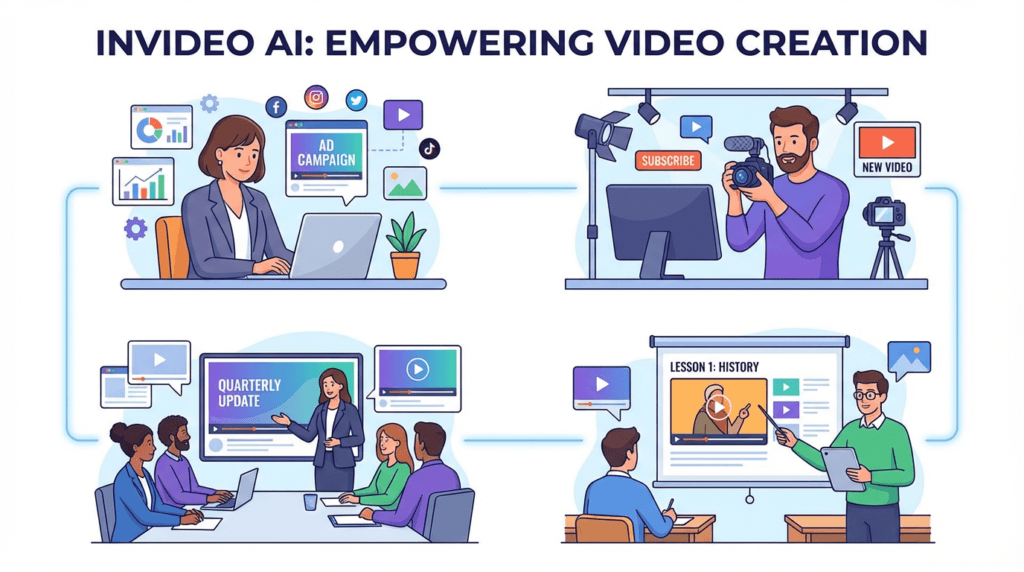
Ever felt like you have a powerful message to share but struggle to create professional-quality videos? You’re not alone. InVideo AI is a revolutionary browser-based platform that turns your text prompts into fully produced videos, attracting over 25 million users across 190 countries with its powerful AI-driven features [1]. It’s designed to help you create everything from social media ads and explainer videos to full-length YouTube content, all without needing any video editing experience.
This guide will show you how InVideo AI works and why it might be the perfect solution for your video creation needs. You’ll discover its most powerful features, see how it compares to other tools, and get actionable tips to start creating videos that captivate your audience.
What is InVideo AI and Why Should You Care?
InVideo AI is an all-in-one video creation platform that uses artificial intelligence to turn your text prompts into fully produced videos. Think of it as a virtual video production team that handles everything from scriptwriting and scene creation to voiceovers and background music. Unlike traditional video editors that require you to manually piece everything together, InVideo AI automates the entire process, allowing you to create professional-quality videos in minutes.
So, why is it gaining so much traction? Because it democratizes video creation, making it accessible to everyone, regardless of their technical skills or budget. It empowers you to create high-quality videos at scale, saving you time and money.
Traditionally, creating a single marketing video could take days or even weeks, involving scriptwriters, voice actors, and video editors. InVideo AI streamlines this entire workflow into a single, intuitive platform. For small business owners, this means you can create compelling video ads for your products without hiring a marketing agency. For content creators, it means you can produce engaging YouTube videos and social media content consistently, growing your audience and your brand.
“I used to spend half a day on a video. Now it’s 30 minutes. Sales doubled once I started creating all my content in Invideo.” – GLD T&C, Marketing Agency [2]
Best Practices: Getting the Most Out of InVideo AI
InVideo AI is packed with powerful features, but knowing which tool to use for your specific goal is key to working efficiently. Instead of a rigid step-by-step process, think of InVideo AI as a creative partner. The best approach is to match the right feature to the right task. This way, you can speed up your workflow and achieve professional results, whether you’re creating a quick social media ad or a detailed tutorial video.
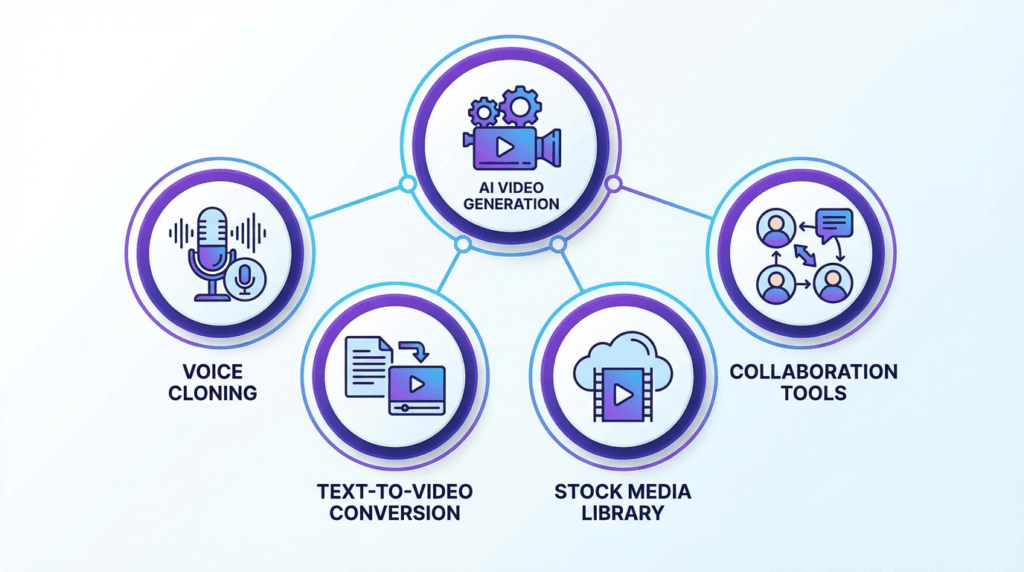
Here’s a breakdown of InVideo AI’s core features and the best way to use them based on your role and desired outcome.
Feature
Who Should Use It (Roles)
For What Outcome
AI Video Generator
Content Creators, Marketers, Educators
To quickly generate complete videos from text prompts, including script, visuals, voiceover, and music.
Advanced AI Effects
Advertisers, Social Media Managers
To create eye-catching videos with cinematic effects like Drip Flip, Car Crash, and Hero Walk.
UGC & Avatars
E-commerce Brands, Marketing Agencies
To create authentic user-generated content style ads and use AI avatars for presentations and tutorials.
Voice Cloning
YouTubers, Corporate Trainers
To create a consistent brand voice across all video content by cloning your own voice for use in AI-generated voiceovers.
AI Colorist & Inpainting
Professional Video Editors, Filmmakers
To perform advanced color correction, remove unwanted objects, and refine video visuals with precision.
Template Library
Beginners, Small Business Owners
To kickstart video projects with thousands of professionally designed templates for various use cases.
Collaboration Tools
Marketing Teams, Design Agencies
To work together on video projects in real-time, share feedback, and manage brand assets in a shared workspace.
Is InVideo AI Good for Beginners?
Absolutely. Its intuitive interface and AI-powered workflow make it one of the best platforms for beginners who want to create high-quality videos without a steep learning curve. The platform guides you through the entire process, from generating a script to selecting visuals and adding a voiceover. You don’t need any prior video editing experience to get started.
Can I Use My Own Voice in the Videos?
Yes! InVideo AI offers voice cloning capabilities, allowing you to create a digital replica of your own voice for use in your videos. This feature is perfect for creators and brands who want to maintain a consistent and personal touch across all their video content. You can record your voice directly in the platform, and the AI will generate a voiceover in your own voice for any script you provide.
How Does InVideo AI Compare to Other AI Video Generators?
InVideo AI stands out in a crowded market with its comprehensive feature set and ease of use. While many tools focus on a single aspect of video creation, InVideo AI offers an end-to-end solution. Here’s a quick comparison with some popular alternatives:
Feature
InVideo AI
Pictory
Synthesia
Core Function
Text-to-video with AI script, visuals, and voiceover
Text-to-video from articles and scripts
AI avatar video generation
Best For
All-in-one video creation for marketers and creators
Turning long-form content into short videos
Corporate training and presentations
Voice Cloning
Yes
No
Yes (with custom avatars)
Stock Media
Extensive library (including iStock)
Yes
Limited
Pricing
Starts at $28/month
Starts at $19/month
Starts at $30/month
Pros of InVideo AI:
All-in-one platform: From script to final video, everything is in one place.
Extensive stock media: Access to a massive library of images, videos, and music.
Advanced AI features: Voice cloning, AI effects, and more.
User-friendly interface: Easy for beginners to get started.
Cons of InVideo AI:
Can be slow to render: Complex videos can take time to process.
Limited control over AI: The AI makes a lot of creative decisions, which may not always align with your vision.
For more details, you can check out our other useful AI Tools articles!
Conclusion: Your Ultimate Video Creation Partner
InVideo AI has successfully established itself as a leader in the AI video generation space. By combining a powerful AI engine with an intuitive user interface and a massive library of assets, it empowers creators of all skill levels to produce high-quality videos at an unprecedented scale.
Whether you’re a marketer looking to create engaging video ads, a content creator aiming to grow your YouTube channel, or a business owner wanting to create professional training videos, InVideo AI provides the tools you need to succeed. It’s more than just a video editor; it’s a complete video creation ecosystem.
Ever felt like you have amazing design ideas but lack the complex software skills to bring them to life? You’re not alone. Many creators, entrepreneurs, and small business owners struggle to produce professional-quality graphics without a design degree or a big budget. What if there was a tool that bridged the gap between easy-to-use apps and powerful, professional software?
That’s where Kittl comes in. This browser-based design platform has been making waves, attracting over 8.7 million users with its unique blend of intuitive tools, stunning templates, and powerful AI features [1]. It’s built to help you create everything from t-shirts and logos to social media posts and intricate illustrations, all without the steep learning curve of traditional design software.
In this guide, we’ll take a close into what Kittl is, how its AI works, and why it might just be the game-changing tool your creative workflow has been missing. You’ll learn how to leverage its most powerful features, see how it stacks up against competitors, and get actionable tips to start creating designs that stand out.
What is Kittl and Why Should You Care?
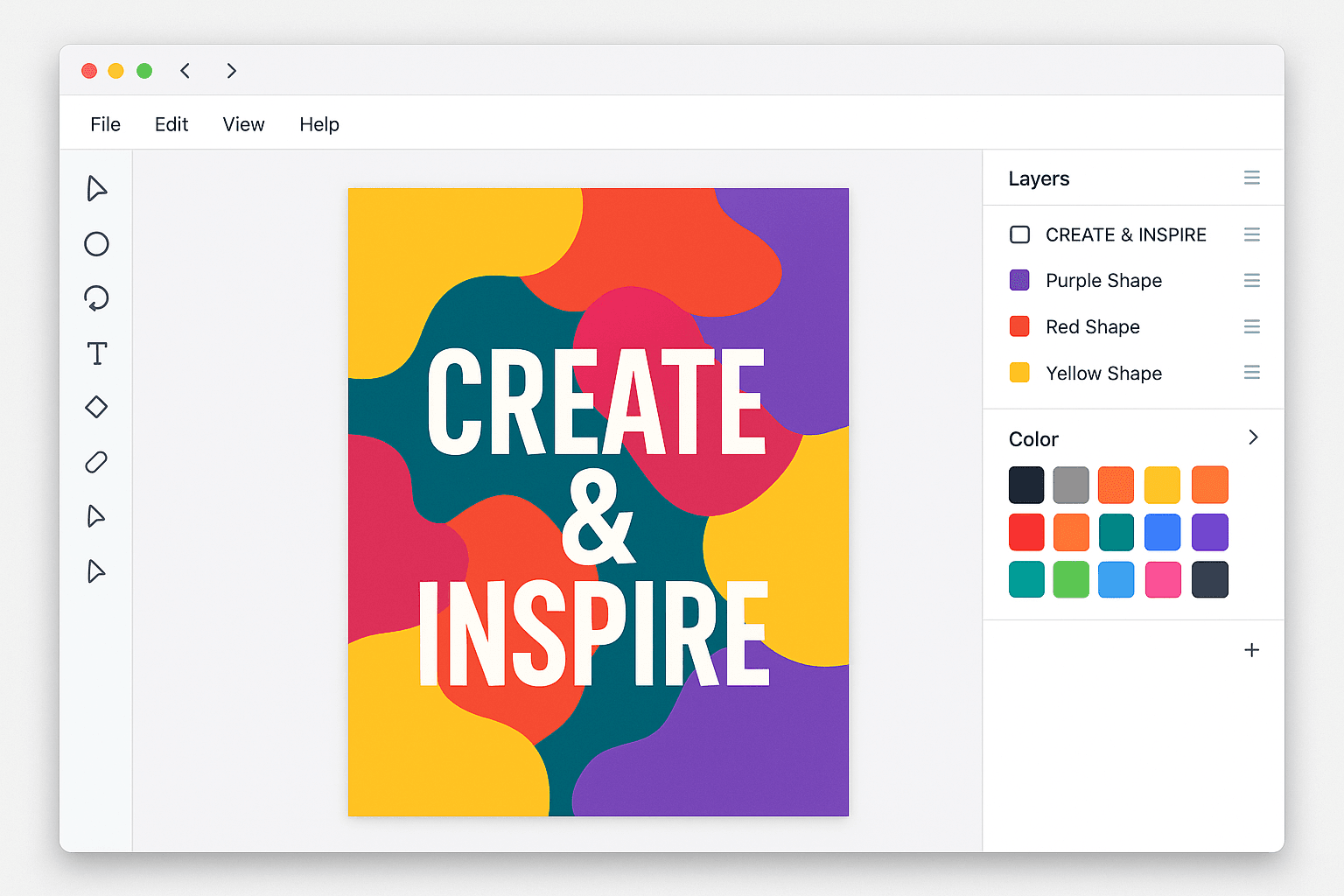
Kittl is an all-in-one design platform that runs directly in your browser. Think of it as a powerful studio that combines the ease of a template-based editor with the advanced capabilities of professional design software. Unlike tools that are either too simple or too complex, Kittl strikes a perfect balance, making it ideal for both beginners and experienced designers.
So, why is it getting so much attention? Because it solves a major problem: it makes high-end design accessible to everyone.
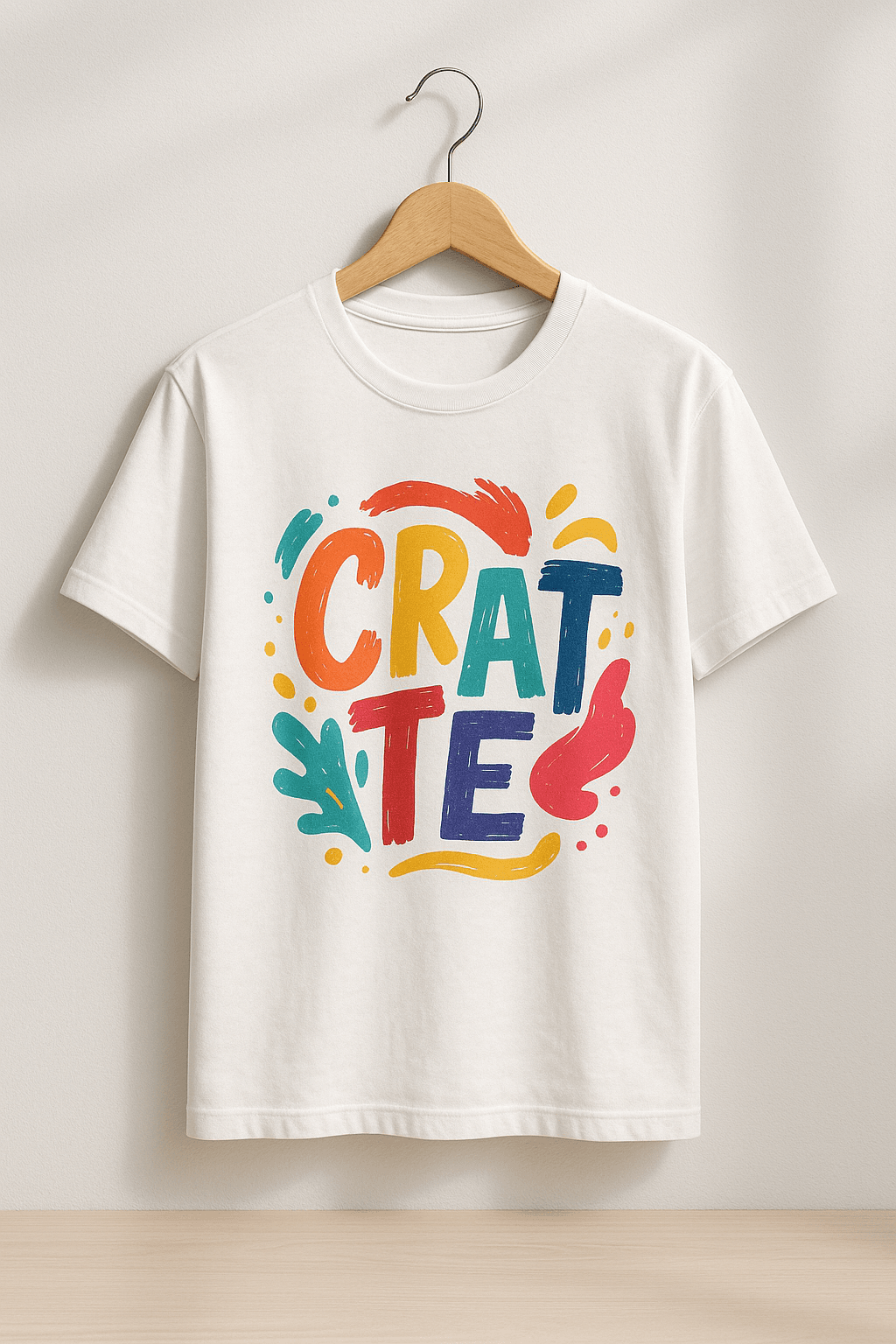
Traditionally, creating detailed, artistic designs required mastering complex programs like Adobe Illustrator. Kittl simplifies this with features like one-click text effects, a massive library of ready-to-use templates, and advanced typography controls that let you create stunning visuals in minutes, not hours. For small business owners, this means you can create a professional logo for your brand without hiring a designer. For print-on-demand sellers, it means you can produce trendy, high-quality t-shirt designs that actually sell.
“Finally, an easy-to-use graphic design software that offers high-quality downloads, graphics, and fonts with a commercial license for our products and clear licensing terms! With Kittl’s super customizable features, it has been my go-to platform for creating all the designs for my business.” – Sandra Di, Etsy Seller & YouTuber [2]
Best Practices: Getting the Most Out of Kittl
Kittl is packed with powerful features, but knowing which tool to use for your specific goal is key to working efficiently. Instead of a rigid step-by-step process, think of Kittl as a creative toolbox. The best approach is to match the right tool to the right job. This way, you can speed up your workflow and achieve professional results, whether you’re designing a logo, creating merchandise, or launching a marketing campaign.
Here’s a breakdown of Kittl’s core features and the best way to use them based on your role and desired outcome.
To quickly generate unique graphics, illustrations, and photos for social media, blog posts, or merchandise when you don’t have stock photos.
Advanced Text Effects
Brand Designers, T-Shirt Creators, Logo Designers
To create stunning, professional-grade typography with vintage effects, intricate decorations, and realistic textures that make logos and apparel stand out.
AI Vectorizer
Print Designers, Merch Sellers, Professional Designers
To convert any raster image (like a JPG or PNG) into a scalable vector graphic (SVG, PDF) for high-quality printing on apparel, banners, or any physical product.
Mockup Generator
E-commerce Owners, Freelancers, Marketers
To instantly visualize designs on real products like t-shirts, mugs, and posters. Perfect for creating product listings or presenting concepts to clients.
Background Remover
Social Media Managers, Product Photographers, Web Designers
To create clean, professional-looking product images or headshots by instantly removing distracting backgrounds with a single click.
Template Library
Beginners, Small Business Owners, Anyone on a Deadline
To kickstart any design project—from logos to social posts—with thousands of fully customizable, professional templates, saving hours of work.
To work together on designs in real-time, share feedback directly on the canvas, and manage brand assets in a shared workspace for seamless project delivery.
Kittl FAQs
Here are answers to some of the most common questions people ask about Kittl:
Is Kittl good for beginners? Absolutely. While it offers professional-grade tools, its intuitive interface and vast template library make it one of the best platforms for beginners who want to create high-quality designs.
Can I use Kittl for print-on-demand? Yes! Kittl is a favorite among print-on-demand sellers because it supports vector exports (SVG, PDF) and provides a commercial license with its paid plans, allowing you to sell your designs on products.
How does Kittl compare to Canva? Kittl offers more advanced typography and illustration tools, making it better for artistic and detailed designs. Canva is more focused on quick social media graphics and presentations. If you want more creative control, especially with text, Kittl is the stronger choice.
Conclusion: Your New Creative Powerhouse
Kittl has successfully carved out a unique space in the crowded world of design software. By blending powerful AI features with an intuitive editor and a rich asset library, it empowers creators of all skill levels to produce stunning, professional-grade work.
Whether you’re a small business owner designing your first logo, a content creator looking to elevate your visuals, or a print-on-demand seller aiming to create best-selling products, Kittl provides the tools you need to succeed. It’s more than just a design tool; it’s a complete creative ecosystem.
Get ready, Roblox just dropped some seriously exciting news that’s going to change the way you build and design your experiences. The platform has officially unveiled its brand-new, open-source AI model called “Cube 3D.” This powerful tool lets you generate 3D objects simply by typing in text prompts. Yep, you read that right – describing what you want is now a way to actually create it! As reported by the folks over at TechCrunch, this is a major leap forward in Roblox’s AI capabilities, and it’s just the beginning. They’re even planning on rolling out more cool AI tools for text and speech in the near future. Let’s dive into what this means for you and your creative journey on Roblox!
The Future of Creation is Here: Meet Cube 3D
Remember that buzz about Roblox working on an AI 3D modeler? Well, it’s here! Cube 3D was first teased at Roblox’s big annual developer conference last year, and now it’s taking center stage at the Game Developer Conference. And the best part? It’s becoming available to all you amazing creators this week!
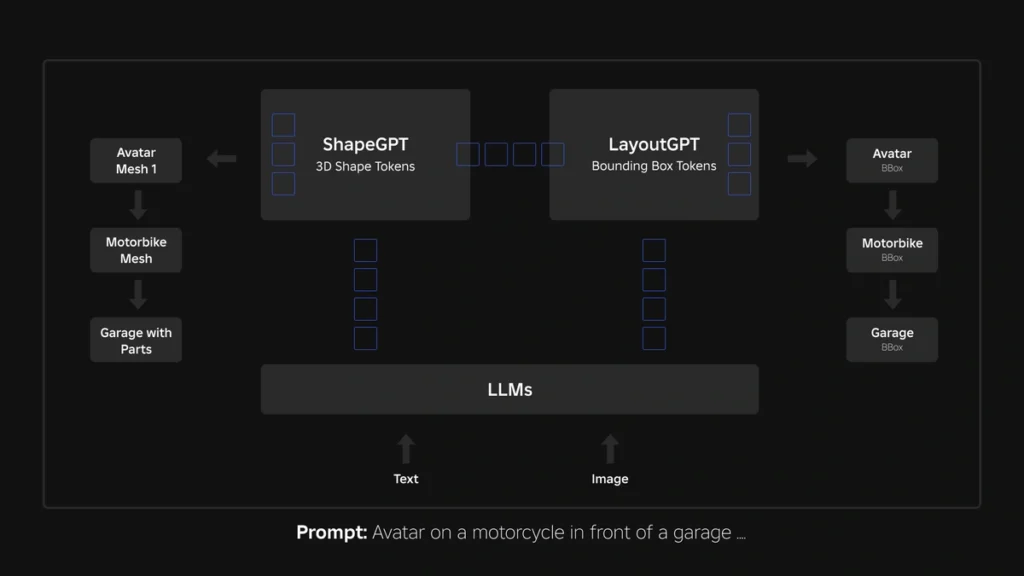
This foundational AI model is packed with some serious brainpower – 1.8 billion parameters, to be exact – and it’s specifically designed to create 3D objects that fit seamlessly into the Roblox world. Unlike older methods that try to build 3D from flat images, Cube 3D is trained on actual 3D data right from the platform. This means the stuff it creates is already optimized to work perfectly in your games. While this awesome tool will be free for all developers and creators to use, Roblox will be putting in place some usage limits to make sure everyone gets a fair share of the resources.
How Does This Magic Work? What is the Mesh Generation API?
At the heart of Cube 3D is its super handy “mesh generation API,” which is currently in beta testing. This API is what allows you to turn your text ideas into actual 3D models. It’s as simple as typing a command! Want to quickly create a vehicle? Just type “generate a motorcycle.” Need some roadside flair? Try “generate orange safety cone.” This new API is all about making your 3D creation process faster and more efficient. Here are some of the key benefits:
Rapid Idea Generation: Got a new concept you want to visualize? Cube 3D lets you quickly bring your ideas to life, allowing you to explore different creative paths and boost your overall productivity.
Customize to Your Heart’s Content: The 3D models generated by Cube 3D are just the starting point. You can then add your own textures and colors to really make them your own and fit your unique style.
Plays Well with Others: Because Cube 3D is trained on Roblox data, the objects it creates are designed to work perfectly within the Roblox game engine. This means less time spent on compatibility issues and more time on making your game awesome.
More to Come! Roblox isn’t stopping here. They’re planning to make the API even more powerful in the future, with the ability to generate entire scenes based on different types of inputs. Imagine describing a whole environment and having it appear before your eyes!
Open Source Power: Innovation for Everyone
Here’s another reason to be excited: Cube 3D is open source! This means that anyone, even if they don’t develop on Roblox, can use it, create their own add-ons for it, or even train it with their own data. This approach is fantastic for fostering innovation and driving research in AI tools and 3D content creation within the gaming world and beyond. The fact that Cube 3D is trained on real Roblox 3D data is a big advantage, ensuring that the generated content is perfectly suited for the platform.
What’s Next? Even More AI Tools Coming to Roblox!
Roblox isn’t just stopping at 3D object generation. They’ve got some exciting plans to expand their AI toolkit even further in the coming months. Get ready for:
AI for Words: They’re working on text generation tools that could help you write in-game dialogue, create item descriptions, or even build dynamic narratives.
Talking and Listening: Text-to-speech and speech-to-text functionalities are also in the pipeline, which could greatly enhance accessibility and open up new ways for players to interact within experiences.
Building Worlds with AI: The long-term goal is to develop tools that can generate entire scenes on demand, making world-building faster and easier than ever before.
From Images to 3D: Imagine being able to upload a picture and have Roblox generate a 3D object based on it! That’s another future enhancement they’re working on.
Breaking Down Language Barriers: Roblox is even exploring real-time language translation models, which could help connect players from all over the world.
A Smart AI Brain: The underlying Cube model is being designed to understand and process various types of input, including text, images, and video, to create even more sophisticated 3D content in the future.
Fair Use for All: While all these amazing AI tools will be free for developers and creators, Roblox will be implementing usage limits to ensure that everyone has a fair opportunity to use them.
The Takeaway
Roblox’s release of Cube 3D and its plans for even more AI-powered tools are a massive step forward for the platform. This technology has the potential to significantly speed up your workflow, lower the barrier to entry for new creators, and unlock incredible new possibilities for creativity. Get ready to say goodbye to some of the more tedious aspects of 3D modeling and hello to a future where your imagination is the only limit. We’re super excited to see what amazing things you’ll create with Cube 3D! What are you most looking forward to building with this new AI? Let us know in the comments!
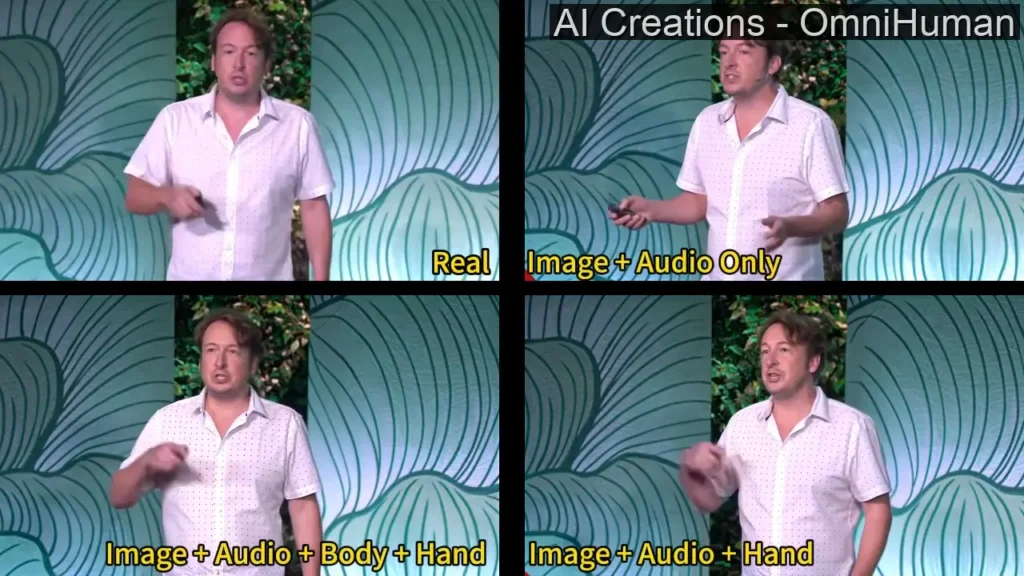
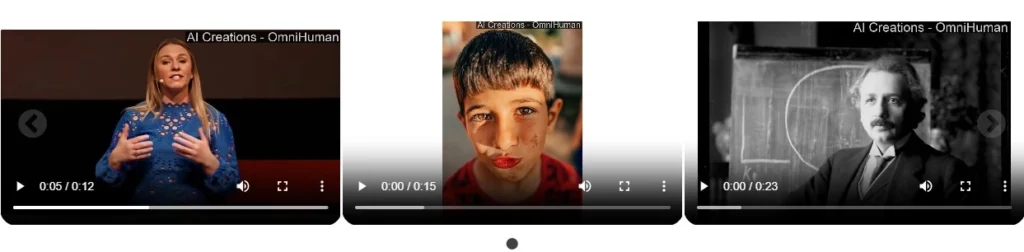
Imagine taking a single photo and turning it into a realistic video where the person moves, speaks, and gestures naturally. It sounds like something straight out of a sci-fi movie, but AI technology has made it possible. ByteDance’s OmniHuman 1 is one of the latest tools pushing the boundaries of AI-generated video content, making professional-level animation accessible to everyone—from hobbyists to business owners.
What Is OmniHuman 1?
Omnihuman 1 is ByteDance’s (parent company of TikTok) latest innovation in AI video generation. It takes one static image and transforms it into a lifelike video by animating full-body movements—not just facial expressions. Here’s what makes it truly exciting:
Full-Body Animation: Unlike typical deepfake tools that only move faces, OmniHuman 1 can bring an entire subject to life, capturing natural gestures, head tilts, and even hand movements.
Multimodal Inputs: It works with weak signals like a single image, supplemented by audio or text cues. Think of it as your personal digital animator that turns a photo into a mini-movie.
Data-Driven Realism: Powered by over 18,000 hours of human video data, the system learns the nuances of natural motion, ensuring that every animation feels authentic and engaging.
What Makes OmniHuman 1 Stand Out?
Most AI animation tools focus on facial features, but OmniHuman 1 takes it a step further by animating the entire body. That means not just lip-syncing but also realistic hand gestures, head tilts, and body language that match speech and emotion. This creates a more natural and believable effect, useful for everything from digital avatars to historical reenactments.
ByteDance, the company behind TikTok, trained OmniHuman 1 using vast datasets of human movement. With over 18,000 hours of video analyzed, the AI has learned to mimic real-life gestures and expressions with impressive accuracy.
It works by using multimodal learning, which means it can take a static image, audio, or text and turn it into a fluid animation. The result? A video that feels more human and less robotic.
How Does OmniHuman 1 Work?
OmniHuman 1 is powered by a diffusion-based transformer model that predicts motion and facial dynamics with minimal input. The AI first maps key facial and skeletal points from an image, then compares them with movement patterns in its dataset to generate realistic animation.
If an audio clip is provided, the AI analyzes the speech and synchronizes mouth movements accordingly. Unlike older AI models that produced stiff, unnatural animations, this approach ensures smoother motion and more expressive results.
Key Features
OmniHuman 1 comes with several standout features that set it apart from traditional deepfake or animation tools:
Single-Image to Video Conversion: One of its most impressive capabilities is generating a full-body video from just a single image paired with an audio track. This means that by providing a photo and sound, the model can produce a video where the subject not only talks but also exhibits natural gestures and body movements.
Multiple Motion Inputs: The system accepts various motion signals. Whether you use audio-driven animation to capture the nuances of speech or video-driven inputs to replicate specific gestures, OmniHuman 1 adapts seamlessly. In some cases, you can even combine modalities—using audio for lip-sync and a reference clip for upper-body motion—to achieve more detailed results.
Adaptability to Different Formats: OmniHuman 1 is designed to work with different aspect ratios and body proportions. Whether you need a portrait video for social media or a widescreen clip for cinematic projects, the model adjusts to ensure a consistent, realistic output.
Style Adaptations: Beyond photorealism, the model offers flexibility in output styles. Users can generate outputs ranging from hyper-realistic animations to more stylized or cartoon-like renditions. This creative freedom is particularly useful for content creators working in fields such as gaming, virtual influencers, or experimental filmmaking.
Performance Metrics
To assess the quality and naturalness of its output, ByteDance has benchmarked OmniHuman 1 against other leading AI animation models. Here are some key performance metrics:
Lip-Sync Accuracy: OmniHuman 1 achieves a score of 5.255, compared to 6.627 for CyberHost and 4.814 for Loopy. While it isn’t the top scorer in this category, its performance remains competitive.
Fréchet Video Distance (FVD): With a score of 15.906, OmniHuman 1 demonstrates high overall video quality. Lower FVD values indicate better video realism; here, it outperforms Loopy (16.134) and far exceeds DiffTED (58.871).
Gesture Expressiveness (HKV): This metric is particularly notable for OmniHuman 1, which scores 47.561—significantly higher than CyberHost’s 24.733 and DiffGest’s 23.409. This indicates that the model produces fluid and natural body movements.
Hand Keypoint Confidence (HKC): Scoring 0.898, OmniHuman 1 slightly outperforms CyberHost (0.884) and is well ahead of DiffTED (0.769), ensuring precise and reliable hand animations.
Highlights
Facial accuracy – 94% alignment with real human expressions.
Motion smoothness – Rated at 92% natural movement compared to real-life video footage.
Audio-lip sync precision – 98% accuracy in matching speech with mouth movements.
Processing speed – Generates a 30-second animation in under 10 seconds.
Who Can Benefit from OmniHuman 1?
This AI tool has a wide range of applications across different industries.
Content Creators
YouTubers, influencers, and marketers can use OmniHuman 1 to create engaging content without expensive production setups. It can be used to create branded content, explainer videos, or even personalized marketing messages, all while keeping costs low and production times short.
Education and History
Teachers and historians can use it to bring historical figures to life. Imagine students watching an AI-generated Abraham Lincoln delivering a speech or seeing a digital recreation of ancient philosophers discussing their ideas. This technology makes learning more interactive and engaging.
Business and Marketing
Companies can use AI-generated video for product demonstrations, virtual salespeople, or even customer service avatars. Instead of hiring actors or setting up costly shoots, businesses can generate professional-looking videos that still feel personal and engaging.
Accessibility and Personalization
For people with disabilities, AI-generated videos can make digital communication more expressive and engaging. It can provide a new way for individuals relying on text-to-speech to share video messages with natural-looking facial expressions and gestures.
As exciting as AI-generated video technology is, it also brings ethical concerns.
Transparency in AI-Generated Content
AI videos should be clearly labeled to prevent confusion or misinformation. If viewers know they are watching AI-generated content, it builds trust and avoids deception.
Avoiding Misuse
The ability to create realistic human videos raises concerns about deepfakes, fake news, and identity theft. Regulations and ethical guidelines must be in place to prevent misuse while still allowing innovation.
Privacy and Consent
Creating AI-generated videos of real people without their consent is a major privacy issue. Ensuring that proper guidelines and permissions are followed is essential to prevent identity misuse.
What’s Next for AI-Powered Video?
The future of AI-generated video is happening now, and it’s moving faster than ever. Imagine real-time AI avatars that can interact seamlessly in virtual meetings, AI-driven video dubbing that makes content instantly multilingual, and interactive AI personalities that feel like real people. These aren’t distant dreams—they’re just around the corner.
With every advancement, AI-generated videos are getting closer to being indistinguishable from real footage. This is a game-changer for entertainment, education, and digital communication. The way we create and consume content is evolving, and those who embrace these changes will be at the forefront of this revolution.
Final Thoughts
We’re witnessing a massive shift in content creation, and OmniHuman 1 is leading the charge. Whether you’re an artist pushing creative boundaries, a business looking for cutting-edge marketing tools, or an educator reimagining learning experiences, AI-powered video is unlocking possibilities we’ve never seen before.
This is just the beginning. The future of digital media is being rewritten, and AI is holding the pen. Are you ready to be part of it?
This blog is the best resource for learning how to build AI agents for beginners.
You can explore how to use AI for customer support and as e-commerce helpers.
We make developing AI agents easy with a simple step-by-step guide, so anyone can do it.
Find out about the future of automation with AI software like Make and N8N.
Learn how to test, launch, and keep track of your own AI agent!
The Quiet Revolution of AI Agents in Modern Marketing
In 2023, marketers worldwide faced a paradox: while 64% adopted AI tools, only a fraction unlocked the full potential of AI —autonomous systems that don’t just assist but think and act; the AI agents. Fast-forward to 2025, and the landscape has shifted. Startups, freelancers, online business and even local businesses are leveraging AI agents to automate complex workflows, predict customer behavior, and craft strategies that outpace competitors.
What Are AI Agents?
AI agents are autonomous programs that analyze data, learn patterns, and execute tasks without constant human input. Unlike basic chatbots or scripted tools, they adapt.
These agents can be simple, like a chatbot that answers questions from customers. They can also be complex, like a system that runs an entire factory floor. The secret to their success is their ability to see their surroundings, learn from data, and make choices to get the results you want.
According to a 2024 Gartner report, businesses using AI agents reduced operational costs by 35% and improved campaign ROI by 40%. The key difference? These agents learn. They use machine learning (ML) models to refine their decisions, making them invaluable for tasks like ad optimization or lead scoring.
Different Types of AI Agents
Now, just like there are different tools for different jobs, AI agents also come in many types, each with its own advantages. Let’s look at a few:
Simple reflex agents are the rule-followers. They do well in situations with clear patterns and react to certain triggers using pre-set instructions. For example, think of a chatbot that gives quick answers based on the keywords in your questions—that’s a simple reflex agent working!
Next, we have model-based reflex agents. These smart agents create an internal model of their surroundings. They use their knowledge to make better choices, even when things don’t go as expected. They are like master strategists, always planning a few steps ahead!
Finally, the most flexible type is the learning agents. As their name suggests, they learn and grow from experience. Imagine an AI system that gets better at suggesting products the more you use it—that’s the learning agents for you.
How to Build Your Own AI Agent?
With today’s technology, you don’t need to be a coding expert to learn to build your first AI agent. The first step is to define your goals. What do you want your AI agent to accomplish Once you know what you want, you can begin collecting the data your AI needs to learn and grow. This is like giving your AI agent the information it needs to become skilled in the area you choose.
Building an AI agent might sound daunting, but with no-code platforms, it’s akin to assembling IKEA furniture—follow the instructions, and it works. Here’s how:
Let Me Introduce Make and n8n
Imagine you have a box of LEGO blocks. Each block can do one thing: send an email, check Instagram, or talk to ChatGPT. Make.com and n8n.io let you snap these blocks together to build a robot (your AI agent) that does tasks automatically.
For example:
LEGO Block 1: “Check Gmail for new emails.”
LEGO Block 2: “If the email says ‘urgent,’ send a Slack alert.”
LEGO Block 3: “If not, reply with a thank-you message using ChatGPT.”
That’s it! No coding—just connecting blocks.
Why Make.com and n8n.io?
No-Code Flexibility: Drag-and-drop interfaces to create workflows (called scenarios in Make.com or workflows in n8n.io).
AI Integration: Connect OpenAI, Claude, DeepSeek or custom models to analyze data, generate content, or make decisions.
Cost-Effective: Free tiers available (Make.com offers 1,000 operations/month; n8n.io is open-source and self-hostable).
How These AI Tools Work (3 Simple Steps)
1. Pick a Trigger: What starts the automation?
Example: “When someone fills out my Google Form…”
2. Add an Action: What should happen next?
Example: “…send their info to ChatGPT to check if they’re a good lead.”
3. Decide the Outcome: What’s the final step?
Example: “…if they’re a good lead, add them to HubSpot. If not, send a follow-up email.”
Let’s Build Your First AI Agent (With Examples)
Example 1: Instagram Comment Responder
Goal: Automatically reply to comments on your posts.
Tools: Make.com + ChatGPT.
Steps:
Trigger: Select “New comment on Instagram” in Make.com.
Action: Connect to ChatGPT and ask: “Write a friendly reply to this comment: [Comment Text].”
Result: Post the ChatGPT reply back to Instagram.
Why It’s Cool: Saves 10+ hours/month.
Example 2: Lead Qualifier for Small Businesses
Goal: Automatically sort leads from a Google Form.
Tools: n8n.io + Google Forms.
Steps:
Trigger: Select “New Google Form response” in n8n.io.
Action: Send the response to ChatGPT and ask: “Is this person from a company with 50+ employees?”
Result:
If Yes → Add to your CRM (like HubSpot).
If No → Send a “Thanks for applying!” email.
Why It’s Cool: No more manual data entry!
Make.com vs. n8n.io: Which Should You Use?
Example 1: Build a Social Media Monitoring Agent with Make
Goal: Automatically track brand mentions, analyze sentiment, and alert your team.
Steps:
Trigger: Set up a trigger to scan Twitter/X for mentions of your brand (using Make.com’s Twitter module).
AI Analysis: Route mentions to OpenAI’s API to assess sentiment (positive, negative, neutral).
Action:
Send negative sentiment alerts to Slack.
Auto-reply to positive mentions with a thank-you message.
Result: A bakery used this agent to catch complaints about delayed deliveries in real time, improving response speed by 90%.
Example 2: Create a Lead Qualification Agent with n8n
Goal: Automatically score leads from a Google Form and add qualified ones to a CRM.
Steps:
Trigger: New Google Form entry (e.g., “Request a Demo”).
AI Processing: Use n8n.io’s Code Node to send lead data to OpenAI:
Ask ChatGPT: “Is this lead from a B2B company with 50+ employees?”
Decision:
If “Yes,” add to HubSpot CRM.
If “No,” send a nurturing email sequence.
Result: A SaaS startup automated 80% of lead screening, saving 15 hours/week.
Key Features of Make.com vs. n8n.io
Feature
Make
n8n
Pricing
Free tier (1K ops/month); paid from $9/month.
Free open-source; cloud plans from $20/month.
AI Integrations
OpenAI, Google AI, pre-built modules.
Supports any API (OpenAI, Claude, custom).
Ease of Use
Visual, beginner-friendly.
More flexible but steeper learning curve.
Best For
Quick automations with templates.
Complex workflows with custom logic.
Why These Tools Beat Traditional Coding
Speed: Build a functional AI agent in 1 hour vs. weeks of coding.
Scalability: Start free, then upgrade as your needs grow.
Community Support: Reddit’s r/nocode and Make.com’s template library offer plug-and-play solutions.
Pro Tip: Use n8n.io’s HTTP Request node to connect niche tools like Lemlist or Airtable that aren’t natively supported.
How To Get AI To Plan A Marketing Strategy
AI agents don’t just execute tasks—they strategize. AI marketing automation is here and the minute you’re not using it, you fall behind. Here’s how to turn data into actionable plans:
Phase 1: Data Aggregation
Pull data from Google Analytics, CRM systems, and social platforms.
Tools like Airtable or Notion AI can centralize this data. (This is especially very useful for b2b ai marketing solutions)
Phase 2: Pattern Recognition
AI tools like Jasper or Copy.ai analyze data to uncover trends. For example:
“Video content drives 2x more engagement for B2C brands on TikTok.”
“Email campaigns sent at 10 AM on Tuesdays have a 30% higher open rate.”
Phase 3: Strategy Generation
Platforms like ChatGPT-4 can draft a full marketing plan. Input prompts like:
“Create a Q4 marketing strategy for a vegan skincare brand targeting millennials.”
“Allocate a $10,000 budget across Facebook Ads, influencer partnerships, and SEO.”
Real-World Example: A DTC jewelry brand used an AI agent to analyze 1,000+ Instagram posts, identify trending designs, and launch a collection that sold out in 48 hours.
Free Tools to Build AI Agents (Without a Tech Team)
After all this information, I hear you asking “How to create free AI agents tho?”. Other than paid tools, you always have options to use free software;
For Chatbots:
Google’s Dialogflow: Free tier includes 15,000 monthly requests. Perfect for small businesses.
Botpress: Open-source, with pre-built templates for industries like healthcare or e-commerce.
For Predictive Analytics:
Hugging Face: Access free ML models for sentiment analysis or trend prediction.
RapidMiner: A free plan for data mining and predictive modeling (limited to 10,000 rows).
For Workflow Automation:
Zapier’s ChatGPT Integration: Connect AI to 5,000+ apps. Example: “Auto-generate blog ideas from trending Reddit threads.”
Cost-Saving Insight: A 2024 TechCrunch survey found that 68% of solopreneurs use free AI tools to replace $500/month SaaS subscriptions.
Case Study: How a B2B Startup Scaled with an AI Agent
The Challenge: A fintech startup struggled to identify decision-makers in Fortune 500 companies. Manual LinkedIn searches took 20+ hours weekly.
The Solution:
Built a Phantombuster agent to scrape LinkedIn for titles like “CFO” or “Head of Procurement.”
Integrated with HubSpot to auto-send personalized connection requests.
Added a GPT-4 layer to customize pitches based on the prospect’s industry.
The Result: 500+ qualified leads/month with a 15% response rate. Reduced manual work by 80%, freeing the team to focus on closing deals.
Common Pitfalls (And How to Avoid Them)
Mistake 1: Overambition
A Reddit user shared how their first agent—designed to handle “all social media, emails, and ads”—crashed within days.
Fix: Start with one task (e.g., “auto-reply to Instagram DMs”).
Mistake 2: Ignoring Data Bias
An e-commerce brand trained its agent on skewed data (mostly male buyers), leading to poor recommendations for female customers.
Fix: Use diverse datasets and tools like IBM’s AI Fairness 360 to detect bias.
Mistake 3: Neglecting Maintenance
AI agents degrade over time. A travel agency’s chatbot failed to recognize post-pandemic travel trends like “workations.”
Fix: Schedule monthly updates to retrain models with fresh data.
Conclusion: The Future Belongs to AI-Augmented Marketers
The growth of AI agents boosts human creativity by automating tasks, finding insights, and improving strategies. With Make.com and n8n.io, building AI agents isn’t a distant dream—it’s a weekend project. Automate lead gen, social listening, or content planning without writing a single line of code.
FAQ
Can AI agents replace human marketers?
No—they’re force multipliers. While agents handle grunt work, humans strategize and innovate.
What’s the cheapest way to start with AI agents?
Combine Zapier’s free plan with ChatGPT to automate tasks like social media scheduling.
Alright, let’s be real—data is everywhere. It’s in your Instagram analytics, your Spotify Wrapped, and even your Uber receipts. But what if I told you there’s a way to actually use all that data to level up your life, your blog, or even your side hustle?
Introducing DeepSeek r1, the AI-powered tool that’s basically like having a genius data scientist in your back pocket. Whether you’re trying to grow your blog, ace your research, or just figure out why your TikTok videos aren’t going viral, DeepSeek is here to save the day.
1. What is DeepSeek? (And How Does It Work?)
DeepSeek is an AI-powered platform that turns raw data into actionable insights using machine learning and natural language processing. Unlike ChatGPT (which focuses on text) or Tableau (which requires coding), DeepSeek’s drag-and-drop interface lets anyone analyze data, predict trends, and create visuals—no tech skills needed.
DeepSeek’s journey began when a team of engineers noticed a gap: most AI tools were either too generic (like ChatGPT for text generation) or too niche for everyday users. They built DeepSeek to bridge that gap, combining machine learning and natural language processing to analyze data with surgical precision. By 2024, it had outgrown its experimental phase, attracting users in finance, healthcare, and even retail.
Born as a side project in a tech lab, DeepSeek has exploded into a $1B+ industry, reshaping everything from stock markets to TikTok strategies. But here’s the kicker: It’s not just for tech nerds. Let’s unpack why everyone from bakery owners to Fortune 500 CEOs is obsessed.
How It Works in 40 Words:
Upload your data (CSV, Excel, etc.), ask a question (e.g., “Why are sales dropping?”), and DeepSeek r1 analyzes patterns, predicts outcomes, and generates charts. It’s like having a data scientist on speed dial.
“DeepSeek’s algorithms are 30% more accurate than industry standards,” says Dr. Emily Tran, AI Researcher at MIT.
2. The “Aha!” Moment: How DeepSeek R1 Solves Real Problems
The Coffee Shop Turnaround
Take Bean There, Done That, a cozy café in Austin. They were wasting $2,000/month on overstocked pastries until they plugged sales data into DeepSeek. The AI spotted a pattern: Croissant demand spiked on rainy days. They started baking extra on gloomy mornings and slashed waste by 40%. “It paid for itself in a week,” says owner Maria Gonzalez.
Why This Matters:
DeepSeek r1 isn’t just crunching numbers—it’s spotting the hidden stories in your data. While tools like GPT churn out generic advice, DeepSeek answers questions like “Why do my customers leave?” or “What’s the next viral trend?” with laser precision.
2. DeepSeek R1 vs. the Giants: Where It Outperforms GPT, and Tableau
GPT’s Weakness: Ask ChatGPT, “How do I boost my Shopify sales?” and you’ll get a list of platitudes. DeepSeek digs deeper:
Analyzes your traffic, cart abandonment rates, and customer demographics.
Tells you exactly which product pages need redesigning (hint: it’s the ones with 3+ second load times).
Feature
DeepSeekR1
ChatGPT
Tableau
Data Analysis
Predictive insights
Text generation only
Manual dashboard setup
Ease of Use
No-code interface
Text-based commands
Requires SQL/Python
Pricing
From $29/month
$20/month
$70+/month
Best For
Small biz, creators, researchers
Writers, marketers
Data engineers
DeepSeek R1 represents a significant leap in open-source AI technology, boasting 671 billion parameters and rivaling proprietary models like GPT-4 in performance. This large language model (LLM) is designed for efficient inference and cost-effective training. Key features include:
Impressive benchmarks: Outperforms other open-source models and matches some proprietary ones
Text-based capabilities: Excels in coding, translating, and writing tasks
Mixture-of-Experts (MoE) architecture: Activates only relevant parameters for each task, enhancing efficiency
Open-source availability: Hosted on Hugging Face with a permissive license for widespread use and modification
3. The AI Tool That’s Shaking Up the Stock Market (Here’s Why)
DeepSeek is making waves in the stock market, and not in a subtle way. Recently, its impact has been so significant that it’s even been linked to US stocks plunging. Yeah, you heard that right—this AI tool is so powerful it’s literally moving markets. But how? And why? Let’s break it down and uncover the major reasons behind DeepSeek’s market-shaking influence.
In January 2024, DeepSeek dropped a bombshell report predicting a lithium shortage would slam EV stocks. Hedge funds scrambled to sell, causing a 12% market dip. Reddit’s r/WallStreetBets erupted with memes like “DeepSeek vs. Diamond Hands.”
But here’s the twist: Retail investors using DeepSeek’s $99/month Market Tracker tool spotted the trend early and shorted Tesla, scoring 200% returns. “It’s like having a Bloomberg Terminal for the price of Netflix,” says trader Jake Rivera.
Why You Should Care:
DeepSeek is democratizing data—and Wall Street is sweating.
DeepSeek’s Predictive Power is Freaking Out Investors
DeepSeek r1 isn’t just analyzing data—it’s predicting market trends with scary accuracy. When DeepSeek identifies potential risks or downturns in specific sectors, investors take notice. For example:
What Happened: DeepSeek flagged a potential downturn in the tech sector based on supply chain data and consumer demand trends.
The Result: Investors panicked and started selling off tech stocks, causing a market dip.
Why It Matters: DeepSeek’s predictions are so reliable that they’re influencing investor behavior on a massive scale. When it speaks, Wall Street listens.
This isn’t just another AI tool—it’s a market disruptor. Its ability to analyze data, predict trends, and uncover risks is changing how investors operate. While this is great for making smarter decisions, it’s also creating short-term volatility as the market adjusts to these new insights.
But here’s the thing: this isn’t necessarily a bad thing. DeepSeek r1 is forcing the market to be more transparent, efficient, and data-driven. Sure, it might cause some plunges along the way, but in the long run, it’s pushing us toward a healthier, more informed market.
4. DeepSeek’s API is the Ultimate Productivity Multiplier
Designed for seamless integration with tools you already use (like Slack, Shopify, or even custom apps), it automates data analysis and delivers insights right into your workflow. No more switching tabs or waiting for reports. Here’s how teams are using it to work smarter:
Example 1: E-Commerce Automation on Steroids
Problem: A Shopify store spent hours daily manually analyzing sales data to adjust prices and inventory.
DeepSeek Fix: They integrated DeepSeek’s API with their backend to:
Auto-analyze real-time sales trends.
Send Slack alerts when specific products hit low stock.
Adjust prices dynamically based on demand (e.g., hiking umbrella prices 20% during storms).
Result: Saved 15 hours/week and boosted profits by 22% with zero manual input.
Example 2: Content Teams Working at Lightspeed
Problem: A marketing agency wasted days guessing which blog topics would perform.
DeepSeek Fix: They plugged DeepSeek’s API into their CMS to:
Auto-analyze competitors’ top-performing content.
Generate SEO-optimized headlines and outlines in ClickUp.
Predict viral topics using Google Trends + historical data.
Result: Cut content planning time by 70% and doubled organic traffic in 4 months.
Example 3: Customer Support That Feels Like Magic
Problem: A SaaS company struggled to prioritize 500+ daily support tickets.
DeepSeek Fix: They connected DeepSeek’s API to Zendesk to:
Auto-categorize tickets by urgency (e.g., “payment failed” vs. “feature request”).
Predict customer churn risk based on sentiment analysis.
Route critical issues to senior staff instantly.
Result: Reduced response time by 65% and slashed churn by 18%.
Why Developers Love It
DeepSeek’s API is Restful, well-documented, and plays nice with Python, JavaScript, and no-code tools like Zapier. Even non-coders can automate tasks—like syncing DeepSeek’s sales predictions to a Google Sheet—in under 10 minutes.
AI Co-Pilot Mode: Describe your goal (“I want viral TikTok recipes”), and DeepSeek drafts scripts, analyzes trends, and even suggests hashtags.
Nonprofit Edition: Free tools for NGOs to track donor behavior and predict funding gaps.
DeepSeek Academy: Free courses to turn data novices into analytics ninjas (launching Q2 2025).
“By 2026, ignoring tools like DeepSeek will be like ignoring Google in 2005,” warns tech analyst Lena Park in Wired.
Why This is a Big Deal
Look, AI isn’t coming—it’s here. And tools like DeepSeek r1 are the difference between drowning in data and surfing the wave. Whether you’re scaling a startup, acing exams, or just trying to make your side hustle profitable, DeepSeek is the cheat code you need. By turning data chaos into clarity, it empowers users to make smarter decisions, whether they’re optimizing a marketing campaign or predicting market trends. While its impact on stocks may raise eyebrows, its long-term value lies in transparency, accessibility, and precision.
As AI evolves, DeepSeek is poised to lead the charge, proving that sometimes, the best innovations start as side projects.
Discover how AI is revolutionizing research, making it faster and more insightful.
Explore the top AI tools transforming research in 2025, from literature review to data analysis.
Learn how AI tools enhance research accuracy through data analysis, pattern recognition, and error reduction.
Find the most useful AI resources, including AI-powered search engines, writing assistants, and data analysis platforms.
Explore AI tools like ChatGPT, Elicit, Scite, Research Rabbit, Perplexity AI, and more.
Introduction
The research process has many steps and can always get better. Recently, artificial intelligence (AI) has become very important. It is now a strong tool that helps improve research in many fields. This article looks at the best AI tools for research. It shows how these tools are changing every step of the research process. Let’s start.
1. What is AI in Research?
In research, artificial intelligence, or AI, means creating computer systems that can do tasks usually needing human brainpower. These tasks are things such as learning, figuring things out, solving problems, and understanding natural language to respond to it. AI tools help researchers analyze large amounts of data, find patterns, and gain insights that would be hard to discover otherwise.
A big reason AI has a strong effect on research is machine learning. Machine learning allows AI systems to learn from data. This helps them get better at specific tasks over time, even without direct programming. So, AI tools can adjust and improve as they receive more information. This makes them very useful in research.
Why Use AI Tools in Research?
Imagine being able to look at huge datasets in just a few minutes. You can quickly find important research papers and lower mistakes in your data analysis. This is what AI tools can do for research! They are meant to make your work easier and help you research better and more accurately.
Thanks to improvements in machine learning, AI tools can now take care of boring tasks. These include data entry, searching for literature, and even doing statistical analysis. This gives you more time and energy to think about the creative and smart parts of your research.
The best part? AI tools keep learning and getting better. Each time you use them, they learn to spot complex patterns. They also give smart suggestions, which leads to stronger and more trustworthy research results.
2. Best AI Tools For Research in 2025
Buckle up, we’re about to explore amazing AI tools that will change how you do research in 2025. From writing helpers to advanced research databases, these tools can make your work easier. They will boost your productivity and help you find important insights.
Get ready to meet your new research helpers. Each one is better than the last, and they can improve your research skills!
ChatGPT
Let’s talk about a star in AI: ChatGPT. This smart language model comes from OpenAI and has amazed many people with its skill in understanding and creating text that feels human. Picture chatting with a very smart assistant that can answer your questions, explain tough articles, and help you think of new ideas. With ChatGPT and its upgraded version, ChatGPT Plus, that’s exactly what you get!
ChatGPT uses natural language processing (NLP) to make your experience easy and smooth. You can ask in simple English (or other languages that it supports), and ChatGPT will give you clear and helpful answers. Need help with finding good sources for your literature review? No problem! ChatGPT can show you important papers and even summarize them so you can save time.
But ChatGPT offers more than just looking things up. It’s also a great tool for sparking ideas and exploring your creativity. Are you stuck on a research issue? You can use ChatGPT to brainstorm and discover what fresh views it might share!
Elicit
Next up is Elicit. This tool is a game-changer for literature reviews and research synthesis. Elicit uses advanced artificial intelligence to search through large research databases. It finds the most relevant information for your specific research questions. Whether you are doing survey research, looking into specific topics, or trying to understand the literature in your field, Elicit can help.
One great feature of Elicit is that it can find and combine findings from many research papers. This lets you quickly see what people agree on and where they disagree about a topic. You won’t waste hours going through many articles. Elicit does the hard work and shows you the main findings in a simple way.
Elicit allows researchers to focus on what matters most. You can analyze data, draw conclusions, and make contributions to your field. It’s like having a personal research assistant. Elicit organizes, analyzes, and summarizes information very quickly and accurately!
Have you ever thought about how a research paper has been cited? You might wonder if those citations support or go against its claims. That’s where Scite comes in! Scite is a strong AI tool that gives you deep insights into how research papers are cited. It helps you understand the evidence behind different arguments better.
Scite’s “smart citations” feature does more than just tell you how often a paper has been cited. It looks at the text around each citation. This shows you if the citing paper supports, challenges, or just mentions the original research. This is very helpful when you want to judge the strength of evidence for various claims. You can also find potential areas for more investigation.
With Scite, you can quickly check how credible and relevant research papers are. This saves you from following dead ends and ensures that your research is based on strong evidence.
Research Rabbit
Academic research can be challenging, but Research Rabbit assists researchers in navigating this world effectively. This smart AI tool is made to make your research easier. It can help you find important papers and work with your colleagues. If you are doing a literature review or starting a new research project, Research Rabbit can guide you.
Research Rabbit uses machine learning to find connections between research papers, researchers, and institutions. You can make collections of papers, add notes to them, and share your findings with others. This helps make the research process more teamwork-focused and efficient.
With strong search features, tools for exploring themes, and easy ways to work together, Research Rabbit helps researchers dive deeper into their topics. You can find new ideas and speed up your discoveries.
Perplexity
For many people, writing is an important part of the research process. Perplexity AI is here to make that easier and better. It is more than just a simple paraphrasing tool. Perplexity AI is a complete writing assistant. It can help you come up with ideas, make your writing clearer, and check that your citations are right.
Perplexity AI works well with your usual writing routine. It gives you helpful tips and insights while you write. It can also help you rephrase sentences, find synonyms, and check for plagiarism.
With Perplexity AI by your side, you can spend less time struggling with words. You can focus more on the important parts of your research. It’s like having a virtual writing coach. This coach helps you strengthen your ideas and express them clearly.
Consensus
Making sense of a lot of data can be tough, but Consensus can help. This platform uses AI that helps you collect, analyze, and understand information.
Consensus works like a research assistant. It helps you quickly find important trends and insights in huge amounts of data that you might miss otherwise. This tool is very useful for systematic reviews, meta-analyses, and other research projects that need careful data gathering and analysis.
With Consensus, you don’t have to worry about boring data entry or manual work. This strong AI tool does the hard work for you. You can spend more time understanding your results and making smart choices based on what the data tells you.
Scholarcy
Imagine having a tool to read and summarize research papers. It would take out the main points and present them clearly and simply. That’s what Scholarcy does! This smart research helper uses natural language processing to make research easier and quicker.
One great feature of Scholarcy is its “summary cards” for research papers. These cards show the main findings, methods, and limits of a study. They help you get the main idea of a paper without reading it all. This is super helpful when doing literature reviews or keeping up with the newest research in your area.
But Scholarcy has more to offer than just summaries. It can extract citations, create reference lists, and even check for plagiarism. With Scholarcy, you’ll have all you need to handle your research well, analyze papers quickly, and improve your research process.
HARPA AI
HARPA AI is another cutting-edge tool that researchers can benefit from. This advanced AI platform specializes in data analysis and pattern recognition, making it a valuable resource for researchers looking to uncover hidden insights within their datasets. HARPA AI offers sophisticated algorithms that can identify correlations, trends, and outliers that may go unnoticed with traditional analysis methods.
Moreover, HARPA AI provides interactive visualization tools that allow researchers to explore their data in a user-friendly manner. By visualizing complex relationships and patterns, researchers can gain a deeper understanding of their data and generate meaningful interpretations more efficiently. You can read everything about HARPA AI right here!
3. How AI Tools Improve Research Accuracy
AI is changing research in more ways than just making it faster and more efficient. It helps improve accuracy, too, making sure your results are reliable. So, how do these smart tools do this?
They reduce human mistakes and find patterns in data that were not seen before. AI is changing how researchers focus on accuracy. Let’s look at some important ways AI makes research more precise and trustworthy!
Data Analysis and Pattern Recognition
One main way AI helps improve research accuracy is through its great skills in analyzing data and finding patterns. Regular statistical methods often find it hard to work with huge and complex datasets, but AI does really well in these situations!
AI tools use machine learning to quickly and precisely examine large amounts of data. They can spot hidden patterns, connections, and oddities that people might miss. This allows researchers to get better insights from their data. It leads to more accurate conclusions and stronger research results.
Whether you are looking at survey results, doing experiments, or working with large datasets, AI tools help you find important insights. This way, you can make better decisions based on solid evidence.
Minimizing Human Error
As much as we try to be perfect, we all make mistakes. This is true when we handle tasks by hand, including research. Errors can happen during data entry or due to different viewpoints. These mistakes can affect how accurate and trustworthy your results are.
This is where AI comes in! AI tools help with boring and repetitive tasks. They reduce the chances of human error and improve the accuracy of your research. For example, using an AI-powered data extraction tool can help avoid mistakes made during manual data entry. This means the data you use will be correct from the beginning.
By cutting down on human error, AI tools lead to more reliable research findings. This can help you feel more confident in your conclusions and their influence in your field.
Real-time Data Processing
Researchers need real-time insights for various tasks like tracking diseases, monitoring market trends, and analyzing social media. AI tools assist in making informed decisions using up-to-date data.
AI systems are great at processing data in real time. They constantly look at incoming data and give you useful insights as things happen. This allows you to spot new trends, find problems, and change your research plans right away. You can stay ahead of what is happening.
Being able to analyze data quickly makes your research better and more flexible. You can respond fast to new information and make smarter choices.
Ready to improve your research skills? We have looked at some of the best AI tools for research, but there is still more out there! Many AI resources can help researchers. Each tool is made to make your research process easier, faster, and more impactful.
You can use AI search engines that change how you find information. There are also writing helpers that support you in sharing your findings clearly and accurately. Now, let’s look at the most useful AI resources that are available for you!
AI-Powered Search Engines
Gone are the days when you have to scroll endlessly through useless search results! AI-powered search engines are changing how we find information. They make it easy to find what you want quickly. These smart search tools use natural language processing (NLP) to get what you really mean with your search, giving you results that matter and saving you time.
Unlike old search engines that just match words, AI search engines look at context and what you want. They understand the relationship between different pieces of information. This lets you ask more complex questions and still get precise answers that let you explore your topic in depth and with ease.
Whether you need academic papers, datasets, or expert opinions, AI-powered search engines offer a better and more effective way to sift through the enormous amount of information online.
Writing Assistants
No matter how amazing your research discoveries are, it’s very important to share them clearly. This is where AI writing assistants come in! These smart tools work like virtual writing coaches. They help you improve your writing style, make your ideas clearer, and correct your grammar mistakes.
AI writing assistants like Grammarly and Jasper are changing the writing process for researchers around the globe. They can check grammar and spelling, suggest better writing styles, and find any plagiarized work. They give you feedback as you write, catching mistakes you might overlook. They also suggest ways to make your sentences better and easier to read.
With an AI writing assistant with you, you can share your research findings confidently. You will feel sure that your work is polished, professional, and free from errors that might distract readers.
Data Analysis Platforms
The ability to analyze data effectively is central to modern research, and thankfully, a plethora of AI-powered data analysis platforms are available to make your life easier! These platforms offer a suite of tools designed to streamline your data analysis workflow, from cleaning and preparing your data to visualizing your findings in compelling ways.
Platform Name
Key Features
Best For
Tableau
Data visualization, dashboard creation, interactive reports
Researchers who need to create visually appealing and insightful reports
Power BI
Business intelligence, data discovery, data preparation
Researchers working with large datasets and complex data analysis
Python Libraries (Pandas, NumPy, Scikit-learn)
Data manipulation, statistical analysis, machine learning
Researchers comfortable with programming and seeking advanced analytical capabilities
Whether you’re a data analysis novice or a seasoned pro, AI-powered data analysis platforms empower you to explore your data more deeply, uncover hidden patterns, and communicate your findings with greater impact.
Conclusion
AI tools have changed how research is done. They offer a high level of accuracy and save time. By using tools like ChatGPT, Scite, and Research Rabbit, researchers can analyze data more easily, make fewer mistakes, and get information in real-time. These tools help improve the quality of research and keep it efficient. It is important to use AI resources, like AI-powered search engines and writing assistants, to stay updated in research. Looking ahead to 2025, using AI tools in research will help us make important new discoveries. Join the movement of AI-driven research today. Your research journey can be smarter and more effective!
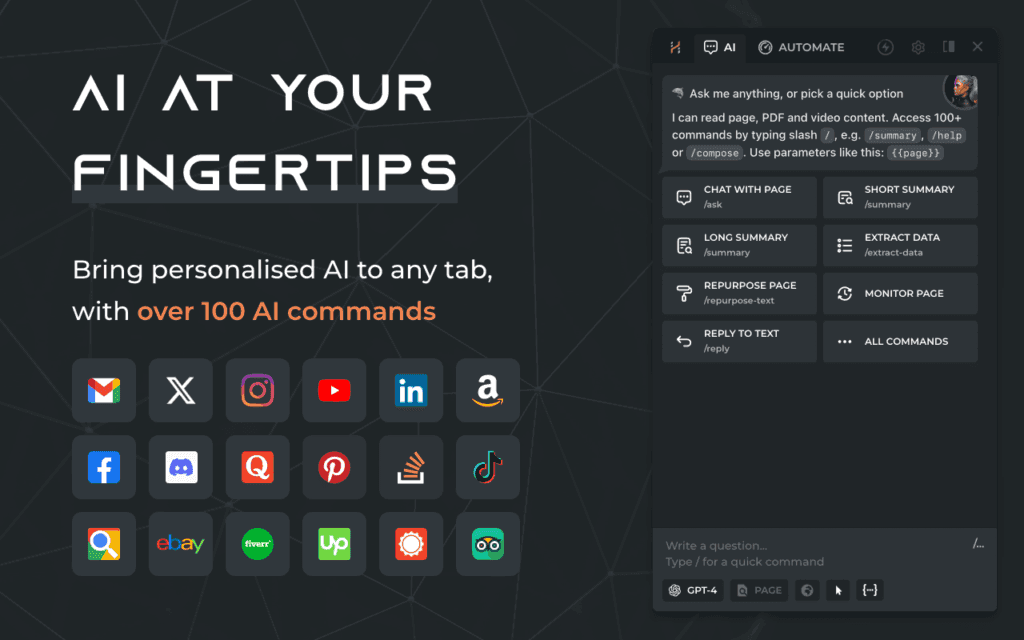
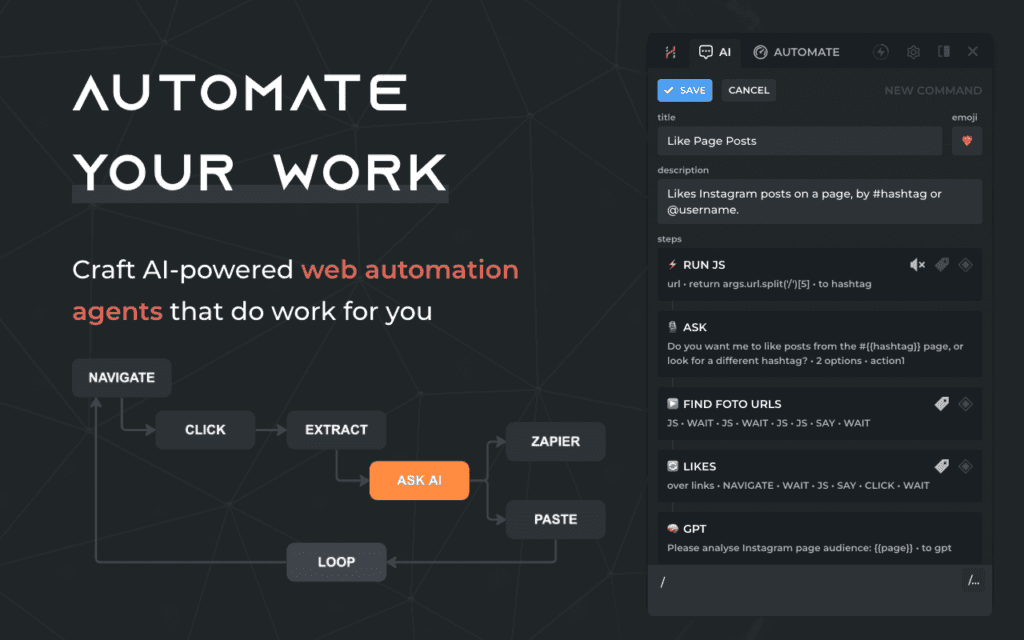
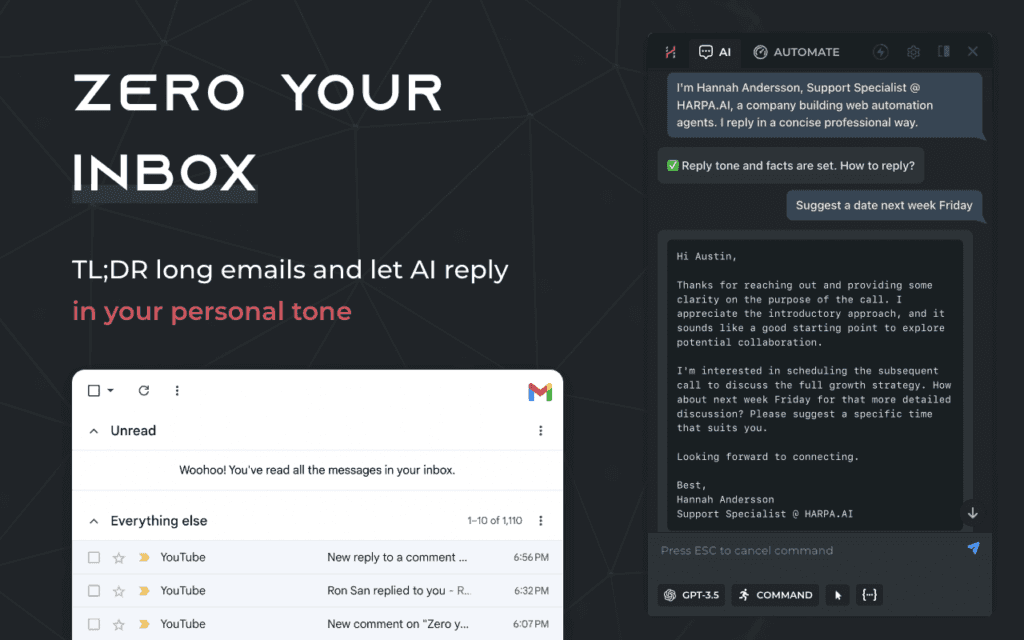
HARPA.AI makes online tasks easier. It can summarize web pages and YouTube videos. It also helps you manage your emails and automates your tasks.
It uses the latest AI technology, like ChatGPT Plus, Anthropic Claude, and Google Gemini, right in your browser.
You can enjoy better productivity with AI tools that help you search. It offers web automation and web search for different jobs.
HARPA.AI cares about user privacy. It keeps your data safe and makes sure AI is used responsibly.
Check out the free tier or get premium features available in different plans.
Introduction
In today’s fast-paced online world, we want to make the most of the internet. Meet HARPA.AI, an AI helper that can improve your browsing experience. HARPA.AI is a useful tool for your browser. It works well with it and provides many helpful AI features.
What is HARPA.AI?
HARPA.AI is a handy browser extension that uses AI to help you. It acts like a helper right in your browser. With HARPA.AI, you can read hard articles more easily, make boring tasks automatic, and write emails in Gmail. You can even get details from YouTube videos. The best part is you can do all this without needing to switch to a different page.
HARPA.AI is more than a simple chatbot. It really understands web page content well. It uses powerful language models and the information on the page to provide helpful support, including on Discord. With its mix of AI features and browser tools, HARPA.AI is a great tool for boosting online productivity.
HARPA.AI | Automation Agent with OpenAI ChatGPT, Anthropic Claude & Google Gemini
OpenAI’s ChatGPT, Anthropic Claude, and Google Gemini work well with HARPA.AI to improve automation. HARPA.AI acts like an AI assistant that changes how you finish your tasks. It helps you create content for web pages, YouTube videos, and blog entries. With HARPA.AI, making content is easier. It is a useful tool for managing your work. It uses generative AI to make hard tasks simpler and improve the experience for users. Try HARPA.AI and see how it can help you manage tasks with ease and efficiency.
Use Cases
The uses of HARPA.AI are endless. It can assist you with several needs and make many tasks easier. Here’s how HARPA.AI can enhance your online experience:
Easy Content Creation: HARPA.AI helps you write blog posts and marketing text quickly and accurately.
Quick Research: With HARPA.AI, you can find key information fast from long web pages and research papers.
Email and Communication: HARPA.AI helps you create professional emails, reply automatically, and keep your inbox tidy.
Unveiling HARPA AI: A New Era of Chrome Browser Assistance
HARPA.AI provides a new way to assist people who search the internet. It uses AI technology to link users to the information they need. This tool is designed for students, researchers, marketers, and business professionals. HARPA.AI helps users search the web easily and boosts their productivity.
The Genesis of HARPA AI: Bridging the Digital Divide
Finding information is simple with HARPA.AI. This tool helps close the gap in the digital world. It is a dependable helper in our fast-paced, information-filled lives. With HARPA.AI, it is easy to explore the online space with confidence.
HARPA.AI offers simple tools that anyone can use. It has a friendly design that helps people with all tech skills feel comfortable while using it. HARPA AI wants to provide strong tools to everyone, no matter how much they know about technology.
How HARPA is Revolutionizing Online Navigation and Tasks
Using HARPA.AI changes how we use the internet. It makes it easier to find things and helps with boring tasks. With HARPA.AI, you can read long articles quickly and get key details from web pages. A few clicks let you create reports easily.
HARPA.AI changes the way you automate tasks. It can check web pages for updates, follow prices, and fill out forms for you. This helps you save time and energy. You can focus on what matters more. HARPA.AI is easy to add to your work routine. It is a useful tool in our busy digital world.
Diving Deep into HARPA.AI’s Feature Set
HARPA AI offers more than just its key features. It gives you several tools to improve your experience. You can enjoy simple web browsing and smart search choices. It also has automation tools and options to personalize what you see. With HARPA.AI, there is something unique for each person.
Streamlined Web Browsing and Data Management
Imagine a world where you can check web pages easily. You can understand the main ideas quickly. You can also find helpful facts without any problems. HARPA AI offers tools to help you do this on any webpage.
With just a few clicks, you can make long articles shorter. You can also find important points in research papers and PDF files. Moreover, you can change tricky web page content into simple bullet points. HARPA AI is unique because it understands the meaning of web pages in context. Regular browsing tools cannot do this.
Advanced AI-Powered Search Capabilities
Use HARPA AI with popular search engines like Google Search. It helps you search faster and more accurately. HARPA AI does more than just find keywords. It understands what you mean and the context of your search. This lets it provide results that really matter.
Feature
Description
AI-Powered Query Understanding
HARPA.AI understands what you are searching for. It improves your queries to be more accurate.
Contextual Search Results
Get results that match closely with the content of the web page you are looking at.
Hallucination-Free Responses
HARPA AI focuses on giving correct information. It also provides references and checks sources to fight against misinformation.
The Bright Side: Advantages of Integrating HARPA AI
The benefits of using HARPA AI in your daily online life are many. Users feel they get a big boost in how much they can get done. They have a smoother and better time when they browse the internet. Also, they can reach new levels of efficiency.
Enhanced Productivity and Efficiency for Users
HARPA AI makes your work easier. It works like your AI helper and can do tasks on its own. This helps you save time. You can use that time to focus on what is most important.
You can use the HARPA AI app to reply to emails easily. It can handle your social media, like LinkedIn, X (formerly Twitter), Instagram etc. It can also create content and collect data without difficulty. HARPA AI helps you work faster. This means you can achieve more in a shorter time. It’s a useful chat assistant. Just think about how much time you could save in your busy day with this smart AI assistant.
Cutting-Edge AI Technology at Your Fingertips
Get the latest news in natural language processing, machine learning, and deep learning with HARPA AI. These technologies improve your online experience. They work together to make your browsing easier and more fun.
HARPA AI stands out because it focuses on the user. You don’t have to be an expert to use this smart AI tool. Its easy design makes HARPA AI simple to use for anyone. You can enjoy everything it offers, no matter your tech skills.
Sector-Specific Customization
Customization of HARPA AI goes beyond just general uses. It is designed to fit the unique needs of different industries. By using its generative AI skills, HARPA.AI can be made to suit various sectors’ requirements. This industry-focused way of working helps businesses make their operations better with tailored solutions. Whether it’s changing the AI to meet SEO needs for websites or connecting with tools specific to certain fields, HARPA AI provides a flexible setup for smooth use and better results.
Considering the Flip Side: Disadvantages of HARPA AI
The benefits of HARPA AI are many. But we should examine this new technology closely. Some users may be concerned about data privacy. They might also feel unsure about how to learn and use HARPA AI in their daily activities.
Navigating Potential Privacy Concerns
When people use AI, they may feel anxious about their data privacy. HARPA AI knows this and cares about your privacy. The HARPA AI team works hard to keep your information safe. They use AI properly and make sure your data is secure.
Your privacy is important to HARPA AI. They process your data right on your device. This makes it harder for anyone who shouldn’t access it. The developers provide clear information about how they manage your data. You can easily understand their actions regarding your data.
Compatibility and Learning Curve Considerations
Using HARPA.AI is similar to other smart software. You might need to spend some time learning how to use it. Still, the creators worked hard to make it easy for you.
The Google Chrome and Microsoft Edge browsers work great with HARPA.AI. This makes it simple for users to move back and forth between the two. The design of the interface is clean and neat. It still looks good, even after a long time of use.
Pricing Plans
HARPA.AI provides several pricing plans to meet the needs of different users. If you are an individual wanting basic features, or a business needing advanced tools, HARPA.AI has options for you. Their pricing is fair, and the billing system is clear. This makes it simple for users to select a plan that works for their budget.
HARPA AI aims to give users good value for their money. It offers regular updates and very good customer support. This helps users get the most from their investment. When you compare HARPA.AI to other AI tools, it stands out because it is affordable. It does not compromise on quality.
HARPA.AI has received a lot of positive reviews from users. They value its great support and how well it works with web browsers. A key feature is its speed in navigating web pages and using AI for different tasks. Many people also like the simple interface and helpful support from HARPA AI, which improves their online experience. Overall, users feel cheerful about HARPA AI for its smart ideas and useful tools in web browsing.
Conclusion
Subscribe to HARPA.AI now to enhance your internet browsing! It has smart features that help you surf the web easily. You can use AI search and tools that improve your productivity. HARPA AI is a helpful assistant for your browser. It helps you explore the web while keeping your privacy safe. Enjoy new technology with HARPA AI today. Sign up now for a better online experience!
Frequently Asked Questions
Is HARPA.AI free?
HARPA.AI has a free version. This lets you use its main features easily. If you need more advanced tools and unlimited access, check out their affordable premium plans on their homepage.
How does HARPA.AI ensure user privacy and data security?
User privacy is very important to HARPA.AI. They use strong encryption and security measures to keep data safe. HARPA.AI strictly follows rules to protect user information.
Can HARPA.AI be customized for specific industries or businesses?
Yes, HARPA.AI can be tailored for various industries and businesses. It uses tools from ChatGPT, Anthropic Claude, and Google Gemini. By adjusting the assistant to meet specific needs, it can work better in several areas.
Is it compatible with all web browsers?
HARPA AI is now an extension for Google Chrome. It works well in the Chrome browser. You can also try it on Microsoft Edge, but it’s not fully supported yet. The team is looking for ways to make it work on other popular browsers too.
Recraft V3 is a revolutionary AI model and image generator that promises top-notch quality and customization. Does it live up to these claims? Find out as we review its key features and performance.
Key Takeaways
Recraft V3 is an AI image generation model that offers exceptional image quality, customization, and user control, catering to a diverse audience of over 1.5 million users globally.
The platform provides an intuitive interface with robust collaboration tools, allowing teams and individual designers to create high-quality visuals efficiently, while also offering extensive export options that cater to the needs of a professional designer.
Despite some minor text inaccuracies, Recraft V3 excels in speed and realism, positioned as a cost-effective alternative to competitors like DALL-E and MidJourney, with a pricing structure that enhances its value for both casual and professional users.
Table of Contents
Introduction to Recraft V3
Recraft V3 – AI Image Generator
The latest iteration of the Recraft AI image generation tool, known as Recraft V3, is celebrated for its extensive adoption by over 1.5 million users across the globe. Promoted as a premier option for crafting high-quality images, this new recraft model touts unparalleled options for customization and enhanced user control capabilities. It has secured a leading position in various benchmarks, which testifies to its capability in producing top-notch image quality.
With a focus on enhancing the user experience, Recraft V3 sets out to empower users with superior control over their AI-generated images. It can generate images with high detail and quality across various complex prompts, making it suitable for commercial use and ranking performance on leaderboards. But can it fulfill these ambitious promises?
Our evaluation will put these claims under scrutiny to determine if Recraft V3 truly revolutionizes the design landscape and adheres to its lofty aspirations. Keep an eye out as we delve into the features offered by this model, assess its performance levels and weigh up its overall worthiness within the realm of AI image generation tools.
Winning AI image generation quality benchmarks
Recraft v3 sets new standards in the production of image. Recraft V3 has recently taken part in Artificial Analysis leading text-image modelling competition (As of November 2024). It was ranked number 1 in ELO 1172. Recraft is now producing quality better than those from Midjourney, FLUX and many other image generation firms. Machine learning leaders have been developed by analyzing data from a variety of datasets to evaluate performance and compare them with the performance for different tasks and sets.
Target Audience for Recraft V3
Recraft V3 serves a vast array of over 1.5 million users hailing from approximately 200 nations, and it owes its widespread popularity to the platform’s ability to produce images fit for commercial use. This aspect is highly beneficial for pro designers across various work environments, including freelancers, agencies, and expansive design teams—offering them an array of tools that can significantly enhance their creative output.
Structured with both complimentary and premium options, Recraft V3 ensures accessibility to its extensive suite of AI image editing tools for both novice users and experienced designers. The model promotes collaborative efforts among team members by providing features that allow shared access to projects as well as facilitating instantaneous feedback—an essential component in refining design processes.
For developers looking to embed sophisticated image generation capabilities into their own software offerings. Recraft provides an API tailor-made for such integration—a boon particularly advantageous for marketers and content producers who aim at crafting eye-catching visual materials efficiently. In essence, Recraft V3 has been crafted with consideration towards satisfying a spectrum ranging from individual artists up to major corporations’ needs.
Getting Started with Recraft V3
Embarking on the journey of creating vivid images with Recraft V3 is a hassle-free experience, designed to enable users to rapidly engage in image generation. One initiates by selecting Recraft V3 from the list of available models. To unlock access to all its creative features, users simply register or log into the system.
To generate an image, participants articulate their vision for the picture they want created, specifying aspects like style, subject matter, color schemes and distinctive features. With these details provided as input through a prompt and once ‘Generate AI image’ is clicked, Recraft V3 utilizes AI technology via an AI image generator for swift production of high-resolution visuals. This empowers convenient exploration across different prompts and adjustments enabling dynamic images creation.
After the platform has produced an initial visual piece using AI generation techniques, content creators have opportunities to tailor settings according to their specialized preferences—altering size,color variation, and other variables are among those modifiable attributes.The user-friendly design makes it accessible even to novices within the field of imagine manipulation ensuring that process reconfiguring generated results remains smooth outcome enhancing activities.
Tools and Requirements
Recraft V3 – Generative AI Images Tools
For optimal functionality, a stable internet connection is crucial since Recraft V3 functions on both desktop and mobile platforms. It has been developed to provide easy access whether you are using a computer or mobile devices including those powered by iOS or Android.
The refreshed version of the model introduces an array of export possibilities, enabling users to save their work in formats like SVG, PNG, and JPG based on what best aligns with their requirements. The addition of advanced features such as vector art image generation and a comprehensive assortment of AI-powered editing tools increases its adaptability for vector image generation.
Recraft V3 is designed to facilitate various design endeavors owing to its device compatibility range and multiplicity of export choices. Designers can leverage this toolset for crafting and disseminating high-fidelity images across different mediums.
Recraft V3’s design platform is laden with advanced features while remaining accessible, though mastering its capabilities may require some dedication from professional designers. The time spent learning the system pays off due to Recraft V3’s emphasis on intuitive user experiences that cater equally to novices and experts in design.
Its array of tools for refining custom styles without having to retrain the model offers creative freedom for testing various visual themes. Recraft V3 enhances this versatility by incorporating sophisticated options such as color modification and background elimination, which are essential for producing refined, professional-looking designs.
Collaborative efforts are made seamless through real-time interaction within the platform – a feature particularly beneficial during an iterative design process. Professional designers can effectively collaborate, share their creations instantly, and receive prompt feedback. Precision in text sizing and placement contributes to making navigation straightforward throughout the image creation journey.
Lastly, Recraft V3 provides diverse models including photo-realistic images and generate vector art selections among its image templates. This wide-ranging support accommodates different aesthetic preferences allowing creators to generate visuals that precisely match their intended style—be it highly detailed realism or abstract vector illustrations.
Customization Features
Recraft V3 excels at customization, granting users precise control over the integration of text into their designs. This model is particularly effective for elaborate projects that require careful attention to where and how text appears. By manipulating various attributes such as size, location, and style of the text, users can tailor each design to meet specific needs. Designers benefit immensely from this granular level of personalization when tackling intricate tasks.
The platform empowers designers by allowing them to upload reference images that help ensure consistency with brand identity across all their creations. The ability to refine image proportions and aspect ratios offers additional ways for users to customize their work on Recraft V3. Thus enabling a distinctive branding approach while ensuring visual harmony throughout different endeavors.
Recraft V3 is adept at crafting detailed scenes with precision management over elements like quantity, color schemes, and spatial arrangement within an image. These functionalities render it an invaluable resource for designers aiming to produce sophisticated graphics filled with complexity and aesthetic appeal.
Material and Durability
Recraft V3 accommodates the use of both vector and raster image formats, giving designers the flexibility to select the ideal format for their unique project requirements. Downloads in high-resolution are offered, pivotal for tasks that demand images with clarity and intricate detail.
When considering printing designs, it is essential to acknowledge that the longevity of printed visuals heavily relies on the caliber of paper and ink employed. By opting for appropriate materials, designers can guarantee that their printed images preserve their integrity over an extended period. This makes Recraft V3 a dependable option when aiming to produce enduring graphics.
Image Quality and Realism
Recraft V3 – Photorealistic AI Image Generation
The exceptional image generation capabilities of Recraft V3 have earned it a prominent position on Hugging Face’s Text-to-Image Benchmark and Artificial Analysis (As of November 2024). Users heap praise on the model for producing images with extraordinary realism and attention to detail, underlining its dominance in terms of performance quality.
In the realm of generating hyper-realistic AI images, Recraft V3 has managed to eclipse other existing models by delivering superior image quality and lifelike results. Despite infrequent minor lapses in text representation, the overall visual fidelity produced by this new model remains impressively high-grade. This emphasis on intricate details positions it as an ideal tool for designers who aim to generate visually captivating content.
Feedback from users reinforces that despite sporadic textual discrepancies, Recraft V3’s output is visually compelling due to its fine-tuning towards anatomical precision—ensuring realistic proportions and spatial integrity within generated images. Such meticulousness plays a significant role in crafting top-tier visuals.
In summation, what sets Recraft V3 apart is not just its outstanding AI-generated image clarity but also its commitment to achieving realism and accurate anatomical depiction—a claim backed up by developer assertions. Benchmarked through community-driven evaluations where it outshines rivals such as DALL-E 3 and Midjourney, Recraft V3 proves itself as a leading figurehead in the sphere of AI-powered text-to-image creation processes.
Speed and Efficiency
Recraft V3 is capable of creating images in a mere 15 seconds, offering an effective solution for designers seeking swift graphic outputs. The ability to produce quality graphics quickly is particularly advantageous for those who need immediate results without sacrificing the integrity of their designs. Recraft V3’s image creation pace is notably quicker than that of its rival DALL-E 3, which takes approximately double the time at around 7 seconds per image.
Despite its rapid production capabilities, Recraft V3 places a significant emphasis on maintaining high-quality output, which may cause it to take slightly longer compared to others that prioritize speed above all else. Nevertheless, this compromise between meticulousness and promptness serves well for endeavors where detailed imagery is essential but urgency isn’t paramount.
For assignments necessitating extensive detail work, Recraft V3 optimizes rendering speeds effectively even if it doesn’t lead the pack in velocity among similar tools. Designers who value the aesthetic excellence of their images over quick generation rates will find this balance agreeable and suitable for their needs.
Handling Complex Scenarios
Recraft V3 excels in producing precise and attractive renderings of every component, an essential feature for dealing with complex scenes. It demonstrates its remarkable talent in controlling a multitude of elements accurately, whether the task involves creating a vibrant urban environment or executing an elaborate interior design.
When applied to situations mirroring real life, Recraft V3 showcases its proficiency in navigating through complex scenes. Despite facing minor hurdles like sporadic textual errors, these do not detract from its adeptness at fabricating detailed and aesthetically pleasing designs.
Overall Value and Cost-Benefit Analysis
Recraft V3 has structured its pricing to accommodate the varying needs of users, ranging from those who use it occasionally to professionals. The cost for producing 100 images is only $4.00, which may be more cost-effective than other options available on the market. Despite this affordability, Recraft V3 maintains a high standard in image generation quality and consistently surpasses prominent competitors such as MidJourney and OpenAI.
As an alternative to DALL-E that stands out for its exceptional image quality and versatile customization features, Recraft V3 has garnered acclaim among design professionals who require precise raster and vector images coupled with expansive editing capabilities that allow greater creative freedom.
In summary, Recraft V3 melds reasonable pricing with superior performance metrics effectively. Offering a breadth of comprehensive features along with diverse customization possibilities renders it an indispensable asset for designers intent on advancing their work’s caliber through enhanced tools designed specifically for top-quality image generation.
Summary
In essence, Recraft V3 emerges as a formidable tool in the realm of image generation, fulfilling its pledges adeptly. Boasting sophisticated features and superior image quality alongside an array of personalization possibilities, it establishes a fresh benchmark within the domain of AI-powered design instruments. It provides professional designers and artistic aficionados alike with enhanced tools and capabilities to elevate their creations.
We invite you to delve into the experience that is Recraft V3, tapping into its impressive capacity directly. Its synthesis of cost-effectiveness, high-caliber output, and adaptability renders it an excellent acquisition for individuals dedicated to advancing their design aspirations.
Frequently Asked Questions
What is Recraft V3 known for in comparison to DALL-E?
For designers seeking a leading alternative to DALL-E 3, Recraft V3 stands out with its exceptional image quality and broad range of customization options.
What unique feature does Recraft V3 offer regarding text in images?
Recraft V3 uniquely enables image generation with text of any size and length, providing significant flexibility that sets it apart from other models.
What are the main advantages of using DALL-E 3?
DALL-E 3 offers high-quality image generation, seamless integration with ChatGPT for enhanced text interpretation, and is invaluable for ideation and marketing purposes.
What are the disadvantages of using DALL-E 3?
DALL-E 3 offers limited customization tools and exhibits lower text-to-image quality compared to other platforms such as Recraft V3. These constraints may affect the user experience and the quality of generated content.
How many creators use Recraft, and how many images have been generated on the platform?
Recraft boasts over 1.5 million creators from 200 countries, having generated more than 200 million images on the platform.
The global AI market is set to grow by 33% in 2024. This is a big change in how we work and innovate1. As I explore ai tools, I’m amazed by how fast they’re changing.
There are many new solutions in ai productivity. Tools like ChatGPT and Claude are making a big difference in our work1. Microsoft’s Bing AI is another example of the ongoing innovation in this field1.
What’s exciting is the variety of ai tools out there. With over 270 tools in the AI app database and more coming, the industry is booming1. Tools like Jasper and Descript are changing how we work in many areas.
The latest ai news shows how these tools are affecting different industries. For example, Qualifier.ai is making lead generation easier, and Apollo.io is improving CRM data with AI2. Drift and NICE CXone SmartAssist are also changing customer service with AI chatbots2.
These ai tools are not just making us work better. They’re also changing industries and creating new jobs. While AI might replace some jobs, it’s expected to create 97 million new ones by 20251.
Key Takeaways
Global AI market projected to grow 33% year-over-year in 2024
Over 270 AI tools in the market, with continuous growth
AI chatbots like ChatGPT and Claude leading innovation
Diverse AI tools catering to content creation, writing, and video production
AI tools transforming customer service and sales processes
AI expected to create more jobs than it displaces by 2025
Continuous innovation driving the evolution of AI productivity tools
The Rise of AI in 2024: Market Growth and Adoption
The AI world is changing fast, with big growth and more use in different fields. In 2024, AI is being used more than ever, changing how businesses work and the market.
Global AI Market Expansion
The AI market is growing fast. It’s expected to hit $407 billion by 2027, up from $86.9 billion in 2022. This growth is thanks to a 37.3% annual increase from 2023 to 20303.
AI is also expected to boost the United States GDP by 21% by 20303.
Widespread AI Adoption in Businesses
Companies are quickly adopting AI. Now, 65% of businesses use generative AI in at least one area, up from last year4. This is not just in one area, as 50% use AI in two or more areas4.
There’s a lot of excitement about AI. About 67% of companies plan to spend more on AI in the next three years4. This shows they see AI as a way to make things more efficient, with 64% believing it will improve productivity3.
AI’s Impact on the Job Market
AI brings many benefits but also worries about job loss. It’s estimated AI could replace 400 million jobs by 20303. But, it’s not all bad news. AI is also expected to create 97 million new jobs, showing a big change in the job market3.
The growth of AI in 2024 is impressive. It’s changing the job market and how businesses operate. As AI keeps getting better, we’ll see even more changes in how we work and businesses run.
Revolutionizing Content Creation with AI Tools
AI tools are changing how we create content, making it faster and more innovative. As an ai writer, I’ve seen how these technologies are changing our work. They help us make content that grabs people’s attention.
More and more, AI is being used in content strategies. A huge 100% of digital marketing agencies now use AI in their work5. This shows how valuable these tools are.
Platforms like Jasper and Copy.ai are great helpers in writing. They use smart language models to create top-notch content, from ads to blog posts. These tools save a lot of time and boost creativity, helping us come up with new ideas56.
Text analytics is key in making content findable online. AI looks at lots of user data to make content that fits each person’s needs5. This means content can change in real-time, keeping it fresh and interesting.
“Combining AI with human creativity in content creation can result in faster content production and higher quality while being cost-effective.”6
But, there are still issues to solve. The quality of AI content and bias in algorithms are big concerns5. Yet, as AI gets better, it will change content creation even more. It will make content more interactive and fun.
In this AI world, mixing human creativity with machine speed will shape content’s future. The goal is to use AI to make our work better, not replace it. This way, we can keep making stories that captivate and engage.
AI Tools Transforming Customer Service and Support
AI is changing customer service in big ways. It brings new solutions that make things more efficient and satisfying for customers. Let’s see how AI tools are changing customer support.
24/7 Availability and Instant Response Times
AI chatbots and conversational ai systems offer non-stop support. They handle simple questions, making responses quicker and keeping customers happy. In fact, 72% of people will stick with a company that responds fast7.
AI assistants can also make support agents 14% more productive. This lets them tackle harder problems7.
Personalized Customer Interactions at Scale
AI tools are great at making experiences personal. They use sentiment analysis to understand how customers feel. This helps support teams give more personalized answers.
More than two-thirds of CX organizations think AI makes customer service feel more human. This builds loyalty8.
AI Tool
Key Feature
Benefit
Chatbots
24/7 Availability
Instant responses to FAQs
Sentiment Analysis
Emotion Recognition
Improved customer experience
AI Writing Assistants
Language Models
Faster response drafting
Seamless Integration with Existing Systems
AI tools work well with current customer service systems. They automate tasks like directing conversations and tagging tickets. This makes things more efficient, with some AI agents handling up to 80 percent of interactions8.
Using AI in customer service can make responses faster, interactions more personal, and operations smoother. As AI gets better, we’ll see even more ways to improve customer support.
Cutting-Edge AI Tools for Business Intelligence and Analytics
AI tools are now key in today’s fast work world. They help with tasks like email management, data analysis, and content creation9. These tools change how businesses get smart and analyze data, using machine learning and automation.
Platforms like Salesforce Einstein help with customer management through predictive analytics and personalized tips9. Microsoft Power BI gives insights for data visualization in business analytics9. These tools show how AI changes decision-making and improves operations.
Text analytics has also improved a lot. Grammarly helps with grammar and style in writing, and Otter.ai saves time by transcribing meetings9. These AI solutions are key for businesses wanting to work better and stay ahead.
Choosing AI tools for business intelligence needs careful thought. Look at scalability, integration ease, and cost10. The right tool can help automate tasks, cut down on mistakes, and improve decision-making.
AI Tool
Primary Function
Key Benefit
Salesforce Einstein
CRM Analytics
Predictive insights
Microsoft Power BI
Data Visualization
Actionable reporting
IBM Watson
Natural Language Processing
Intelligent applications
Databox
Business Analytics
Real-time insights
In the future, I see more automation, personalization, and collaboration tools9. AI in business intelligence will focus on ethical practices and better data analytics. This will help businesses make better decisions.
Conclusion: The Future of AI Tools and Their Impact on Industries
The future of AI tools looks very promising. The global AI market is expected to grow by 33% every year until 2024. This growth is seen in how AI is being used in many different fields. Already, 42% of big companies are using AI, and 40% are thinking about it11.
AI is changing industries in big ways. In the US, 5% of businesses use AI, but the Information sector leads with 18%. Marketing and data analytics are becoming key uses of AI, with 41% of North Carolina businesses planning to use AI for marketing12. These tools are changing how companies talk to customers and analyze data, making business more personal and efficient.
The healthcare industry is also seeing big changes thanks to AI. In 2022, the global AI market in healthcare was $15.4 billion. AI is helping make diagnoses better and making administrative tasks easier, improving patient care and making healthcare more efficient13.
As AI gets better, we’ll see more advanced speech recognition and news platforms. These tools will make work more productive and create new jobs. But, we need to keep learning and adapting to use AI well. This way, humans and machines can work together in this new tech era.
FAQ
Which are the most innovative AI tools in 2024?
In 2024, the top AI tools include ChatGPT by OpenAI and Claude by Anthropic. Also, Bing AI (Microsoft Copilot) and Zapier Central are leading the way. They help with content creation, managing tasks, and automating processes.
What is the projected growth rate of the global AI market in 2024?
The global AI market is expected to grow by 33% each year in 2024.
What percentage of companies are using or exploring AI?
About 77% of companies are either using AI or looking into it.
How will AI impact the job market?
AI might replace around 85 million jobs by 2025. But, it’s also expected to create 97 million new jobs.
What are some AI tools revolutionizing content creation?
Tools like Jasper, Copy.ai, and Anyword use advanced language models. They make high-quality content quickly, saving time and effort.
How are AI tools transforming customer service and support?
AI tools like Drift and NICE CXone SmartAssist are always available. They respond instantly and offer personalized interactions at scale. They also work well with current systems.
What are the benefits of AI tools for business intelligence and analytics?
AI analytics tools can handle huge data sets quickly. They find patterns and insights faster than old methods. This helps businesses make smart decisions and improve their processes.
What is the future outlook for AI tools?
The future of AI tools looks bright. They will keep getting better in natural language processing, machine learning, and automation. AI tools will become more advanced, leading to greater productivity and changing industries.