Stay ahead of the curve with the latest Technology & Innovation. This section covers everything from artificial intelligence and smart automation tools to cutting-edge gadgets and powerful hardware. Dive into the world of modern software solutions and discover how they are transforming both everyday life and the professional landscape. Explore the digital revolution with in-depth insights into the ever-evolving tech world.
Ever felt like you have a powerful message to share but struggle to create professional-quality videos? You’re not alone. InVideo AI is a revolutionary browser-based platform that turns your text prompts into fully produced videos, attracting over 25 million users across 190 countries with its powerful AI-driven features [1]. It’s designed to help you create everything from social media ads and explainer videos to full-length YouTube content, all without needing any video editing experience.
This guide will show you how InVideo AI works and why it might be the perfect solution for your video creation needs. You’ll discover its most powerful features, see how it compares to other tools, and get actionable tips to start creating videos that captivate your audience.
What is InVideo AI and Why Should You Care?
InVideo AI is an all-in-one video creation platform that uses artificial intelligence to turn your text prompts into fully produced videos. Think of it as a virtual video production team that handles everything from scriptwriting and scene creation to voiceovers and background music. Unlike traditional video editors that require you to manually piece everything together, InVideo AI automates the entire process, allowing you to create professional-quality videos in minutes.
So, why is it gaining so much traction? Because it democratizes video creation, making it accessible to everyone, regardless of their technical skills or budget. It empowers you to create high-quality videos at scale, saving you time and money.
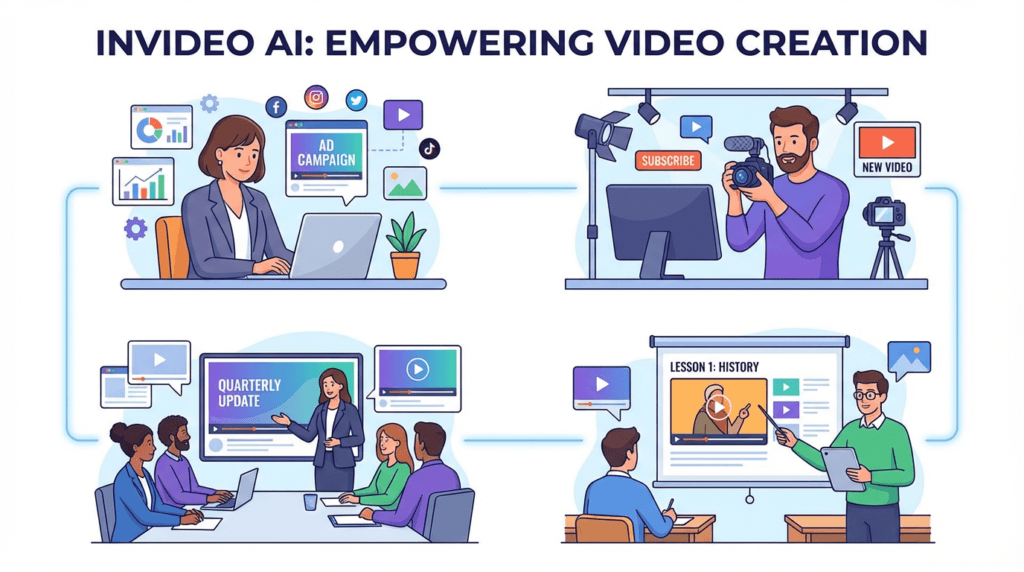
Traditionally, creating a single marketing video could take days or even weeks, involving scriptwriters, voice actors, and video editors. InVideo AI streamlines this entire workflow into a single, intuitive platform. For small business owners, this means you can create compelling video ads for your products without hiring a marketing agency. For content creators, it means you can produce engaging YouTube videos and social media content consistently, growing your audience and your brand.
“I used to spend half a day on a video. Now it’s 30 minutes. Sales doubled once I started creating all my content in Invideo.” – GLD T&C, Marketing Agency [2]
Best Practices: Getting the Most Out of InVideo AI
InVideo AI is packed with powerful features, but knowing which tool to use for your specific goal is key to working efficiently. Instead of a rigid step-by-step process, think of InVideo AI as a creative partner. The best approach is to match the right feature to the right task. This way, you can speed up your workflow and achieve professional results, whether you’re creating a quick social media ad or a detailed tutorial video.
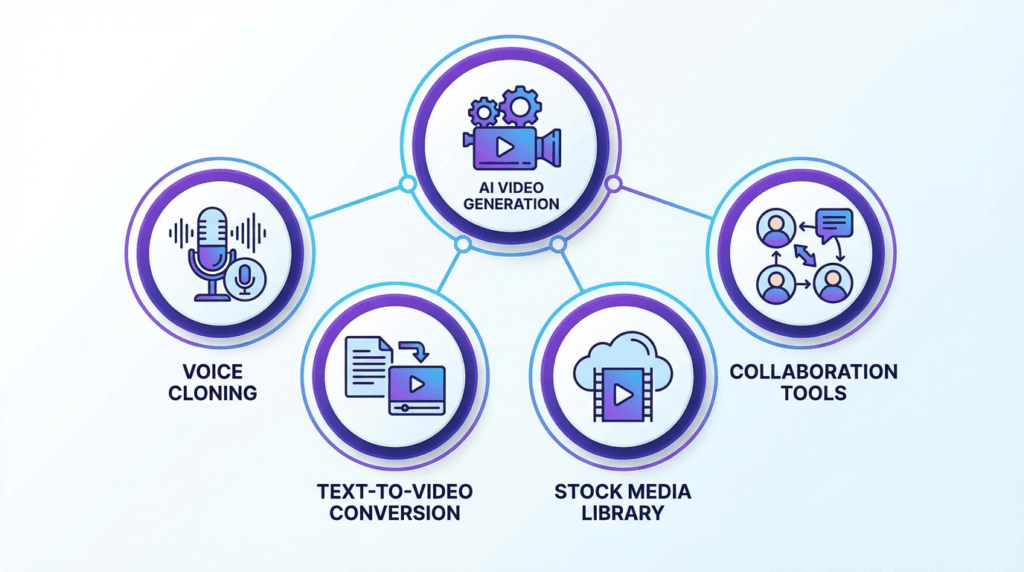
Here’s a breakdown of InVideo AI’s core features and the best way to use them based on your role and desired outcome.
Feature
Who Should Use It (Roles)
For What Outcome
AI Video Generator
Content Creators, Marketers, Educators
To quickly generate complete videos from text prompts, including script, visuals, voiceover, and music.
Advanced AI Effects
Advertisers, Social Media Managers
To create eye-catching videos with cinematic effects like Drip Flip, Car Crash, and Hero Walk.
UGC & Avatars
E-commerce Brands, Marketing Agencies
To create authentic user-generated content style ads and use AI avatars for presentations and tutorials.
Voice Cloning
YouTubers, Corporate Trainers
To create a consistent brand voice across all video content by cloning your own voice for use in AI-generated voiceovers.
AI Colorist & Inpainting
Professional Video Editors, Filmmakers
To perform advanced color correction, remove unwanted objects, and refine video visuals with precision.
Template Library
Beginners, Small Business Owners
To kickstart video projects with thousands of professionally designed templates for various use cases.
Collaboration Tools
Marketing Teams, Design Agencies
To work together on video projects in real-time, share feedback, and manage brand assets in a shared workspace.
Is InVideo AI Good for Beginners?
Absolutely. Its intuitive interface and AI-powered workflow make it one of the best platforms for beginners who want to create high-quality videos without a steep learning curve. The platform guides you through the entire process, from generating a script to selecting visuals and adding a voiceover. You don’t need any prior video editing experience to get started.
Can I Use My Own Voice in the Videos?
Yes! InVideo AI offers voice cloning capabilities, allowing you to create a digital replica of your own voice for use in your videos. This feature is perfect for creators and brands who want to maintain a consistent and personal touch across all their video content. You can record your voice directly in the platform, and the AI will generate a voiceover in your own voice for any script you provide.
How Does InVideo AI Compare to Other AI Video Generators?
InVideo AI stands out in a crowded market with its comprehensive feature set and ease of use. While many tools focus on a single aspect of video creation, InVideo AI offers an end-to-end solution. Here’s a quick comparison with some popular alternatives:
Feature
InVideo AI
Pictory
Synthesia
Core Function
Text-to-video with AI script, visuals, and voiceover
Text-to-video from articles and scripts
AI avatar video generation
Best For
All-in-one video creation for marketers and creators
Turning long-form content into short videos
Corporate training and presentations
Voice Cloning
Yes
No
Yes (with custom avatars)
Stock Media
Extensive library (including iStock)
Yes
Limited
Pricing
Starts at $28/month
Starts at $19/month
Starts at $30/month
Pros of InVideo AI:
All-in-one platform: From script to final video, everything is in one place.
Extensive stock media: Access to a massive library of images, videos, and music.
Advanced AI features: Voice cloning, AI effects, and more.
User-friendly interface: Easy for beginners to get started.
Cons of InVideo AI:
Can be slow to render: Complex videos can take time to process.
Limited control over AI: The AI makes a lot of creative decisions, which may not always align with your vision.
For more details, you can check out our other useful AI Tools articles!
Conclusion: Your Ultimate Video Creation Partner
InVideo AI has successfully established itself as a leader in the AI video generation space. By combining a powerful AI engine with an intuitive user interface and a massive library of assets, it empowers creators of all skill levels to produce high-quality videos at an unprecedented scale.
Whether you’re a marketer looking to create engaging video ads, a content creator aiming to grow your YouTube channel, or a business owner wanting to create professional training videos, InVideo AI provides the tools you need to succeed. It’s more than just a video editor; it’s a complete video creation ecosystem.
Ever felt like you have amazing design ideas but lack the complex software skills to bring them to life? You’re not alone. Many creators, entrepreneurs, and small business owners struggle to produce professional-quality graphics without a design degree or a big budget. What if there was a tool that bridged the gap between easy-to-use apps and powerful, professional software?
That’s where Kittl comes in. This browser-based design platform has been making waves, attracting over 8.7 million users with its unique blend of intuitive tools, stunning templates, and powerful AI features [1]. It’s built to help you create everything from t-shirts and logos to social media posts and intricate illustrations, all without the steep learning curve of traditional design software.
In this guide, we’ll take a close into what Kittl is, how its AI works, and why it might just be the game-changing tool your creative workflow has been missing. You’ll learn how to leverage its most powerful features, see how it stacks up against competitors, and get actionable tips to start creating designs that stand out.
What is Kittl and Why Should You Care?
Kittl is an all-in-one design platform that runs directly in your browser. Think of it as a powerful studio that combines the ease of a template-based editor with the advanced capabilities of professional design software. Unlike tools that are either too simple or too complex, Kittl strikes a perfect balance, making it ideal for both beginners and experienced designers.
So, why is it getting so much attention? Because it solves a major problem: it makes high-end design accessible to everyone.
Traditionally, creating detailed, artistic designs required mastering complex programs like Adobe Illustrator. Kittl simplifies this with features like one-click text effects, a massive library of ready-to-use templates, and advanced typography controls that let you create stunning visuals in minutes, not hours. For small business owners, this means you can create a professional logo for your brand without hiring a designer. For print-on-demand sellers, it means you can produce trendy, high-quality t-shirt designs that actually sell.
“Finally, an easy-to-use graphic design software that offers high-quality downloads, graphics, and fonts with a commercial license for our products and clear licensing terms! With Kittl’s super customizable features, it has been my go-to platform for creating all the designs for my business.” – Sandra Di, Etsy Seller & YouTuber [2]
Best Practices: Getting the Most Out of Kittl
Kittl is packed with powerful features, but knowing which tool to use for your specific goal is key to working efficiently. Instead of a rigid step-by-step process, think of Kittl as a creative toolbox. The best approach is to match the right tool to the right job. This way, you can speed up your workflow and achieve professional results, whether you’re designing a logo, creating merchandise, or launching a marketing campaign.
Here’s a breakdown of Kittl’s core features and the best way to use them based on your role and desired outcome.
To quickly generate unique graphics, illustrations, and photos for social media, blog posts, or merchandise when you don’t have stock photos.
Advanced Text Effects
Brand Designers, T-Shirt Creators, Logo Designers
To create stunning, professional-grade typography with vintage effects, intricate decorations, and realistic textures that make logos and apparel stand out.
AI Vectorizer
Print Designers, Merch Sellers, Professional Designers
To convert any raster image (like a JPG or PNG) into a scalable vector graphic (SVG, PDF) for high-quality printing on apparel, banners, or any physical product.
Mockup Generator
E-commerce Owners, Freelancers, Marketers
To instantly visualize designs on real products like t-shirts, mugs, and posters. Perfect for creating product listings or presenting concepts to clients.
Background Remover
Social Media Managers, Product Photographers, Web Designers
To create clean, professional-looking product images or headshots by instantly removing distracting backgrounds with a single click.
Template Library
Beginners, Small Business Owners, Anyone on a Deadline
To kickstart any design project—from logos to social posts—with thousands of fully customizable, professional templates, saving hours of work.
To work together on designs in real-time, share feedback directly on the canvas, and manage brand assets in a shared workspace for seamless project delivery.
Kittl FAQs
Here are answers to some of the most common questions people ask about Kittl:
Is Kittl good for beginners? Absolutely. While it offers professional-grade tools, its intuitive interface and vast template library make it one of the best platforms for beginners who want to create high-quality designs.
Can I use Kittl for print-on-demand? Yes! Kittl is a favorite among print-on-demand sellers because it supports vector exports (SVG, PDF) and provides a commercial license with its paid plans, allowing you to sell your designs on products.
How does Kittl compare to Canva? Kittl offers more advanced typography and illustration tools, making it better for artistic and detailed designs. Canva is more focused on quick social media graphics and presentations. If you want more creative control, especially with text, Kittl is the stronger choice.
Conclusion: Your New Creative Powerhouse
Kittl has successfully carved out a unique space in the crowded world of design software. By blending powerful AI features with an intuitive editor and a rich asset library, it empowers creators of all skill levels to produce stunning, professional-grade work.
Whether you’re a small business owner designing your first logo, a content creator looking to elevate your visuals, or a print-on-demand seller aiming to create best-selling products, Kittl provides the tools you need to succeed. It’s more than just a design tool; it’s a complete creative ecosystem.
You’ve probably heard the term “automatedsd customer support,” and maybe it conjures up images of clunky, unhelpful robots. Let’s clear the air on what it really is.
Think of it less as a replacement for your team and more as an incredibly efficient digital assistant. It’s all about freeing up your best people from the repetitive, low-level tasks so they can focus on solving the complex problems that actually require a human touch.
What Automated Customer Support Really Means
At its heart, automated customer support is a strategic partnership between technology and your human agents. It’s not about building a wall between you and your customers. Quite the opposite—it’s about intelligently delegating tasks to the right resource at the right time.
Here’s a better way to think about it: imagine your support team is a group of world-class chefs. Right now, they might be spending half their day just chopping vegetables and washing dishes. It’s necessary work, but it doesn’t require their unique talent.
Automation is like installing a professional-grade food processor and an industrial dishwasher in their kitchen. Suddenly, your chefs are free to do what they do best: create amazing, complex dishes that customers will rave about. This is exactly what automation does for your support team.
Core Functions Prime for Automation
So, what kind of “vegetable chopping” can you hand off to automation? The system shines when dealing with high-volume, low-complexity tasks that follow predictable patterns. This lets your skilled agents handle the nuanced “why” and “how” questions that build real customer loyalty.
Some of the most common functions handed over to automation include:
Answering Frequent Questions: Instantly resolving common inquiries like “Where is my order?” or “What are your business hours?” using chatbots or interactive voice response (IVR).
Intelligent Ticket Routing: Automatically analyzing an incoming ticket to figure out what it’s about and who should handle it, sending it to the right agent or department without any manual sorting.
Self-Service Portals: Giving customers the power to find their own answers through comprehensive knowledge bases, FAQs, and community forums.
Proactive Status Updates: Sending automated emails or SMS messages about order confirmations, shipping notifications, or potential service disruptions before the customer even has to ask.
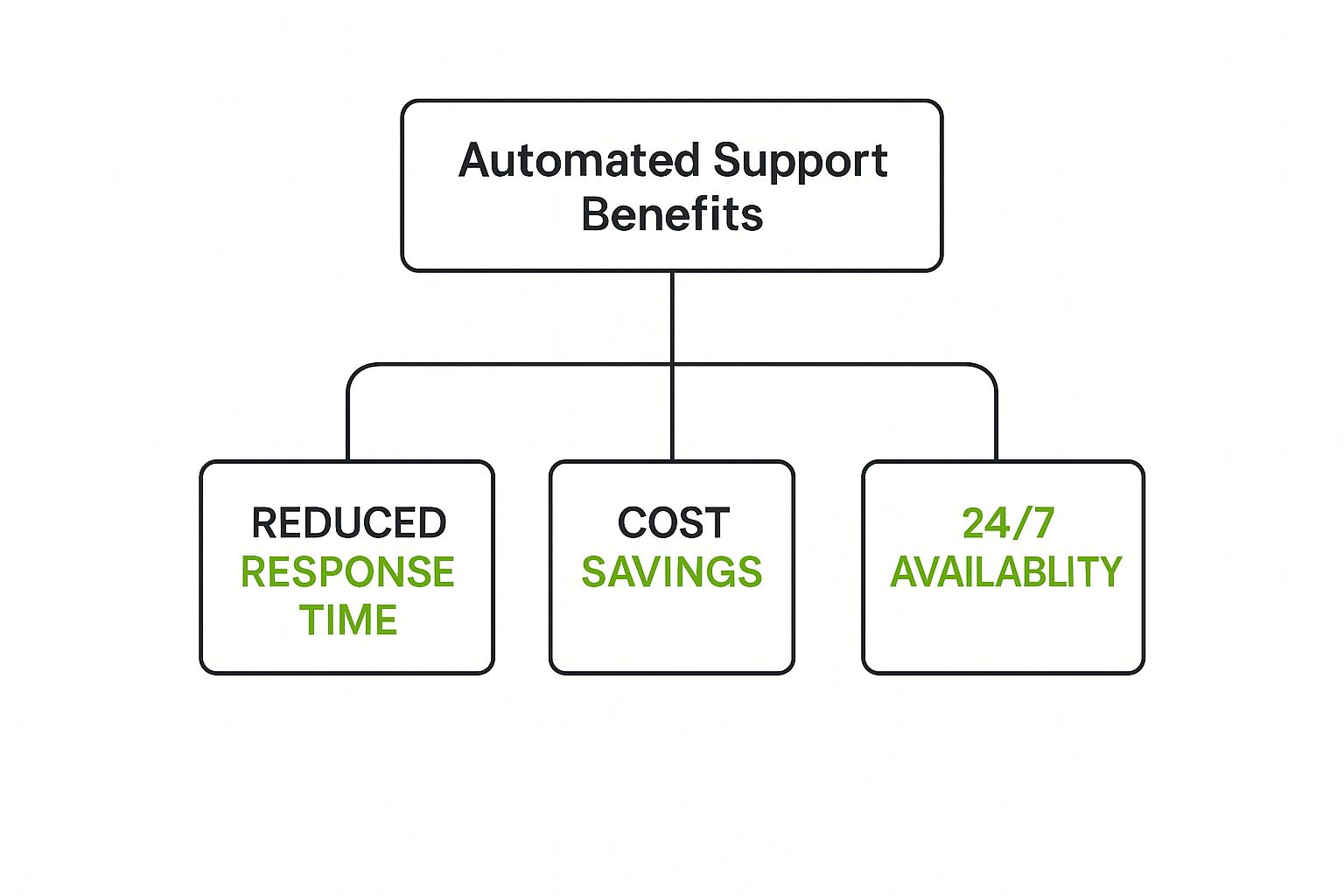
By taking over these routine tasks, automated systems can slash service operational costs by up to 40%. This not only frees up budget but, more importantly, frees up your team to create genuinely positive customer experiences.
A Partnership, Not a Replacement
It’s easy to think the goal of automation is to eliminate human interaction, but that’s a common misconception. A well-designed automation strategy actually makes your human agents more valuable, not less.
When customers know they can get instant help for simple issues 24/7, their frustration drops. Then, when they do need to speak with a person for a complex or emotional issue, they come into that conversation in a much better frame of mind.
Better yet, the agent they speak with will be armed with all the context and history gathered by the automated system. This collaborative approach delivers efficiency without sacrificing the empathy and critical thinking that only a human can provide. It’s the foundation of a truly superior customer experience.
The Core Technologies Driving Automation
To really understand automated customer support, you have to pop the hood and look at the technologies that make it all tick. These aren’t just buzzwords; they’re the actual engines that power instant answers, smart routing, and personalized conversations. Think of this tech stack like a well-oiled pit crew—each member has a specific job, but they all work together to get the car back on the track in record time.
The team captain is Artificial Intelligence (AI), which is the broad practice of creating smart systems that can do things normally requiring human brainpower. In our pit crew analogy, AI is the crew chief, calling the shots and making sure the entire operation runs smoothly. It’s what makes an automated system dynamic and responsive, rather than just a simple, static script.
Working under the chief’s direction are the specialists: Machine Learning and Natural Language Processing. These are the sub-fields of AI that handle the really specific, hands-on tasks.
Meet the Key Players on the Tech Team
So, how do all these pieces come together to create an automated support experience that actually feels helpful? Let’s break down who does what.
Artificial Intelligence (AI): This is the big-picture technology. AI allows machines to learn from experience, reason through problems, and make decisions. It’s the overarching system that enables all the other automated actions to happen intelligently.
Machine Learning (ML): Think of ML as the crew member who gets smarter with every pit stop. It’s a type of AI where systems learn from data without needing to be reprogrammed. This is how a chatbot can improve its answers over time based on the thousands of customer interactions it handles.
Natural Language Processing (NLP): This is the team’s communication expert. NLP is the magic that allows technology to understand, interpret, and generate human language—both written and spoken. It’s what helps a bot understand the intent behind “Where’s my stuff?” instead of just seeing keywords.
These technologies are rarely lone wolves; their real power comes from teamwork. For example, an AI-powered chatbot uses NLP to figure out what a customer is asking and ML to learn from that conversation, making its future responses even better. That’s the secret sauce that turns basic automation into something genuinely useful.
We’re seeing a major push in how companies are using generative AI and automation, especially heading into 2025. The trend is crystal clear: businesses are deploying AI to offer 24/7 support, slash response times, and handle all the routine questions that used to tie up agents. This frees up the human team to tackle the really complex, high-touch issues, which is becoming a huge competitive advantage.
From Technical Concepts to Real-World Tools
So, what do you get when you mix all this tech together? The most common result is the chatbot, a program you’ve almost certainly interacted with, designed to simulate a conversation with a person.
This image shows a pretty standard chatbot interface. The goal is always to make it feel simple and conversational.
When the design is clean and the flow is logical, customers are much more willing to engage with an automated system to get the quick help they need.
Key Automation Technologies Compared
It’s important to remember that not all automation is built the same. The right tool for the job depends entirely on what you’re trying to accomplish. A simple, rule-based bot might be perfect for your FAQ page, but it will fall flat if a customer has a multi-part problem. For that, you need a more sophisticated AI assistant.
Understanding the differences is the first step in building a support strategy that works. If you’re curious about how these ideas extend beyond support, our guide on productivity automation tools is a great next step.
To help clear things up, here’s a quick rundown of the main technologies, what they do best, and where you’d typically see them in action.
Technology
Primary Function
Best For
Example Application
Rule-Based Chatbots
Follow pre-defined conversational flows based on “if-then” logic.
Answering simple, repetitive questions with predictable answers.
A bot on a shipping company’s website that only provides order status based on a tracking number.
AI-Powered Chatbots
Use NLP and ML to understand user intent and learn from conversations.
Handling a wider range of queries and personalizing interactions.
An e-commerce bot that can answer “Where’s my order?” and also recommend products based on chat history.
Interactive Voice Response (IVR)
Uses NLP to understand spoken commands and route callers.
Efficiently directing phone calls and handling simple voice-based requests.
A banking phone system that lets you say “check my balance” instead of pressing a number.
AI Knowledge Base
Uses AI to search and surface the most relevant help articles for customers or agents.
Empowering self-service and speeding up agent-assisted support.
A search bar in a help center that understands a complex query and provides the exact right paragraph from an article.
At the end of the day, picking the right technology comes down to matching the complexity of the tool to the complexity of the customer’s problem. Get that right, and you’re well on your way to building an automation strategy that both your customers and your support team will love.
Key Business Benefits of Support Automation
While the technology behind automated support is cool, let’s be real—the true magic is what it does for your business. We can geek out about the tech all day, but what really matters are the tangible results. These aren’t just small tweaks; they’re fundamental shifts in how you operate, grow, and compete.
Think about an e-commerce brand bracing for the Black Friday storm. In past years, their small support team was completely swamped. This meant long waits, angry customers, and abandoned carts. This year, they launch an AI chatbot. Instantly, it handles thousands of “Where is my order?” and “What’s your return policy?” tickets, keeping shoppers happy and sales flowing. This isn’t a hypothetical—it’s how automation directly protects your bottom line.
Drive Down Operational Costs
One of the first things you’ll notice is the impact on your operational budget. Every single routine question an AI chatbot or self-service portal answers is a ticket a human agent doesn’t have to touch. That adds up, fast.
In fact, some businesses have slashed their operational service costs by as much as 40% by strategically using automation. This isn’t about replacing your team; it’s about empowering them to handle a much higher volume of inquiries without needing to constantly hire more people. The money you save can then be funneled back into growing other parts of the business.
Empower Your Human Agents
There’s a common misconception that automation will make human agents obsolete. The reality is the complete opposite. By taking over the dull, repetitive tasks, automation frees up your team to tackle the high-value work—the complex problems that require empathy, creativity, and critical thinking.
This has a huge effect on agent productivity and morale. Instead of feeling like broken records answering the same five questions all day, agents evolve into true problem-solvers. Their roles become more engaging and fulfilling, which dramatically cuts down on agent burnout and turnover—a notoriously expensive issue for any support department.
Automation transforms an agent’s role from a simple “answerer” of questions to a “solver” of complex problems. This elevation doesn’t just improve efficiency; it creates a more rewarding career path, helping you keep your best people.
Scale Support Operations Seamlessly
Your company’s growth should never be bottlenecked by your support team’s capacity. Automated customer support gives you the flexibility to scale up or down on a dime, without the logistical nightmare of hiring and training new staff.
Just think about these advantages:
Handle Volume Spikes: Effortlessly manage sudden floods of support tickets during product launches, holiday sales, or seasonal rushes.
Expand into New Markets: Offer genuine 24/7 support across different time zones without needing to build a physical office in every location.
Maintain Service Quality: Guarantee that every single customer gets a fast, consistent response, whether you have 100 customers or 100,000.
This ability to scale without friction is a cornerstone of any modern growth strategy. Weaving these automated systems into your operations is a key part of building a successful digital transformation roadmap, ensuring your support can keep up with your ambition.
Enhance Customer Satisfaction and Loyalty
At the end of the day, it always comes back to the customer. Modern consumers expect service that is fast, convenient, and effective. Automation nails all three. Giving customers instant answers through chatbots or a knowledge base gets rid of frustrating wait times.
This is more than a “nice-to-have.” When 73% of customers expect to solve issues on any channel without having to repeat themselves, a connected, automated system becomes a basic expectation. This instant, always-on support leads directly to better customer satisfaction (CSAT) scores. Happier customers are far more likely to stick around, buy again, and tell their friends about you, creating a powerful engine for growth.
How to Implement Your Automation Strategy
Jumping into an automated customer support system can feel like a huge project, but it doesn’t have to be. If you break it down into smart, bite-sized steps, you can build a powerful system that helps your customers and gives your team a boost. Don’t think of it as flipping a giant switch—think of it as methodically laying the tracks for a brand-new high-speed train.
Your starting point isn’t with cool tech, but with simple data. The best place to begin is by digging into your existing support tickets. This is where your customers are literally telling you, in their own words, what they need help with most often.
Start by Identifying the Low-Hanging Fruit
Before you even glance at a chatbot platform or sketch out a workflow, you need to spot the tasks that are begging to be automated. These are usually the high-volume, low-effort questions that eat up your agents’ day without needing their real problem-solving smarts.
Take a look at your support ticket data from the last few months. What patterns pop up again and again? Are you constantly dealing with tickets about:
Order status updates (“Where’s my stuff?”)
Return policy questions
Password resets
Business hours or locations
Basic questions about product features
These repeat offenders are your low-hanging fruit. They’re the perfect first targets for automation because the answers are straightforward and don’t require any emotional heavy lifting. Automating just one or two of these can instantly free up a surprising amount of your team’s time.
Select the Right Tools for the Job
Once you know what you want to automate, it’s time to figure out the how. The market is packed with tools, from simple rule-based bots to incredibly smart AI platforms. The right one for you comes down to your specific needs, budget, and what tech you’re already using.
Think about these points when you’re weighing your options:
Business Size: A small startup might just need a simple chatbot for its website. A large enterprise, on the other hand, will likely need a solution that works across every channel and plugs right into its CRM.
Technical Complexity: Are you looking for a no-code builder that anyone can use, or do you have developers ready to build something more custom and powerful?
Integration Capabilities: This is a big one. Make sure the tool can connect smoothly with your helpdesk, CRM, and e-commerce platform. A connected experience is key.
The shift to automation is happening, and it’s happening fast. Experts predict that by 2025, AI will handle a massive 95% of all customer interactions. This isn’t because AI is replacing humans, but because it’s so good at managing simple questions. This frees up human agents to focus on the more complex, tricky situations where they’re needed most.
Build and Deploy Your Automated System
With your tools picked out, it’s time to build. This is where your strategy starts to come to life. A good rollout is more than just turning on a bot; it takes careful design and a solid game plan.
Design Conversational Flows: For chatbots, you need to map out the conversation. Start with a friendly hello, figure out what the user wants, and then guide them to an answer or a clear path to a human agent. Keep it simple and intuitive.
Build a Robust Knowledge Base: Your automation is only as smart as the information it has access to. A detailed, well-organized knowledge base is the brain of your entire operation.
Train Your Human Agents: Get your team ready for their new, more advanced roles. Teach them how to work with the automation, how to handle escalations seamlessly, and how to use their newfound time to create amazing customer experiences. If you’re wondering where to begin, our guide on how to build AI agents for beginners is a great starting point.
Measure Success and Continuously Refine
Launching your system isn’t the finish line—it’s just the start of a continuous cycle of improvement. To know if your strategy is actually working, you have to track the right numbers, or Key Performance Indicators (KPIs).
Here are the essential metrics you should be watching:
KPI
What It Measures
Why It’s Important
Ticket Deflection Rate
The percentage of customer questions solved without needing a human.
This is the clearest measure of your automation’s effectiveness and return on investment.
First-Contact Resolution (FCR)
The rate at which issues are solved in the very first interaction (bot or human).
A high FCR means you have an efficient process and happy customers.
Customer Satisfaction (CSAT)
Feedback from customers on their support experience, usually from a quick survey.
This tells you if your automation is making people happy or frustrating them.
Check these metrics regularly to see what’s working and what isn’t. Use customer feedback to tweak your chatbot scripts, update your knowledge base, and make your workflows even better. This ongoing feedback loop is what ensures your automated support system grows with your business and keeps delivering real value.
Common Automation Mistakes to Avoid
Rolling out an automated customer support system can be a huge win, but it’s a path littered with potential missteps. If you’re not careful, you can end up frustrating customers and watching your big project go completely off the rails. The smartest way to get it right? Learn from the mistakes others have already made.
One of the most common blunders is trying to automate everything. It’s tempting, I get it. But automation really shines with simple, repetitive tasks. Trying to make a bot handle complex, emotional issues is just asking for trouble and is guaranteed to leave your customers seeing red.
Another classic mistake is making it nearly impossible for a customer to escape the bot and reach a person. Trapping someone in an endless “bot loop” is one of the fastest ways to lose their business for good. The goal is to be helpful and efficient, not to build an impenetrable digital fortress.
Hiding the Human Escalation Path
Picture this: a customer has a billing error that’s causing them real stress. They try your chatbot, but it’s only built for basic FAQs. After a few failed attempts to explain their problem, they start desperately searching for a “Talk to an Agent” button… but it’s nowhere to be found. Their frustration quickly boils over into anger. Just like that, a fixable problem has cost you a customer.
This is exactly what happens with a poor escalation strategy. Your automated tools absolutely must have a clear, easy-to-find off-ramp to a human agent.
Solution: Make sure a one-click button like “Speak with an Agent” or “Get Human Help” is always visible in your chat interface.
Best Practice: Program your bot to proactively offer a handoff to a person after it fails to understand a customer’s request twice in a row.
Launching Without a Solid Foundation
Here’s a simple truth: your automated tools are only as smart as the information you give them. Launching a chatbot or an AI helper without a detailed, well-organized knowledge base is like hiring a librarian for a library with empty shelves. It’s pointless.
Without a rich source of answers to draw from, your bot will constantly fail. This leads to miserable customer experiences and makes the entire system feel like a waste of time and money.
A poorly planned automation strategy doesn’t just fail to help—it actively damages the customer relationship. The stakes are incredibly high. Poor service delivery costs U.S. companies an estimated $75 billion a year, often because technology was thrown at a problem without the right human-centric planning. You can dig into the financial impact in this detailed research on customer service effectiveness.
Forgetting to Train Your Team
The final, and often overlooked, mistake is failing to prepare your human agents for the change. Automation completely shifts their role. They’re no longer just answering basic questions; they’re becoming specialists who manage complex escalations and build real customer relationships.
If you just “flip the switch” on automation without training your team on how to work alongside it, you’re creating chaos. Agents need to understand the new workflows, know how to seamlessly take over a conversation from a bot, and feel empowered in their new, more strategic position.
Steer clear of these common pitfalls, and you’ll be on your way to building an automated support system that genuinely helps customers, empowers your team, and actually delivers a real return on your investment.
The Future of Automated Customer Support
If you think automated customer support has already reached its peak, you’re in for a surprise. The entire field is gearing up for a massive shift, moving away from simply reacting to customer problems and into a genuinely predictive, personalized, and seamless world of assistance. The next evolution isn’t just about answering questions faster; it’s about anticipating needs before a customer even realizes they have one.
Think about this: you get a notification that your package is delayed, and it comes with an automatic refund for the shipping fee. You didn’t even have to check the tracking status. That’s the power of proactive support. AI systems are getting smart enough to analyze data, spot patterns that signal a potential hiccup, and step in to fix it ahead of time. It completely flips the traditional support model on its head.
Instead of being a cost center that waits for complaints, support becomes a proactive engine for building loyalty.
Deeper Personalization and Blurring Channels
As AI continues to learn and evolve, its ability to craft truly individual experiences will explode. The next frontier is hyper-personalization, where automated systems tap into a customer’s entire journey—from their purchase history to their browsing habits—to customize every single interaction. This means conversations will feel less like you’re talking to a machine reading a script and more like you’re chatting with someone who actually gets you.
The future of automated customer support is a collaborative ecosystem where the line between human and AI blurs, creating an intelligent, predictive, and highly effective experience.
We’re also going to see the walls between communication channels completely dissolve. It’s already starting to happen. A customer might begin a conversation with a chatbot, then seamlessly transition to a voice or even a video call with a human agent, all within the same window. The context and history of the conversation travel with them, creating one fluid, continuous experience. The future isn’t just about automation; it’s about making technology feel more human and intuitive than ever before.
Got Questions About Automation? We’ve Got Answers.
As you start thinking about bringing automated customer support into your business, it’s only natural to have some questions. What’s this really going to cost? Will it replace my team? Where in the world do I even begin? Let’s tackle these common concerns head-on so you can move forward with confidence.
What’s the Real Cost to Get Started?
This is usually the first question on every business owner’s mind, and the honest answer is: it depends. The price tag for automation can swing wildly based on how big your business is and what you need it to do.
For Small Businesses: Getting started can be surprisingly affordable. A simple, rule-based chatbot for your website might only run a few hundred dollars a month with a subscription service.
For Mid-Sized Companies: When you need more muscle—like integrating with your CRM or using smarter AI—you’re looking at a range from the low thousands to several thousand dollars monthly.
For Large Enterprises: A fully custom AI solution that works across every channel and plugs into multiple systems is a serious investment. These projects often run into the tens of thousands of dollars or more.
Will Automation Replace Our Human Support Agents?
This is a big—and important—concern. But a well-designed automation strategy is all about collaboration, not replacement. Automation is brilliant at handling the high-volume, repetitive stuff that bogs your team down.
This frees up your human agents to focus on what they do best: solving complex, high-stakes problems that need a real dose of empathy and critical thinking.
Think of automation as a power-up for your team. By taking over the routine questions, it turns agents from simple question-answerers into expert problem-solvers. Their roles become more valuable, and honestly, a lot more engaging.
I’m a Small Business. What’s the Best First Step?
For any small business, my advice is always the same: start simple. Please don’t try to automate everything at once—that’s a recipe for disaster.
A great first move is to put a basic chatbot on your website to handle your top 3-5 most frequently asked questions. This is a low-risk, high-reward way to dip your toes in the water and see an immediate return.
How Do We Actually Measure the ROI of This Stuff?
Knowing if your strategy is working is everything. To measure the return on your investment (ROI), you need to focus on a few key metrics that tell a clear story.
Track your ticket deflection rate—that’s the percentage of issues your automation solves without needing a human. At the same time, keep a close eye on your Customer Satisfaction (CSAT) scores to make sure people are still happy. If your deflection rate is climbing while your CSAT scores hold steady or even improve, you’ve found the sweet spot. That’s a clear win.
Ready to see how intelligent automation can slash your operational costs and help you scale support? The team at creavoid specializes in building and implementing AI solutions that help businesses like yours grow. Learn how we can transform your customer service today.
Think of a “digital transformation roadmap” less as a stuffy corporate document and more as your strategic playbook for survival and growth. It’s the bridge that connects where your business is today to where it needs to be tomorrow. This plan is absolutely essential for making sure your tech investments actually push the business forward, instead of just becoming another line item on a budget.
Why Your Business Needs This Roadmap Now
Let’s cut through the buzzwords. A digital transformation roadmap isn’t an IT department’s wish list or a catalog of trendy software to buy. I’ve seen too many companies make that mistake.
Without a clear plan, “transformation” efforts become a mess of fragmented, expensive projects that go nowhere. You end up with powerful tools nobody uses or automated processes that solve the wrong problems. A solid roadmap prevents this chaos by tying every single action back to a specific, measurable business goal.
The Urgency is Real
The pressure to evolve isn’t some distant threat—it’s right here, right now. Nimble competitors, free from clunky legacy systems, can swoop in and steal customers with better digital experiences. At the same time, your customers’ expectations have completely changed. They demand seamless, personal, and instant service, a standard set by digital-first companies.
In this environment, standing still is the biggest risk you can take.
The data backs this up. By 2025, a staggering 94% of organizations are expected to have digital initiatives underway. It’s not a niche activity anymore; 32% of managers see it as a basic requirement for survival. If you’re curious about the numbers, Veritis.com offers more insights into digital transformation trends.
Here’s a common pitfall I see all the time: treating digital transformation as a one-and-done project. It’s not. It’s a continuous evolution, and your roadmap should be a living document that adapts to new challenges and opportunities.
It’s About More Than Just Technology
A successful roadmap isn’t just about bolting on new tech. It’s about making strategic improvements in key areas that deliver real, tangible value. Before we dive into the “how,” let’s get a clear picture of what we’re building.
The table below summarizes the core components we’ll be breaking down. Think of it as a high-level overview of the journey ahead.
Pillar
Key Focus
Business Outcome
Operational Efficiency
Automating repetitive tasks and streamlining workflows.
Reduced errors, lower costs, and a more productive team.
Customer Engagement
Creating smoother, more personalized customer journeys.
Increased loyalty, higher satisfaction, and better retention.
Core Systems
Updating foundational technology to support growth.
Greater agility, improved security, and future-ready operations.
Ultimately, a good roadmap focuses on these pillars to deliver concrete results. It’s about building a stronger, more competitive business from the inside out, ensuring every dollar you spend on technology turns into measurable success.
Before you even think about buying new software or hiring a single developer, the most important work of your digital transformation has to happen. This isn’t about servers or code; it’s about getting the right people in a room and figuring out your “why.” This is the strategic foundation, and skipping it is the fastest way to waste a lot of time and money.
A successful transformation is built on a crystal-clear, shared understanding of your goals. You need to get your key leaders together—from the C-suite to the managers on the front lines—and ask some tough questions. What specific business problems are we actually trying to fix? What does a “win” look like in three years?
Without this alignment, you’ll end up with a mess. Different departments will pull in opposite directions, creating a patchwork of disconnected tools instead of a unified, powerful strategy.
Get Your A-Team in Place
First things first: you need to assemble a cross-functional transformation team. This can’t be some sleepy steering committee that meets once a quarter. This group needs real authority to make decisions and drive change.
Your team should be a mix of people who can speak for every part of the business:
Executive Leadership: You need a champion to provide the vision, secure the budget, and keep the momentum going.
IT and Technology: These are the folks who will assess technical feasibility and what your infrastructure can handle.
Operations: They bring a dose of reality, grounding the strategy in the day-to-day work that actually gets done.
Marketing and Sales: They represent the voice of your customer and keep everyone focused on revenue goals.
Human Resources: Don’t forget the people! HR is critical for managing the change, including training and communication.
Having this mix of perspectives ensures your roadmap isn’t built in an echo chamber. It becomes a plan the entire organization can get behind because they had a hand in creating it. The potential here is massive; the global digital transformation market is expected to explode from USD 1.42 trillion in 2025 to USD 13.26 trillion by 2035. You can discover more insights from the 2025-2035 market forecast report to see why this foundational work matters.
Define What Success Actually Looks Like
With your team assembled, it’s time to define success with sharp, meaningful KPIs. So many companies fall into the trap of focusing only on cutting costs. While that’s a piece of the puzzle, real transformation creates value across the entire business.
I’ve seen this happen countless times: companies chase technology for technology’s sake. The goal isn’t to be “more digital.” The goal is to solve a business problem. Your KPIs must reflect the problems you’re trying to solve.
Ditch the generic, fluffy goals and get specific with metrics that truly move the needle.
KPI Category
Weak KPI Example
Strong KPI Example
Customer Impact
Increase website traffic
Boost customer lifetime value (CLV) by 15%
Operational Impact
Implement new software
Reduce order fulfillment time by 25%
Employee Impact
Conduct training sessions
Improve employee productivity scores by 20%
See the difference? These stronger KPIs force you to connect every tech investment to a real business outcome. A higher CLV isn’t just a number; it’s the direct result of a better customer experience, which should be at the heart of any digital transformation.
Let’s Talk Real-World: A Retail Scenario
Let’s bring this down to earth. I once worked with a mid-sized retailer whose online and in-store experiences were completely disconnected. It was a mess. In their foundational meetings, one major pain point surfaced: the returns process was a nightmare for customers. You couldn’t easily return an online purchase in-store, and vice versa. This led to frustrated customers and, you guessed it, lost sales.
The team didn’t just jump to buying a new point-of-sale system. Instead, they set a clear, foundational goal that became their North Star: “Create a unified, hassle-free returns process across all channels within 12 months.”
This simple but powerful objective immediately clarified their priorities:
Integrate Inventory Systems: They had to get a single view of their stock, whether it was in a warehouse or a back storeroom.
Rethink In-Store Processes: Staff needed new tools and training to handle online returns without a headache.
Update the E-commerce Platform: The website had to clearly communicate the new, super-flexible return options.
By starting with a specific, customer-focused problem, they built a strategy that made sense. Every decision that followed—from the tech they chose to the training they rolled out—was measured against that one core goal. That’s the power of building your roadmap on a rock-solid strategic foundation.
Mapping Your Journey From Now to Next
Okay, you’ve got your strategic foundation. Now for the fun part: turning that big-picture vision into a plan you can actually execute. This is where we build your digital transformation roadmap, moving from those high-level goals to concrete, scheduled projects.
Think of this roadmap as a living document. It’s meant to guide your decisions, not be a rigid blueprint that shatters the first time something unexpected happens.
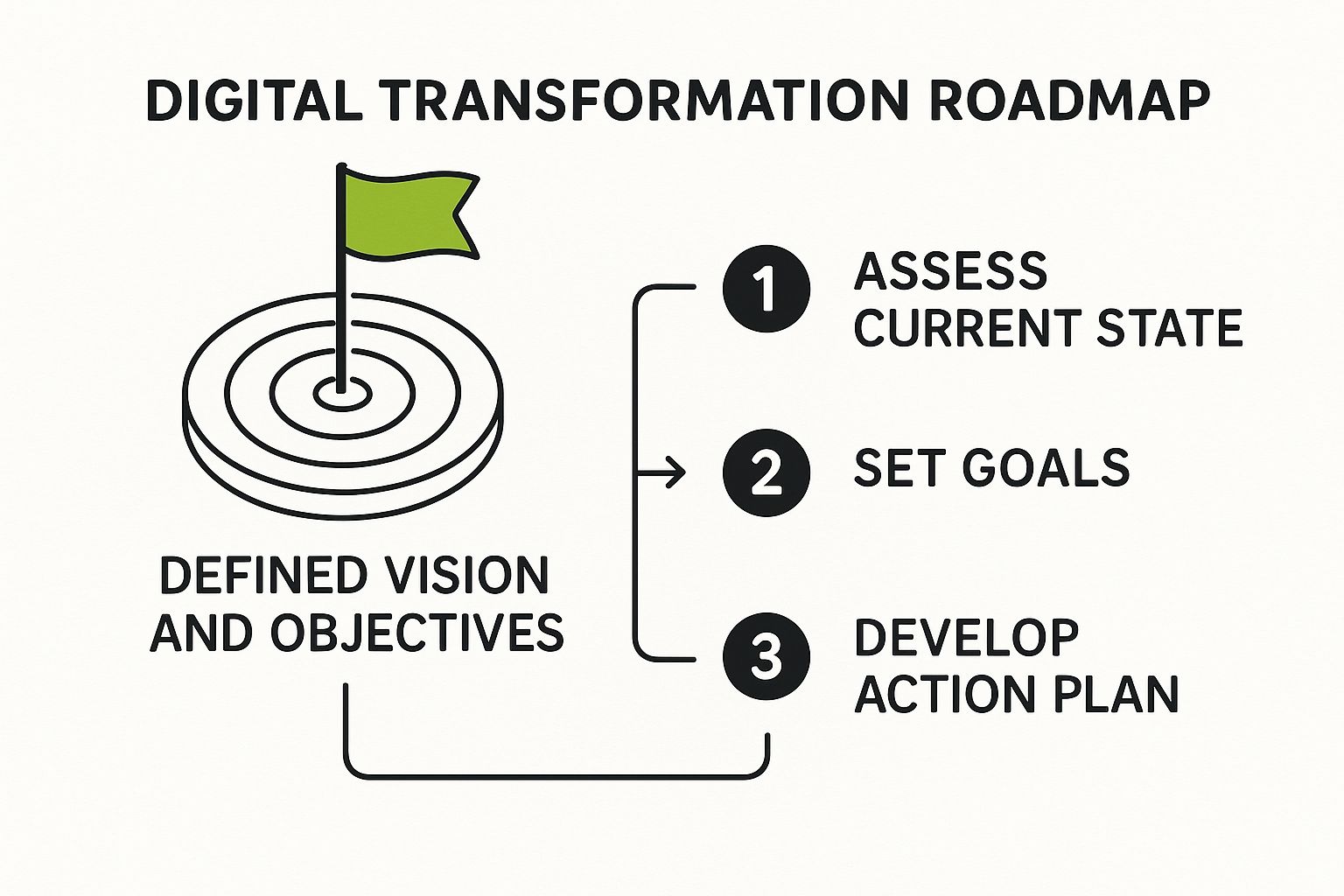
The first move is a brutally honest gap analysis. You need a clear-eyed look at where you are today versus where you want to be. Where are the biggest disconnects? This isn’t about pointing fingers or finding fault; it’s about pinpointing the most fertile ground for meaningful change.
This visual really gets to the heart of it. Your roadmap is the deliberate path you construct to bridge the gap between your current reality and your future ambitions.
Break It Down Into Phases
One of the biggest mistakes I see companies make is trying to do everything at once. It’s a “boil the ocean” approach that almost always ends in blown budgets, a burnt-out team, and ultimately, failure.
A much smarter way is to break the journey into manageable, sequential phases. Each phase should deliver tangible value on its own and build momentum for whatever comes next.
For example, a growing e-commerce business might phase its transformation like this:
Phase 1 – Foundational Customer Data: First, get a grip on your customer data. This means digitizing core service channels and implementing a CRM. The goal is a single, unified view of every customer interaction.
Phase 2 – Operational Excellence: With customer data flowing, you can now focus on efficiency. Automate inventory management and order fulfillment to cut down on manual errors and speed up shipping.
Phase 3 – Personalization at Scale: Finally, use the rich data from Phase 1 and the new efficiencies from Phase 2 to launch personalized marketing campaigns and on-site product recommendations.
See how each step logically builds on the last? This creates a rock-solid foundation for more advanced capabilities later on. If you’re looking for the right systems for these phases, our guide on essential e-commerce tools and platforms is a great place to start your research.
Prioritize With an Impact vs. Effort Matrix
So you’ve got a list of potential projects. How do you decide what to tackle first? My go-to tool for this is simple but incredibly powerful: the impact versus effort matrix. It helps you get past gut feelings and make truly strategic prioritization decisions.
Just plot each initiative on a four-quadrant grid:
High Impact, Low Effort (Quick Wins): Do these first. They deliver major value without draining your resources and create that all-important early momentum.
High Impact, High Effort (Major Projects): These are your big, strategic game-changers. They require serious planning and investment but are absolutely critical for long-term success.
Low Impact, Low Effort (Fill-ins): Tackle these only when you have spare capacity. Don’t let them distract you from the more important stuff.
Low Impact, High Effort (Thankless Tasks): Avoid these like the plague. They burn time and money for almost no return.
This simple exercise forces your team to have tough, necessary conversations about the true value and real cost of each project. It ensures you’re putting your energy where it will make the biggest difference.
Remember, the whole point of a digital transformation roadmap is to drive business outcomes. By prioritizing high-impact initiatives, you ensure your early efforts show a clear ROI. This is absolutely crucial for keeping your executives bought in and your team motivated.
With your projects prioritized and sorted into phases, you can finally build a realistic timeline. Assign clear ownership for every single initiative and define specific, measurable milestones.
A milestone isn’t “Improve customer service.” It’s “Launch the new support chatbot on the website by the end of Q2.” These concrete checkpoints make progress impossible to ignore and keep everyone accountable, turning your strategic map into a practical guide for your journey from now to next.
Choosing the Right Technology and Partners
So, you’ve got your priorities mapped out. Now for the exciting part: picking the tools and allies that will actually bring your digital transformation roadmap to life.
This stage isn’t about chasing the shiniest new toy. It’s about making smart, strategic decisions that directly support the business goals you’ve already laid out. Think of it this way: the right technology stack empowers your strategy; the wrong one will end up dictating it.
It’s easy to get fixated on the sticker price of a new platform, but I’ve seen that mistake sink more than a few projects. The real number you need to focus on is the Total Cost of Ownership (TCO). This goes way beyond the initial purchase to include implementation fees, employee training, ongoing maintenance, and the costs of integrating it with everything else.
Evaluating Your Technology Options
As you start assessing software or platforms, run every single option through a simple but crucial filter.
First, is it scalable? You need something that can grow with your business without forcing you to rip everything out and start over in two years. Second, can it play nicely with your existing systems? A slick new tool that creates data silos is a step backward, not a step forward.
Imagine a mid-sized retailer looking to upgrade their e-commerce game. A cheap, standalone platform might look like a bargain at first. But if it can’t talk to their inventory management or CRM, the manual data entry required will quickly demolish any initial cost savings. Worse, it creates a nightmare experience for both staff and customers.
The most expensive piece of technology is always the one your team refuses to use. Prioritize user experience and ease of adoption above all else. If a tool is clunky or confusing, no amount of fancy features will make up for the fact that nobody wants to log in.
The Great Debate: Build vs. Buy
One of the biggest forks in the road you’ll face is whether to build a custom solution from scratch or buy something off the shelf. There’s no universal “right” answer here. The best choice is completely dependent on your specific needs, your team’s resources, and your long-term vision.
Laying out the options side-by-side can really clarify which path makes sense for a particular initiative.
Comparing Technology Sourcing Strategies
Choosing how to source your technology is a major decision point. This table breaks down the three main paths—building custom, buying off-the-shelf, or a hybrid approach—to help you see which one aligns best with your project’s goals, budget, and timeline.
Strategy
Best For
Pros
Cons
Buy (Off-the-Shelf)
Standard business functions like HR, accounting, or CRM where you don’t need to reinvent the wheel.
Faster implementation, lower upfront cost, comes with built-in support and regular updates.
Limited customization, you might pay for features you don’t need, risk of vendor lock-in.
Build (Custom)
Unique business processes that give you a core competitive advantage and can’t be replicated by a standard tool.
Perfectly tailored to your exact needs, gives you total control over features and future development.
High initial cost, much longer development timeline, you’re responsible for all ongoing maintenance.
Hybrid (Mix & Match)
Leveraging the best of both worlds—using a standard platform for its core strengths while building custom pieces for unique needs.
Cost-effective, speeds up deployment, allows for targeted innovation where it matters most.
Requires careful planning to ensure seamless integration, can create some management complexity.
A hybrid approach is often the sweet spot. For instance, you might buy a market-leading CRM platform but then build a custom integration to connect it to your proprietary manufacturing software. If you’re leaning toward building, it’s worth exploring the nuances of working with external teams. You can get some great insights from this guide on the pros and cons of outsourcing software development to help shape your strategy.
Ultimately, this isn’t just about code; it’s about finding the most effective way to solve a business problem.
Selecting Strategic Partners, Not Just Vendors
The final piece of this puzzle is picking the right people to work with. There’s a huge difference between a vendor and a partner. A vendor sells you a product. A true strategic partner, on the other hand, acts like an extension of your own team, bringing deep industry expertise and a genuine investment in your success.
When you’re vetting potential partners, you need to look past the slick sales pitch.
Ask for case studies, but get specific. You want to see work they’ve done in your industry. Do they actually understand your unique challenges?
Talk to their current clients. Don’t just take their word for it. Ask for references and find out if they are responsive, helpful, and proactive problem-solvers.
Drill down on their support model. What happens after the project goes live? What does their ongoing support and training look like?
A great partner doesn’t just hand you the keys and walk away; they stick around to help you learn how to drive. They offer guidance, share best practices, and work alongside you to make sure the technology actually delivers on its promise. This collaborative relationship is often the single biggest factor in whether a new system fuels real growth or just ends up gathering digital dust.
Putting Your Roadmap Into Action and Sparking Change
A beautifully designed digital transformation roadmap is completely worthless if it just sits on a server gathering digital dust. The plan is only the starting point. What truly separates successful transformations from expensive failures is creating real, tangible momentum. This is where your strategy document turns into progress your team can see, feel, and actually get behind.
The sheer scale of a multi-year transformation can feel paralyzing. So, instead of trying to boil the ocean, think like a software developer and adopt an agile mindset. Break down your massive projects into smaller, manageable “sprints”—these are short, focused work cycles, usually lasting one to four weeks.
This approach lets you deliver value incrementally. At the end of each sprint, you have a tangible improvement, whether it’s a new feature on your website or a freshly automated report. It’s a game-changer because you can gather immediate feedback, adapt your plan based on what’s actually happening, and avoid costly detours without derailing the entire project.
The Human Side of Transformation
Honestly, the technology is the easy part. The real challenge—and where a staggering 70% of transformations fail—is the people. You aren’t just installing new software; you’re fundamentally changing how people do their jobs. If you don’t master change management, you’re setting yourself up for failure. It’s non-negotiable.
Success really boils down to getting your team to move from “the way we’ve always done it” to embracing new possibilities. This takes a deliberate, empathetic, and persistent communication strategy.
Communicate the ‘Why’ Relentlessly: Don’t just announce what is changing. You have to constantly explain why it’s changing and, most importantly, what’s in it for them. Frame it around making their work less frustrating and more impactful.
Find Your ‘Change Champions’: In every company, there are influential and respected employees. Identify them and bring them into the fold as advocates. A recommendation from a trusted peer is often far more powerful than any top-down directive.
Establish Feedback Loops: Create safe, open channels for employees to voice concerns, ask questions, and share ideas. This simple step makes them feel like active participants rather than just being told what to do.
Training That Actually Sticks
Running a single, one-off training session on a new tool and calling it a day is a classic recipe for low adoption. I’ve seen it happen time and again. Effective training needs to be an ongoing process designed to build confidence, not just check a box on a project plan.
Forget the generic slideshows. Focus on hands-on, role-specific workshops. Show your sales team exactly how the new CRM will help them track leads more effectively. Let the operations team get their hands dirty with the new productivity automation tools that will eliminate their most tedious tasks.
The real goal of training isn’t just to teach features; it’s to build conviction. When an employee genuinely believes a new tool will make their job better, adoption becomes a pull, not a push.
Governance and Celebrating Progress
To keep your digital transformation on track, you need a simple governance framework. This isn’t about creating soul-crushing bureaucracy; it’s about maintaining visibility and accountability. Regular, brief check-in meetings are perfect for monitoring progress against your KPIs, spotting risks before they blow up, and ensuring the project stays on budget.
This framework is also your secret weapon for celebrating small wins. Did a team successfully automate a weekly report, saving five hours of manual drudgery? Acknowledge it publicly. Did the new customer service chatbot handle its first 100 queries without a hitch? Celebrate it!
These small victories build a powerful story of progress. They prove to the entire organization that the change is real, positive, and worth all the effort. This is the momentum that turns a one-time project into an enduring culture of continuous improvement—a critical driver in today’s business world.
The scale of this global push is immense. In 2024, spending on digital transformation is projected to reach $2.5 trillion, with a forecast to hit a massive $3.9 trillion by 2027. The United States is a major force here, accounting for 35.8% of this spending. These numbers really underscore why getting the execution right is so critical.
Answering Your Key Roadmap Questions
Even the most buttoned-up digital transformation roadmap is going to stir up questions. That’s a good thing. When you’re tackling something this big, you and your team are bound to hit some gray areas and a few hurdles.
Let’s cut through the noise and get straight to the practical answers you need. My goal here isn’t to talk theory; it’s to give you the real-world clarity to keep things moving forward with confidence.
How Long Should Our Digital Transformation Roadmap Be?
I’ve seen plans that stretch out for five years and some that are hyper-focused on just one. In my experience, a three-year horizon is the strategic sweet spot. It’s long enough to aim for and achieve real, substantial change, but short enough that it doesn’t become totally irrelevant in a market that shifts on a dime.
The real trick is in how you structure it. The first 12 months need to be mapped out in incredible detail—think specific projects, clear deadlines, and assigned owners. For years two and three, you can afford to be a bit broader, focusing on directional goals rather than granular tasks.
It’s a lot like planning a cross-country road trip. You know your final destination (the three-year vision), and you have a precise, turn-by-turn plan for today’s drive (year one). But you’re also ready to take a scenic detour if you hear about a better route along the way (adapting in years two and three).
What Are the Most Common Mistakes We Should Avoid?
Honestly, the biggest tripwires are almost always about people and processes, not the tech. I’ve seen more promising initiatives stall for these same few reasons than I can count.
Ignoring the Culture: You can’t just drop a new piece of software on a team and expect magic. A new tool is useless if the old mindset and clunky processes stick around.
No Executive Sponsorship: If you don’t have a visible, vocal champion in the C-suite, your initiative will eventually get starved of resources and authority. It’s a slow, painful death.
Poor Communication: Failing to constantly, and I mean constantly, explain the “why” behind the changes. When people don’t understand the purpose, fear and resistance are the natural result.
Measuring the Wrong Things: Chasing quick cost savings is tempting, but it’s shortsighted. The real wins are in long-term gains like better customer loyalty and higher employee morale.
Your digital transformation roadmap has to tackle these human factors head-on from day one. They aren’t secondary—they’re the whole ballgame.
How Do We Measure the True ROI of This Transformation?
Thinking about Return on Investment (ROI) as just a cost-versus-savings formula is a massive mistake. To get the full story of the value you’re creating, you need a balanced scorecard.
Yes, you have to track the financial side of things. But to really justify the long-term investment and prove the deep impact, you need to be measuring success across these key areas:
Metric Category
Key Performance Indicators (KPIs) to Track
Operational Metrics
Faster project cycle times, reduced error rates, increased process automation.
Customer Metrics
Higher Net Promoter Score (NPS), improved customer retention rates, increased customer lifetime value (CLV).
This holistic view connects the dots between your transformation work and a healthier, more profitable business from every angle.
How Can We Get Our Team to Embrace These Changes?
Here’s a hard truth: you don’t command buy-in, you have to earn it. People resist change when they feel like it’s being done to them instead of with them.
It starts with being absolutely relentless in your communication. Don’t just talk about what’s changing; focus on why it matters. Frame it in terms of how it will make their jobs less frustrating and more valuable.
Then, get them involved. Create “change champions” in different departments who can be your advocates on the ground and give you honest feedback. Provide fantastic, hands-on training that builds confidence, not insecurity.
And maybe most important of all? Celebrate the early wins. Publicly recognize the people who are leaning in and making it happen. That positive energy is contagious and builds the momentum you need to see it through.
Vibe coding is not a technical term you’ll find in computer science textbooks. Instead, it’s a modern and informal phrase used to describe a relaxed, creative, and intuitive approach to coding. It focuses more on how coding feels rather than strict rules or performance.
In short: vibe coding is when you code based on instinct, mood, and flow, rather than structure, planning, or strict standards.
Where Did Vibe Coding Come From?
Vibe coding became popular through developers on platforms like TikTok, Twitter (X), and YouTube. It started as a humorous way to describe the experience of late-night or freestyle coding sessions where the goal wasn’t always to be perfect—it was about enjoying the process.
The term is often used in contrast with traditional, structured approaches to software development. Instead of following the perfect architecture or clean code guidelines, vibe coders just build things that work, often in fun or creative ways.
What Does Vibe Coding Look Like in Practice?
Here’s what a vibe coding session might look like:
You open your code editor at 1 AM because you suddenly had an idea.
You don’t write tests or follow clean code principles.
You just start coding whatever comes to mind.
You might build a weird feature just because it feels fun.
You don’t worry about the final result looking professional.
It’s not always productive or scalable, but it’s freeing. Vibe coding is about enjoying the process of building something without pressure.
Why Do People Enjoy Vibe Coding?
It’s relaxing: There’s no pressure to follow rules or meet deadlines.
It boosts creativity: You’re free to experiment and try random ideas.
It feels authentic: You code in your own style and flow.
It reconnects you with the joy of programming: Especially for developers burned out by corporate code.
Is Vibe Coding a Good Practice?
It depends. For personal projects, rapid prototyping, or creative exploration, vibe coding is perfectly fine. But for professional environments, it has clear downsides:
Pros:
Fun and stress-free
Great for brainstorming or testing new ideas quickly
Helps break out of creative blocks
Cons:
Messy or hard-to-maintain code
No documentation or structure
Not suitable for team or production environments
So, vibe coding is more of a mood than a method. It’s not a replacement for clean code or software architecture. It’s just a fun way to explore ideas and enjoy the creative side of coding.
When Should You Try Vibe Coding?
When you’re stuck on a project and need a mental break
When you want to build a side project for fun
During a hackathon or coding jam
Late at night when inspiration hits
Just remember to switch back to structured coding when your project needs to scale or be maintained long-term.
Final Thoughts
Vibe coding is a casual, feel-good way to explore coding without pressure. It’s not about best practices or clean code—it’s about the vibe. While it’s not how you should always code, it has a place in the developer experience, especially for keeping the spark of creativity alive.
If coding ever starts to feel like a chore, try vibe coding for a session. You might just fall back in love with it.
FAQs
Is vibe coding the same as lazy coding?
No. Lazy coding is about skipping important steps. Vibe coding is more about flow and creativity, not cutting corners on purpose.
Can vibe coding be used in real jobs?
Not really. While it can help spark ideas, production code needs testing, documentation, and collaboration.
Does vibe coding mean you don’t care about clean code?
Not necessarily. Many developers still value clean code, but sometimes they just want to take a break and enjoy coding for fun.
Is vibe coding only for beginners?
No. In fact, many experienced developers vibe code during personal projects or creative experiments.
The Evolving Landscape of Software Development Outsourcing
Software development outsourcing has undergone a significant transformation. It’s evolved from a primarily cost-focused strategy to a vital tool for business growth and innovation. Several key factors have fueled this change, including the growing complexity of software projects, the demand for specialized tech skills, and the increasingly global nature of the tech talent pool. Businesses are adapting to the ever-changing demands of technology, and outsourcing is a key part of that adaptation.
From Cost-Cutting to Strategic Partnerships
In the early days, outsourcing was often seen as a way to cut expenses by taking advantage of lower labor costs overseas. Today, it’s less about simply saving money and more about accessing a worldwide network of talent and achieving specific business objectives.
For instance, a company might outsource the development of a mobile app to a team specializing in mobile development, allowing their internal team to concentrate on other core projects. This strategic use of outsourcing allows businesses to tap into niche skills and accelerate their development timelines. The growth of the outsourcing market itself emphasizes this shift.
The global market for outsourced services reached $620.381 billion in 2020. This underscores the strategic importance of outsourcing in today’s business world. Companies are using it to improve efficiency, control costs, and access specialized skills. Projections show a 5.54% CAGR in the coming years, demonstrating the growing reliance on this model. You can find more detailed statistics at Invedus. As software needs increase across industries, businesses are turning to outsourcing to stay competitive and adapt to rapid technological changes.
The Maturation of the Global Talent Ecosystem
The global talent pool for software development has matured considerably. This maturation is characterized by increased specialization, better communication infrastructure, and the rise of Agile development methodologies. Businesses can now find highly skilled developers worldwide who can integrate seamlessly with their in-house teams. The adoption of cloud-based collaboration tools like Slack and Microsoft Teams has made communication and project management in outsourced projects even easier.
Key Drivers of Modern Outsourcing
Several key factors are driving the current trend of outsourcing software development:
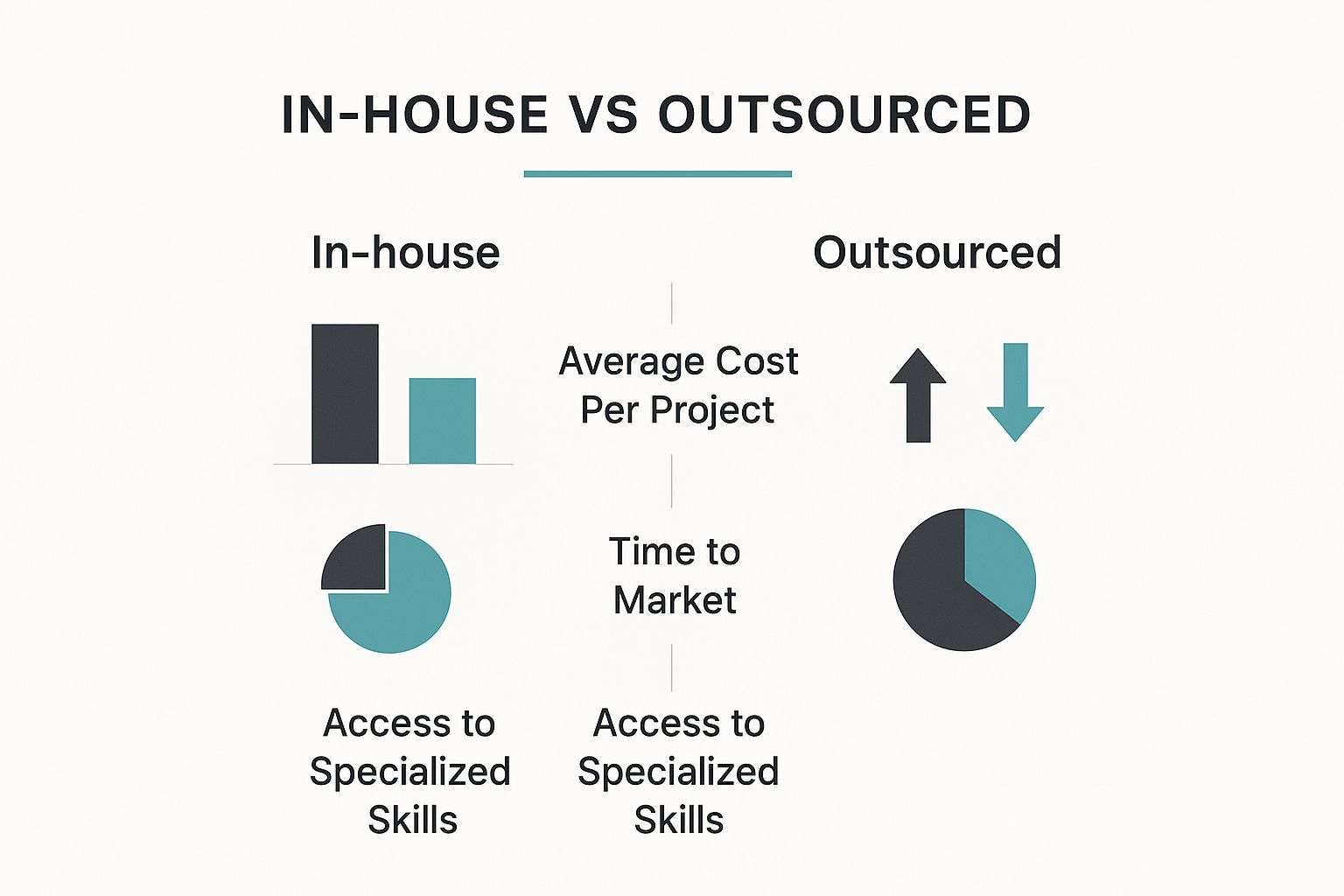
Access to Specialized Skills: Finding and hiring in-house experts in areas like AI, machine learning, and blockchain can be challenging and costly. Outsourcing offers a way to access this expertise without the expense of full-time employees.
Faster Time to Market: Outsourcing allows businesses to quickly build development teams and accelerate project timelines, giving them a competitive advantage.
Increased Flexibility and Scalability: Outsourcing provides the flexibility to scale development resources up or down depending on project needs and market conditions.
Focus on Core Competencies: By outsourcing non-core development tasks, businesses can free up internal resources to focus on their core strengths and strategic initiatives.
To illustrate how software development outsourcing has evolved, let’s take a look at the following table:
The table below, “Evolution of Software Development Outsourcing”, showcases the transition of software development outsourcing over time, moving from a simple cost-reduction tactic to a strategic partnership model.
Era
Primary Motivation
Relationship Type
Common Services
Expected Outcomes
1990s – 2000s
Cost Reduction
Vendor
Basic programming, testing
Lower expenses
2000s – 2010s
Access to skills, Time to Market
Client-Vendor
Application development, web development
Improved efficiency, faster project delivery
2010s – Present
Strategic Partnership
Partner
Specialized development (AI, Cloud, Mobile), Product development
Innovation, business growth, competitive advantage
This table highlights the key shifts in outsourcing motivations, relationship dynamics, and the types of services commonly outsourced. The evolution demonstrates a clear progression towards strategic collaboration and a focus on achieving core business goals.
This evolving landscape presents significant opportunities for businesses of all sizes. By taking a strategic approach to software development outsourcing, companies can not only reduce costs but also gain access to a global talent pool, accelerate innovation, and achieve their business objectives more efficiently.
Unlocking the Real Benefits Beyond Cost Savings
While cost reduction is a major motivator, the perks of outsourcing software development go far beyond simply trimming expenses. Smart businesses are using outsourcing to access specialized expertise, often lacking in their local talent pool. This access can be a true difference-maker, empowering companies to take on complex projects they might otherwise find difficult to staff internally.
Accessing Specialized Expertise and Talent
One of the most compelling reasons to outsource is the opportunity to connect with a global network of specialists. Imagine a company wanting to integrate AI into its operations. They might struggle to find local data scientists with the right experience. Outsourcing offers a solution, linking them with qualified AI professionals worldwide. This targeted approach ensures projects are managed by individuals with the most relevant skills, resulting in higher quality outcomes. Plus, outsourcing helps overcome recruitment challenges, especially in competitive tech sectors.
Accelerating Time-to-Market and Enhancing Flexibility
Speed and adaptability are essential in today’s dynamic business world. Outsourcing lets companies quickly build development teams and launch products faster. This speed can be a significant competitive edge, helping businesses capitalize on emerging opportunities and capture market share. Furthermore, outsourcing provides operational flexibility, allowing companies to scale teams up or down as needed. This adaptability is especially valuable in fluctuating markets, enabling businesses to remain agile and responsive to changes in demand.
Quantifying the Benefits for Executive Buy-In
Savvy CTOs know that building a solid business case requires more than just comparing hourly rates. They quantify the benefits of outsourcing by looking at factors like faster time-to-market, access to specialized skills, and increased operational agility. For example, some companies have cut their time-to-market by a remarkable 40-60% with strategic outsourcing. The global IT outsourcing market is expected to reach $682.3 billion this year, with IT services representing 72% of all global outsourcing contract values. This trend reflects a fundamental shift in how companies approach business operations, particularly in software development.
With ongoing software engineer shortages, businesses are increasingly turning to outsourced talent, especially from regions like the Philippines, India, and Eastern Europe. These areas offer skilled engineers at a lower cost than local hiring, allowing companies to save up to 40% by tapping into a global talent pool. Learn more at Kinetic Staff. By presenting a complete view of the potential return on investment, CTOs can make persuasive arguments that resonate with executive decision-makers and secure approval for outsourcing initiatives. This approach goes beyond simple cost analysis, emphasizing the strategic advantages outsourcing provides.
Selecting the Right Outsourcing Model That Actually Works
Outsourcing software development isn’t a one-size-fits-all approach. Different models cater to varying needs and priorities. Choosing wisely is crucial for project success, depending on factors like scope, budget, and required communication. Let’s explore the common models and determine the best fit for your business.
Understanding the Core Models
Several outsourcing models exist, each with unique characteristics. Understanding these nuances is key to making an informed decision.
Offshore Outsourcing: Partnering with a team in a distant country often offers significant cost advantages. However, communication and time zone differences can present hurdles.
Nearshore Outsourcing: Working with a team in a neighboring country or similar time zone simplifies communication. Potentially more expensive than offshoring, it balances cost and accessibility.
Onshore Outsourcing: Collaborating with a team within your own country simplifies communication and project management. This often comes at a higher cost.
Project-Based Outsourcing: Outsourcing an entire project to an external team who manages it from beginning to end. Ideal for well-defined projects with clear deliverables.
Dedicated Teams: Building a dedicated external team that works solely on your projects, acting as an extension of your in-house team. This offers greater control and flexibility.
Staff Augmentation: Supplementing your existing team with specialized external experts to address skill gaps. Useful for short-term needs or specific project phases.
To help visualize the differences between these models, let’s examine a comparison table:
Introduction to Table: The following table compares different outsourcing models to help businesses choose the right approach. It highlights key factors like cost-efficiency, communication ease, and more.
Outsourcing Model
Cost Efficiency
Communication Ease
Time Zone Overlap
Cultural Alignment
Best For
Offshore Outsourcing
High
Can be challenging
Limited
Potential differences
Budget-sensitive projects
Nearshore Outsourcing
Moderate
Easier than offshore
Moderate
More likely alignment
Balancing cost and communication
Onshore Outsourcing
Lower
Easiest
High
Strong alignment
Seamless collaboration
Project-Based Outsourcing
Moderate
Varies by vendor
Varies by vendor
Varies by vendor
Well-defined projects
Dedicated Teams
Moderate
Typically strong
Can be tailored
Can be tailored
Long-term projects & flexibility
Staff Augmentation
Moderate to High
Typically strong
Can be tailored
Can be tailored
Filling specific skill gaps
Conclusion of Table: As the table demonstrates, each model has its pros and cons. Consider your priorities and project requirements when making your decision.
Choosing the Best Fit
The optimal outsourcing model depends on your specific needs and goals. Consider these factors:
Project Complexity and Scope: Complex projects benefit from dedicated teams or staff augmentation. Simpler projects might suit project-based outsourcing.
Budget Constraints: Offshore outsourcing offers the lowest cost, while onshore is the highest. Nearshore represents a middle ground.
Communication Requirements: For crucial real-time communication, onshore or nearshore models are often preferable.
Control and Management Preferences: Dedicated teams offer more control than project-based outsourcing.
Cultural Alignment and Language: Cultural similarities can improve collaboration and understanding.
This infographic illustrates the differences between in-house and outsourced software development regarding average cost, time to market, and access to specialized skills. Outsourced development generally offers cost savings and faster access to specialized skills, leading to a quicker time to market.
Decision Frameworks for Success
Successful companies use decision frameworks to guide their outsourcing model selection. These frameworks consider:
Cost-benefit analysis: Weighing the costs of different models against potential benefits.
Risk assessment: Identifying potential risks, like communication issues or quality concerns.
Communication plan: Defining how communication will be managed across different locations.
Service Level Agreements (SLAs): Establishing clear expectations for service quality and delivery timelines.
By carefully evaluating these factors and using a structured decision framework, businesses can confidently select the outsourcing model that best aligns with their unique needs, setting them up for success. This strategic approach maximizes the benefits of outsourcing to achieve business objectives.
Global Talent Hotspots: Where Smart Companies Are Looking
Finding the right people for your projects is crucial, especially when you need creative talent. For insightful guidance on this, creative staffing solutions offers valuable resources. Many companies recognize that top software development talent isn’t always found locally. This understanding has fueled a significant rise in outsourcing, with businesses actively seeking talent in global hotspots. But where are these hotspots located, and what makes them so attractive?
Beyond Traditional Outsourcing Destinations
While India remains a significant player in outsourcing, companies are increasingly exploring emerging tech hubs. These new hubs offer a variety of benefits, from specialized tech skills to more favorable costs. Diversifying talent sources helps mitigate risk and provides access to a larger pool of skilled professionals. This allows businesses to strategically select the location that best fits their project needs.
Eastern Europe: A Rising Tech Powerhouse
Eastern Europe has become a major force in software development. Countries like Ukraine and Poland have robust technical education systems, producing highly skilled developers. These developers are proficient in a wide range of programming languages and technologies. Ukraine has particularly become a hub for AI development. Poland, with its strong IT infrastructure and burgeoning startup scene, attracts businesses seeking expertise in web and mobile development. The proximity to Western Europe and strong English language skills in these regions further facilitate smooth communication and collaboration.
Latin America: Bridging the Gap
Latin America offers nearshore advantages for North American businesses. Argentina, for instance, boasts a thriving mobile development community. Brazil’s expanding tech sector provides expertise in areas like cloud computing and cybersecurity. Countries such as Colombia and Mexico are also becoming increasingly popular for outsourcing software development due to their attractive cost structures and minimal time zone differences with the U.S. This allows for efficient real-time communication and streamlined project management.
Southeast Asia: A Growing Force
Southeast Asia is another region gaining traction in software development outsourcing. Vietnam, in particular, is known for providing high-quality software development at competitive prices. The region’s growing number of tech universities and increasing English proficiency are making it a compelling alternative to more established outsourcing locations. This trend also extends to nearby countries like the Philippines. The expansion of available talent pools greatly benefits businesses looking to diversify their outsourcing strategies. North America remains a highly lucrative market for software outsourcing, with its value projected to reach $227.40 billion by 2027. This growth is fueled by factors such as rising labor costs, talent shortages, and the increasing complexity of software projects. Many U.S. companies are outsourcing to nearshore and offshore teams in regions like Latin America, Europe, and Asia to address the skills gap. The increasing demand for cloud solutions, AI-powered applications, and cybersecurity expertise further encourages businesses to partner with outsourcing firms that can deliver effective and affordable solutions. Learn more about North American Software Outsourcing Statistics.
Evaluating Potential Locations
When choosing an outsourcing location, consider these key factors:
Technical Expertise: Does the region have a proven track record in the technologies your project requires?
Cost of Labor: Does the location offer a cost advantage compared to your local market?
Communication and Collaboration: How easy is it to communicate with teams in that location? Are there language barriers or significant time zone differences?
Business Culture: Does the region’s business culture align with your company’s values and work style?
By carefully evaluating these factors, businesses can select the optimal location for their software development outsourcing needs. This strategic approach enables companies to access top-tier talent and maximize the return on their outsourcing investment.
Avoiding the Painful Pitfalls of Outsourcing
Outsourcing software development offers a wealth of benefits, but it’s not a magic bullet. It comes with its own set of potential challenges that, if left unchecked, can lead to frustration and even project failure. This section explores some common pitfalls and, importantly, offers strategies to navigate them successfully.
Communication Breakdowns: Bridging the Distance
One of the most frequent hurdles in outsourcing software development is miscommunication. This can arise from language barriers, cultural differences, or simply a lack of well-defined communication processes. Imagine, for instance, a simple misinterpretation of a key project requirement. This seemingly small issue can snowball into significant delays and expensive rework.
To prevent this, establish crystal-clear communication channels and expectations right from the start. Regular video conferences, comprehensive project documentation, and using collaborative project management tools like Asana can dramatically improve communication flow and keep everyone aligned.
Quality Control: Maintaining High Standards
Another significant concern is maintaining consistent quality. Variations in coding standards and testing practices can result in software bugs and performance problems. How can you avoid this? Implement rigorous quality assurance processes.
This means defining specific quality metrics, conducting regular code reviews, and implementing thorough testing procedures at every stage of development. Think of it as building quality into the product from the ground up.
Security Risks: Protecting Your Assets
Outsourcing inherently involves sharing confidential information with external teams. This naturally raises concerns about protecting your intellectual property and securing sensitive data. A well-drafted contract, with explicit clauses on intellectual property rights and confidentiality, is absolutely essential.
In addition, ensure your outsourcing partner follows stringent security protocols and adheres to all relevant data privacy regulations, like GDPR. Protecting your assets should be a top priority.
Contractual Disputes: Clarity from the Start
Ambiguous contracts can easily lead to disputes later on. Clearly define the project scope, deliverables, payment terms, and intellectual property ownership within the contract. This clarity helps prevent misunderstandings and ensures everyone is on the same page regarding expectations. Choosing the right vendor is also crucial; carefully evaluate your options, including whether to Outsource SEO Services.
Managing Expectations: Realistic Goals and Timelines
Unrealistic expectations about project timelines and deliverables can create unnecessary stress and disappointment. Work collaboratively with your outsourcing partner to establish realistic goals and timelines. Account for potential delays and incorporate buffer time to handle unforeseen issues. A pragmatic approach is key.
Building a Governance Framework: Maintaining Oversight
Staying informed about the project’s progress without micromanaging is a delicate balance. Establish a clear governance framework that outlines roles, responsibilities, and reporting procedures. Regular progress reports, using key performance indicators (KPIs), and maintaining open communication channels allow for effective oversight without hindering the outsourcing team’s autonomy.
Contingency Planning: Preparing for the Unexpected
Even with the most meticulous planning, unexpected issues can arise. Develop a contingency plan to address potential problems such as unforeseen delays, team member turnover, or changes in project requirements. This proactive approach minimizes disruptions and keeps the project moving forward.
By addressing these potential pitfalls proactively, businesses can dramatically improve the chances of a successful outsourcing experience. This approach not only mitigates risks but also cultivates a stronger, more productive working relationship with the outsourcing partner. The result? Better outcomes and a more positive experience for everyone involved. Effective communication, clearly defined contracts, robust quality control, and consistent oversight are essential ingredients for achieving your software development goals through outsourcing.
Building Genuine Partnerships (Not Just Vendor Relationships)
The success of outsourced software development often depends on the relationship you build with your outsourcing partner. Simply viewing them as a vendor often leads to subpar results. A true partnership, however, can unlock exceptional outcomes.
This involves a shift in perspective, moving from transactional interactions toward a collaborative and mutually beneficial relationship. It’s about seeing your outsourcing partner as an extension of your team, not just a service provider.
Onboarding and Knowledge Transfer: Setting the Stage for Success
Effective onboarding and knowledge transfer are essential. This involves clearly communicating project goals, sharing necessary documentation, and providing access to relevant systems. Think of it as integrating a new member into your internal team.
The smoother the integration, the faster they can contribute meaningfully. This lays the groundwork for open communication and effective collaboration throughout the project’s life cycle. A well-onboarded team is a productive team.
Cultural Integration: Bridging the Gaps
When collaborating with teams across geographical and cultural boundaries, understanding and respecting those differences is key. Acknowledging different communication styles, work ethics, and holidays fosters respect and understanding.
This cultural sensitivity builds trust and strengthens the partnership. For instance, adjusting communication schedules to accommodate different time zones shows consideration and facilitates smoother interactions. This might involve scheduling meetings at times convenient for both parties, requiring some flexibility.
Communication Protocols and Collaboration Tools: Staying Connected
Clear communication protocols are the backbone of successful outsourcing. Establishing preferred communication channels, setting clear expectations for response times, and utilizing collaborative tools streamlines interactions.
Tools like Slack, Microsoft Teams, or dedicated project management platforms keep everyone connected and informed, regardless of location. These platforms create a central hub for communication, document sharing, and progress tracking, promoting transparency and accountability.
Regular video conferences enable face-to-face interaction, essential for building rapport and tackling complex issues. This personal touch can significantly improve communication and collaboration.
Management Techniques for Distributed Teams: Fostering Ownership
Managing a distributed team requires a different approach than managing an in-house team. Emphasize clear goals, provide consistent feedback, and encourage autonomy. Empowering outsourced teams to take ownership of their work builds a sense of responsibility and pride.
This involves clearly defining roles and responsibilities, providing the necessary resources, and trusting the team to manage their workload. Regular check-ins and progress reviews help keep the project on track and allow for adjustments as needed.
Inspiring Excellence: Going Beyond Requirements
Forward-thinking companies encourage their outsourced teams to contribute ideas and go the extra mile. This means fostering a collaborative environment where ideas are welcomed and valued. Recognizing and rewarding outstanding performance cultivates a culture of excellence.
This can be as simple as acknowledging a team member’s creative solution or celebrating milestones. When outsourced teams feel valued, they become more invested in the project’s success and contribute beyond the minimum requirements. A common pitfall is improper vendor selection; carefully consider whether to Outsource SEO Services. Building genuine partnerships can transform outsourcing arrangements into engines for innovation and growth, delivering exceptional results.
Future-Proofing Your Outsourcing Software Development Strategy
The outsourcing world is always evolving. To keep up, your software development outsourcing approach needs to be just as adaptable. This section dives into the latest trends and how innovative companies are maximizing the value of their external development partners.
Embracing Emerging Trends
Several key trends are shaping the future of outsourcing software development:
AI-Augmented Programming:AI tools like GitHub Copilot are becoming increasingly common for developers, improving both productivity and the quality of code. This translates to outsourced teams potentially delivering better work, faster.
Blockchain-Based Contracting:Blockchain technology is gaining traction for secure and transparent contract management. This has the potential to minimize disputes and simplify payment processing.
Microservice Specialization: Outsourcing specific microservices gives companies access to specialized expertise and facilitates building more adaptable and scalable applications. For instance, a company could outsource the creation of a payment processing microservice to a team with deep experience in financial technology.
These trends are just a snapshot of the changing software development outsourcing landscape. Keeping current on these advancements is key for businesses that want to remain competitive.
Innovative Strategies for Competitive Advantage
Forward-thinking companies are exploring new ways to enhance their outsourcing strategies:
Outcome-Based Pricing: Moving away from hourly rates and toward measurable outcomes better aligns incentives and promotes improved performance. This model prioritizes specific results over simply paying for time.
Hybrid Team Structures: Combining internal and outsourced teams lets companies capitalize on the strengths of both, leading to a more flexible and budget-friendly workforce. This approach gives businesses greater control over core project elements while still utilizing external expertise for specialized tasks.
Advanced Collaboration Platforms: Investing in cutting-edge collaboration tools like Slack or Microsoft Teams improves communication, project management, and knowledge sharing across geographically dispersed teams, ultimately improving efficiency and productivity.
By using these strategies, companies can break free from traditional outsourcing models and forge more dynamic, efficient, and results-oriented partnerships.
From Obsolete Practices to Future Capabilities
Some traditional outsourcing practices are becoming less effective. For example, depending solely on fixed-price contracts for involved projects can stifle innovation and lead to disagreements. Similarly, prioritizing only cost reduction can limit access to top talent.
To thrive in the future of outsourcing, companies need to develop these capabilities:
Agile Project Management: Adopting agile methodologies enables greater flexibility and responsiveness to evolving project requirements. This adaptability is crucial in today’s dynamic development environment.
Strong Communication and Collaboration Skills: Clear communication and collaboration are essential for effectively managing distributed teams and achieving shared goals.
Data-Driven Decision Making: Using data analytics to track performance and pinpoint areas for improvement helps refine outsourcing strategies and maximize return on investment.
By moving past outdated practices and fostering these key capabilities, businesses can position themselves to take advantage of emerging opportunities in the outsourcing arena and maintain a competitive edge.
Ready to elevate your software development? creavoid offers specialized AI solutions, custom software development, and performance-driven online marketing to help your business succeed. Visit creavoid today to find out more.
Network Attached Storage (NAS) devices are specialized storage solutions that connect to a network, allowing multiple users and devices to access and share data efficiently. Unlike traditional external hard drives, NAS devices operate through a dedicated operating system, providing enhanced performance, scalability, and features suitable for various applications. Whether used for home entertainment or business productivity, NAS devices fulfill storage needs by supporting various media formats and file types.
The core function of a NAS device is to provide centralized data storage that is accessible from anywhere on the network. This makes it an ideal solution for multimedia streaming in home settings and file sharing in business environments. Home users can store and access movies, music, and photos while enjoying seamless playback on devices like smart TVs, tablets, and smartphones. Conversely, businesses can utilize NAS to store important documents, manage backups, and facilitate collaboration among team members.
NAS devices are available in various types, designed to meet different user requirements. Entry-level NAS units are intended for personal use, featuring a few hard drive bays and limited processing power. In contrast, business-oriented NAS solutions offer advanced features such as RAID configurations, higher performance specifications, and support for virtualization. It is crucial to choose a NAS that’s tailored to the specific needs of the users, whether for simple home use or complex enterprise tasks.
When setting up a NAS device, key hardware requirements include sufficient storage capacity, an adequate processor, and enough RAM to ensure smooth operation. Connecting the NAS to a reliable network is also essential for optimal performance. As storage and streaming demands continue to grow, understanding these aspects of NAS devices becomes increasingly important for maximizing home entertainment experiences and enhancing business productivity.
Enhancing Home Entertainment with NAS
Network-Attached Storage (NAS) devices significantly enhance home entertainment setups by providing a centralized platform for managing and streaming media content. This innovation allows users to store a vast library of movies, TV shows, music, and photos, enabling seamless access from various devices connected to the home network. By integrating a NAS into the home entertainment system, individuals can experience streamlined media playback without the limitations often imposed by traditional media storage solutions.
Home Entertainment NAS Devices (Network Attached Storage)
One of the standout features of NAS devices is their compatibility with numerous media server applications, such as Plex and Emby. These applications facilitate the organization of media files, providing an easy-to-navigate interface for users. Additionally, users can transcode media on-the-fly, allowing for optimal streaming quality across different devices, regardless of their specifications. This ensures that all family members can enjoy their favorite content, whether they are using a smart TV, mobile device, or tablet.
Setting up a NAS as a home media library is relatively straightforward, thanks to user-friendly interfaces and comprehensive setup guides. Users can quickly upload their media collections, categorize files, and even edit metadata for a polished appearance. Moreover, NAS devices support a range of file formats, ensuring that all media types can be made available for streaming without compatibility issues.
Advanced features of NAS for enhancing home entertainment extend beyond local access. Many NAS solutions offer remote access capabilities, allowing users to stream content from outside their home network. This feature is particularly beneficial for families on the go, enabling streaming of movies or music from anywhere with an internet connection. Additionally, users can share their media libraries with family and friends, fostering a collaborative entertainment experience. Overall, utilizing NAS for home entertainment creates a versatile and enriching environment for all users involved.
Boosting Business Productivity with NAS
In today’s competitive landscape, businesses increasingly rely on Network Attached Storage (NAS) devices to optimize productivity and streamline operations. NAS systems provide a centralized data storage solution, making it easier for teams to access, share, and manage files efficiently. This collective access reduces the time spent searching for documents, thereby facilitating smoother workflows and enhanced collaboration among team members.
One significant advantage of NAS is its ability to automate backup processes, ensuring that critical business data is safeguarded against loss. By implementing a NAS system, companies can schedule regular backups, thereby minimizing the risk of data corruption or accidental deletion. This is particularly vital in the era of remote work, where employees access files from various locations and devices. Consequently, organizations can maintain data integrity and continuity in their operations, regardless of where their employees conduct their work.
Business Productivity NAS Devices (Network Attached Storage)
Moreover, many NAS devices come equipped with specialized applications designed for business use, such as file sharing and project management tools. Applications like Trello or Asana can integrate with NAS platforms to automate task assignments, monitor project progress, and optimize team collaboration, enhancing overall productivity. These tools allow for real-time updates and communication, which are essential in a remote working environment where teams may be scattered.
Data security remains a primary concern for businesses, and NAS systems address this through various security protocols. Organizations can implement user permissions to restrict access based on roles, thus protecting sensitive information from unauthorized personnel. Additionally, many NAS systems support encryption and remote access controls, further safeguarding business data while allowing legitimate users flexibility in accessing resources from different locations.
In conclusion, NAS devices are invaluable assets for businesses aiming to enhance productivity and efficiency. By centralizing file storage, ensuring reliable backups, and enhancing collaboration through integrated applications, companies can significantly improve their operational effectiveness, particularly in remote settings.
Choosing the Right NAS Device for Your Needs
When selecting a Network Attached Storage (NAS) device, it is crucial to assess your specific requirements, whether they lean towards home entertainment or business productivity. The first factor to consider is storage capacity. You must evaluate the amount of data you plan to store, including documents, media files, and backups. For home users, a NAS with a capacity between 4TB to 10TB is often sufficient for multimedia storage and streaming. Conversely, businesses may require larger capacities, with options exceeding 50TB, to accommodate extensive data needs.
Data protection is another critical consideration. Many NAS devices offer features such as RAID configurations, which provide redundancy in case of a drive failure, ensuring that your data remains safe. For business users, robust backup solutions and comprehensive security measures, like encryption and remote access controls, are essential to protect sensitive information.
The user interface of the NAS system also plays a role in decision-making. An intuitive and user-friendly interface makes it easier for individuals and teams to manage their data. Home users may prefer simpler interfaces for easy setup and media streaming, while businesses should look for advanced management features that support collaboration and administration functions.
Compatibility with existing devices is equally important. Ensure that the NAS you choose is compatible with your current operating system, smart TVs, and other devices to streamline data access. Popular NAS brands often include models that work seamlessly with various platforms.
When it comes to specific models, several top-rated NAS devices stand out. For budget-conscious buyers, options such as the Synology DS220+ or QNAP TS-451+ offer excellent value without compromising functionality. Meanwhile, emerging technologies such as NVMe storage integration are becoming more common, providing faster data access and enhanced performance for both entertainment and business usage. Through careful consideration of these factors, you can select a NAS device that meets your specific needs, thus maximizing your home entertainment or business productivity experience.
Get ready, Roblox just dropped some seriously exciting news that’s going to change the way you build and design your experiences. The platform has officially unveiled its brand-new, open-source AI model called “Cube 3D.” This powerful tool lets you generate 3D objects simply by typing in text prompts. Yep, you read that right – describing what you want is now a way to actually create it! As reported by the folks over at TechCrunch, this is a major leap forward in Roblox’s AI capabilities, and it’s just the beginning. They’re even planning on rolling out more cool AI tools for text and speech in the near future. Let’s dive into what this means for you and your creative journey on Roblox!
The Future of Creation is Here: Meet Cube 3D
Remember that buzz about Roblox working on an AI 3D modeler? Well, it’s here! Cube 3D was first teased at Roblox’s big annual developer conference last year, and now it’s taking center stage at the Game Developer Conference. And the best part? It’s becoming available to all you amazing creators this week!
This foundational AI model is packed with some serious brainpower – 1.8 billion parameters, to be exact – and it’s specifically designed to create 3D objects that fit seamlessly into the Roblox world. Unlike older methods that try to build 3D from flat images, Cube 3D is trained on actual 3D data right from the platform. This means the stuff it creates is already optimized to work perfectly in your games. While this awesome tool will be free for all developers and creators to use, Roblox will be putting in place some usage limits to make sure everyone gets a fair share of the resources.
How Does This Magic Work? What is the Mesh Generation API?
At the heart of Cube 3D is its super handy “mesh generation API,” which is currently in beta testing. This API is what allows you to turn your text ideas into actual 3D models. It’s as simple as typing a command! Want to quickly create a vehicle? Just type “generate a motorcycle.” Need some roadside flair? Try “generate orange safety cone.” This new API is all about making your 3D creation process faster and more efficient. Here are some of the key benefits:
Rapid Idea Generation: Got a new concept you want to visualize? Cube 3D lets you quickly bring your ideas to life, allowing you to explore different creative paths and boost your overall productivity.
Customize to Your Heart’s Content: The 3D models generated by Cube 3D are just the starting point. You can then add your own textures and colors to really make them your own and fit your unique style.
Plays Well with Others: Because Cube 3D is trained on Roblox data, the objects it creates are designed to work perfectly within the Roblox game engine. This means less time spent on compatibility issues and more time on making your game awesome.
More to Come! Roblox isn’t stopping here. They’re planning to make the API even more powerful in the future, with the ability to generate entire scenes based on different types of inputs. Imagine describing a whole environment and having it appear before your eyes!
Open Source Power: Innovation for Everyone
Here’s another reason to be excited: Cube 3D is open source! This means that anyone, even if they don’t develop on Roblox, can use it, create their own add-ons for it, or even train it with their own data. This approach is fantastic for fostering innovation and driving research in AI tools and 3D content creation within the gaming world and beyond. The fact that Cube 3D is trained on real Roblox 3D data is a big advantage, ensuring that the generated content is perfectly suited for the platform.
What’s Next? Even More AI Tools Coming to Roblox!
Roblox isn’t just stopping at 3D object generation. They’ve got some exciting plans to expand their AI toolkit even further in the coming months. Get ready for:
AI for Words: They’re working on text generation tools that could help you write in-game dialogue, create item descriptions, or even build dynamic narratives.
Talking and Listening: Text-to-speech and speech-to-text functionalities are also in the pipeline, which could greatly enhance accessibility and open up new ways for players to interact within experiences.
Building Worlds with AI: The long-term goal is to develop tools that can generate entire scenes on demand, making world-building faster and easier than ever before.
From Images to 3D: Imagine being able to upload a picture and have Roblox generate a 3D object based on it! That’s another future enhancement they’re working on.
Breaking Down Language Barriers: Roblox is even exploring real-time language translation models, which could help connect players from all over the world.
A Smart AI Brain: The underlying Cube model is being designed to understand and process various types of input, including text, images, and video, to create even more sophisticated 3D content in the future.
Fair Use for All: While all these amazing AI tools will be free for developers and creators, Roblox will be implementing usage limits to ensure that everyone has a fair opportunity to use them.
The Takeaway
Roblox’s release of Cube 3D and its plans for even more AI-powered tools are a massive step forward for the platform. This technology has the potential to significantly speed up your workflow, lower the barrier to entry for new creators, and unlock incredible new possibilities for creativity. Get ready to say goodbye to some of the more tedious aspects of 3D modeling and hello to a future where your imagination is the only limit. We’re super excited to see what amazing things you’ll create with Cube 3D! What are you most looking forward to building with this new AI? Let us know in the comments!
Smart homes are awesome, but security is always the key!
This checklist is your guide to a super-secure smart home in 2025 and beyond.
We’ll cover the basics, like strong passwords and keeping things updated.
Plus, we’ll explore advanced tactics using AI and blockchain.
A Guide to IoT Security in Smart Homes
In a world where our refrigerators can order groceries, our thermostats adjust themselves, and our doorbells double as security cameras, smart homes are no longer just futuristic fantasies—they’re part of our everyday lives. But with convenience comes risk. As we integrate more Internet of Things (IoT) devices into our living spaces, securing these interconnected gadgets becomes absolutely essential.
This means we must keep your personal information, your devices, and your network safe from unauthorized access. Let’s take a closer look to how to secure your IoT devices at home shall we?
What is IoT Security?
At its core, IoT security refers to the measures taken to protect the network of physical devices—ranging from smart speakers and thermostats to security cameras and appliances—from cyber threats. These devices are connected to the internet, enabling them to exchange data and perform automated tasks. However, this connectivity can also expose them to vulnerabilities if not properly secured.
Why is IoT Security Crucial?
Your IoT devices collect a lot of personal information. This includes your daily habits, likes, and even sensitive data such as passwords. Without strong IoT security, this important information can be at risk.
If someone gets unauthorized access, it can lead to breaches of your privacy, data theft, and even control over your devices. Just think about a stranger being able to see your security cameras or change the temperature on your smart thermostat—not good at all! This is why focusing on IoT security is very important for protecting your privacy and keeping you calm.
The Step-by-Step IoT Security Checklist for 2025
This checklist will help you understand the steps to protect your smart home from possible dangers.
By using these tips, you can reduce risks and enjoy the benefits of a connected home while staying safe. Are you ready to make your smart home a stronghold against digital threats? Let’s get started!
1. Inventory Your Smart Devices
Before you learn about how to secure your iot devices at home, you need to know what’s inside it. Create a comprehensive list of all your IoT devices. This includes:
Pro Tip: Maintain an updated inventory as you add or remove devices. This simple step ensures you’re aware of every potential vulnerability in your network.
2. Secure Your Home Network
Think of your home network as the brain of your smart home. It connects all your devices so they can talk to each other and exchange information. Here’s how to fortify it:
Change Default Credentials: Many IoT devices come with pre-set usernames and passwords. Change these immediately upon installation.
Upgrade to WPA3 Encryption: If your router supports it, use WPA3 encryption to add an extra layer of protection.
Segment Your Network: Create separate networks for your smart devices and personal devices. For example, keep your security cameras on one network and your laptops on another.
Regularly Update Router Firmware: Just like your IoT devices, your router needs regular updates to patch security vulnerabilities.
3. Harden Your IoT Devices
Now that your home network is safe, let’s look at your individual devices. Each device has its own security settings, and it’s important to make them better.
Each device in your smart home needs individual attention:
Update Firmware: Ensure all your devices run the latest firmware. Manufacturers often release updates to patch vulnerabilities.
Disable Unused Features: Many devices have features you might not use (like remote access or voice recognition). Disable these if they’re not essential.
Use Strong, Unique Passwords: Avoid using the same password for multiple devices. Consider a password manager to keep track.
Two-Factor Authentication (2FA): Where available, enable 2FA for an added layer of security.
4. Advanced Network Protection
Ready to take your security game to the next level? Implementing advanced network protection measures will provide an even more robust defense against sophisticated threats.
Consider using a Virtual Private Network (such as NordVPN) to encrypt your internet traffic, making it much harder for hackers to intercept your data. Employ network monitoring tools to keep an eye on suspicious activity and identify potential breaches in real-time.
Advanced Protection
Description
TLS Encryption
Encrypts data transmitted between devices and servers.
VPN
Creates a secure tunnel for your internet traffic.
Network Monitoring
Tracks and analyzes network activity for anomalies.
Firewall
Blocks unauthorized access to your network.
5. Monitor and Respond
Even with strong security measures, staying alert is very important! Don’t just set everything up and walk away. Make it a habit to check your network activity often.
Watch for any strange signs, like unknown devices linking to your network or sudden jumps in data use.
By keeping an eye out and reacting to possible risks, you can keep your smart home safe and secure. Always remember, being proactive is much better than being reactive!
Expert Insights & Advanced Strategies
As technology changes quickly, the ways to protect it are changing too. Let’s look at some expert advice and smart strategies that use the latest tech to strengthen your smart home security.
Embracing AI and Machine Learning
Artificial Intelligence (AI) and machine learning are not just things of the future anymore. They are changing how we look at cybersecurity, including IoT security.
AI-powered security measures can look at huge amounts of data. They can spot patterns and find anomalies that could show a threat. Imagine a virtual security guard always watching your network for any strange activity!
But, we need to keep in mind that AI has its limits. As hackers come up with smarter ways to attack, staying aware of potential vulnerabilities in AI-based security systems is very important.
The Role of Blockchain in IoT Security
Blockchain provides a high level of security. It makes a permanent record of transactions, so it is very hard for hackers to change any data. When it comes to IoT, blockchain can check if devices are real, keep data safe during exchanges, and block unauthorized access.
Even though blockchain is still new, it can strongly impact IoT security. Its way of being decentralized and encrypted promises a safer and more reliable IoT environment.
Blockchain technology’s decentralized nature can enhance the security of IoT devices by:
Providing Immutable Records: Every transaction or data exchange is recorded, making it nearly impossible for hackers to alter records undetected.
Enabling Secure Device Authentication: Blockchain can help verify that each device on your network is genuine and not a malicious impersonator.
Future Trends in IoT Security
Looking to the future, the world of IoT security will be both exciting and tough. As more devices join the internet, the chances for cyber threats will keep growing.
However, new technology like artificial intelligence, machine learning, and blockchain can help us create better security measures.
We can look forward to self-healing networks. These networks will have AI systems that find and stop threats on their own, without needing people to help.
We may also see strong protection methods, like quantum cryptography, to fight against changing cyber threats in the coming years.
Common Mistakes & Best Practices
Now that we have gone through the key steps to secure your smart home, let’s look at some common mistakes you should avoid.
Using weak or default passwords.
Neglecting firmware updates.
Ignoring security settings.
Connecting too many devices without the right security measures.
On the other hand, focus on these best practices:
Use a unique password for each IoT device.
Turn on two-factor authentication whenever you can.
Regularly check and update your security settings.
Stay aware of potential vulnerabilities and updates.
IoT device security depends on several steps. These steps include encryption, authentication methods, secure boot processes, and updating firmware regularly. These measures help to fix potential vulnerabilities and keep sensitive data safe.
How can I control my IoT device remotely?
Many smart devices let you access them from far away using mobile apps or websites. These are usually protected by account logins and extra security measures. This helps to keep your personal life safe.
How do you secure IoT devices at home?
To protect your home network from security risks, you should take some important steps. First, use a strong password for your network. Second, turn on a firewall. Finally, make sure each IoT device has its own unique password. These actions can greatly improve your home network security.
What Works Best For IoT Security?
It is important to focus on strong security features. Regularly updating your firmware is essential. Make sure you have network security measures in place. You should also enable the use of encryption to protect your data. These are some of the best practices you can follow in your daily lives.
I remember the days of manually sending LinkedIn connection requests, one by one, hoping to grow my professional network. Like many of you, I spent countless hours crafting personalized messages, tracking responses, and trying to keep up with follow-ups. That’s why I’m genuinely excited to share my experience with Closely, a LinkedIn automation tool that’s transformed how I approach B2B sales and networking.
Why LinkedIn Matters for Your B2B Success
Before diving into Closely, let’s talk about why LinkedIn has become the powerhouse of B2B sales. With 900 million users globally and counting (expected to hit 1 billion by 2025), LinkedIn isn’t just another social network – it’s where business happens. What really caught my attention was discovering that LinkedIn generates 80% of all B2B leads compared to other social platforms. When you’re trying to reach decision-makers and Fortune 500 executives, that’s exactly where you want to be. The platform’s visitor-to-lead conversion rate outperforms both X and Facebook by nearly three times!
The Struggles of Manual Outreach
Here’s the thing, while LinkedIn is incredibly powerful, most successful deals require multiple follow-ups, and keeping track of hundreds of conversations quickly becomes overwhelming. I learned this the hard way, spending entire weekends just trying to stay on top of my outreach efforts. Here’s what manual outreach typically involves:
Time-Consuming Messaging: I spent hours crafting individual messages, which quickly became overwhelming.
Tracking Challenges: Remembering who I reached out to and when was a challenge in itself.
Complex Follow-Ups: Coordinating follow-ups across various time zones often left me stressed and confused.
Inconsistent Engagement: The struggle to keep every conversation alive meant I missed out on many opportunities.
That process felt like trying to fill an ocean with a teaspoon, and I knew there had to be a better way.
What is Closely?
Closely is a LinkedIn automation tool designed to help sales and marketing teams streamline their outreach efforts and improve their results. Designed with safety in mind, Closely mimics human behavior with a built-in warm-up feature that gradually increases activity, reducing the risk of account flags or bans.
Whether you’re a sales rep, recruiter, or growth marketer, this tool automates tasks like sending connection requests, personalized messages, profile views, and even email outreach—all from one intuitive dashboard.
Why you should have it;
Find and connect with targeted leads: Closely enables you to search for and connect with LinkedIn profiles that match your ideal customer profile using sales navigator search.
Send personalized messages: You can create and automate personalized connection requests and follow-up messages to engage with your target audience.
Engage with posts and profiles: Closely can automate profile views and post engagements to increase your visibility and build relationships.
Manage campaigns efficiently: The tool helps you organize and manage your LinkedIn outreach campaigns, track performance, and optimize your strategy.
Essentially, Closely acts as your LinkedIn assistant, helping you to scale your outreach efforts without spending countless hours on manual tasks.
Why You Should Use A LinkedIn Automation Tool Like Closely?
Closely offers a range of benefits for sales and marketing professionals looking to enhance their LinkedIn presence and drive better results:
Save Time and Increase Efficiency: Automate repetitive tasks like sending connection requests and messages, freeing up your time to focus on more strategic activities.
Generate More Leads: By automating outreach to targeted prospects, Closely helps you expand your network and generate a consistent flow of leads.
Improve Engagement and Response Rates: Personalized messages and automated engagement can lead to higher connection acceptance and response rates compared to generic outreach.
Enhance LinkedIn Presence: Consistent profile views and post engagement increase your visibility within your network and the LinkedIn ecosystem.
Track and Optimize Campaigns: Closely provides analytics and reporting features to monitor campaign performance, identify what works best, and refine your approach for optimal results.
Integration with CRM and Other Tools: Closely integrates with popular CRM systems and other sales and marketing tools, streamlining your workflow and data management.
Closely vs. Competitors: A Quick Comparison
While Closely is a strong contender in the LinkedIn automation space, it’s helpful to see how it compares to some of its competitors. Here’s a brief overview of a few alternatives:
Feature
Closely
LinkedIn Sales Navigator
Lusha
Apollo.io
Salesloft
Primary Focus
LinkedIn Automation
Sales Intelligence & LinkedIn Platform
Contact Data & Prospecting
Sales Intelligence & Engagement Platform
Sales Engagement & Workflow Automation
LinkedIn Automation
Yes
Strong Features
Limited Automation Capabilities
Limited LinkedIn Automation
Yes, Part of Broader Platform
Lead Generation
Yes, Targeted LinkedIn Lead Generation
Yes, Advanced Search Filters & Lead Lists
Yes, Contact Data Enrichment & Prospecting
Yes, Extensive Database & Prospecting Tools
Yes, Part of Broader Sales Engagement Suite
Personalization
Yes, Advanced Personalization Options
Basic Personalization
Basic Personalization
Advanced Personalization Features
Advanced Personalization Features
CRM Integration
Yes
Yes
Yes
Yes
Yes
Pricing
Competitive, Multiple Plans
Higher Price Point
Pay-as-you-go or Subscription
Enterprise-focused Pricing
Enterprise-focused Pricing
Please Note: This is a simplified comparison. Each tool offers a wide range of features and functionalities, and the best choice depends on your specific needs and priorities.
Key Takeaways from the Comparison:
Closely excels in LinkedIn Automation: If your primary goal is focused and effective LinkedIn outreach automation, Closely offers a robust and dedicated solution.
LinkedIn Sales Navigator is a broader sales intelligence platform: While offering some LinkedIn features, Sales Navigator is more focused on sales intelligence and provides advanced search and insights within LinkedIn itself, but less automation.
Lusha and Apollo.io are strong for contact data: These tools are excellent for enriching contact data and providing broader prospecting capabilities beyond just LinkedIn.
Salesloft is an enterprise-grade sales engagement platform: Salesloft offers a comprehensive sales engagement suite, including LinkedIn automation as part of a larger platform, geared towards larger sales teams with complex workflows.
Closely’s Strengths:
Dedicated LinkedIn Automation: Closely’s core focus is LinkedIn automation, making it highly specialized and feature-rich in this area.
User-Friendly Interface: Closely is known for its intuitive and easy-to-use interface, making it accessible for users of all technical levels.
Affordable Pricing: Compared to some broader sales engagement platforms, Closely offers competitive and flexible pricing plans, making it accessible for smaller businesses and individual professionals.
Who is Closely For?
Closely is ideally suited for individuals and businesses seeking a specialized and efficient solution for LinkedIn outreach automation. Its strong suite of features, user-friendly interface, and affordable pricing make it particularly attractive for smaller businesses and professionals looking to enhance their marketing efforts on LinkedIn. If optimizing your LinkedIn automation strategy is your priority, Closely stands out as a top choice. Closely is particularly well-suited for:
Sales Professionals: Sales representatives, business development managers, and sales leaders looking to generate leads (or lead management), connect with prospects, and nurture relationships on LinkedIn.
Marketing Experts: Marketing professionals focused on LinkedIn for content distribution, brand building, and engaging with potential customers.
Small to Medium-Sized Businesses (SMBs): Businesses looking for a cost-effective and efficient way to scale their LinkedIn outreach and lead generation efforts.
Agencies: Marketing and sales agencies managing LinkedIn outreach campaigns for their clients.
Integrations and Automation Features for Enhanced Outreach
Closely enhances your workflow by offering seamless integration with widely-used CRMs and tools. It supports a range of systems, including HubSpot CRM, Zoho CRM, Salesforce, and Pipedrive, facilitating direct management of leads and campaigns within these platforms for a streamlined process.
By connecting Closely to your chosen CRM with just a few clicks, you’ll be able to handle LinkedIn automation straight from the comfort of your CRM dashboard. This connection not only saves time, but also optimizes outreach efforts efficiently. With Closely as your LinkedIn outbound platform, you can efficiently manage your lead generation process while benefiting from advanced analytics. This allows you to track campaign performance, refine strategies, and make data-driven decisions that boost your outreach efficiency.
The platform’s multi-channel capabilities also enable you to run simultaneous campaigns, whether on LinkedIn or via email, giving you the flexibility to optimize your outreach efforts across different channels while maintaining a cohesive LinkedIn outbound platform strategy.
Searchıng for the best Way to automate your workflow?
dıscover aı agents, supercharge your marketıng efforts
Consider signing up for a free trial (if available) or requesting a demo to experience the power of Closely firsthand.
Conclusion
The future of B2B sales is increasingly digital, and LinkedIn remains at the forefront of professional networking. With tools like Closely, you can stay ahead of the curve while maintaining authentic connections with your prospects. Whether you’re just starting with LinkedIn automation or looking to upgrade your current process, Closely offers the features and support needed to succeed in modern B2B sales. The platform’s commitment to security, combined with its powerful automation capabilities, makes it a valuable tool for anyone serious about scaling their LinkedIn outreach.
Remember, successful B2B sales isn’t just about reaching more people – it’s about reaching the right people with the right message at the right time. Closely helps you achieve exactly that, while saving you countless hours in the process.
Have you tried LinkedIn automation tools before? What are your experiences? Share your thoughts and questions in the comments below!