Ever felt like you have a powerful message to share but struggle to create professional-quality videos? You’re not alone. InVideo AI is a revolutionary browser-based platform that turns your text prompts into fully produced videos, attracting over 25 million users across 190 countries with its powerful AI-driven features [1]. It’s designed to help you create everything from social media ads and explainer videos to full-length YouTube content, all without needing any video editing experience.
This guide will show you how InVideo AI works and why it might be the perfect solution for your video creation needs. You’ll discover its most powerful features, see how it compares to other tools, and get actionable tips to start creating videos that captivate your audience.
What is InVideo AI and Why Should You Care?
InVideo AI is an all-in-one video creation platform that uses artificial intelligence to turn your text prompts into fully produced videos. Think of it as a virtual video production team that handles everything from scriptwriting and scene creation to voiceovers and background music. Unlike traditional video editors that require you to manually piece everything together, InVideo AI automates the entire process, allowing you to create professional-quality videos in minutes.
So, why is it gaining so much traction? Because it democratizes video creation, making it accessible to everyone, regardless of their technical skills or budget. It empowers you to create high-quality videos at scale, saving you time and money.
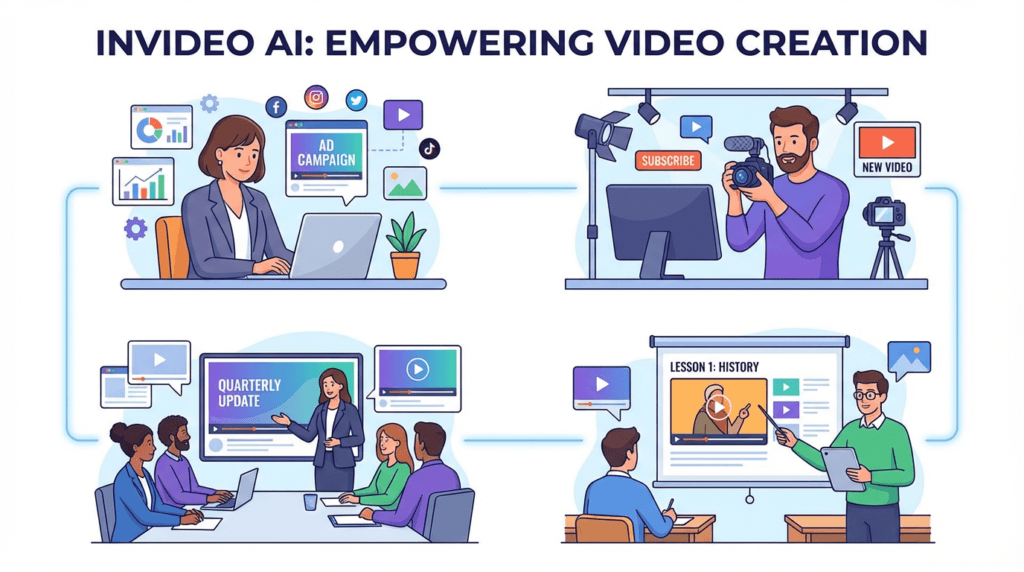
Traditionally, creating a single marketing video could take days or even weeks, involving scriptwriters, voice actors, and video editors. InVideo AI streamlines this entire workflow into a single, intuitive platform. For small business owners, this means you can create compelling video ads for your products without hiring a marketing agency. For content creators, it means you can produce engaging YouTube videos and social media content consistently, growing your audience and your brand.
“I used to spend half a day on a video. Now it’s 30 minutes. Sales doubled once I started creating all my content in Invideo.” – GLD T&C, Marketing Agency [2]
Best Practices: Getting the Most Out of InVideo AI
InVideo AI is packed with powerful features, but knowing which tool to use for your specific goal is key to working efficiently. Instead of a rigid step-by-step process, think of InVideo AI as a creative partner. The best approach is to match the right feature to the right task. This way, you can speed up your workflow and achieve professional results, whether you’re creating a quick social media ad or a detailed tutorial video.
Here’s a breakdown of InVideo AI’s core features and the best way to use them based on your role and desired outcome.
Feature
Who Should Use It (Roles)
For What Outcome
AI Video Generator
Content Creators, Marketers, Educators
To quickly generate complete videos from text prompts, including script, visuals, voiceover, and music.
Advanced AI Effects
Advertisers, Social Media Managers
To create eye-catching videos with cinematic effects like Drip Flip, Car Crash, and Hero Walk.
UGC & Avatars
E-commerce Brands, Marketing Agencies
To create authentic user-generated content style ads and use AI avatars for presentations and tutorials.
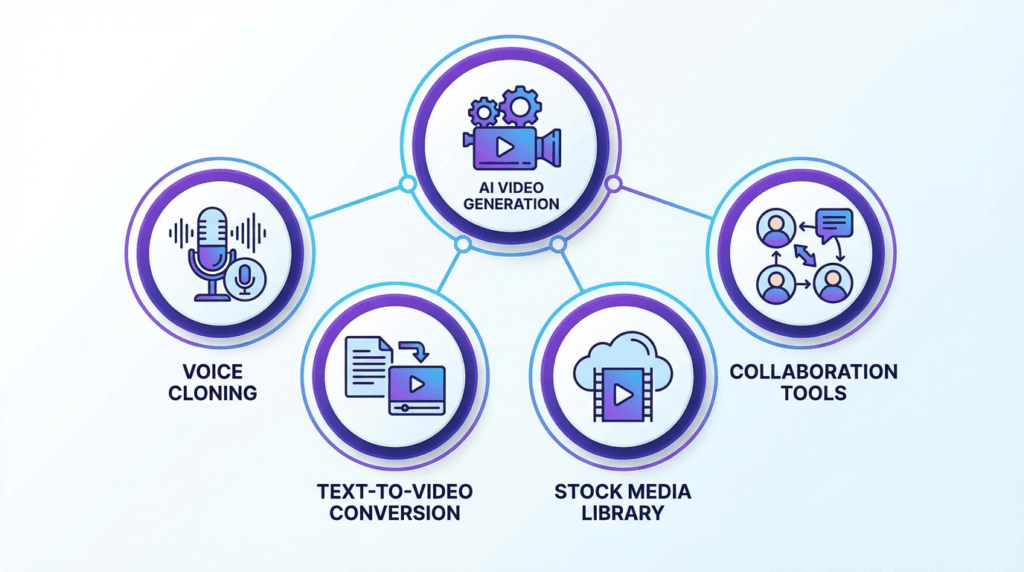
Voice Cloning
YouTubers, Corporate Trainers
To create a consistent brand voice across all video content by cloning your own voice for use in AI-generated voiceovers.
AI Colorist & Inpainting
Professional Video Editors, Filmmakers
To perform advanced color correction, remove unwanted objects, and refine video visuals with precision.
Template Library
Beginners, Small Business Owners
To kickstart video projects with thousands of professionally designed templates for various use cases.
Collaboration Tools
Marketing Teams, Design Agencies
To work together on video projects in real-time, share feedback, and manage brand assets in a shared workspace.
Is InVideo AI Good for Beginners?
Absolutely. Its intuitive interface and AI-powered workflow make it one of the best platforms for beginners who want to create high-quality videos without a steep learning curve. The platform guides you through the entire process, from generating a script to selecting visuals and adding a voiceover. You don’t need any prior video editing experience to get started.
Can I Use My Own Voice in the Videos?
Yes! InVideo AI offers voice cloning capabilities, allowing you to create a digital replica of your own voice for use in your videos. This feature is perfect for creators and brands who want to maintain a consistent and personal touch across all their video content. You can record your voice directly in the platform, and the AI will generate a voiceover in your own voice for any script you provide.
How Does InVideo AI Compare to Other AI Video Generators?
InVideo AI stands out in a crowded market with its comprehensive feature set and ease of use. While many tools focus on a single aspect of video creation, InVideo AI offers an end-to-end solution. Here’s a quick comparison with some popular alternatives:
Feature
InVideo AI
Pictory
Synthesia
Core Function
Text-to-video with AI script, visuals, and voiceover
Text-to-video from articles and scripts
AI avatar video generation
Best For
All-in-one video creation for marketers and creators
Turning long-form content into short videos
Corporate training and presentations
Voice Cloning
Yes
No
Yes (with custom avatars)
Stock Media
Extensive library (including iStock)
Yes
Limited
Pricing
Starts at $28/month
Starts at $19/month
Starts at $30/month
Pros of InVideo AI:
All-in-one platform: From script to final video, everything is in one place.
Extensive stock media: Access to a massive library of images, videos, and music.
Advanced AI features: Voice cloning, AI effects, and more.
User-friendly interface: Easy for beginners to get started.
Cons of InVideo AI:
Can be slow to render: Complex videos can take time to process.
Limited control over AI: The AI makes a lot of creative decisions, which may not always align with your vision.
For more details, you can check out our other useful AI Tools articles!
Conclusion: Your Ultimate Video Creation Partner
InVideo AI has successfully established itself as a leader in the AI video generation space. By combining a powerful AI engine with an intuitive user interface and a massive library of assets, it empowers creators of all skill levels to produce high-quality videos at an unprecedented scale.
Whether you’re a marketer looking to create engaging video ads, a content creator aiming to grow your YouTube channel, or a business owner wanting to create professional training videos, InVideo AI provides the tools you need to succeed. It’s more than just a video editor; it’s a complete video creation ecosystem.
Ever felt like you have amazing design ideas but lack the complex software skills to bring them to life? You’re not alone. Many creators, entrepreneurs, and small business owners struggle to produce professional-quality graphics without a design degree or a big budget. What if there was a tool that bridged the gap between easy-to-use apps and powerful, professional software?
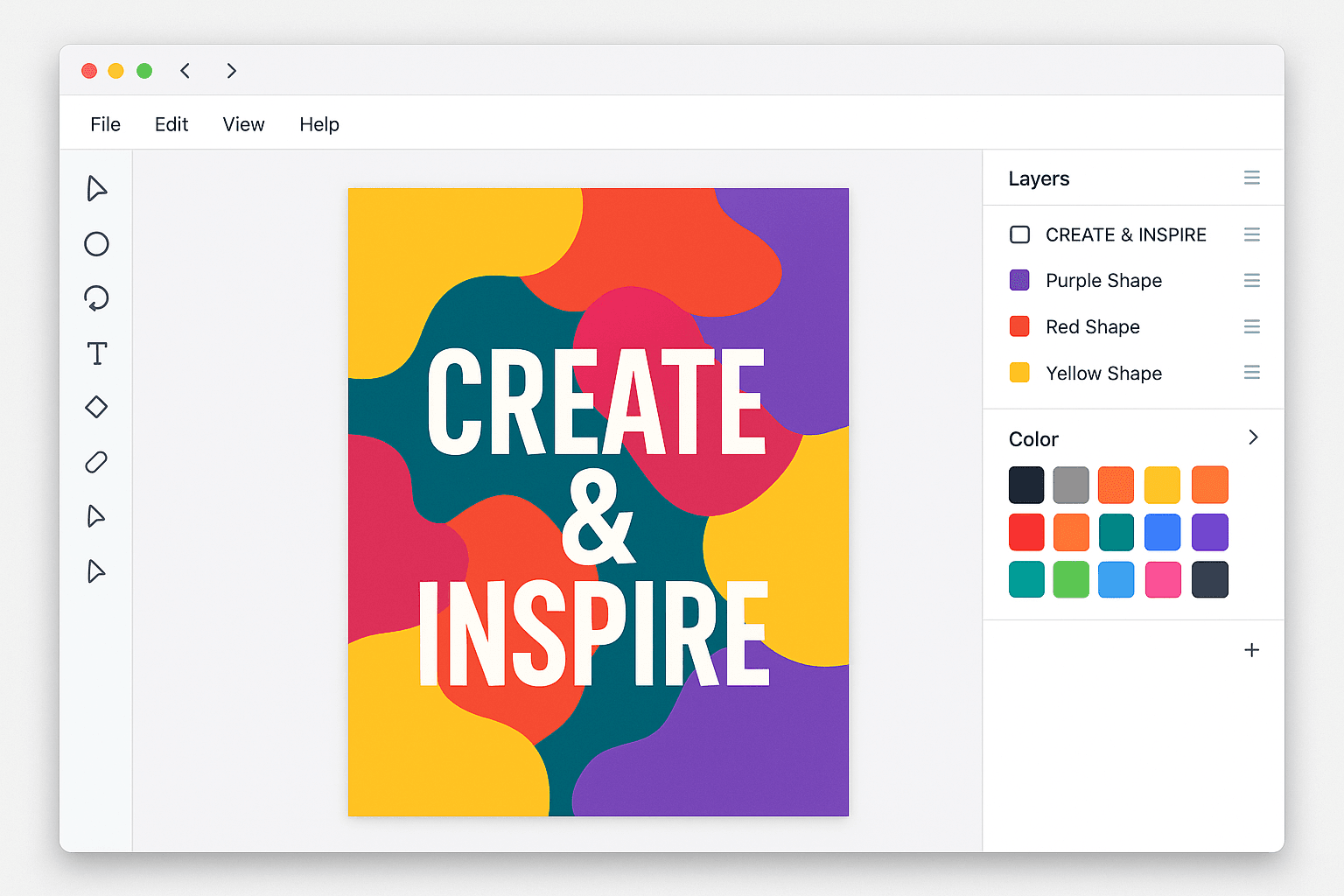
That’s where Kittl comes in. This browser-based design platform has been making waves, attracting over 8.7 million users with its unique blend of intuitive tools, stunning templates, and powerful AI features [1]. It’s built to help you create everything from t-shirts and logos to social media posts and intricate illustrations, all without the steep learning curve of traditional design software.
In this guide, we’ll take a close into what Kittl is, how its AI works, and why it might just be the game-changing tool your creative workflow has been missing. You’ll learn how to leverage its most powerful features, see how it stacks up against competitors, and get actionable tips to start creating designs that stand out.
What is Kittl and Why Should You Care?
Kittl is an all-in-one design platform that runs directly in your browser. Think of it as a powerful studio that combines the ease of a template-based editor with the advanced capabilities of professional design software. Unlike tools that are either too simple or too complex, Kittl strikes a perfect balance, making it ideal for both beginners and experienced designers.
So, why is it getting so much attention? Because it solves a major problem: it makes high-end design accessible to everyone.
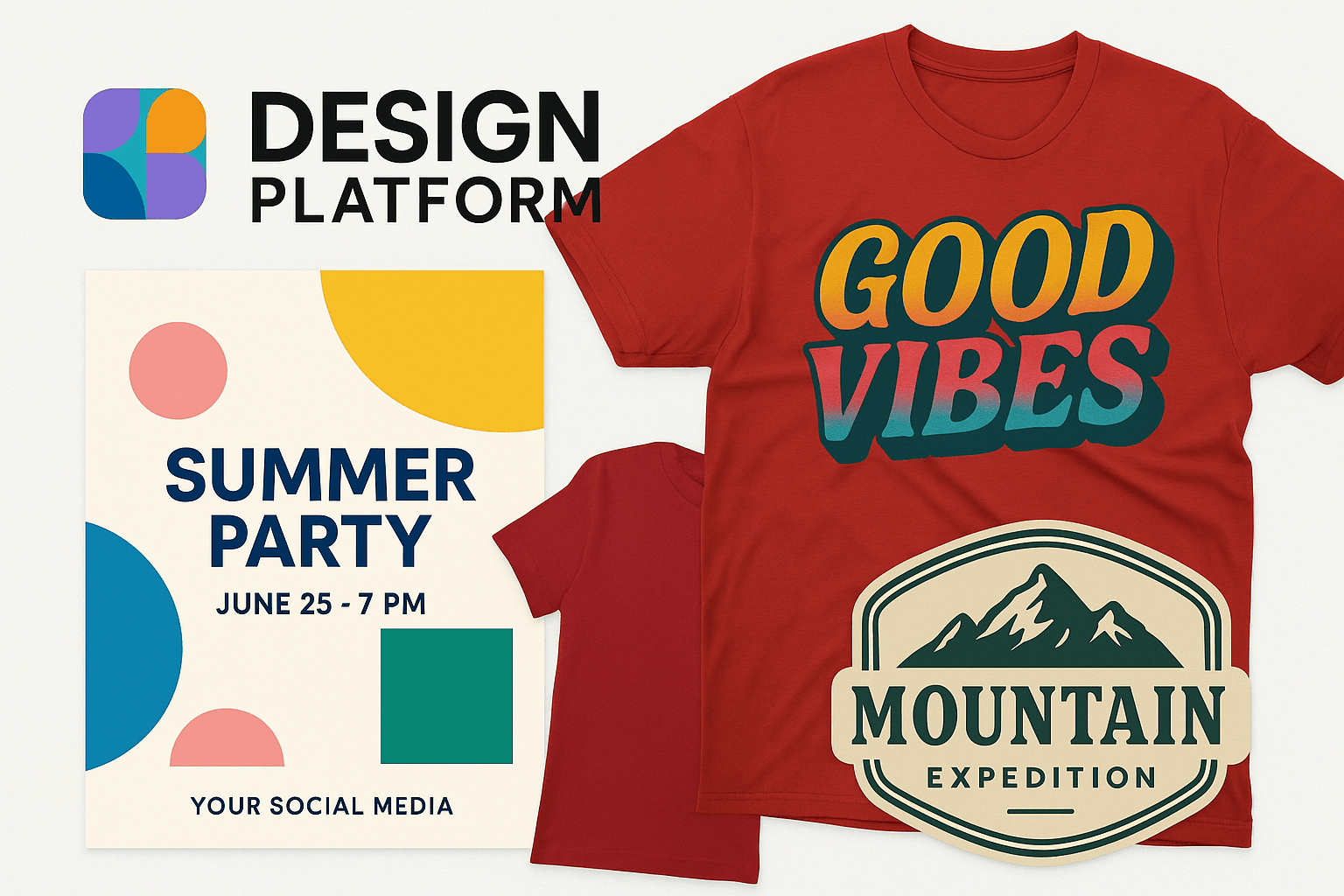
Traditionally, creating detailed, artistic designs required mastering complex programs like Adobe Illustrator. Kittl simplifies this with features like one-click text effects, a massive library of ready-to-use templates, and advanced typography controls that let you create stunning visuals in minutes, not hours. For small business owners, this means you can create a professional logo for your brand without hiring a designer. For print-on-demand sellers, it means you can produce trendy, high-quality t-shirt designs that actually sell.
“Finally, an easy-to-use graphic design software that offers high-quality downloads, graphics, and fonts with a commercial license for our products and clear licensing terms! With Kittl’s super customizable features, it has been my go-to platform for creating all the designs for my business.” – Sandra Di, Etsy Seller & YouTuber [2]
Best Practices: Getting the Most Out of Kittl
Kittl is packed with powerful features, but knowing which tool to use for your specific goal is key to working efficiently. Instead of a rigid step-by-step process, think of Kittl as a creative toolbox. The best approach is to match the right tool to the right job. This way, you can speed up your workflow and achieve professional results, whether you’re designing a logo, creating merchandise, or launching a marketing campaign.
Here’s a breakdown of Kittl’s core features and the best way to use them based on your role and desired outcome.
To quickly generate unique graphics, illustrations, and photos for social media, blog posts, or merchandise when you don’t have stock photos.
Advanced Text Effects
Brand Designers, T-Shirt Creators, Logo Designers
To create stunning, professional-grade typography with vintage effects, intricate decorations, and realistic textures that make logos and apparel stand out.
AI Vectorizer
Print Designers, Merch Sellers, Professional Designers
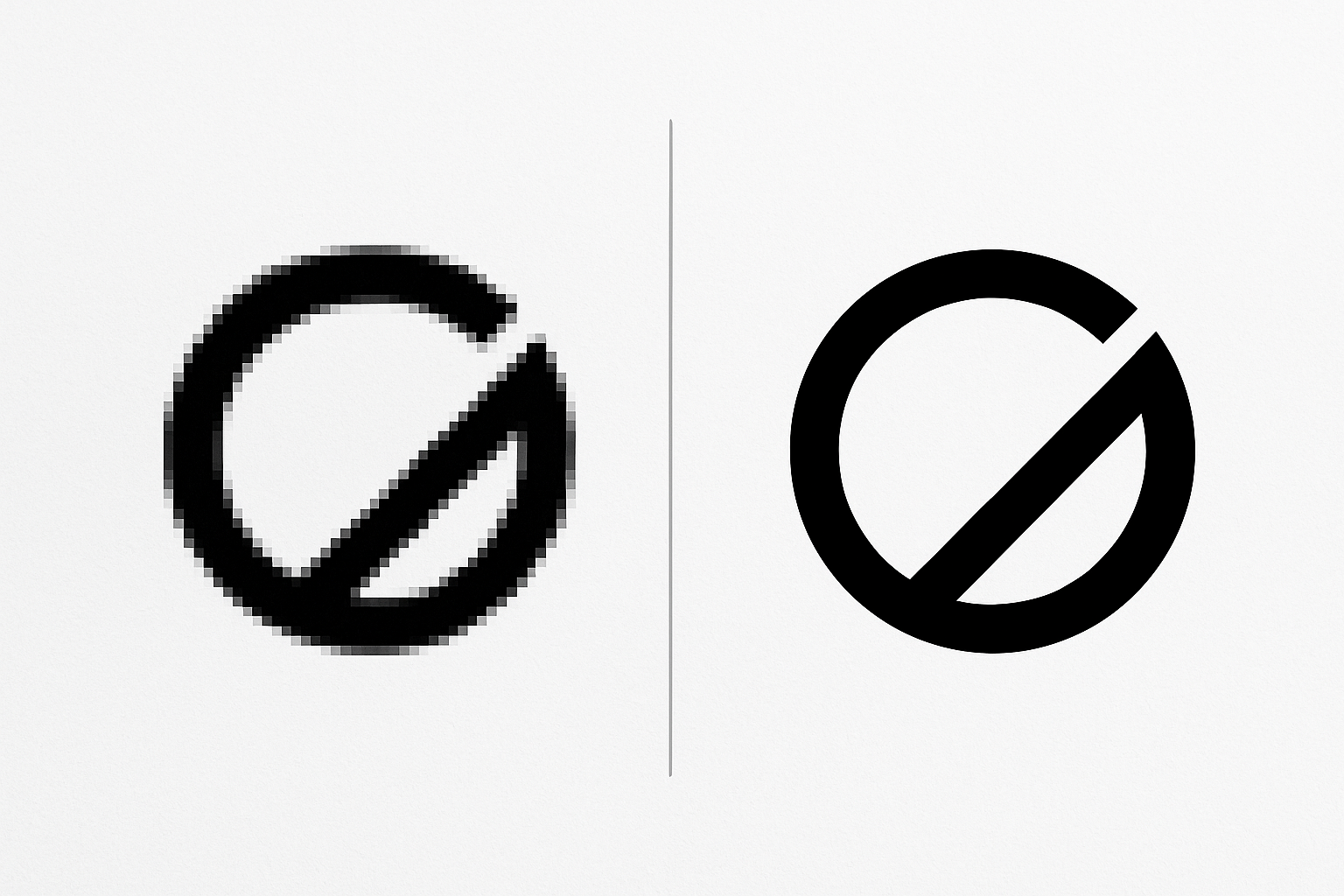
To convert any raster image (like a JPG or PNG) into a scalable vector graphic (SVG, PDF) for high-quality printing on apparel, banners, or any physical product.
Mockup Generator
E-commerce Owners, Freelancers, Marketers
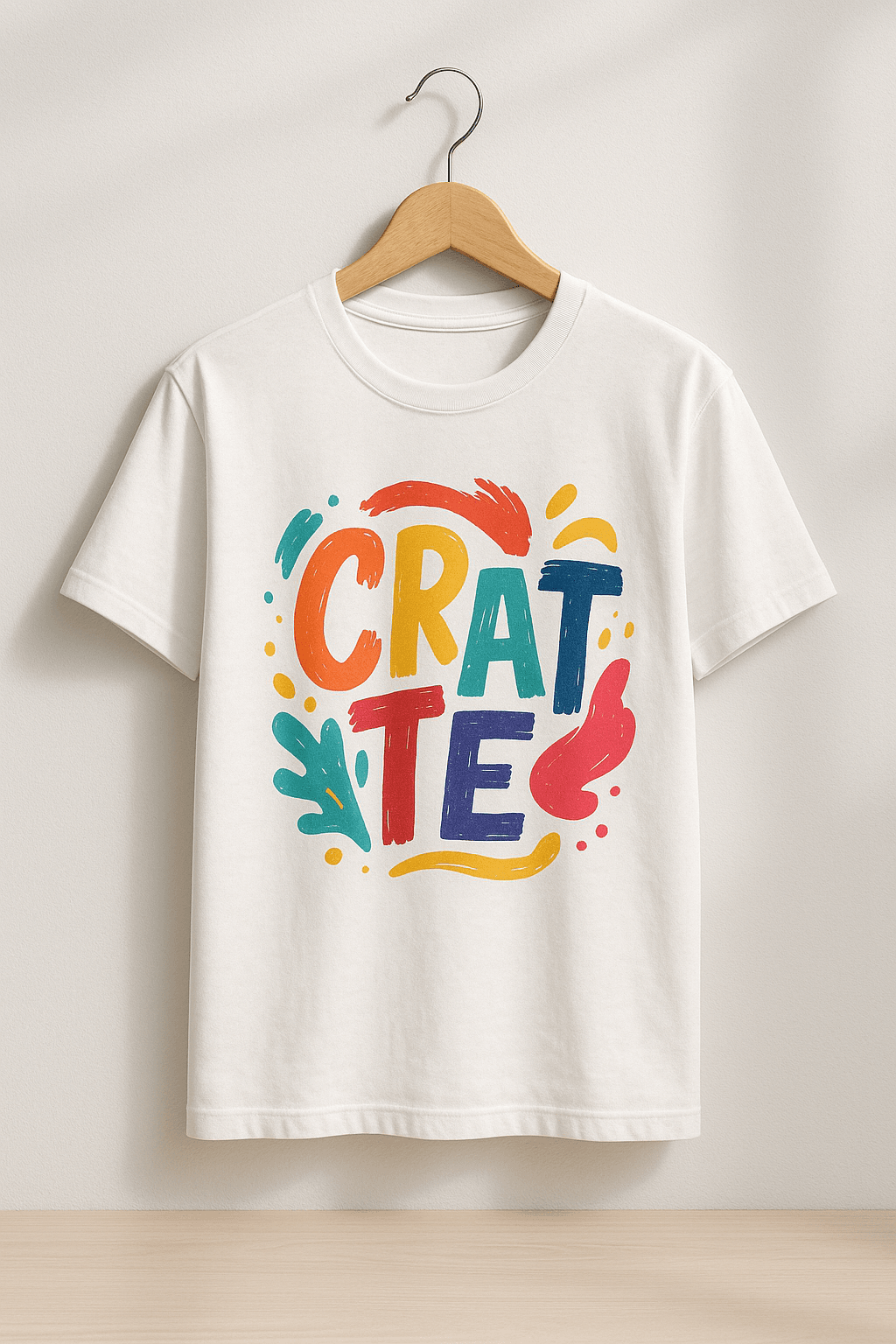
To instantly visualize designs on real products like t-shirts, mugs, and posters. Perfect for creating product listings or presenting concepts to clients.
Background Remover
Social Media Managers, Product Photographers, Web Designers
To create clean, professional-looking product images or headshots by instantly removing distracting backgrounds with a single click.
Template Library
Beginners, Small Business Owners, Anyone on a Deadline
To kickstart any design project—from logos to social posts—with thousands of fully customizable, professional templates, saving hours of work.
To work together on designs in real-time, share feedback directly on the canvas, and manage brand assets in a shared workspace for seamless project delivery.
Kittl FAQs
Here are answers to some of the most common questions people ask about Kittl:
Is Kittl good for beginners? Absolutely. While it offers professional-grade tools, its intuitive interface and vast template library make it one of the best platforms for beginners who want to create high-quality designs.
Can I use Kittl for print-on-demand? Yes! Kittl is a favorite among print-on-demand sellers because it supports vector exports (SVG, PDF) and provides a commercial license with its paid plans, allowing you to sell your designs on products.
How does Kittl compare to Canva? Kittl offers more advanced typography and illustration tools, making it better for artistic and detailed designs. Canva is more focused on quick social media graphics and presentations. If you want more creative control, especially with text, Kittl is the stronger choice.
Conclusion: Your New Creative Powerhouse
Kittl has successfully carved out a unique space in the crowded world of design software. By blending powerful AI features with an intuitive editor and a rich asset library, it empowers creators of all skill levels to produce stunning, professional-grade work.
Whether you’re a small business owner designing your first logo, a content creator looking to elevate your visuals, or a print-on-demand seller aiming to create best-selling products, Kittl provides the tools you need to succeed. It’s more than just a design tool; it’s a complete creative ecosystem.
Vibe coding is not a technical term you’ll find in computer science textbooks. Instead, it’s a modern and informal phrase used to describe a relaxed, creative, and intuitive approach to coding. It focuses more on how coding feels rather than strict rules or performance.
In short: vibe coding is when you code based on instinct, mood, and flow, rather than structure, planning, or strict standards.
Where Did Vibe Coding Come From?
Vibe coding became popular through developers on platforms like TikTok, Twitter (X), and YouTube. It started as a humorous way to describe the experience of late-night or freestyle coding sessions where the goal wasn’t always to be perfect—it was about enjoying the process.
The term is often used in contrast with traditional, structured approaches to software development. Instead of following the perfect architecture or clean code guidelines, vibe coders just build things that work, often in fun or creative ways.
What Does Vibe Coding Look Like in Practice?
Here’s what a vibe coding session might look like:
You open your code editor at 1 AM because you suddenly had an idea.
You don’t write tests or follow clean code principles.
You just start coding whatever comes to mind.
You might build a weird feature just because it feels fun.
You don’t worry about the final result looking professional.
It’s not always productive or scalable, but it’s freeing. Vibe coding is about enjoying the process of building something without pressure.
Why Do People Enjoy Vibe Coding?
It’s relaxing: There’s no pressure to follow rules or meet deadlines.
It boosts creativity: You’re free to experiment and try random ideas.
It feels authentic: You code in your own style and flow.
It reconnects you with the joy of programming: Especially for developers burned out by corporate code.
Is Vibe Coding a Good Practice?
It depends. For personal projects, rapid prototyping, or creative exploration, vibe coding is perfectly fine. But for professional environments, it has clear downsides:
Pros:
Fun and stress-free
Great for brainstorming or testing new ideas quickly
Helps break out of creative blocks
Cons:
Messy or hard-to-maintain code
No documentation or structure
Not suitable for team or production environments
So, vibe coding is more of a mood than a method. It’s not a replacement for clean code or software architecture. It’s just a fun way to explore ideas and enjoy the creative side of coding.
When Should You Try Vibe Coding?
When you’re stuck on a project and need a mental break
When you want to build a side project for fun
During a hackathon or coding jam
Late at night when inspiration hits
Just remember to switch back to structured coding when your project needs to scale or be maintained long-term.
Final Thoughts
Vibe coding is a casual, feel-good way to explore coding without pressure. It’s not about best practices or clean code—it’s about the vibe. While it’s not how you should always code, it has a place in the developer experience, especially for keeping the spark of creativity alive.
If coding ever starts to feel like a chore, try vibe coding for a session. You might just fall back in love with it.
FAQs
Is vibe coding the same as lazy coding?
No. Lazy coding is about skipping important steps. Vibe coding is more about flow and creativity, not cutting corners on purpose.
Can vibe coding be used in real jobs?
Not really. While it can help spark ideas, production code needs testing, documentation, and collaboration.
Does vibe coding mean you don’t care about clean code?
Not necessarily. Many developers still value clean code, but sometimes they just want to take a break and enjoy coding for fun.
Is vibe coding only for beginners?
No. In fact, many experienced developers vibe code during personal projects or creative experiments.
Get ready, Roblox just dropped some seriously exciting news that’s going to change the way you build and design your experiences. The platform has officially unveiled its brand-new, open-source AI model called “Cube 3D.” This powerful tool lets you generate 3D objects simply by typing in text prompts. Yep, you read that right – describing what you want is now a way to actually create it! As reported by the folks over at TechCrunch, this is a major leap forward in Roblox’s AI capabilities, and it’s just the beginning. They’re even planning on rolling out more cool AI tools for text and speech in the near future. Let’s dive into what this means for you and your creative journey on Roblox!
The Future of Creation is Here: Meet Cube 3D
Remember that buzz about Roblox working on an AI 3D modeler? Well, it’s here! Cube 3D was first teased at Roblox’s big annual developer conference last year, and now it’s taking center stage at the Game Developer Conference. And the best part? It’s becoming available to all you amazing creators this week!
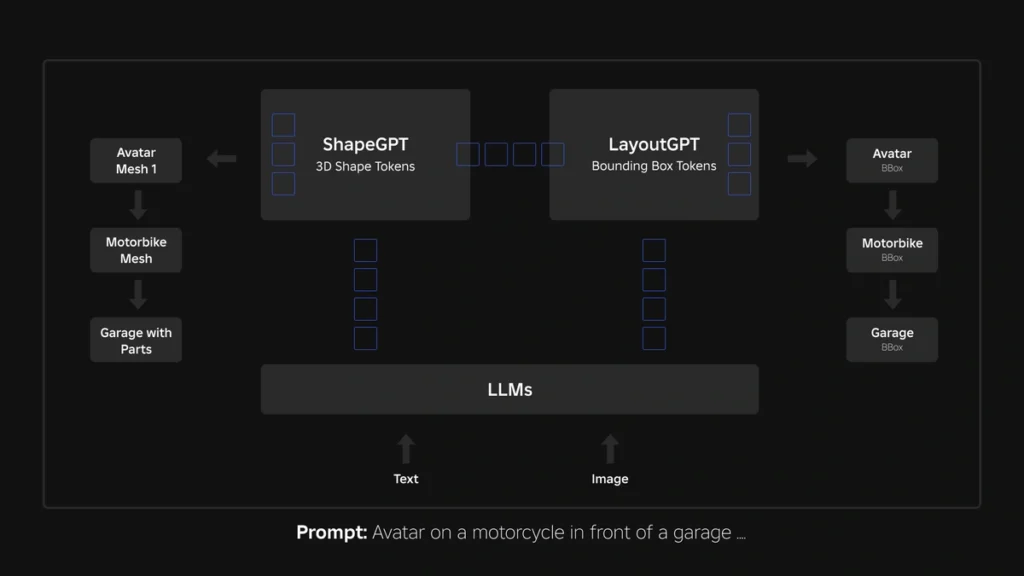
This foundational AI model is packed with some serious brainpower – 1.8 billion parameters, to be exact – and it’s specifically designed to create 3D objects that fit seamlessly into the Roblox world. Unlike older methods that try to build 3D from flat images, Cube 3D is trained on actual 3D data right from the platform. This means the stuff it creates is already optimized to work perfectly in your games. While this awesome tool will be free for all developers and creators to use, Roblox will be putting in place some usage limits to make sure everyone gets a fair share of the resources.
How Does This Magic Work? What is the Mesh Generation API?
At the heart of Cube 3D is its super handy “mesh generation API,” which is currently in beta testing. This API is what allows you to turn your text ideas into actual 3D models. It’s as simple as typing a command! Want to quickly create a vehicle? Just type “generate a motorcycle.” Need some roadside flair? Try “generate orange safety cone.” This new API is all about making your 3D creation process faster and more efficient. Here are some of the key benefits:
Rapid Idea Generation: Got a new concept you want to visualize? Cube 3D lets you quickly bring your ideas to life, allowing you to explore different creative paths and boost your overall productivity.
Customize to Your Heart’s Content: The 3D models generated by Cube 3D are just the starting point. You can then add your own textures and colors to really make them your own and fit your unique style.
Plays Well with Others: Because Cube 3D is trained on Roblox data, the objects it creates are designed to work perfectly within the Roblox game engine. This means less time spent on compatibility issues and more time on making your game awesome.
More to Come! Roblox isn’t stopping here. They’re planning to make the API even more powerful in the future, with the ability to generate entire scenes based on different types of inputs. Imagine describing a whole environment and having it appear before your eyes!
Open Source Power: Innovation for Everyone
Here’s another reason to be excited: Cube 3D is open source! This means that anyone, even if they don’t develop on Roblox, can use it, create their own add-ons for it, or even train it with their own data. This approach is fantastic for fostering innovation and driving research in AI tools and 3D content creation within the gaming world and beyond. The fact that Cube 3D is trained on real Roblox 3D data is a big advantage, ensuring that the generated content is perfectly suited for the platform.
What’s Next? Even More AI Tools Coming to Roblox!
Roblox isn’t just stopping at 3D object generation. They’ve got some exciting plans to expand their AI toolkit even further in the coming months. Get ready for:
AI for Words: They’re working on text generation tools that could help you write in-game dialogue, create item descriptions, or even build dynamic narratives.
Talking and Listening: Text-to-speech and speech-to-text functionalities are also in the pipeline, which could greatly enhance accessibility and open up new ways for players to interact within experiences.
Building Worlds with AI: The long-term goal is to develop tools that can generate entire scenes on demand, making world-building faster and easier than ever before.
From Images to 3D: Imagine being able to upload a picture and have Roblox generate a 3D object based on it! That’s another future enhancement they’re working on.
Breaking Down Language Barriers: Roblox is even exploring real-time language translation models, which could help connect players from all over the world.
A Smart AI Brain: The underlying Cube model is being designed to understand and process various types of input, including text, images, and video, to create even more sophisticated 3D content in the future.
Fair Use for All: While all these amazing AI tools will be free for developers and creators, Roblox will be implementing usage limits to ensure that everyone has a fair opportunity to use them.
The Takeaway
Roblox’s release of Cube 3D and its plans for even more AI-powered tools are a massive step forward for the platform. This technology has the potential to significantly speed up your workflow, lower the barrier to entry for new creators, and unlock incredible new possibilities for creativity. Get ready to say goodbye to some of the more tedious aspects of 3D modeling and hello to a future where your imagination is the only limit. We’re super excited to see what amazing things you’ll create with Cube 3D! What are you most looking forward to building with this new AI? Let us know in the comments!
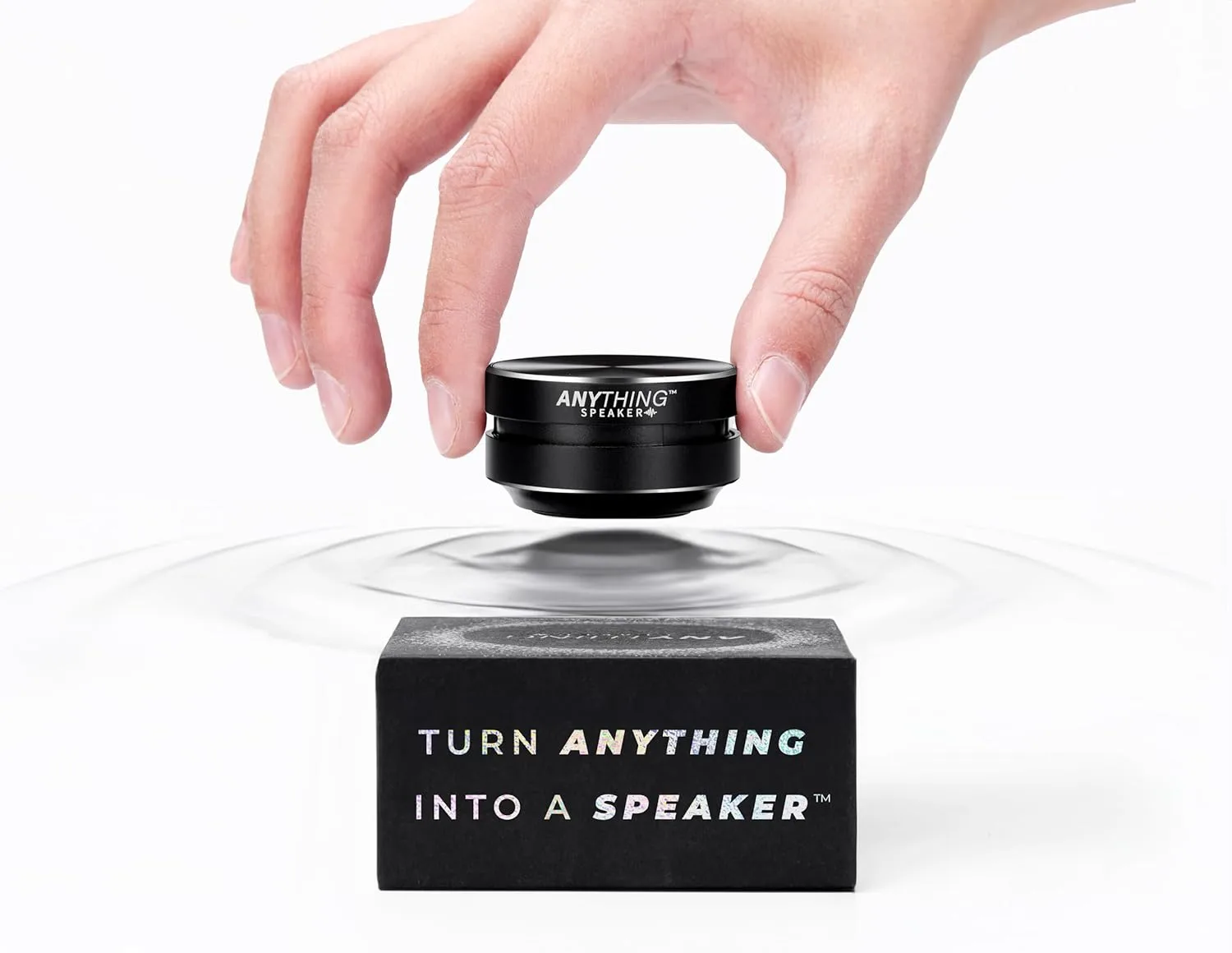
The Anything Speaker presents a novel approach to portable audio. Utilizing bone conduction technology, this compact device can transform various surfaces into sound-emitting sources. This offers a unique listening experience in a variety of settings.
What is the Anything Speaker?
The Anything Speaker is a small, wireless Bluetooth speaker that employs bone conduction to transmit sound. Instead of traditional speaker diaphragms, it vibrates surfaces it is placed upon, effectively using those surfaces as a speaker. This technology allows for audio playback from objects like tables, windows, or similar structures. Its compact size, smaller than a golf ball and with a light weight comparable to a smartphone, enhances its portability.
Why You Should Get An Anything Speaker
The Anything Speaker offers several practical advantages for users seeking portable audio solutions:
Distinct Sound Experience: The bone conduction method provides a different auditory experience compared to conventional speakers. Sound characteristics will vary depending on the surface the speaker is in contact with, leading to potentially diverse audio profiles. For example, a wooden surface may enhance bass frequencies, while glass could emphasize higher frequencies. This interaction with different materials can offer an engaging listening experience.
Portable Design: The speaker’s small size and light weight make it easy to transport. It can be readily carried for travel, outdoor activities, or use in different rooms within a home or workspace.
Versatile Application: The ability to use diverse objects as speakers expands the potential applications. It could be used for casual listening outdoors, in workshops, or even in environments where water exposure is a concern due to its waterproof design. It may also be used on helmets for cyclists who wish to listen to audio without completely blocking ambient sounds for safety purposes.
Dual Device Connectivity: The speaker supports simultaneous connection to two Bluetooth devices. This feature allows for convenient switching between different audio sources, such as a phone and a tablet.
Water Resistance: The waterproof design increases the speaker’s resilience and utility. It can be used in humid environments or near water sources without risk of damage, making it suitable for use near pools, in bathrooms, or in light rain.
Turn anything into a speaker!
How Do You Use Anything Speaker?
Operation of the Anything Speaker is designed to be user-friendly:
Charging: Ensure the speaker is adequately charged before initial use.
Bluetooth Pairing: Activate the speaker and establish a Bluetooth connection with a compatible device like a smartphone or tablet. It can maintain connections with up to two devices concurrently.
Surface Placement: Attach the speaker to a solid surface. Experimentation with different materials such as wood, glass, or metal can demonstrate how surface properties affect sound output.
Audio Playback: Initiate audio playback on the connected device. The chosen surface will vibrate and function as a speaker, producing sound.
Volume Adjustment: Volume can be controlled via the connected device. Physical controls on the speaker itself may be present, but specific details were not provided in the initial description.
Value and Benefits of Anything Speaker
The Anything Speaker’s value proposition centers on its unique technology, portability, and adaptability:
Innovative Technology: It utilizes bone conduction, offering a technologically distinct method of sound reproduction.
Convenience and Portability: Its compact and wireless form factor provides convenient audio on the go.
Experiential Engagement: The interactive nature of using different surfaces as speakers can enhance user engagement with audio.
Space Efficiency: For users prioritizing minimal setups or with limited space, it eliminates the need for larger, traditional speakers.
Price Information
For current pricing, please check out the official Anything Speaker’s Amazon seller page. Prices for comparable bone conduction portable speakers generally range from approximately $40 to $100 USD, varying based on specific features and brand. The official website will provide the most accurate and current pricing for the Anything Speaker.
In summary, the Anything Speaker is a portable audio device that employs bone conduction technology to offer a distinctive listening experience. Its portability, versatility, and water-resistant construction, along with its ability to utilize various surfaces as speakers, may appeal to users seeking a functional and unconventional audio solution. For detailed product specifications and pricing, please refer to the official website.
Stıll searchıng?
Check out most trendıng tech gadgets ın our store!
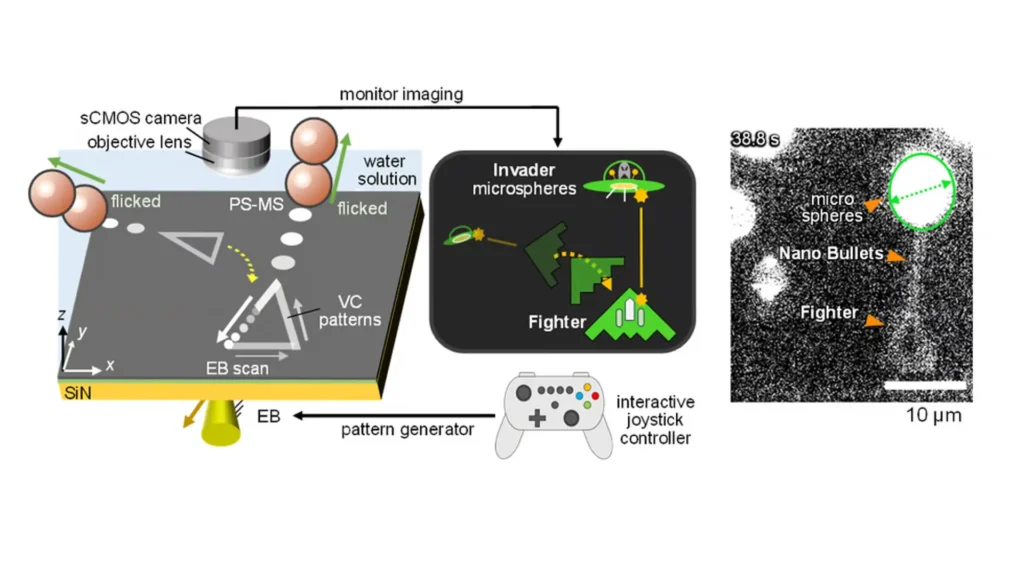
Have you ever imagined playing a video game that’s so incredibly small, it’s practically invisible? Well, researchers in Japan have turned this idea into reality! They’ve created the world’s tiniest video game – we’re talking nanoscale here – and it’s not just for fun. This amazing innovation is actually designed to interact with and move real, physical objects at an incredibly small scale. It might sound like something out of a sci-fi movie, but this is real, cutting-edge technology that blends nano-engineering with the digital world.
What’s the Big Deal About Nanoscale Video Games?
This isn’t just about shrinking video games for the sake of it. This project is a super cool mix of digital gaming and nanotechnology, and it’s opening up some mind-blowing possibilities:
Hands-on Nano Control: Imagine controlling digital things that can actually affect real objects at the nanoscale. That’s exactly what this game lets you do!
Super Precise Engineering: Using game-like controls to work with real-world nano-components could lead to some serious breakthroughs in how we make things and the materials we use.
Boosting Science with Games: This shows how thinking creatively in gaming can push scientific research forward, and it could influence all sorts of technologies in the future.
Okay, But How Does This Tiny Game Actually Work?
Nanoscale physics and digital simulations might sound super complicated, but the basic idea is actually pretty clever and easy to grasp. Let’s break it down:
1. The Nanoscale Spaceship
Super Small Design: The digital ship in the game is built at the nanometer scale. To give you an idea, a nanometer is one-billionth of a meter! That makes this ship the tiniest “vehicle” ever controlled in a video game.
Easy to Control: Even though it’s incredibly small, you control the ship just like any other video game, using regular gaming controls. This shows that even at a microscopic level, we can still interact with things intuitively.
2. Bullets That Move Real Things
Digital Becomes Physical: In this game, the bullets you fire aren’t just pixels on a screen. They actually have a real impact on physical objects in the nano-world. So, every shot you take in the game can cause a tiny, but real, movement or change.
Nano-Object Manipulation: By shooting these digital bullets, players can move around incredibly small objects. This could teach us a lot about how to assemble things at the nanoscale and even change materials at that level.
The Cool Tech Behind It
This amazing combination of gaming and nanotechnology is possible thanks to some seriously advanced technology. Here are the key things that make it work:
Advanced Super-Vision
Microscopes That Show in Real-Time: They use really powerful microscopes that give instant feedback. This lets researchers precisely control things and see what’s happening at the nanoscale as it’s happening.
Sensors That See Everything: High-resolution sensors are used to pick up all the tiny details in the nano environment. This makes sure that every move you make in the digital game translates accurately to the physical world.
Smart Controls and Clever Software
Algorithms That Make it Happen: Special computer programs (algorithms) bridge the gap between your game commands and the physical reactions. This ensures that when you press a button, the desired nano-manipulation actually occurs.
Easy-to-Use Game Interface: The game is designed to be user-friendly. You can focus on playing and being precise without needing to be a nano-engineer!
The results are also published in the Japan Society of Applied Physics, you can read through here!
What Could This Be Used For?
This isn’t just a cool tech demo. This nanoscale video game has the potential to revolutionize many different fields:
1. Making Things in a Whole New Way
Nano-Assembly Lines: Imagine building things atom by atom! This technology could change how we assemble things at the nanoscale, making manufacturing much more efficient.
Super Materials: By manipulating materials at the nano level, we could create materials that are stronger, lighter, and have all sorts of amazing properties.
2. Revolutionizing Medicine
Targeted Drug Delivery: Being able to precisely control things at the nanoscale could lead to delivering medicines directly to the cells that need them.
Super-Sensitive Diagnostics: This tech could help develop incredibly sensitive tools for diagnosing diseases at a molecular level.
3. Learning in a Fun, New Way
Interactive Science Education: By combining gaming with real science, educators can make learning about complex nano concepts fun and engaging. Students could get hands-on experience (virtually, at least!) with the nanoworld.
Challenges to Overcome
Of course, with any new technology, there are hurdles to jump:
Making it Bigger: Right now, this is nanoscale. Making this technology work on a larger scale for real-world applications is a big challenge.
Keeping it Safe and Regulated: Like any new tech, we need to make sure there are safety rules and regulations in place as it develops.
Putting it All Together: Seamlessly merging the digital and physical worlds requires more work on both the hardware and software side of things.
The Future is Tiny, But Mighty!
This breakthrough is more than just a small step; it’s a giant leap in how we think about gaming and interacting with the physical world. It makes us rethink what’s possible when we blend the digital and the real. In a world that’s rapidly changing thanks to technology, innovations like this remind us that the future of technology is as big as our imaginations, even when we’re working at the nanoscale.
Innovation from Unexpected Places: This project shows how creative ideas from one area (gaming) can spark big changes in another (nanotechnology).
Huge Future Potential: As researchers keep improving these techniques, we might see revolutionary applications in everything from manufacturing to medicine.
Think Critically: While this is exciting, it’s important to be realistic and consider both the amazing possibilities and the challenges that come with such advanced technology.
In short, this nanoscale video game is not just a cool gadget. It’s proof of human ingenuity and a glimpse into a future filled with incredible interactive and scientific advancements.
Smart homes are awesome, but security is always the key!
This checklist is your guide to a super-secure smart home in 2025 and beyond.
We’ll cover the basics, like strong passwords and keeping things updated.
Plus, we’ll explore advanced tactics using AI and blockchain.
A Guide to IoT Security in Smart Homes
In a world where our refrigerators can order groceries, our thermostats adjust themselves, and our doorbells double as security cameras, smart homes are no longer just futuristic fantasies—they’re part of our everyday lives. But with convenience comes risk. As we integrate more Internet of Things (IoT) devices into our living spaces, securing these interconnected gadgets becomes absolutely essential.
This means we must keep your personal information, your devices, and your network safe from unauthorized access. Let’s take a closer look to how to secure your IoT devices at home shall we?
What is IoT Security?
At its core, IoT security refers to the measures taken to protect the network of physical devices—ranging from smart speakers and thermostats to security cameras and appliances—from cyber threats. These devices are connected to the internet, enabling them to exchange data and perform automated tasks. However, this connectivity can also expose them to vulnerabilities if not properly secured.
Why is IoT Security Crucial?
Your IoT devices collect a lot of personal information. This includes your daily habits, likes, and even sensitive data such as passwords. Without strong IoT security, this important information can be at risk.
If someone gets unauthorized access, it can lead to breaches of your privacy, data theft, and even control over your devices. Just think about a stranger being able to see your security cameras or change the temperature on your smart thermostat—not good at all! This is why focusing on IoT security is very important for protecting your privacy and keeping you calm.
The Step-by-Step IoT Security Checklist for 2025
This checklist will help you understand the steps to protect your smart home from possible dangers.
By using these tips, you can reduce risks and enjoy the benefits of a connected home while staying safe. Are you ready to make your smart home a stronghold against digital threats? Let’s get started!
1. Inventory Your Smart Devices
Before you learn about how to secure your iot devices at home, you need to know what’s inside it. Create a comprehensive list of all your IoT devices. This includes:
Pro Tip: Maintain an updated inventory as you add or remove devices. This simple step ensures you’re aware of every potential vulnerability in your network.
2. Secure Your Home Network
Think of your home network as the brain of your smart home. It connects all your devices so they can talk to each other and exchange information. Here’s how to fortify it:
Change Default Credentials: Many IoT devices come with pre-set usernames and passwords. Change these immediately upon installation.
Upgrade to WPA3 Encryption: If your router supports it, use WPA3 encryption to add an extra layer of protection.
Segment Your Network: Create separate networks for your smart devices and personal devices. For example, keep your security cameras on one network and your laptops on another.
Regularly Update Router Firmware: Just like your IoT devices, your router needs regular updates to patch security vulnerabilities.
3. Harden Your IoT Devices
Now that your home network is safe, let’s look at your individual devices. Each device has its own security settings, and it’s important to make them better.
Each device in your smart home needs individual attention:
Update Firmware: Ensure all your devices run the latest firmware. Manufacturers often release updates to patch vulnerabilities.
Disable Unused Features: Many devices have features you might not use (like remote access or voice recognition). Disable these if they’re not essential.
Use Strong, Unique Passwords: Avoid using the same password for multiple devices. Consider a password manager to keep track.
Two-Factor Authentication (2FA): Where available, enable 2FA for an added layer of security.
4. Advanced Network Protection
Ready to take your security game to the next level? Implementing advanced network protection measures will provide an even more robust defense against sophisticated threats.
Consider using a Virtual Private Network (such as NordVPN) to encrypt your internet traffic, making it much harder for hackers to intercept your data. Employ network monitoring tools to keep an eye on suspicious activity and identify potential breaches in real-time.
Advanced Protection
Description
TLS Encryption
Encrypts data transmitted between devices and servers.
VPN
Creates a secure tunnel for your internet traffic.
Network Monitoring
Tracks and analyzes network activity for anomalies.
Firewall
Blocks unauthorized access to your network.
5. Monitor and Respond
Even with strong security measures, staying alert is very important! Don’t just set everything up and walk away. Make it a habit to check your network activity often.
Watch for any strange signs, like unknown devices linking to your network or sudden jumps in data use.
By keeping an eye out and reacting to possible risks, you can keep your smart home safe and secure. Always remember, being proactive is much better than being reactive!
Expert Insights & Advanced Strategies
As technology changes quickly, the ways to protect it are changing too. Let’s look at some expert advice and smart strategies that use the latest tech to strengthen your smart home security.
Embracing AI and Machine Learning
Artificial Intelligence (AI) and machine learning are not just things of the future anymore. They are changing how we look at cybersecurity, including IoT security.
AI-powered security measures can look at huge amounts of data. They can spot patterns and find anomalies that could show a threat. Imagine a virtual security guard always watching your network for any strange activity!
But, we need to keep in mind that AI has its limits. As hackers come up with smarter ways to attack, staying aware of potential vulnerabilities in AI-based security systems is very important.
The Role of Blockchain in IoT Security
Blockchain provides a high level of security. It makes a permanent record of transactions, so it is very hard for hackers to change any data. When it comes to IoT, blockchain can check if devices are real, keep data safe during exchanges, and block unauthorized access.
Even though blockchain is still new, it can strongly impact IoT security. Its way of being decentralized and encrypted promises a safer and more reliable IoT environment.
Blockchain technology’s decentralized nature can enhance the security of IoT devices by:
Providing Immutable Records: Every transaction or data exchange is recorded, making it nearly impossible for hackers to alter records undetected.
Enabling Secure Device Authentication: Blockchain can help verify that each device on your network is genuine and not a malicious impersonator.
Future Trends in IoT Security
Looking to the future, the world of IoT security will be both exciting and tough. As more devices join the internet, the chances for cyber threats will keep growing.
However, new technology like artificial intelligence, machine learning, and blockchain can help us create better security measures.
We can look forward to self-healing networks. These networks will have AI systems that find and stop threats on their own, without needing people to help.
We may also see strong protection methods, like quantum cryptography, to fight against changing cyber threats in the coming years.
Common Mistakes & Best Practices
Now that we have gone through the key steps to secure your smart home, let’s look at some common mistakes you should avoid.
Using weak or default passwords.
Neglecting firmware updates.
Ignoring security settings.
Connecting too many devices without the right security measures.
On the other hand, focus on these best practices:
Use a unique password for each IoT device.
Turn on two-factor authentication whenever you can.
Regularly check and update your security settings.
Stay aware of potential vulnerabilities and updates.
IoT device security depends on several steps. These steps include encryption, authentication methods, secure boot processes, and updating firmware regularly. These measures help to fix potential vulnerabilities and keep sensitive data safe.
How can I control my IoT device remotely?
Many smart devices let you access them from far away using mobile apps or websites. These are usually protected by account logins and extra security measures. This helps to keep your personal life safe.
How do you secure IoT devices at home?
To protect your home network from security risks, you should take some important steps. First, use a strong password for your network. Second, turn on a firewall. Finally, make sure each IoT device has its own unique password. These actions can greatly improve your home network security.
What Works Best For IoT Security?
It is important to focus on strong security features. Regularly updating your firmware is essential. Make sure you have network security measures in place. You should also enable the use of encryption to protect your data. These are some of the best practices you can follow in your daily lives.
Find out the best ecommerce platforms that are expected to lead in 2025.
Choose the right platform for your business, whether you are just starting out or running a big company.
Look at important features, pricing options, and key points to think about when you decide.
Get advice on moving to a new ecommerce platform easily and read inspiring success stories.
Table of Contents
Introduction
There are over 26 million e-commerce sites around the world. Choosing the right platform is very important for your success. This number is huge, isn’t it? With so many choices, it’s normal to feel confused. But don’t stress—you are in the right spot. I will explain the best e-commerce platforms. This way, you can find the best fit for your online business.
What Are E-Commerce Platforms & Why Do They Matter?
An e-commerce platform is software that helps you create, launch, and run your online store. It acts as the digital base for your business. Here, you can display products, manage payments, and take care of things like inventory and shipping. Picking the right platform is important. It affects how well your store performs, the customer experience, and, in the end, your sales.
Think about this: 87% of shoppers start looking for products online. If your website is slow or hard to use, you might lose customers. However, if you choose the right platform, you can make a smooth shopping experience. This will help keep visitors coming back. Now, let’s look at the platforms that are always the best.
Best E-Commerce Platforms of 2025
There are several differences in ecommerce features. But don’t worry, you can compare them easily.
Shopify
I have seen many entrepreneurs succeed with Shopify. They often move quickly from having an idea to making real sales. Shopify is one of the easiest and most flexible e-commerce platforms available today. It has a wide range of features and a large app store. This makes it a great option for businesses of any size.
Features:
A store builder that allows you to easily drag and drop items
Payment processing is simple with Shopify Payments
A large marketplace for various apps
Strong tools for managing your inventory
The ability to sell on multiple channels
Pros:
A very easy-to-use interface
Customer support available all the time
A wide range of themes to choose from
Good security features
Regular updates to the platform
Cons:
You will have transaction fees if you do not use Shopify Payments.
Advanced features cost more and need higher-priced plans.
Customization is limited unless you know how to code.
WooCommerce
You know that great feeling when you find something that fits just right? I felt that way when I first tried WooCommerce. It has so many options for customizing. I love playing around with websites, and WooCommerce is like a huge Lego set. You can create almost anything as long as you learn how the parts work together.
WooCommerce is a popular choice for WordPress users who want to add e-commerce features to their websites. This open-source platform gives you great flexibility. You can control how your online store works and looks.
Features:
Total integration with WordPress
Endless customization possibilities
A wide range of plugins available
A solution that you host yourself
Many different payment options
Pros:
You can install and use it for free.
You have full control over your store.
There is a large community that supports you.
The structure is good for SEO.
You can have unlimited products and variations.
Cons:
You need WordPress hosting.
You must have some technical knowledge to set it up.
You are responsible for maintaining security.
It can get expensive if you use premium extensions.
A good choice for: WordPress fans who like flexibility and are okay with dealing with some technical details.
BigCommerce
BigCommerce is known as a strong platform. It can easily manage complicated online store tasks. It has top features and can grow with businesses. This makes it a great choice for companies that want to build their online presence.
Features:
Built-in SEO Tools
Support for many currencies
Advanced product filtering
Recovery for abandoned carts
Features for B2B
Pros:
No fees for transactions
Great site speed
Advanced features built in
Strong capabilities across multiple channels
Strong API
Cons:
A more difficult learning process
Yearly sales limits for each plan
A higher initial price
Fewer free themes
Great for businesses that are growing. These businesses need advanced features and people who are willing to spend time learning the platform.
Wix eCommerce
I love seeing the excitement in people’s eyes when I show them Wix eCommerce. They quickly understand that they can build what they imagine without needing to write any code. Wix eCommerce is easy to use and offers strong features. This makes it a favorite for small business owners and entrepreneurs. The platform has simple design tools and helpful built-in features. This allows new users to create great-looking online stores fast.
Features:
A great choice of templates
An easy drag-and-drop editor
Marketing tools included
A program for customer loyalty
Automated sales tax handling
Pros:
A real editor where what you see is what you get
No need for coding
Comes with email marketing included
Options to customize products
Editor that works on mobile
Cons:
There are few ways to migrate.
You cannot change templates after you publish.
Some advanced features are not included.
It is not as scalable as other choices.
Ideal for: Those new to design and creative people who value flexibility in design and find it easy to use.
Squarespace Commerce
Here’s a platform that always makes me happy when I help someone use it – the designs are beautiful! Squarespace Commerce is great for creating eye-catching online stores without much work. The platform focuses on style and beauty, which makes it especially attractive to creative professionals and brands that care about how things look.
Features:
Templates that have won awards
Image editing tools included
Email campaigns that are built-in
Connect with social media
System for Point of Sale
Pros:
Great design options
All-in-one pricing
Powerful blogging tools
Mobile-friendly checkout
Professional email provided
Cons:
A few payment options available
Fewer outside tool connections
Simple inventory management
Some features require more expensive plans
Ideal for: Businesses that focus on design, value good looks, and want a complete solution.
Magento (Adobe Commerce)
Magento is a top-level e-commerce platform. It gives you a lot of options to customize and expand your store. It is like the heavyweight champion of e-commerce. At first, it may feel a bit overwhelming, but the capabilities it has are truly amazing.
Features:
Better B2B functions
Ability to scale globally
Management of complex catalogs
Merchandising powered by AI
Strong security features
Pros:
Very customizable
Manages big inventories
Great features for multiple stores
Detailed reporting
Enterprise-level security
Cons:
A lot of money needed
Skills in technology required
Complicated to put in place
Needs many resources for hosting
Ideal for: Large enterprises that have complex needs and the resources to support a more advanced platform.
Square Online
Square Online connects physical stores and online shopping easily. The way it works with Square’s point-of-sale system makes it a great choice for regular stores that want to start selling online.
Features:
There is a free plan available.
It has an integrated POS system.
You can sync inventory in real-time.
There are built-in options for delivery.
It also integrates with Instagram.
Pros:
Simple to use
Smooth offline and online connection
Affordable transaction fees
Fast setup process
Free SSL certificate
Cons:
Not much customization
Simple design choices
Only square payments
Few international options
Brick-and-mortar businesses
Big Cartel
This platform is like an art gallery that became an online store. It is simple, stylish, and focuses on your work. Big Cartel is for independent artists and makers. It offers a basic and easy way to sell online. Its simple features and friendly prices make it a great option for creative people who want to start their business.
Features:
A free plan for basic needs
Support for custom domains
Stats that update in real-time
Tracking of inventory
Ability to create discount codes
Pros:
Prices that artists will like
Easy to use
No fees for transactions
Order management included
A clear, simple design
Cons:
Fewer features than other products
Simple customization options
A cap on products, even in paid plans
Basic tools for reporting
Key Features to Consider When Choosing the Best Ecommerce Platform
Picking the best e-commerce platform is like picking a business partner. It should grow with you, handle challenges, and simplify your life. Here’s what to focus on:
Scalability
Your platform should evolve as you do. Find pricing options that fit your needs. Make sure it has a strong app ecosystem. It should manage increases in traffic or inventory well.
A flexible solution means you won’t have to deal with major changes later. Instead, you can enjoy steady and confident growth.
Security
No compromises are allowed. SSL certificates, PCI compliance, and two-factor authentication are a must. Protecting customer data is very important to build trust and avoid legal issues.
User Experience (UX)
Shoppers like things to be easy. Focus on making designs friendly for mobile users, offer one-click checkouts, and ensure navigation is simple. It’s also a plus to have guest checkout options. The fewer challenges there are, the more people will buy.
SEO & Marketing Tools
Your ecommerce platform should have strong SEO tools and good marketing features. This helps you attract attention and increase traffic. Find platforms that let you enhance product pages for search engines. They should also allow you to manage meta descriptions and create quality content to improve your ranking. Some important SEO and marketing tools to consider are:
SEO-friendly URL structure: This keeps your URLs clean. It helps them show up better online.
Blog integration: This lets you make helpful content. It keeps your target audience interested.
Social media integration: This makes it easy to share products and updates on social media.
Email marketing tools: These are good for building email lists. They help you run focused marketing campaigns.
Discount and coupon codes: This helps you offer promotions. It attracts and encourages customers.
Integration Capabilities
Choose a platform that has many apps or open APIs. This allows you to connect your ecommerce work with the tools you already use. When data moves easily between your ecommerce platform and these tools, it saves you time and effort. It also helps you gain insights that lead to better choices.
Differences between the Cost Implications of Ecommerce Platforms
When you put money into a good ecommerce platform, it can help you do well online. It’s key to check the prices of different choices to make sure they match your budget and business needs. Besides the setup costs at the start, think about the ongoing costs like monthly subscription fees and transaction fees. Also, look at any extra costs for additional features or upgrades.
Knowing the pricing details and any extra fees helps you pick an ecommerce platform with great features. This choice keeps your costs down. In this way, you will get the best value from your investment.
Learn About the Pricing Models
Ecommerce platforms often use different pricing models. Each model has its own advantages and considerations for businesses. Knowing about the common pricing structures can help you make better choices when looking at different options.
Let’s break down a few prevailing pricing models:
Pricing Model
Description
Considerations
Transaction Fees
This model involves charging a percentage or fixed fee per transaction processed through the platform.
Ideal for businesses with lower sales volumes, as costs scale with transactions. However, higher sales volumes might lead to increased expenses.
Subscription Fees
Platforms employing this model charge recurring monthly or annual fees for access to features and services.
Offers predictability in expenses, making it suitable for businesses with consistent sales. However, costs remain fixed regardless of sales fluctuations, potentially impacting profitability.
Tiered Pricing
This model provides different pricing tiers with varying features and resources. As businesses grow, they can upgrade to higher tiers for enhanced capabilities.
Offers flexibility as businesses can choose tiers aligned with their needs and budget. However, transitioning between tiers might involve adjustments in features and costs.
Freemium
These platforms offer a basic free plan with limited features, while premium features or enhanced functionality require paid subscriptions.
A cost-effective starting point for small businesses or testing the platform before committing to paid plans. However, limited features in free plans might necessitate upgrading as the business grows.
Custom Pricing
Some platforms offer tailored pricing based on specific business needs, size, and requirements.
Provides flexibility and personalized pricing tailored to unique needs. However, negotiating custom pricing might require time and effort, and transparency in cost breakdowns is essential.
Hidden Costs to Watch Out For
When you check out ecommerce platforms, be aware of hidden costs. These extra fees are often overlooked at first. However, they can grow and hurt your profits in the long run.
Make sure to ask about the transaction fees from the payment gateways linked with the platform. These fees can differ from one to another. Also, check for any costs tied to add-ons, integrations, premium themes, or third-party apps that you may need for the features you want. Some platforms might also have limits on bandwidth or storage. If you exceed these limits, it could lead to additional costs.
If you spend time to learn about the total cost of different ecommerce platforms, you can choose what works best for your budget and your business needs.
Common Mistakes & Best Practices
Mistakes to Avoid:
Paying too much for features that you do not use.
Forgetting about scalability—what works well now may hold you back in the future.
Not focusing on mobile optimization (60% of online shopping happens on mobile devices).
Best Practices:
Put user experience first: A tidy design, simple navigation, and quick loading times are important.
Use platform tools: Think about email marketing, social media, and inventory tools.
Emphasize mobile: A responsive design is a must.
Final Thoughts
The best platform for you does not need to have all the features. It just needs to have the features that fit your business well. Start today. Don’t worry about being small at first. You can grow and add more later.
Do you wanna start wıth e-commerce?
Read our blog on How to start your Onlıne Busıness
Choosing the right e-commerce platform depends on what your business needs. Some well-known e-commerce platforms you might think about include Shopify, WooCommerce, BigCommerce, Magento, and Wix. Each platform offers different strengths and features. It’s key to look at factors like ease of use, customization options, scalability, pricing, and how well they work with other tools or services. Take time to research each platform. This will help you find the one that fits your e-commerce goals best.
How much does it cost to build an ecommerce website?
The cost to build an ecommerce website can change based on several points. These include how complex the site is, the features you want, design choices, and if you use a website builder or hire a web developer. Usually, a simple ecommerce website costs between a few hundred dollars and several thousand dollars. If you want a more complex or custom-built ecommerce site, prices can start at several thousand dollars and go up to tens of thousands or more. It is a good idea to list your needs and budget before starting. This will help you understand the costs better.
Imagine taking a single photo and turning it into a realistic video where the person moves, speaks, and gestures naturally. It sounds like something straight out of a sci-fi movie, but AI technology has made it possible. ByteDance’s OmniHuman 1 is one of the latest tools pushing the boundaries of AI-generated video content, making professional-level animation accessible to everyone—from hobbyists to business owners.
What Is OmniHuman 1?
Omnihuman 1 is ByteDance’s (parent company of TikTok) latest innovation in AI video generation. It takes one static image and transforms it into a lifelike video by animating full-body movements—not just facial expressions. Here’s what makes it truly exciting:
Full-Body Animation: Unlike typical deepfake tools that only move faces, OmniHuman 1 can bring an entire subject to life, capturing natural gestures, head tilts, and even hand movements.
Multimodal Inputs: It works with weak signals like a single image, supplemented by audio or text cues. Think of it as your personal digital animator that turns a photo into a mini-movie.
Data-Driven Realism: Powered by over 18,000 hours of human video data, the system learns the nuances of natural motion, ensuring that every animation feels authentic and engaging.
What Makes OmniHuman 1 Stand Out?
Most AI animation tools focus on facial features, but OmniHuman 1 takes it a step further by animating the entire body. That means not just lip-syncing but also realistic hand gestures, head tilts, and body language that match speech and emotion. This creates a more natural and believable effect, useful for everything from digital avatars to historical reenactments.
ByteDance, the company behind TikTok, trained OmniHuman 1 using vast datasets of human movement. With over 18,000 hours of video analyzed, the AI has learned to mimic real-life gestures and expressions with impressive accuracy.
It works by using multimodal learning, which means it can take a static image, audio, or text and turn it into a fluid animation. The result? A video that feels more human and less robotic.
How Does OmniHuman 1 Work?
OmniHuman 1 is powered by a diffusion-based transformer model that predicts motion and facial dynamics with minimal input. The AI first maps key facial and skeletal points from an image, then compares them with movement patterns in its dataset to generate realistic animation.
If an audio clip is provided, the AI analyzes the speech and synchronizes mouth movements accordingly. Unlike older AI models that produced stiff, unnatural animations, this approach ensures smoother motion and more expressive results.
Key Features
OmniHuman 1 comes with several standout features that set it apart from traditional deepfake or animation tools:
Single-Image to Video Conversion: One of its most impressive capabilities is generating a full-body video from just a single image paired with an audio track. This means that by providing a photo and sound, the model can produce a video where the subject not only talks but also exhibits natural gestures and body movements.
Multiple Motion Inputs: The system accepts various motion signals. Whether you use audio-driven animation to capture the nuances of speech or video-driven inputs to replicate specific gestures, OmniHuman 1 adapts seamlessly. In some cases, you can even combine modalities—using audio for lip-sync and a reference clip for upper-body motion—to achieve more detailed results.
Adaptability to Different Formats: OmniHuman 1 is designed to work with different aspect ratios and body proportions. Whether you need a portrait video for social media or a widescreen clip for cinematic projects, the model adjusts to ensure a consistent, realistic output.
Style Adaptations: Beyond photorealism, the model offers flexibility in output styles. Users can generate outputs ranging from hyper-realistic animations to more stylized or cartoon-like renditions. This creative freedom is particularly useful for content creators working in fields such as gaming, virtual influencers, or experimental filmmaking.
Performance Metrics
To assess the quality and naturalness of its output, ByteDance has benchmarked OmniHuman 1 against other leading AI animation models. Here are some key performance metrics:
Lip-Sync Accuracy: OmniHuman 1 achieves a score of 5.255, compared to 6.627 for CyberHost and 4.814 for Loopy. While it isn’t the top scorer in this category, its performance remains competitive.
Fréchet Video Distance (FVD): With a score of 15.906, OmniHuman 1 demonstrates high overall video quality. Lower FVD values indicate better video realism; here, it outperforms Loopy (16.134) and far exceeds DiffTED (58.871).
Gesture Expressiveness (HKV): This metric is particularly notable for OmniHuman 1, which scores 47.561—significantly higher than CyberHost’s 24.733 and DiffGest’s 23.409. This indicates that the model produces fluid and natural body movements.
Hand Keypoint Confidence (HKC): Scoring 0.898, OmniHuman 1 slightly outperforms CyberHost (0.884) and is well ahead of DiffTED (0.769), ensuring precise and reliable hand animations.
Highlights
Facial accuracy – 94% alignment with real human expressions.
Motion smoothness – Rated at 92% natural movement compared to real-life video footage.
Audio-lip sync precision – 98% accuracy in matching speech with mouth movements.
Processing speed – Generates a 30-second animation in under 10 seconds.
Who Can Benefit from OmniHuman 1?
This AI tool has a wide range of applications across different industries.
Content Creators
YouTubers, influencers, and marketers can use OmniHuman 1 to create engaging content without expensive production setups. It can be used to create branded content, explainer videos, or even personalized marketing messages, all while keeping costs low and production times short.
Education and History
Teachers and historians can use it to bring historical figures to life. Imagine students watching an AI-generated Abraham Lincoln delivering a speech or seeing a digital recreation of ancient philosophers discussing their ideas. This technology makes learning more interactive and engaging.
Business and Marketing
Companies can use AI-generated video for product demonstrations, virtual salespeople, or even customer service avatars. Instead of hiring actors or setting up costly shoots, businesses can generate professional-looking videos that still feel personal and engaging.
Accessibility and Personalization
For people with disabilities, AI-generated videos can make digital communication more expressive and engaging. It can provide a new way for individuals relying on text-to-speech to share video messages with natural-looking facial expressions and gestures.
As exciting as AI-generated video technology is, it also brings ethical concerns.
Transparency in AI-Generated Content
AI videos should be clearly labeled to prevent confusion or misinformation. If viewers know they are watching AI-generated content, it builds trust and avoids deception.
Avoiding Misuse
The ability to create realistic human videos raises concerns about deepfakes, fake news, and identity theft. Regulations and ethical guidelines must be in place to prevent misuse while still allowing innovation.
Privacy and Consent
Creating AI-generated videos of real people without their consent is a major privacy issue. Ensuring that proper guidelines and permissions are followed is essential to prevent identity misuse.
What’s Next for AI-Powered Video?
The future of AI-generated video is happening now, and it’s moving faster than ever. Imagine real-time AI avatars that can interact seamlessly in virtual meetings, AI-driven video dubbing that makes content instantly multilingual, and interactive AI personalities that feel like real people. These aren’t distant dreams—they’re just around the corner.
With every advancement, AI-generated videos are getting closer to being indistinguishable from real footage. This is a game-changer for entertainment, education, and digital communication. The way we create and consume content is evolving, and those who embrace these changes will be at the forefront of this revolution.
Final Thoughts
We’re witnessing a massive shift in content creation, and OmniHuman 1 is leading the charge. Whether you’re an artist pushing creative boundaries, a business looking for cutting-edge marketing tools, or an educator reimagining learning experiences, AI-powered video is unlocking possibilities we’ve never seen before.
This is just the beginning. The future of digital media is being rewritten, and AI is holding the pen. Are you ready to be part of it?
This blog is the best resource for learning how to build AI agents for beginners.
You can explore how to use AI for customer support and as e-commerce helpers.
We make developing AI agents easy with a simple step-by-step guide, so anyone can do it.
Find out about the future of automation with AI software like Make and N8N.
Learn how to test, launch, and keep track of your own AI agent!
The Quiet Revolution of AI Agents in Modern Marketing
In 2023, marketers worldwide faced a paradox: while 64% adopted AI tools, only a fraction unlocked the full potential of AI —autonomous systems that don’t just assist but think and act; the AI agents. Fast-forward to 2025, and the landscape has shifted. Startups, freelancers, online business and even local businesses are leveraging AI agents to automate complex workflows, predict customer behavior, and craft strategies that outpace competitors.
What Are AI Agents?
AI agents are autonomous programs that analyze data, learn patterns, and execute tasks without constant human input. Unlike basic chatbots or scripted tools, they adapt.
These agents can be simple, like a chatbot that answers questions from customers. They can also be complex, like a system that runs an entire factory floor. The secret to their success is their ability to see their surroundings, learn from data, and make choices to get the results you want.
According to a 2024 Gartner report, businesses using AI agents reduced operational costs by 35% and improved campaign ROI by 40%. The key difference? These agents learn. They use machine learning (ML) models to refine their decisions, making them invaluable for tasks like ad optimization or lead scoring.
Different Types of AI Agents
Now, just like there are different tools for different jobs, AI agents also come in many types, each with its own advantages. Let’s look at a few:
Simple reflex agents are the rule-followers. They do well in situations with clear patterns and react to certain triggers using pre-set instructions. For example, think of a chatbot that gives quick answers based on the keywords in your questions—that’s a simple reflex agent working!
Next, we have model-based reflex agents. These smart agents create an internal model of their surroundings. They use their knowledge to make better choices, even when things don’t go as expected. They are like master strategists, always planning a few steps ahead!
Finally, the most flexible type is the learning agents. As their name suggests, they learn and grow from experience. Imagine an AI system that gets better at suggesting products the more you use it—that’s the learning agents for you.
How to Build Your Own AI Agent?
With today’s technology, you don’t need to be a coding expert to learn to build your first AI agent. The first step is to define your goals. What do you want your AI agent to accomplish Once you know what you want, you can begin collecting the data your AI needs to learn and grow. This is like giving your AI agent the information it needs to become skilled in the area you choose.
Building an AI agent might sound daunting, but with no-code platforms, it’s akin to assembling IKEA furniture—follow the instructions, and it works. Here’s how:
Let Me Introduce Make and n8n
Imagine you have a box of LEGO blocks. Each block can do one thing: send an email, check Instagram, or talk to ChatGPT. Make.com and n8n.io let you snap these blocks together to build a robot (your AI agent) that does tasks automatically.
For example:
LEGO Block 1: “Check Gmail for new emails.”
LEGO Block 2: “If the email says ‘urgent,’ send a Slack alert.”
LEGO Block 3: “If not, reply with a thank-you message using ChatGPT.”
That’s it! No coding—just connecting blocks.
Why Make.com and n8n.io?
No-Code Flexibility: Drag-and-drop interfaces to create workflows (called scenarios in Make.com or workflows in n8n.io).
AI Integration: Connect OpenAI, Claude, DeepSeek or custom models to analyze data, generate content, or make decisions.
Cost-Effective: Free tiers available (Make.com offers 1,000 operations/month; n8n.io is open-source and self-hostable).
How These AI Tools Work (3 Simple Steps)
1. Pick a Trigger: What starts the automation?
Example: “When someone fills out my Google Form…”
2. Add an Action: What should happen next?
Example: “…send their info to ChatGPT to check if they’re a good lead.”
3. Decide the Outcome: What’s the final step?
Example: “…if they’re a good lead, add them to HubSpot. If not, send a follow-up email.”
Let’s Build Your First AI Agent (With Examples)
Example 1: Instagram Comment Responder
Goal: Automatically reply to comments on your posts.
Tools: Make.com + ChatGPT.
Steps:
Trigger: Select “New comment on Instagram” in Make.com.
Action: Connect to ChatGPT and ask: “Write a friendly reply to this comment: [Comment Text].”
Result: Post the ChatGPT reply back to Instagram.
Why It’s Cool: Saves 10+ hours/month.
Example 2: Lead Qualifier for Small Businesses
Goal: Automatically sort leads from a Google Form.
Tools: n8n.io + Google Forms.
Steps:
Trigger: Select “New Google Form response” in n8n.io.
Action: Send the response to ChatGPT and ask: “Is this person from a company with 50+ employees?”
Result:
If Yes → Add to your CRM (like HubSpot).
If No → Send a “Thanks for applying!” email.
Why It’s Cool: No more manual data entry!
Make.com vs. n8n.io: Which Should You Use?
Example 1: Build a Social Media Monitoring Agent with Make
Goal: Automatically track brand mentions, analyze sentiment, and alert your team.
Steps:
Trigger: Set up a trigger to scan Twitter/X for mentions of your brand (using Make.com’s Twitter module).
AI Analysis: Route mentions to OpenAI’s API to assess sentiment (positive, negative, neutral).
Action:
Send negative sentiment alerts to Slack.
Auto-reply to positive mentions with a thank-you message.
Result: A bakery used this agent to catch complaints about delayed deliveries in real time, improving response speed by 90%.
Example 2: Create a Lead Qualification Agent with n8n
Goal: Automatically score leads from a Google Form and add qualified ones to a CRM.
Steps:
Trigger: New Google Form entry (e.g., “Request a Demo”).
AI Processing: Use n8n.io’s Code Node to send lead data to OpenAI:
Ask ChatGPT: “Is this lead from a B2B company with 50+ employees?”
Decision:
If “Yes,” add to HubSpot CRM.
If “No,” send a nurturing email sequence.
Result: A SaaS startup automated 80% of lead screening, saving 15 hours/week.
Key Features of Make.com vs. n8n.io
Feature
Make
n8n
Pricing
Free tier (1K ops/month); paid from $9/month.
Free open-source; cloud plans from $20/month.
AI Integrations
OpenAI, Google AI, pre-built modules.
Supports any API (OpenAI, Claude, custom).
Ease of Use
Visual, beginner-friendly.
More flexible but steeper learning curve.
Best For
Quick automations with templates.
Complex workflows with custom logic.
Why These Tools Beat Traditional Coding
Speed: Build a functional AI agent in 1 hour vs. weeks of coding.
Scalability: Start free, then upgrade as your needs grow.
Community Support: Reddit’s r/nocode and Make.com’s template library offer plug-and-play solutions.
Pro Tip: Use n8n.io’s HTTP Request node to connect niche tools like Lemlist or Airtable that aren’t natively supported.
How To Get AI To Plan A Marketing Strategy
AI agents don’t just execute tasks—they strategize. AI marketing automation is here and the minute you’re not using it, you fall behind. Here’s how to turn data into actionable plans:
Phase 1: Data Aggregation
Pull data from Google Analytics, CRM systems, and social platforms.
Tools like Airtable or Notion AI can centralize this data. (This is especially very useful for b2b ai marketing solutions)
Phase 2: Pattern Recognition
AI tools like Jasper or Copy.ai analyze data to uncover trends. For example:
“Video content drives 2x more engagement for B2C brands on TikTok.”
“Email campaigns sent at 10 AM on Tuesdays have a 30% higher open rate.”
Phase 3: Strategy Generation
Platforms like ChatGPT-4 can draft a full marketing plan. Input prompts like:
“Create a Q4 marketing strategy for a vegan skincare brand targeting millennials.”
“Allocate a $10,000 budget across Facebook Ads, influencer partnerships, and SEO.”
Real-World Example: A DTC jewelry brand used an AI agent to analyze 1,000+ Instagram posts, identify trending designs, and launch a collection that sold out in 48 hours.
Free Tools to Build AI Agents (Without a Tech Team)
After all this information, I hear you asking “How to create free AI agents tho?”. Other than paid tools, you always have options to use free software;
For Chatbots:
Google’s Dialogflow: Free tier includes 15,000 monthly requests. Perfect for small businesses.
Botpress: Open-source, with pre-built templates for industries like healthcare or e-commerce.
For Predictive Analytics:
Hugging Face: Access free ML models for sentiment analysis or trend prediction.
RapidMiner: A free plan for data mining and predictive modeling (limited to 10,000 rows).
For Workflow Automation:
Zapier’s ChatGPT Integration: Connect AI to 5,000+ apps. Example: “Auto-generate blog ideas from trending Reddit threads.”
Cost-Saving Insight: A 2024 TechCrunch survey found that 68% of solopreneurs use free AI tools to replace $500/month SaaS subscriptions.
Case Study: How a B2B Startup Scaled with an AI Agent
The Challenge: A fintech startup struggled to identify decision-makers in Fortune 500 companies. Manual LinkedIn searches took 20+ hours weekly.
The Solution:
Built a Phantombuster agent to scrape LinkedIn for titles like “CFO” or “Head of Procurement.”
Integrated with HubSpot to auto-send personalized connection requests.
Added a GPT-4 layer to customize pitches based on the prospect’s industry.
The Result: 500+ qualified leads/month with a 15% response rate. Reduced manual work by 80%, freeing the team to focus on closing deals.
Common Pitfalls (And How to Avoid Them)
Mistake 1: Overambition
A Reddit user shared how their first agent—designed to handle “all social media, emails, and ads”—crashed within days.
Fix: Start with one task (e.g., “auto-reply to Instagram DMs”).
Mistake 2: Ignoring Data Bias
An e-commerce brand trained its agent on skewed data (mostly male buyers), leading to poor recommendations for female customers.
Fix: Use diverse datasets and tools like IBM’s AI Fairness 360 to detect bias.
Mistake 3: Neglecting Maintenance
AI agents degrade over time. A travel agency’s chatbot failed to recognize post-pandemic travel trends like “workations.”
Fix: Schedule monthly updates to retrain models with fresh data.
Conclusion: The Future Belongs to AI-Augmented Marketers
The growth of AI agents boosts human creativity by automating tasks, finding insights, and improving strategies. With Make.com and n8n.io, building AI agents isn’t a distant dream—it’s a weekend project. Automate lead gen, social listening, or content planning without writing a single line of code.
FAQ
Can AI agents replace human marketers?
No—they’re force multipliers. While agents handle grunt work, humans strategize and innovate.
What’s the cheapest way to start with AI agents?
Combine Zapier’s free plan with ChatGPT to automate tasks like social media scheduling.